



Refurbished Triple Monitor MST KVM Docking Station Kit - 4K60Hz, EDID for 1 Laptop & 3 PCs
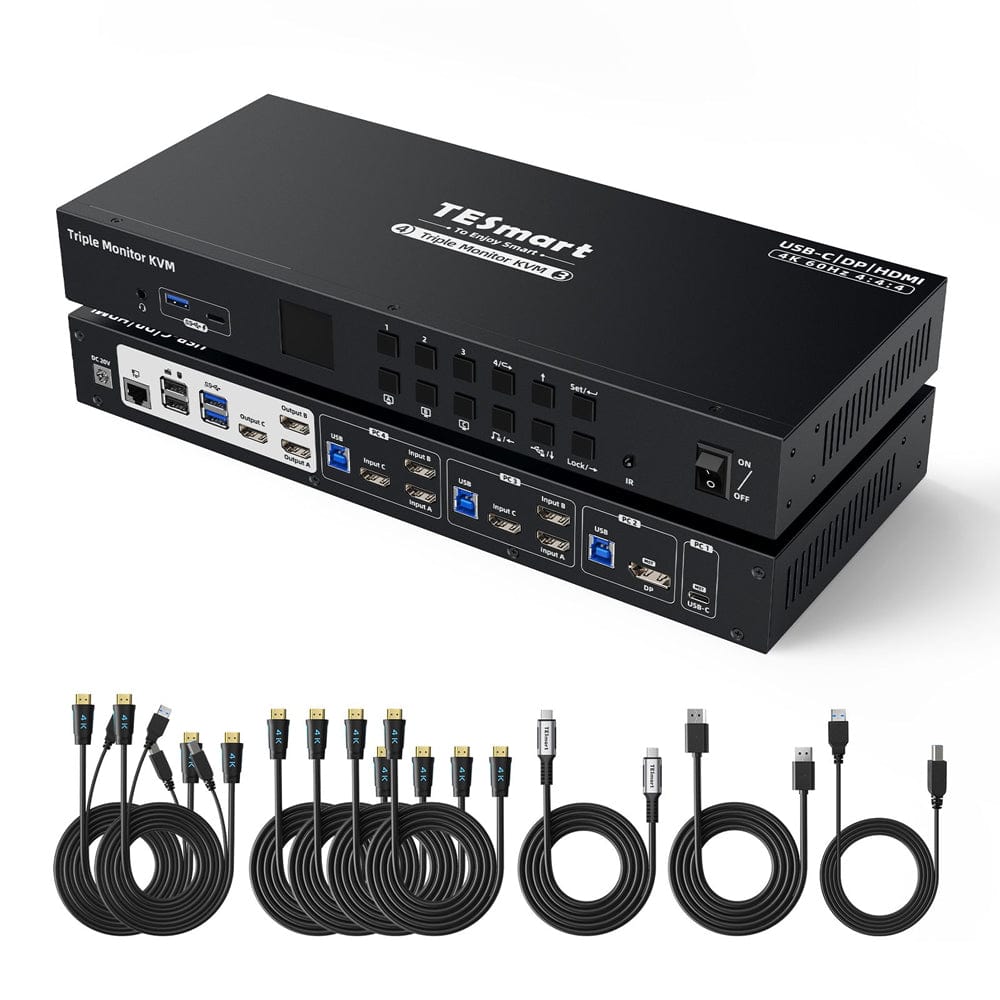
Share three HDMI monitors between two USB-C laptops and two desktops, with MST, EDID emulation and shared USB peripherals.
Refurbished Triple Monitor MST KVM Docking Station Kit - 4K60Hz, EDID for 1 Laptop & 3 PCs
Why Choose HDC403-P23-N
Overview
01
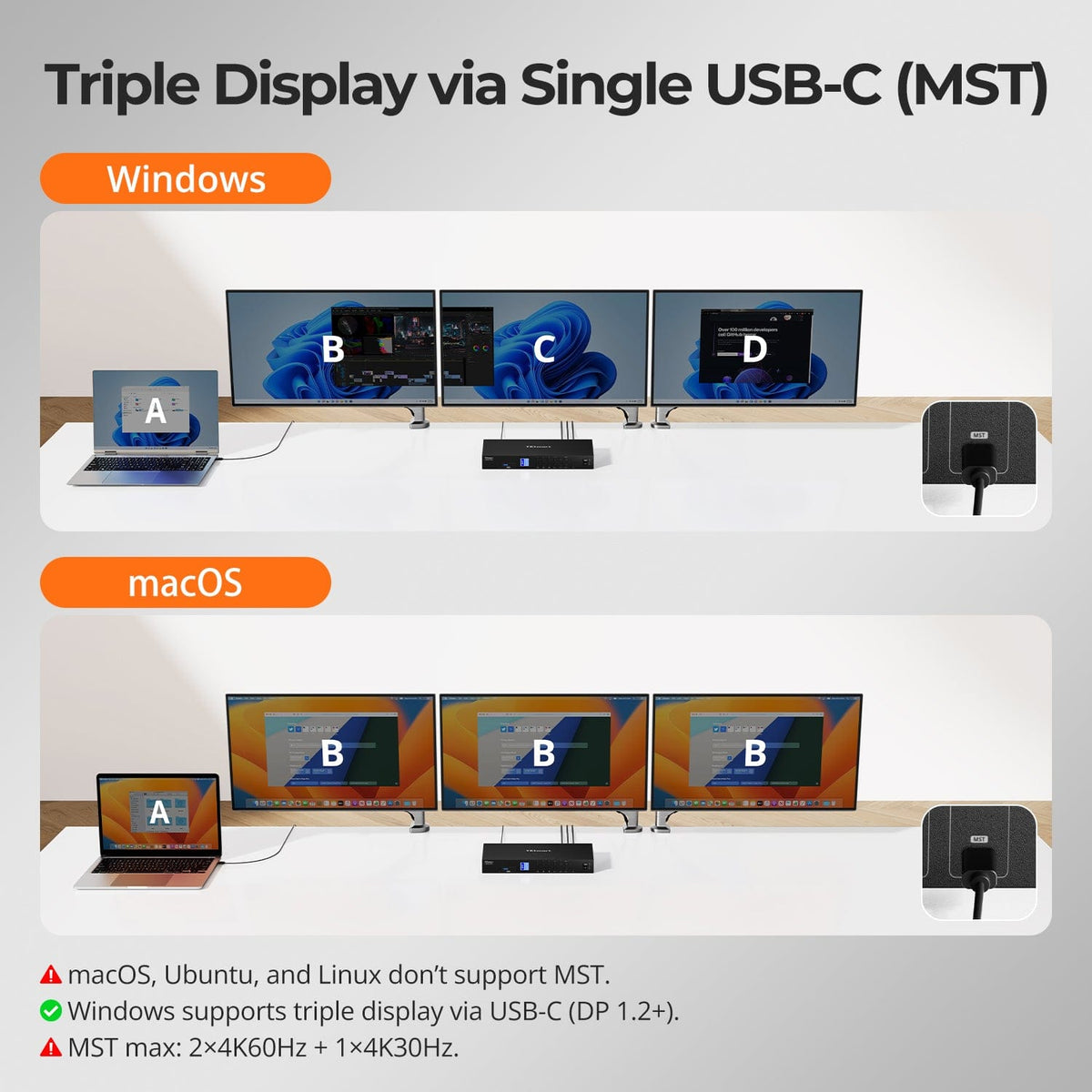
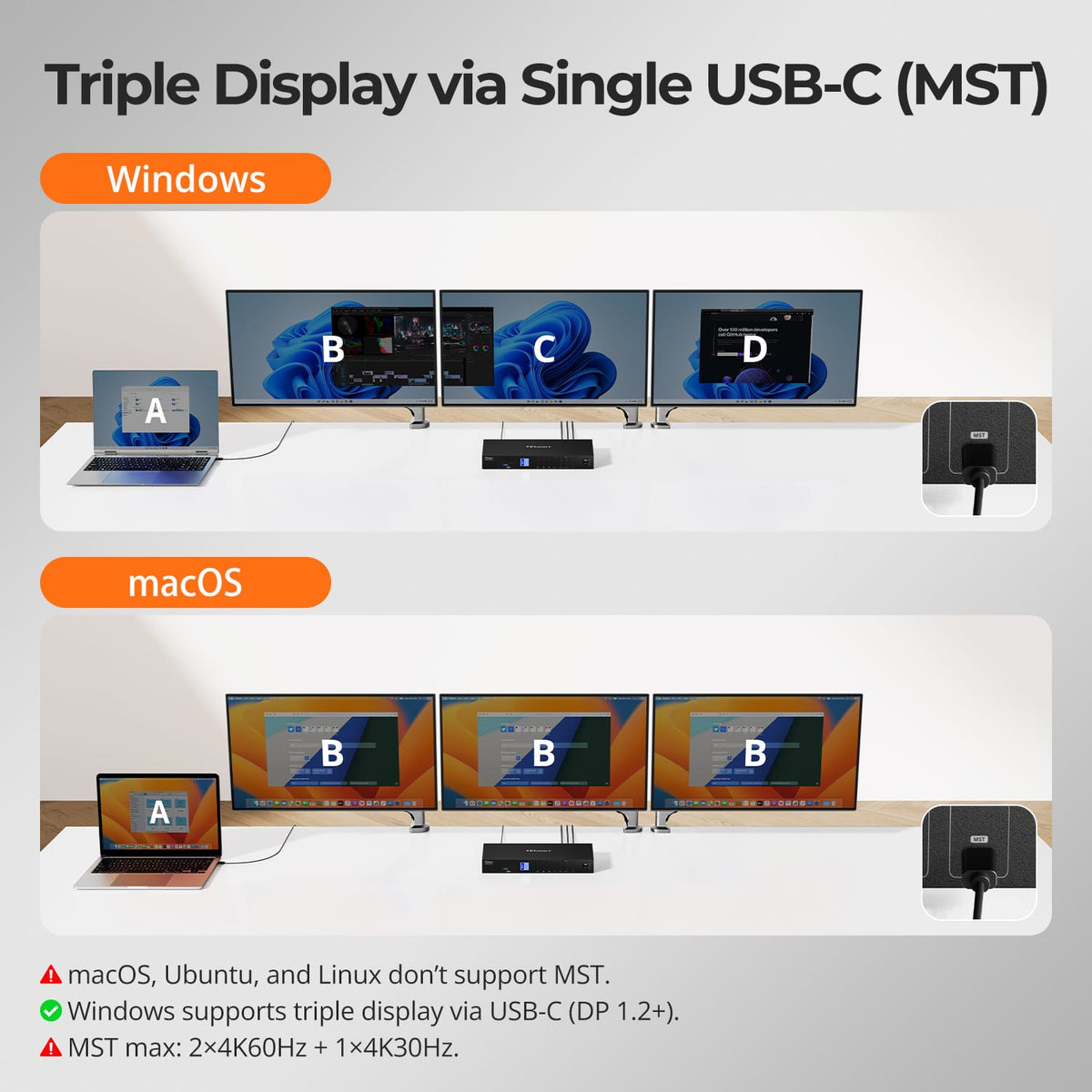
Triple Display from a Single USB-C Connection
A compatible Windows USB-C host can use MST to feed a three-monitor workspace from one full-function USB-C cable while also carrying USB data and charging.
02
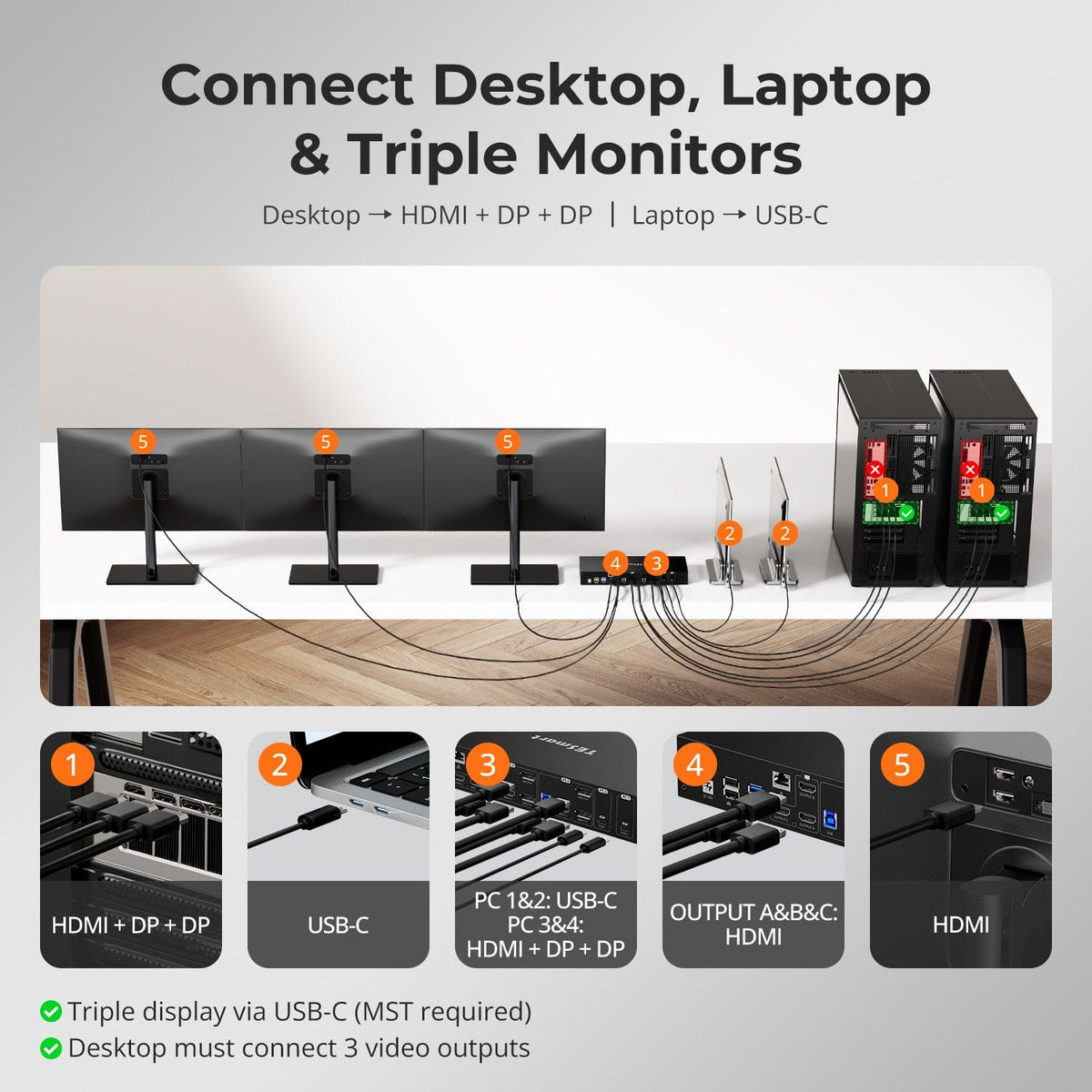
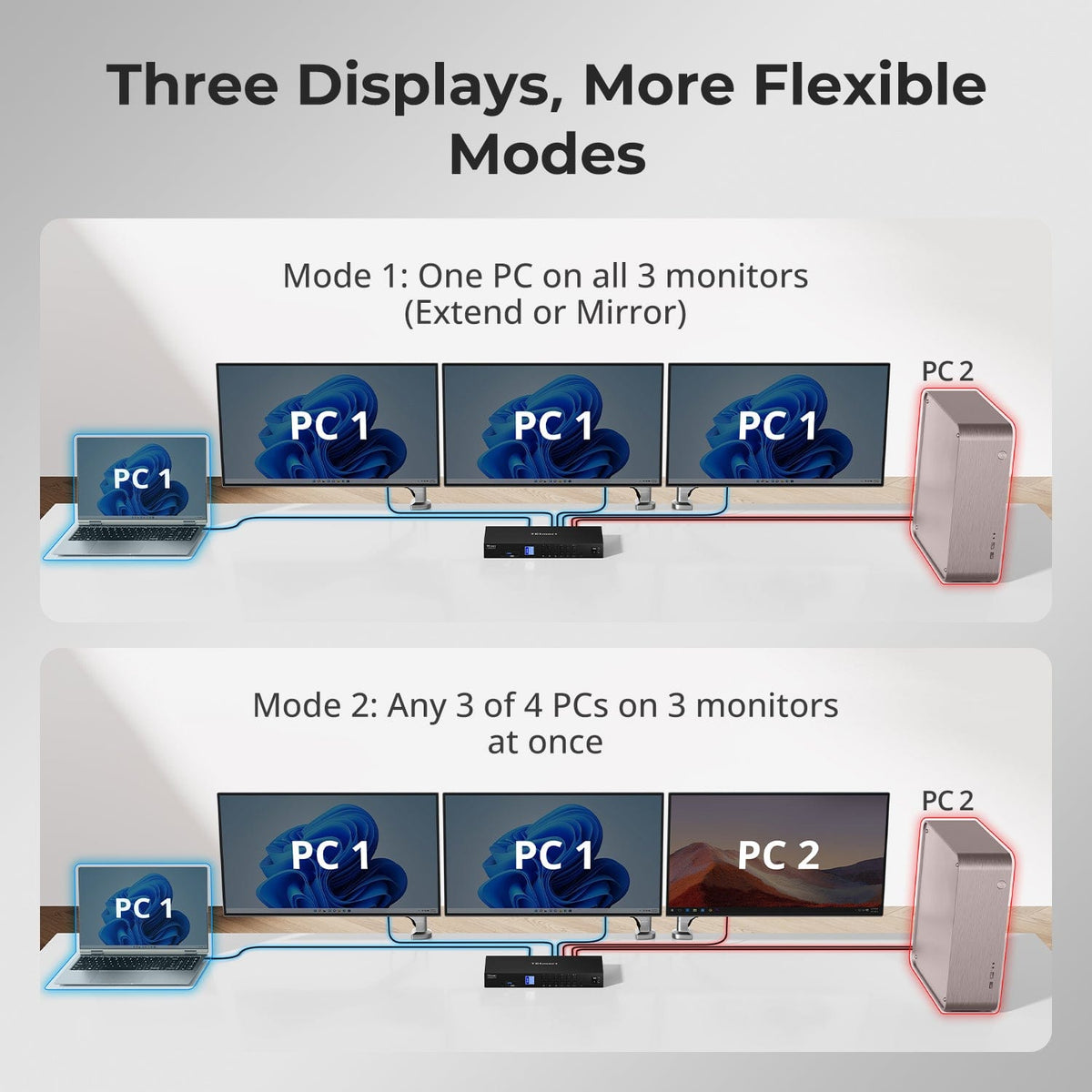
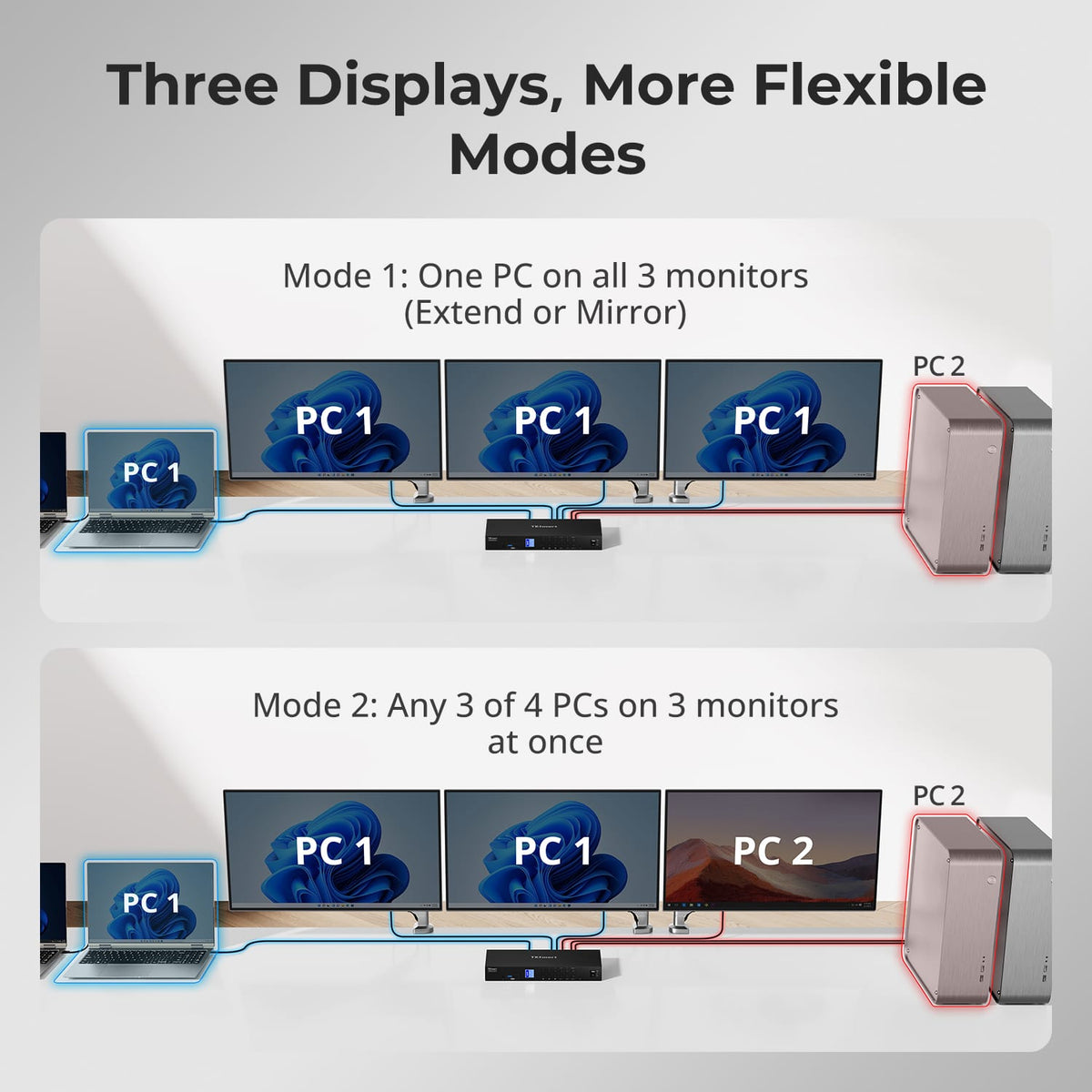
Four Systems. Three Displays. One Workstation.
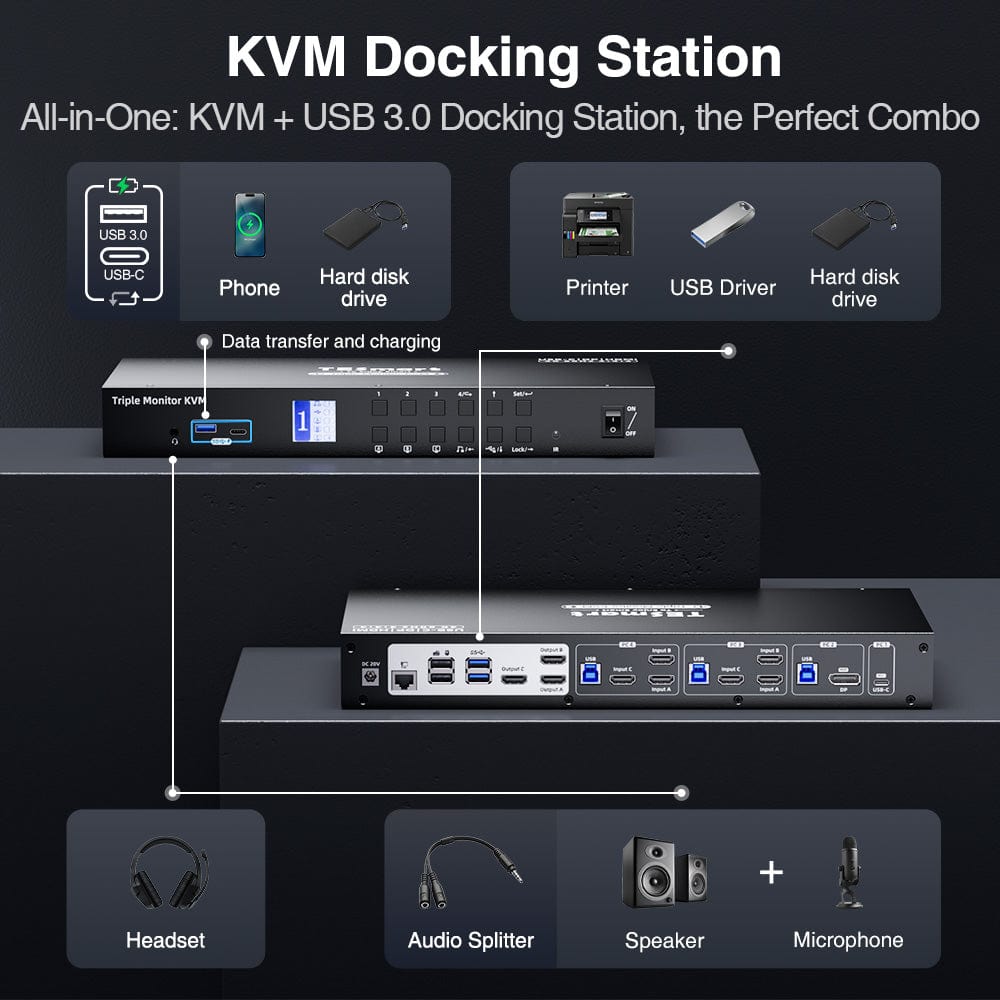
Combine USB-C hosts and traditional desktop connections in one three-monitor KVM, then share the same keyboard, mouse, USB peripherals, audio and network connection across the workstation.
03
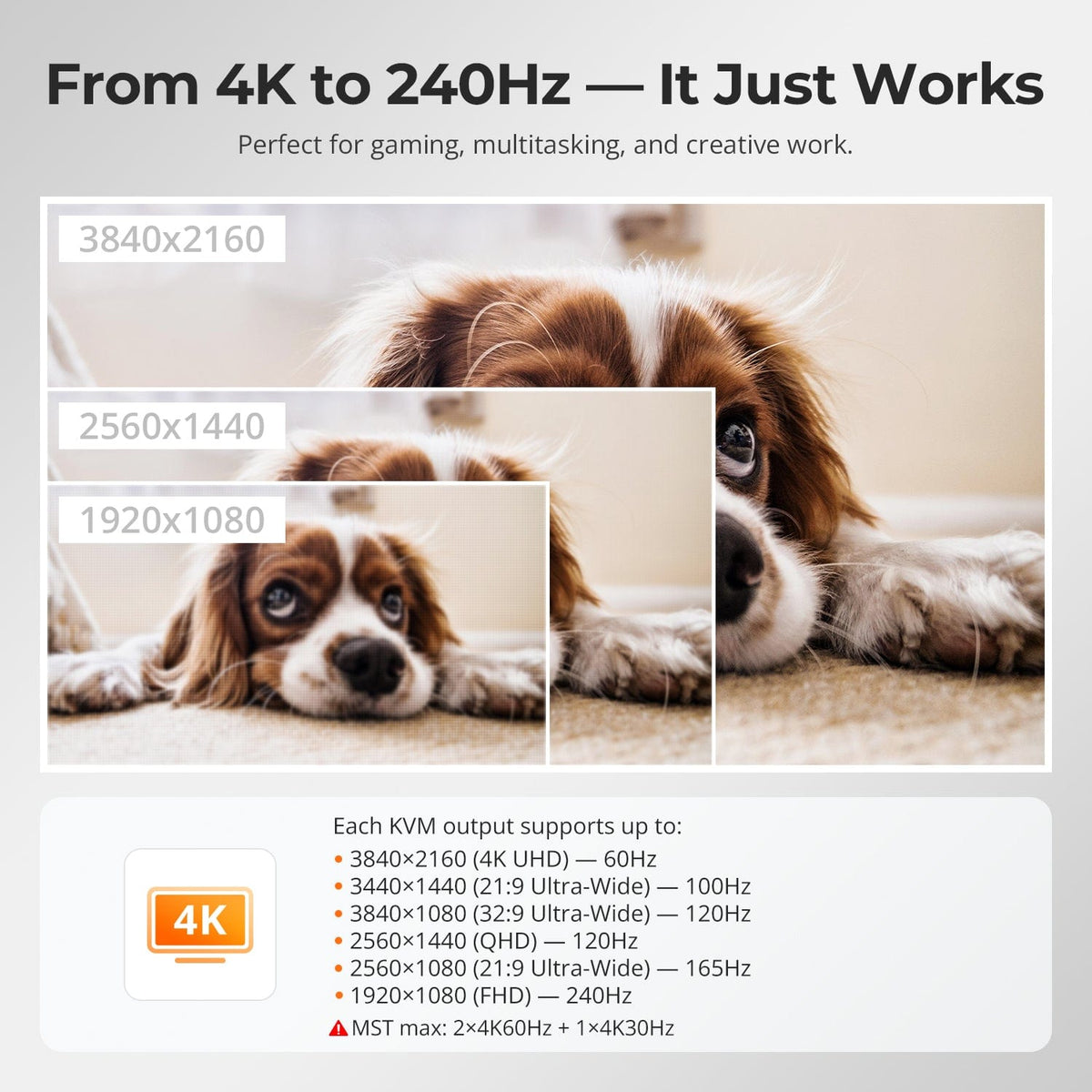
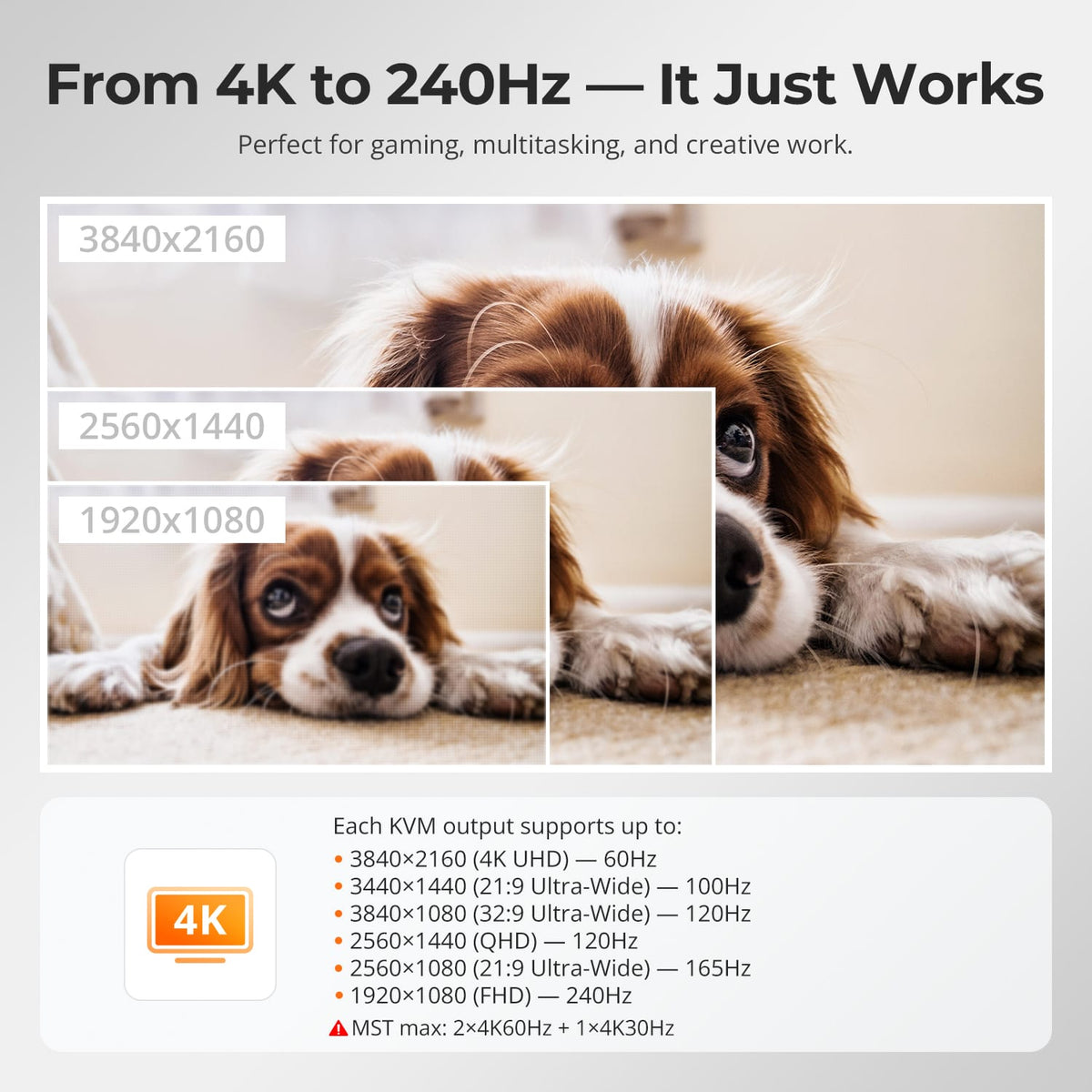
Triple-Monitor 4K60 Capability
The KVM supports up to 4K@60Hz on compatible display paths. With MST, the exact three-screen resolution mix depends on the host, bandwidth and operating system.
04
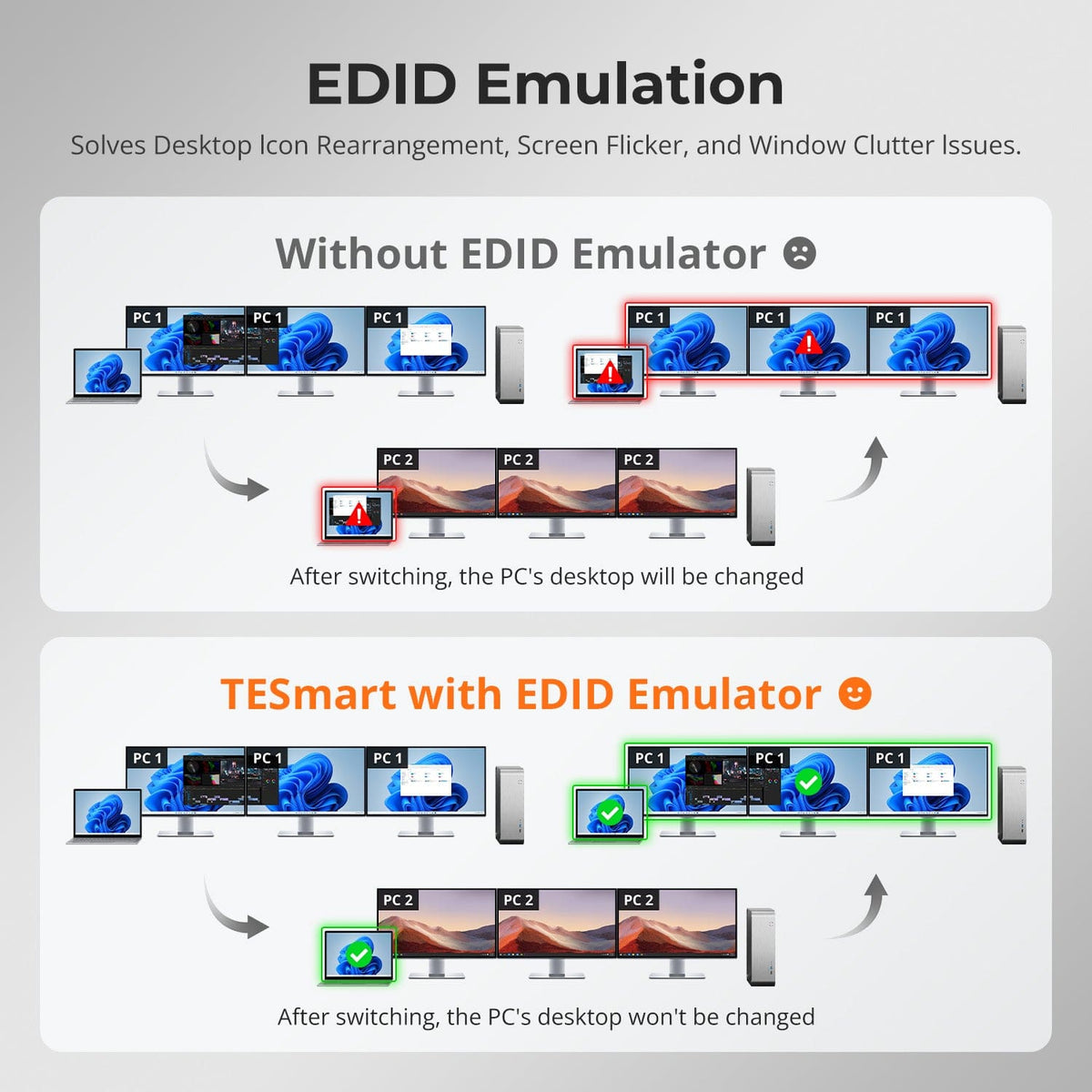
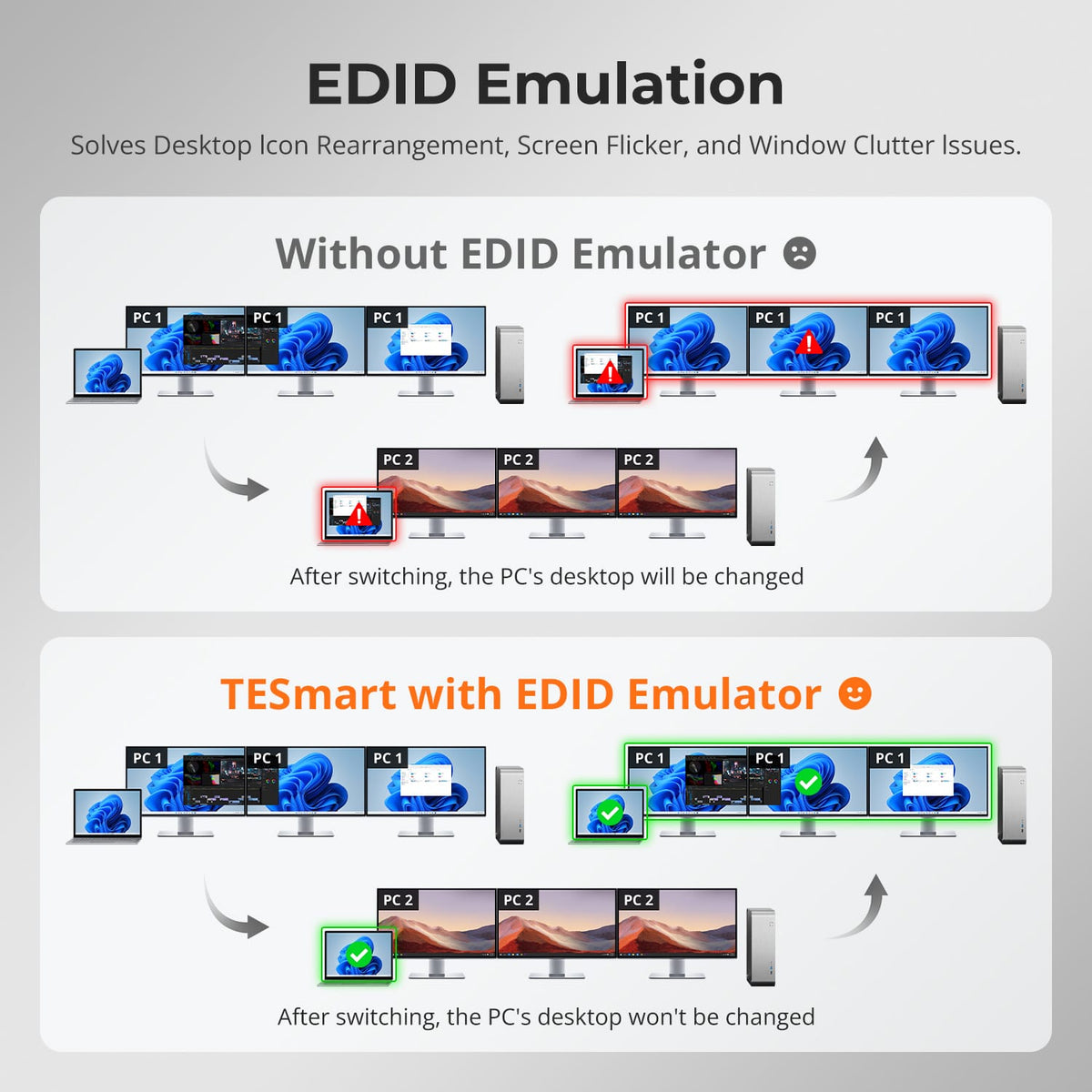
EDID Keeps Multi-Monitor Layouts More Stable
EDID emulation helps connected computers retain display information so switching is less likely to change resolution or rearrange complex multi-monitor desktops.
05
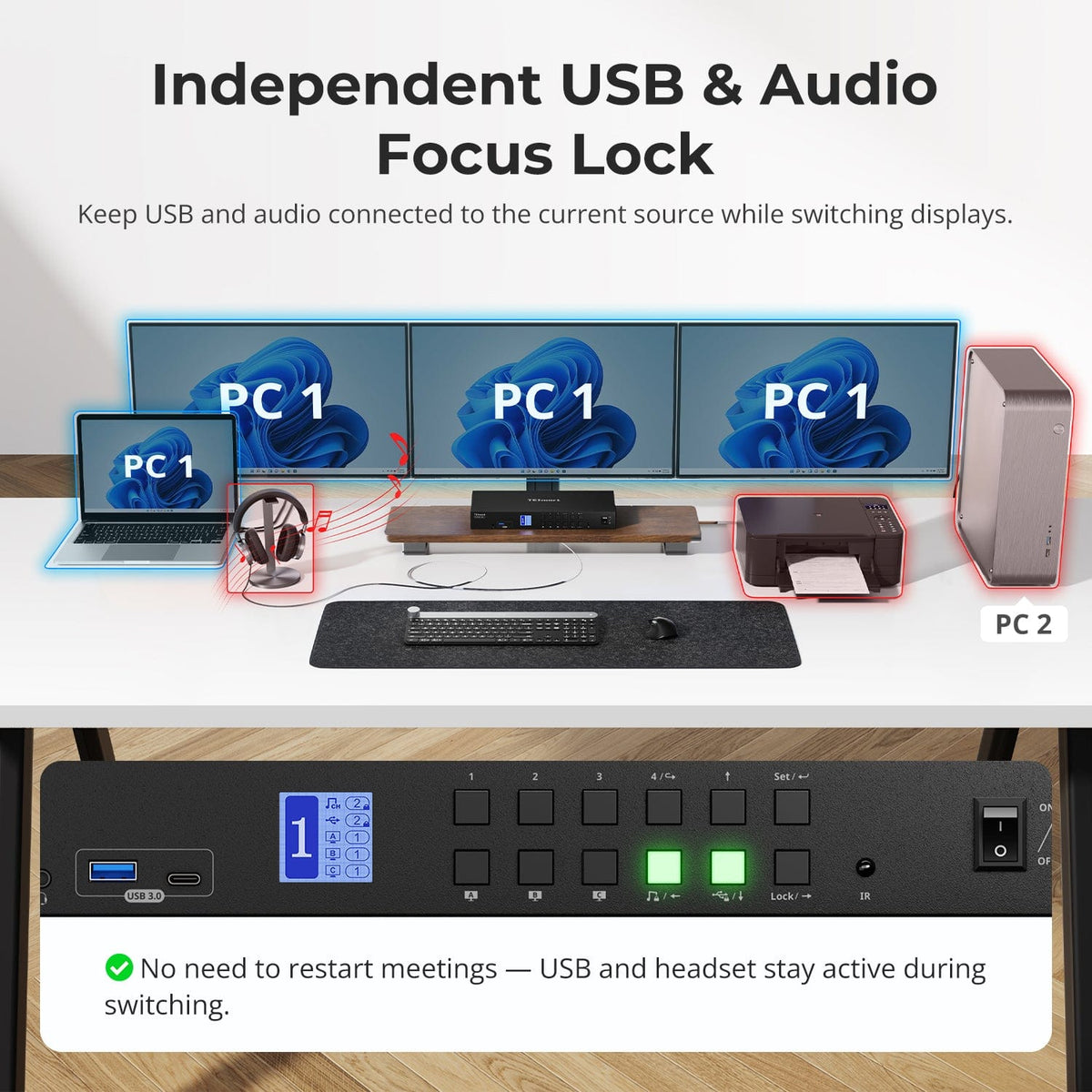
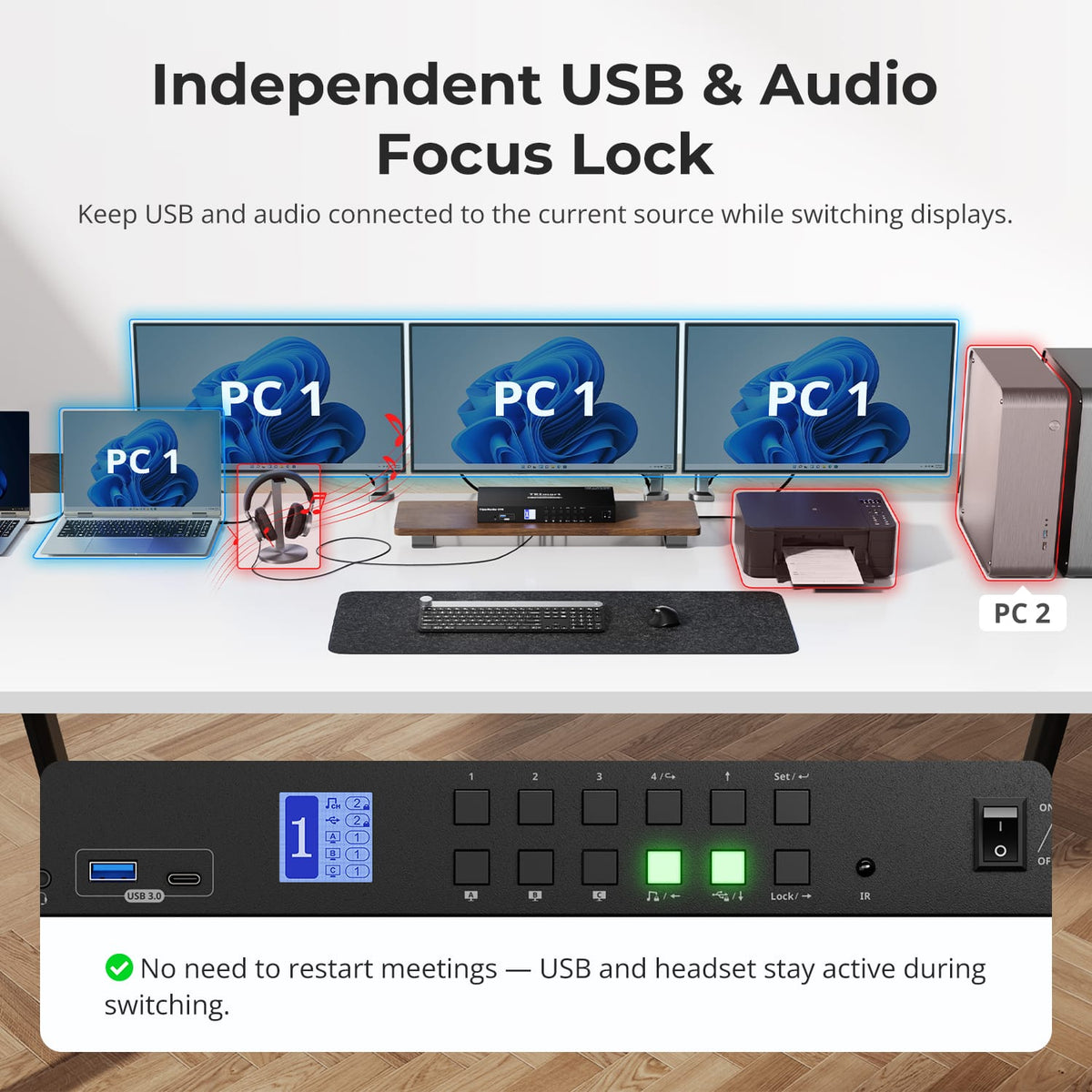
Keep USB and Audio on the System You Choose
Lock supported USB and audio devices to one computer while changing display or keyboard-and-mouse focus, useful for ongoing calls, recording or storage workflows.
06
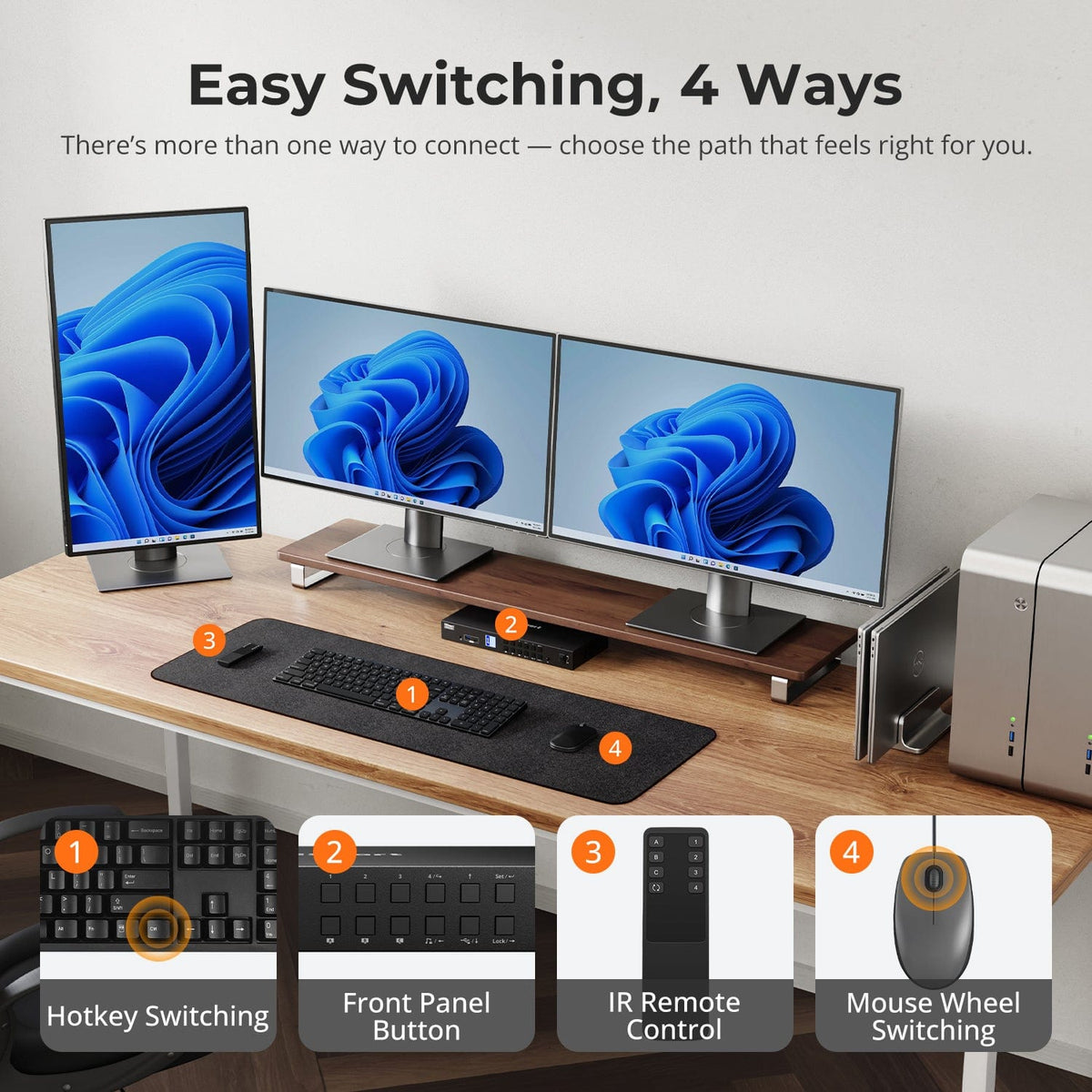
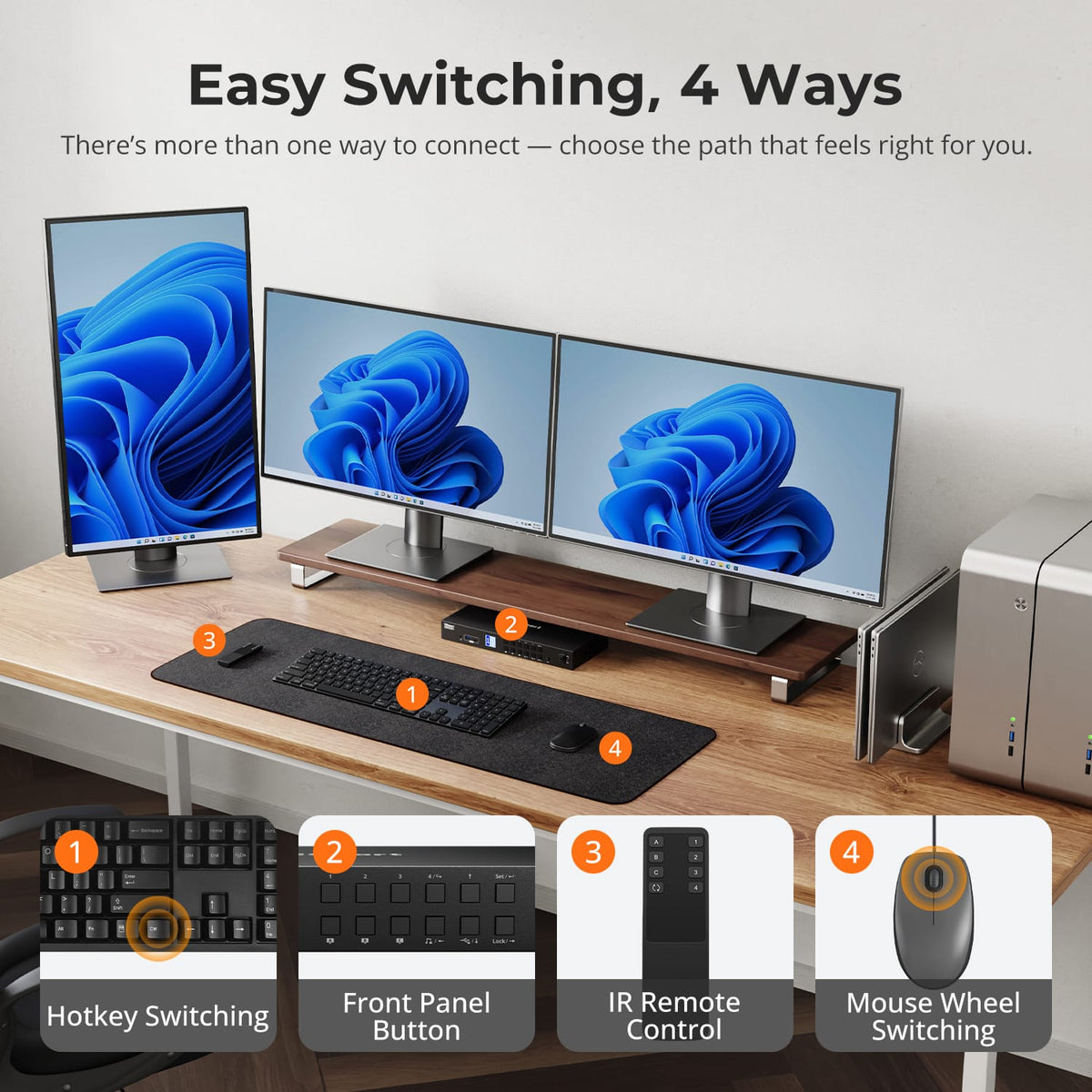
Switch Without Replugging Your Desk
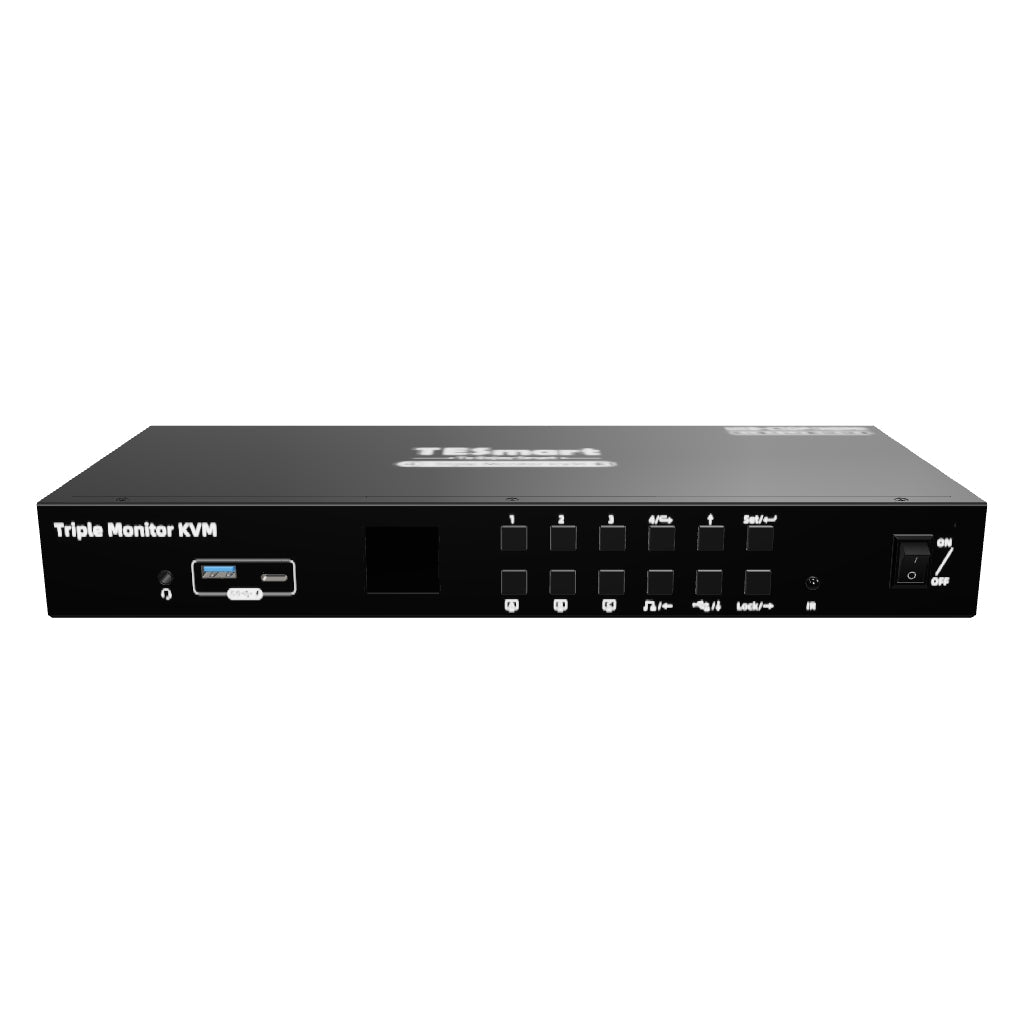
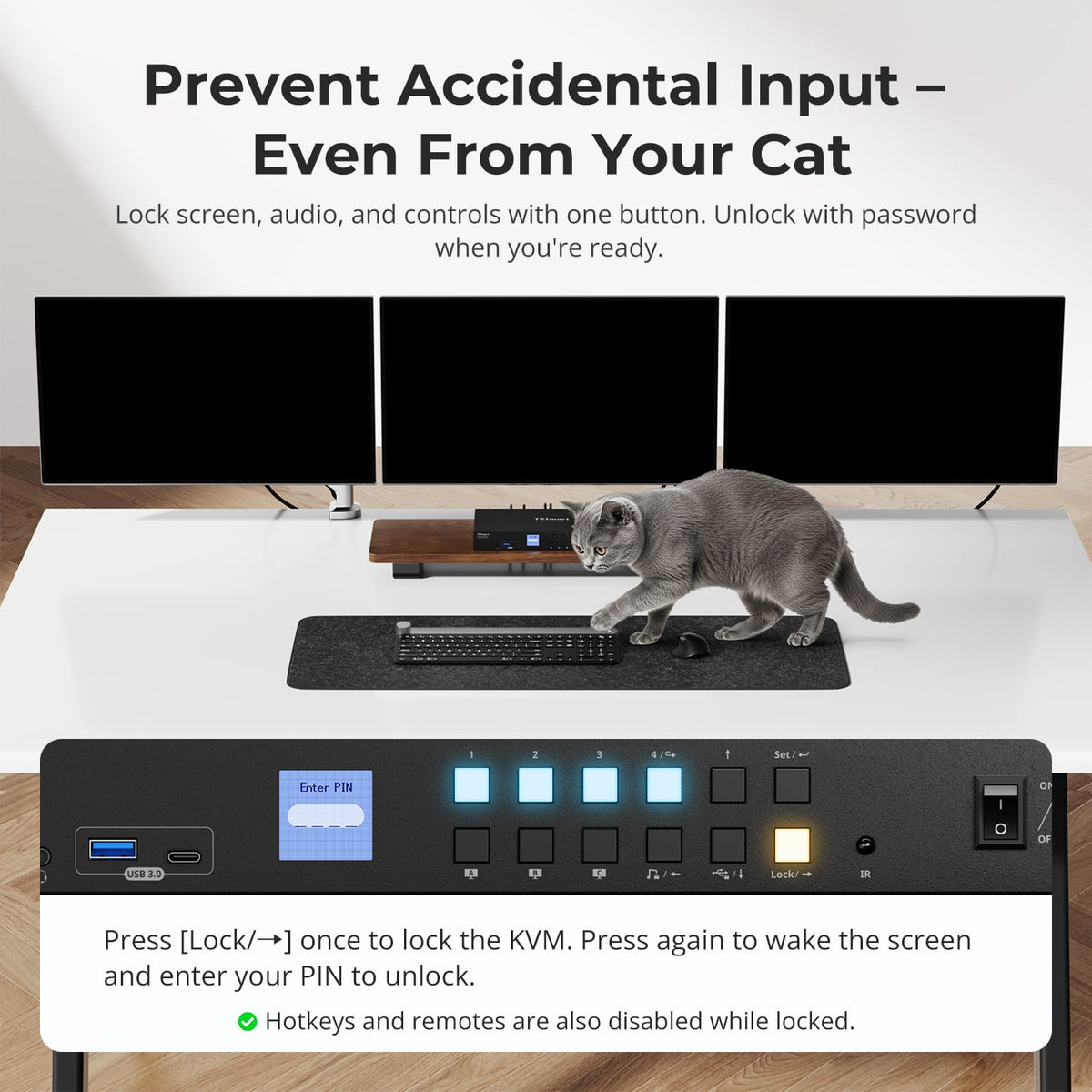
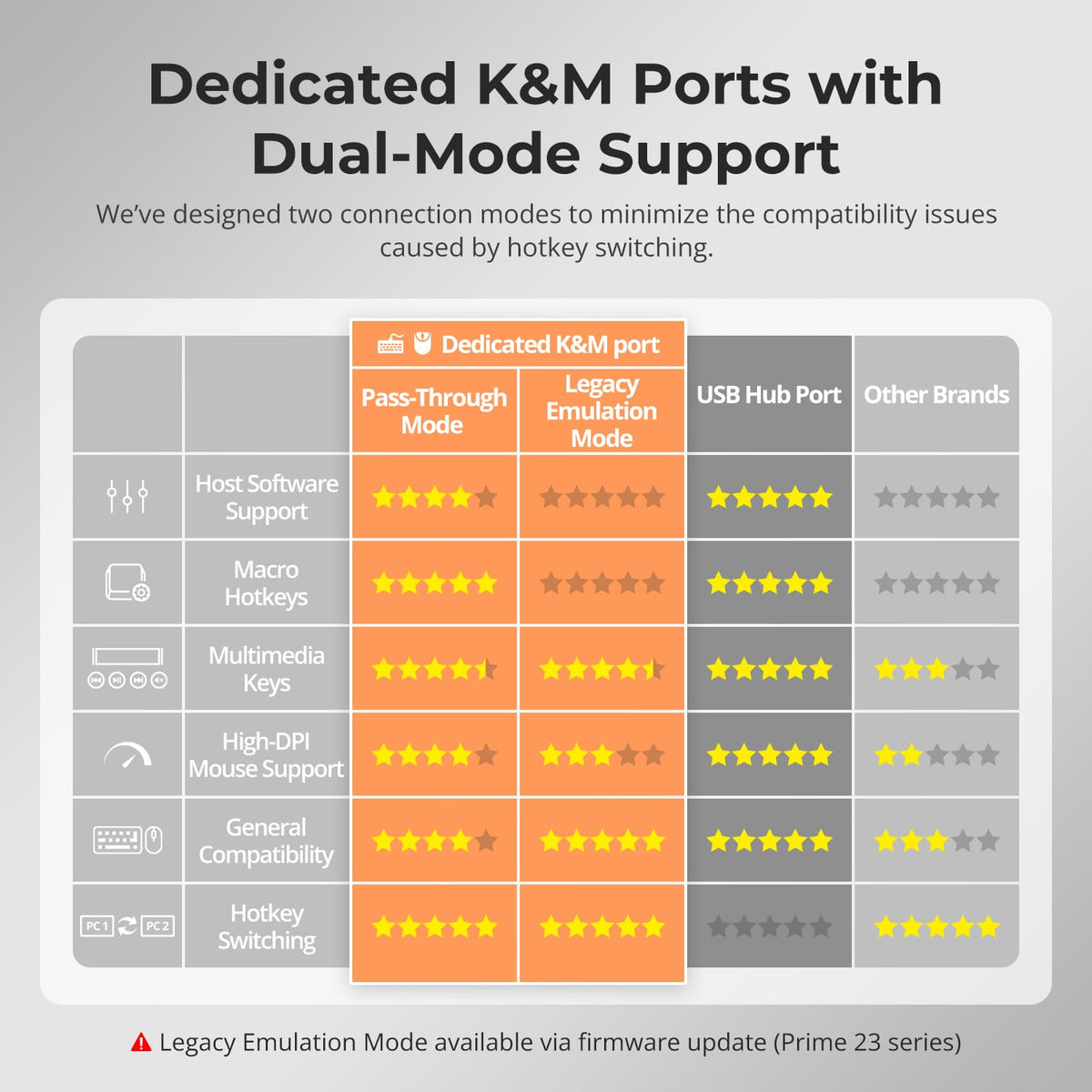
Use front-panel controls, IR remote, keyboard hotkeys or mouse-wheel switching to move between connected systems while displays and shared peripherals remain wired.
07
08
09
Specifications & Support
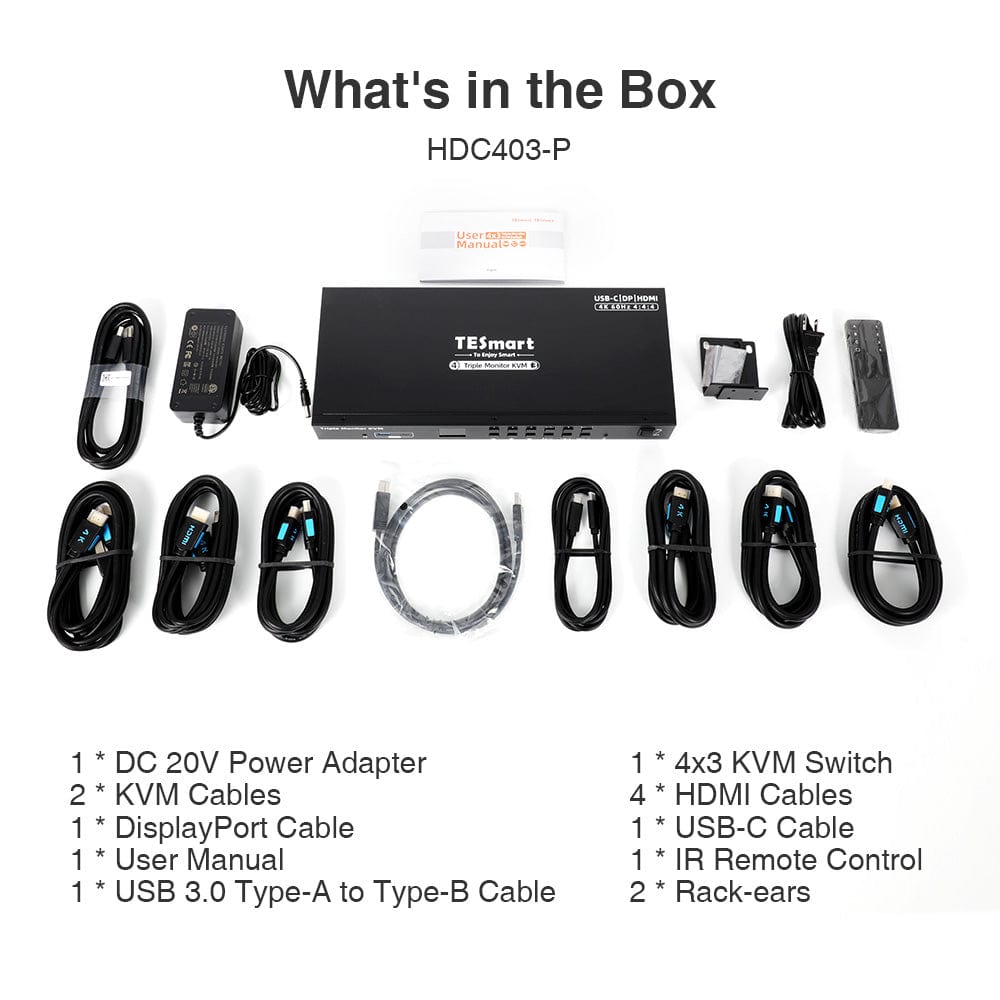
Included in the Box
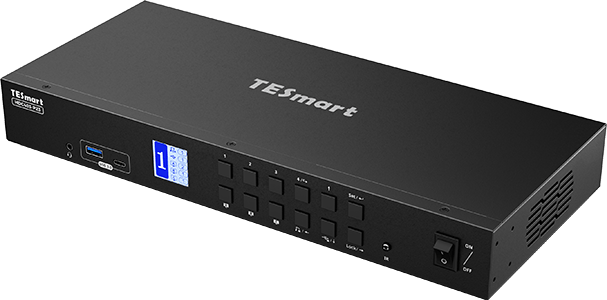
1 × 4×3 Hybrid KVM Switch
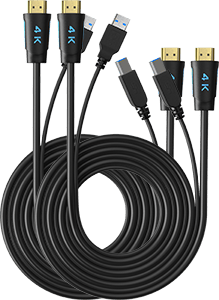
2 × KVM Cables
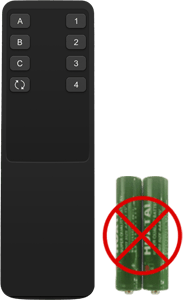
1 × IR Remote Control
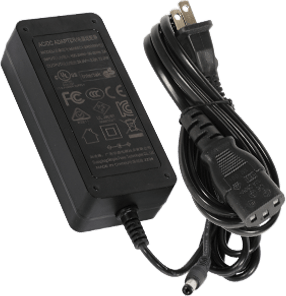
1 × DC 20V Power Adapter
1 × User Manual
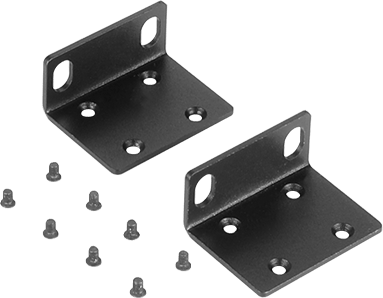
2 × Rack Brackets
Compare your options
Choose models from the menus to compare connections, display performance and shared features. HKS403 network speed depends on the hardware revision.
Model
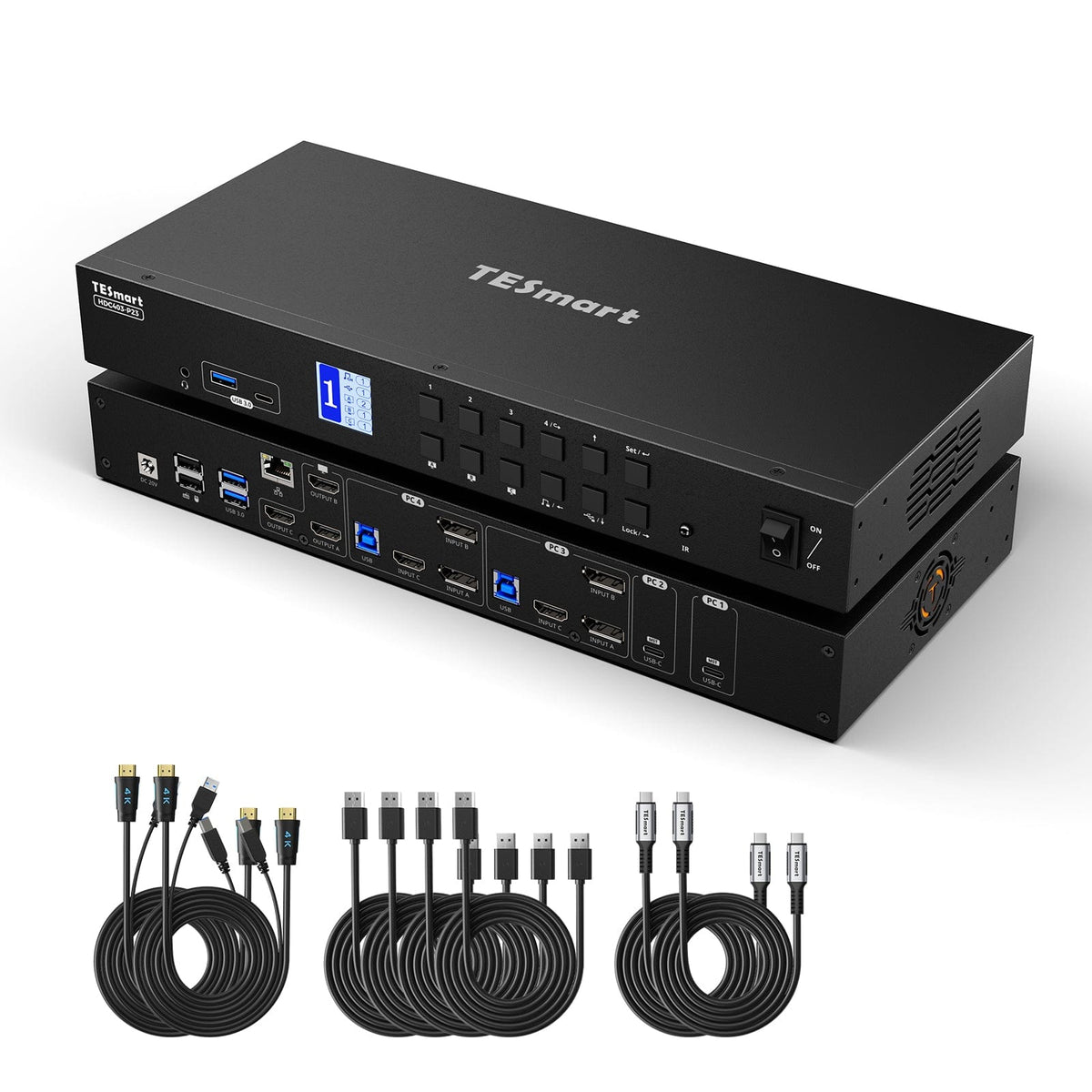
HDC403-P23-N
Model
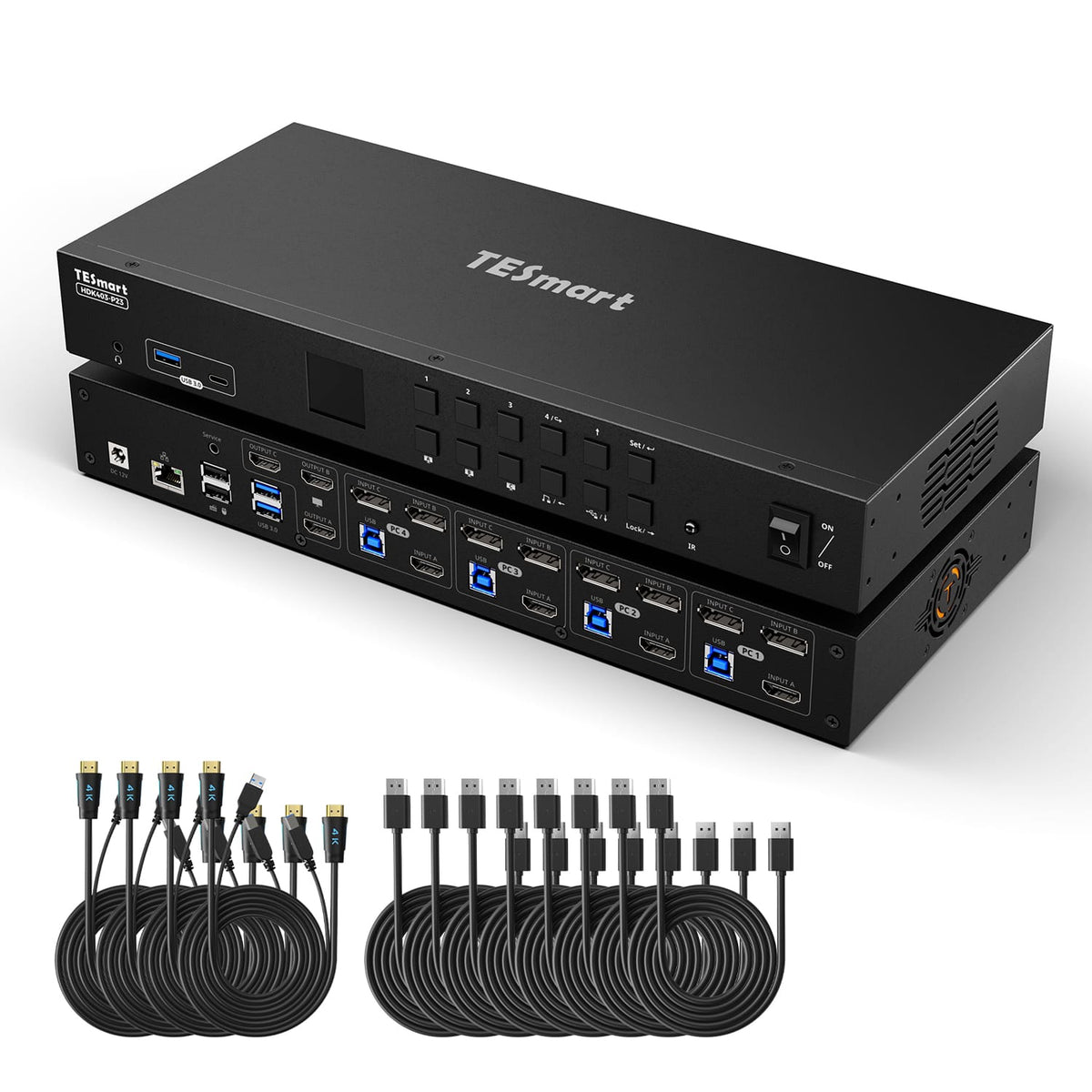
HDK403-P23
Model
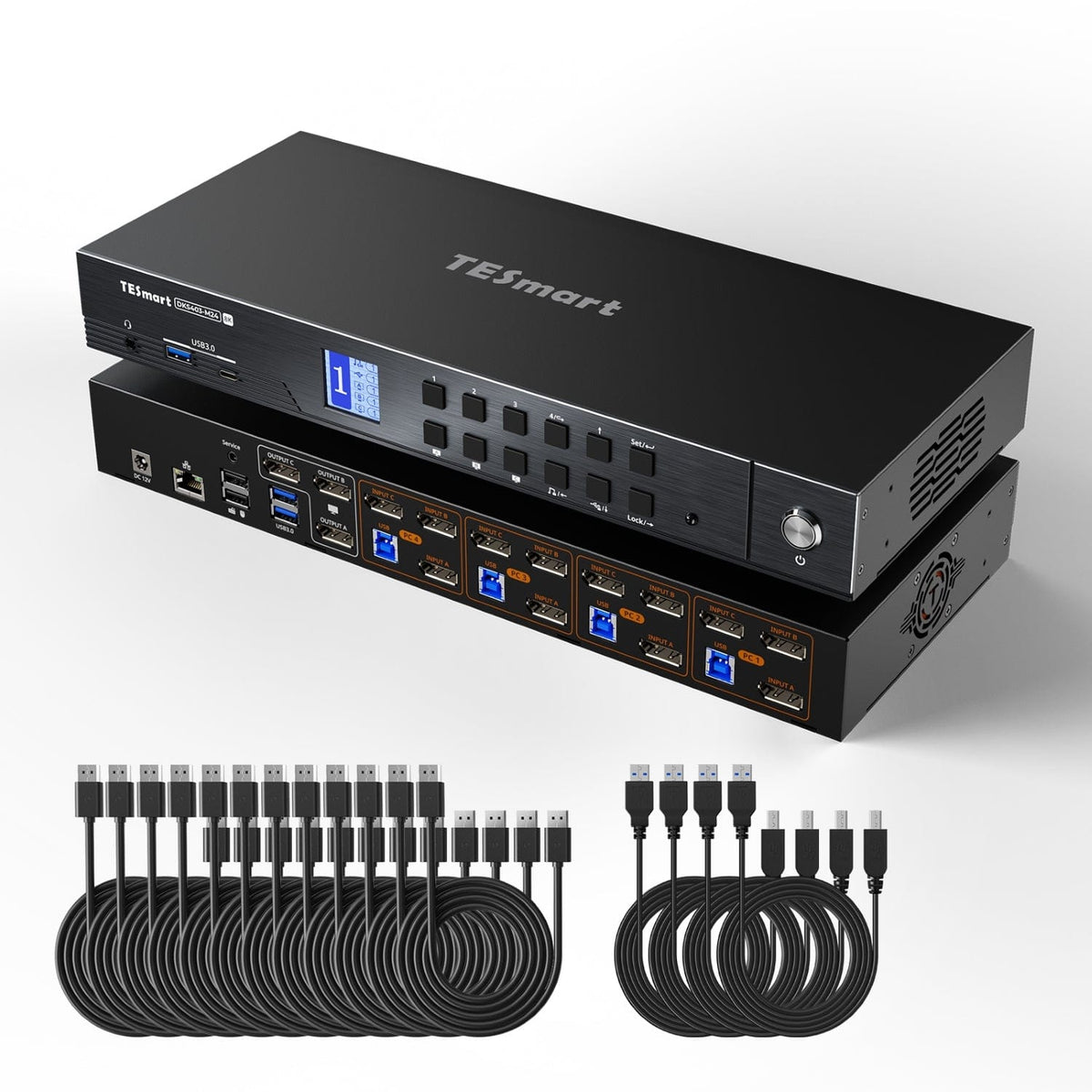
DKS403-M24
Computer setup
4 mixed hosts
Computer setup
4 computers
Computer setup
4 computers
Computer connections
Mixed HDMI, DisplayPort and USB-C host inputs + USB
Computer connections
Each PC: HDMI + 2 × DisplayPort + USB
Computer connections
Each PC: 3 × DisplayPort + USB
Display outputs
3 × HDMI
Display outputs
3 × HDMI
Display outputs
3 × DisplayPort
Video output
4K60; MST path: 2 × 4K60 + 1 × 4K30
Video output
4K60
Video output
8K60 / 4K144
Shared USB
USB 3.0 / 5Gbps
Shared USB
USB 3.0 / 5Gbps
Shared USB
USB 3.0 / 5Gbps
Laptop charging
Up to 60W on compatible USB-C hosts
Laptop charging
Laptop charging
Shared Ethernet
1000Mbps
Shared Ethernet
1000Mbps
Shared Ethernet
1000Mbps
EDID emulation
EDID emulation
EDID emulation
Multi-display setup
MST on compatible USB-C / DisplayPort hosts
Multi-display setup
Separate video outputs from each computer
Multi-display setup
Separate video outputs from each computer
Display requirements
Windows MST required for independent extended displays; confirm host input ports for this revision
Display requirements
Each computer must drive 3 displays
Display requirements
Each computer must drive 3 displays
FAQ's
Visit our Help Center for more answers.
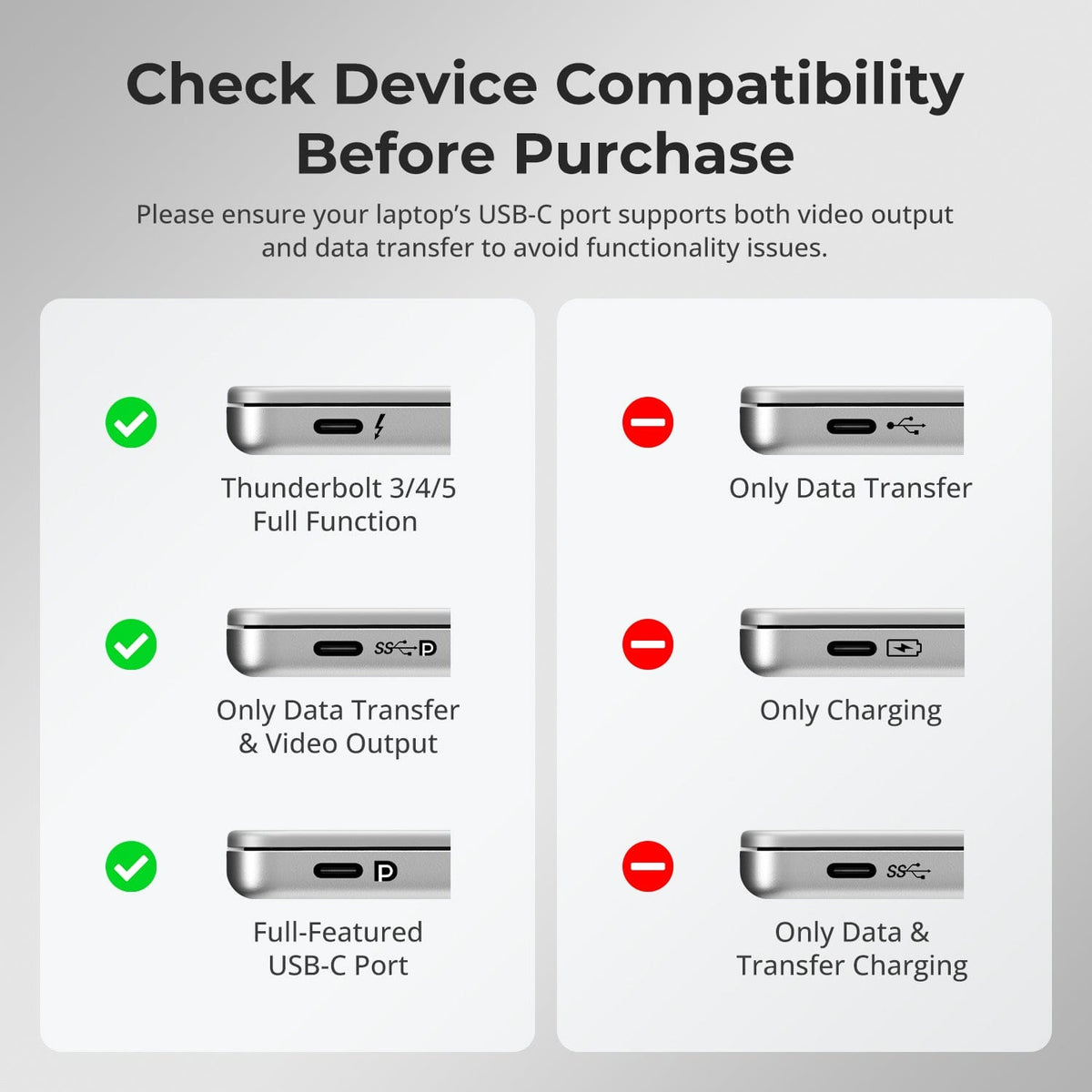
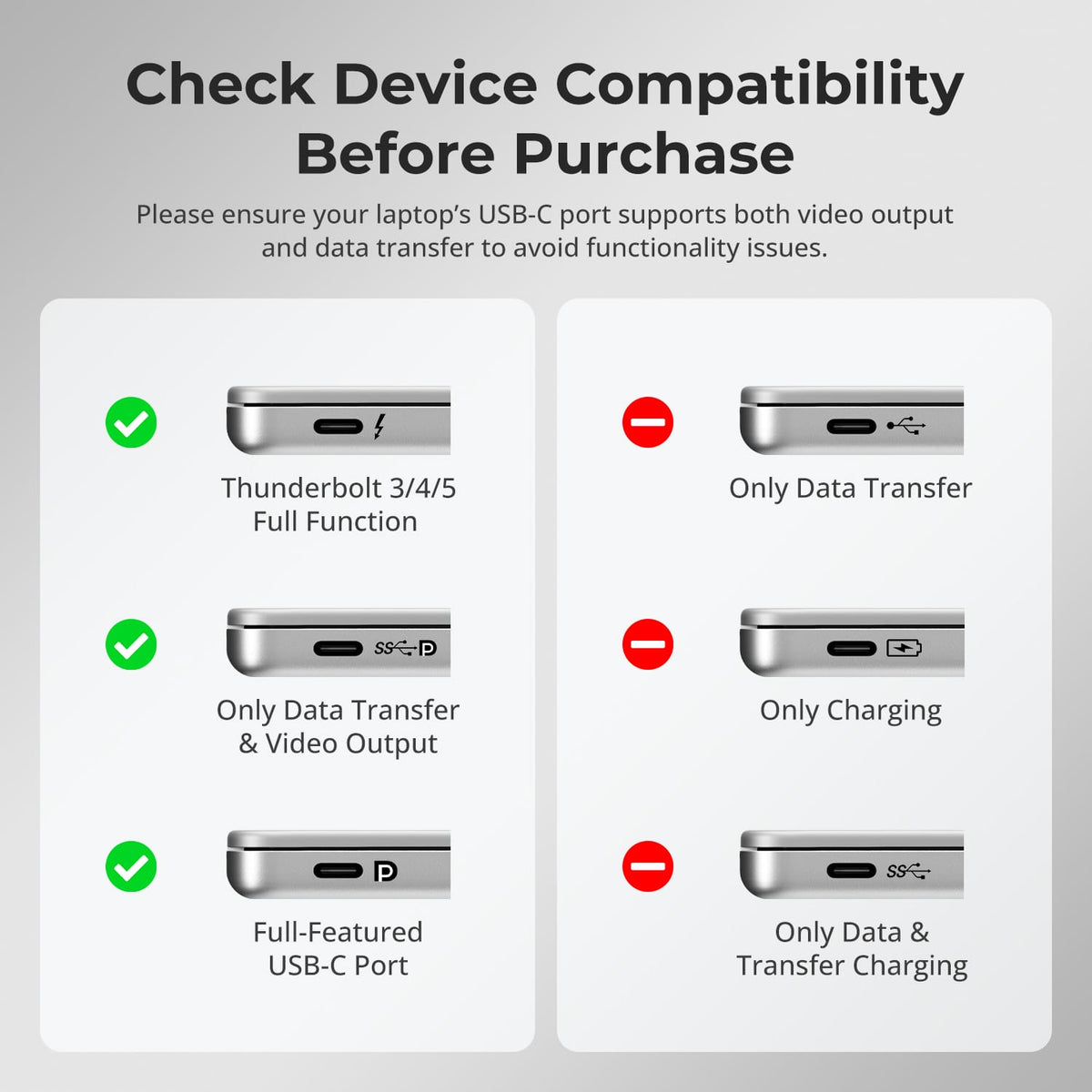
[Compatibility] What type of USB-C computer can use the MST input on HDC403-P23-N?
The USB-C port must support DisplayPort Alt Mode, and the computer must support MST if you want multiple independent displays from one USB-C connection.
[Compatibility] Can a Mac use three independent extended displays through one USB-C MST connection?
macOS does not support DisplayPort MST for independent extended displays in the same way as Windows. A Mac on the MST path may mirror displays or be limited by the Mac model's native external-display support.
[Compatibility] What is the maximum supported display resolution?
The manual supports 4K@60Hz on supported display paths. In a three-display MST setup, the final resolution mix depends on host bandwidth, operating system and connected displays.
[Features & Connections] Can one computer use all three monitors?
Yes when that computer is connected through a host path that can provide the required three display streams. The KVM also supports routing different computers to different monitors.
[Features & Connections] Can the KVM share Ethernet and USB devices?
Yes. It includes Gigabit Ethernet plus USB 3.2 Gen 1 connections for compatible shared peripherals.
[Features & Connections] Can HDC403-P23-N charge a USB-C laptop?
Yes. Compatible USB-C hosts can receive up to 60W when they support the required 20V Power Delivery negotiation.
[Features & Connections] Can USB or audio stay on one computer while displays switch?
Yes. The manual includes USB and audio focus-lock functions.
[Setup & Switching] How can I switch between connected systems?
Use the front-panel controls, IR remote, keyboard hotkeys or mouse-wheel switching.
[Setup & Switching] Does HDC403-P23-N support Auto Scan?
Yes. Auto Scan can cycle through connected systems at a defined interval for monitoring.