Contents
High-refresh-rate monitors, HDR visuals, and powerful GPUs have become standard for serious gamers and creators. But many users still overlook one critical component in their setup: the KVM switch.
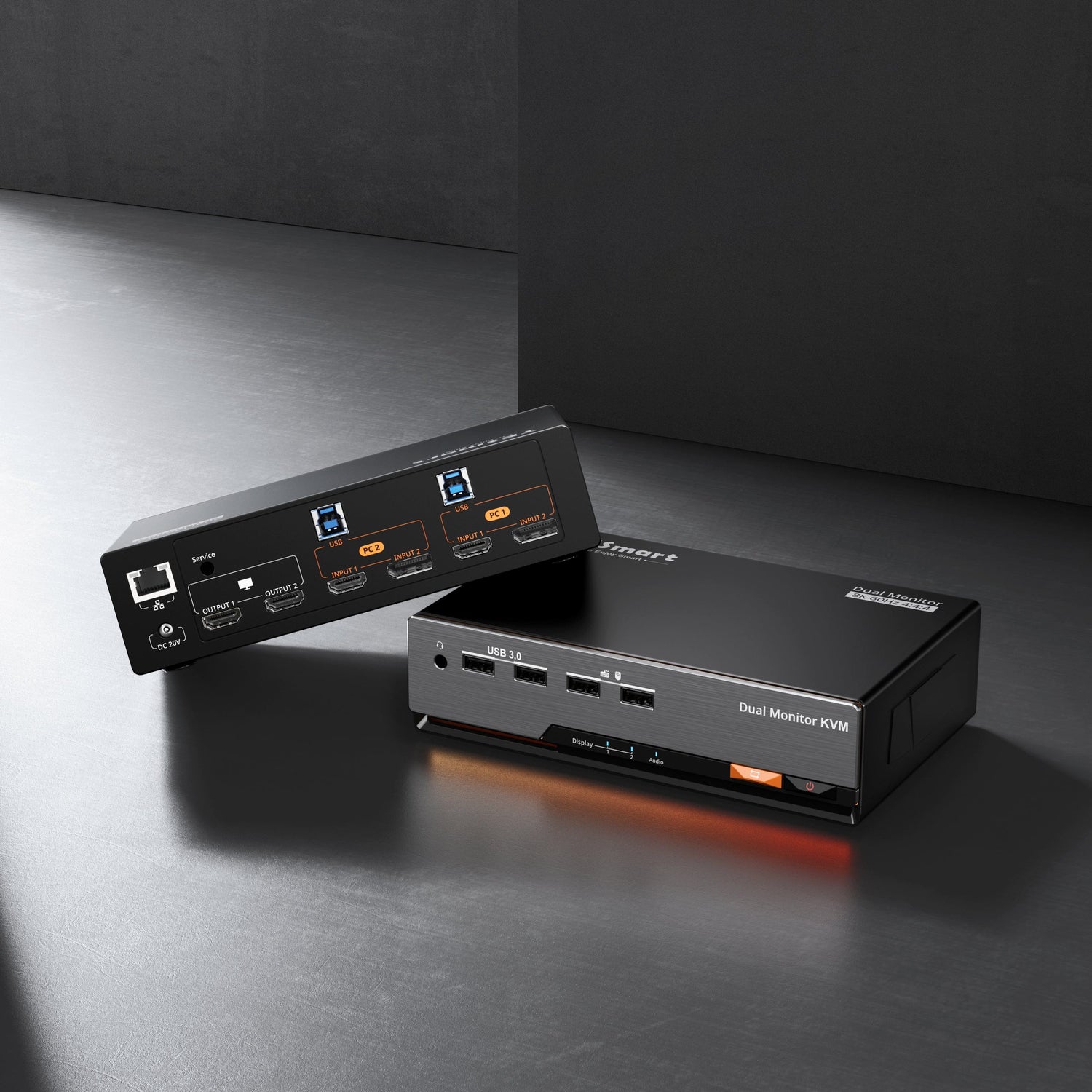
In a dual-PC, dual-monitor environment, a low-quality KVM can silently limit your performance—causing refresh rate drops, black screens, or unstable switching. In this article, we take a deep dive into the TESmart HDK202-M24, a dual-monitor KVM designed to preserve the full performance of modern gaming and productivity setups.

1. Why High-Refresh Users Need a True Dual-Monitor KVM
For high-end gaming and professional workflows, performance is only as strong as the weakest link in the signal chain. While GPUs and monitors often get the spotlight, a traditional KVM switch can become a bottleneck.
Common issues with standard KVMs include:
- Refresh rates locked to 60Hz after switching
- Momentary black screens or signal loss
- Display settings resetting on every switch
For users running two PCs and two monitors, a KVM is no longer just a convenience tool—it directly affects visual performance, responsiveness, and workflow continuity.

That’s where a purpose-built solution like the HDK202-M24 comes in.
2. Display Performance Explained: What the HDK202-M24 Delivers
The TESmart HDK202-M24 is engineered to support modern display demands without compromise. It delivers:
- Up to 8K@60Hz resolution support
- Stable 4K@144Hz output for high-refresh gaming monitors
- Full support for HDR and high-bandwidth video signals
Whether you’re gaming at ultra-high frame rates or working with detailed visual content, the HDK202-M24 ensures your monitors operate at their native capabilities—without being limited by the switch in between.
Unlike basic KVMs that “technically support” high resolutions but struggle in real use, this model is designed for consistent, sustained performance.

3. EDID Emulation & Stable Switching: No More Black Screens
One of the most common frustrations with multi-PC setups is display instability during switching. The root cause is often EDID re-negotiation.
EDID (Extended Display Identification Data) tells your computer what resolutions and refresh rates your monitor supports. Without proper EDID emulation, switching devices can cause:
- Display disconnects
- Resolution fallback
- Refresh rate resets
The HDK202-M24 features built-in EDID emulation, allowing each connected system to continuously “see” the monitor—even while switched away.
The result:
- No black screens during switching
- No loss of refresh rate or HDR settings
- A seamless, uninterrupted workflow
This is especially important for gamers and creators who rely on consistent display behavior.
4. Connectivity & Compatibility: HDMI 2.1 and DisplayPort 1.4
Flexibility is key in modern setups, and the HDK202-M24 delivers with support for both HDMI 2.1 and DisplayPort 1.4.
HDMI 2.1
Ideal for high-resolution devices, consoles, and HDMI-based displays
DisplayPort 1.4
Preferred for PC gaming monitors and high-refresh-rate workflows
This dual-standard compatibility makes the HDK202-M24 suitable for mixed environments—such as a gaming PC paired with a work laptop, or a desktop combined with a content-creation system.
No adapters. No compromises. Just clean, reliable connections.
5. Who Is the HDK202-M24 For? Real-World Use Cases
The TESmart HDK202-M24 is designed for users who demand more than basic switching:
- PC Gamers using 144Hz+ dual-monitor setups
- Content Creators working with color-critical or timeline-based software
- Hybrid Workers switching between work and personal systems
- Desk Setup Enthusiasts aiming for a clean, cable-free workspace
If you’ve invested in high-performance hardware, the HDK202-M24 ensures those components perform exactly as intended—without interruptions or compromises.
Final Thoughts
A powerful PC and high-refresh monitors are only part of the equation. To fully unlock their potential in a multi-system environment, you need a KVM that respects performance rather than limiting it.
The TESmart HDK202-M24 isn’t just a switch—it’s a performance-preserving hub for modern gaming and productivity setups.
Upgrade your dual-monitor experience and switch without compromise.