

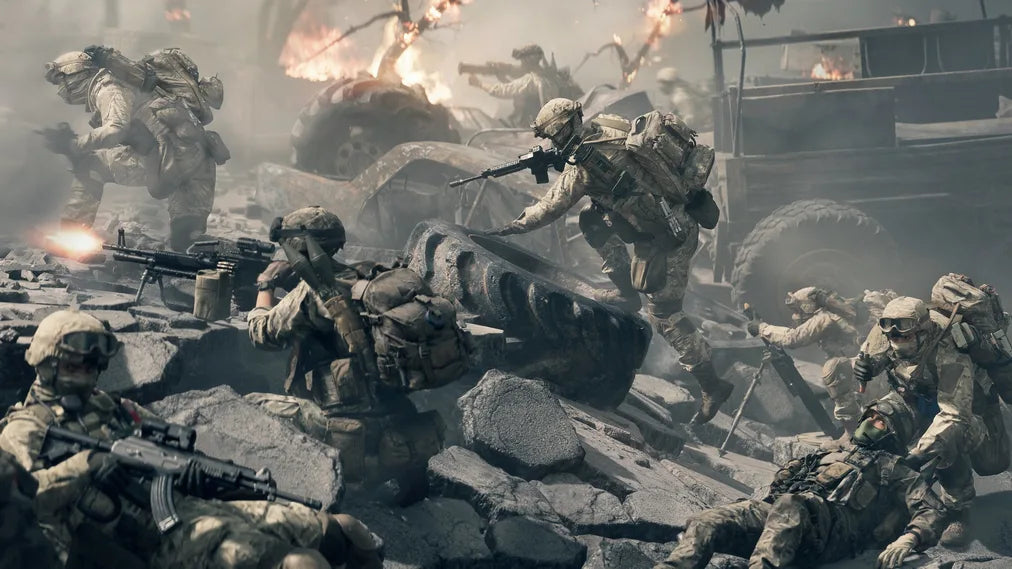
Battlefield 6 is almost here—and it’s shaping up to be the most ambitious entry in the series yet. With expansive dynamic maps, futuristic warfare mechanics, and support for large-scale 64v64 battles, this isn’t just another shooter. It's a fully immersive, next-gen battlefield experience.
According to the latest hands-on report on PlayStation Blog, Battlefield 6 promises not only fast-paced tactical combat but also a complete overhaul in environmental interaction and visual realism. From collapsing skyscrapers to drone-assisted combat and amphibious assaults, the game demands both your strategic mind—and your hardware.

What to Expect from Battlefield 6: Gameplay and Hardware Demands
Battlefield 6 pushes beyond previous titles with:
-
Next-level destruction mechanics: Maps evolve throughout the match—rubble piles up, walls crumble, and bridges collapse dynamically.
-
Expanded vehicle combat: Tanks, jets, mechs, amphibious ships—you name it, it’s there.
-
Cross-platform play and improved squad mechanics for team-based strategies.
-
Large-scale 128-player battles on consoles and PC, with full 4K graphics support and ray-traced environments (on supported systems).
This level of realism requires serious power. Whether you’re on PS5, Xbox Series X, or a high-spec PC with an RTX 40-series GPU, the game is designed to push your system to its limits.
The Visual Experience: Specs That Make Battlefield 6 Shine
To truly enjoy what BF6 has to offer, your display setup should support:
-
4K Resolution for crystal-clear battlefields
-
144Hz+ Refresh Rate for ultra-smooth motion in high-stakes combat
-
HDR10 for deeper blacks and vibrant explosions
-
Low Input Lag to avoid missing that crucial shot
-
Multiple Inputs to handle your console and PC simultaneously
This leads us to a common setup challenge for gamers who also work from home or use a separate PC for productivity.

Switching Between Console and PC? Here's a Smarter Way
If you’re someone with both a gaming console and a work PC, you've probably found yourself constantly plugging and unplugging HDMI cables—or worse, stacking up monitors. It's inconvenient, messy, and breaks immersion.
That’s where a KVM switch (Keyboard, Video, Mouse) becomes a game-changer.
With a KVM like the TESmart HKS201-M24, you can seamlessly switch between your gaming console and your PC using just one monitor, one keyboard, and one mouse. Whether you’re dropping into Battlefield 6 after a long day or hopping onto a Zoom call in the morning, this setup saves space, time, and sanity.
Key benefits of a dual-system HDMI2.1 KVM setup:
-
4K@165Hz HDR support,and VRR FVA FLLM , perfect for modern AAA titles like BF6
-
Compatible with PS5,Xbox,and other xonsole , 1000Mbps LAN port for lower Delay
-
Full input compatibility with gamepads, mechanical keyboards, and wireless mice
-
No software required, fully plug-and-play
The HKS201-P23 is also a great option which supports 4K@60Hz.


Final Thoughts: One Setup, Endless Possibilities
Battlefield 6 is built to be intense, cinematic, and competitive. But none of that matters if your setup isn’t optimized. By combining the raw power of your console and PC with a smart KVM solution, you create a clean, high-performance gaming and work environment—all centered around a single display.
With BF6 just around the corner, now's the perfect time to level up not just your loadout—but your desk, too.
Share:
Thunderbolt 4 vs. USB-C: What’s the Difference? The Best Thunderbolt 4 KVM for a Laptop and Desktop
HMA404-ES23: The Ultimate Quad-View Presentation Solution for Modern Meeting Rooms