

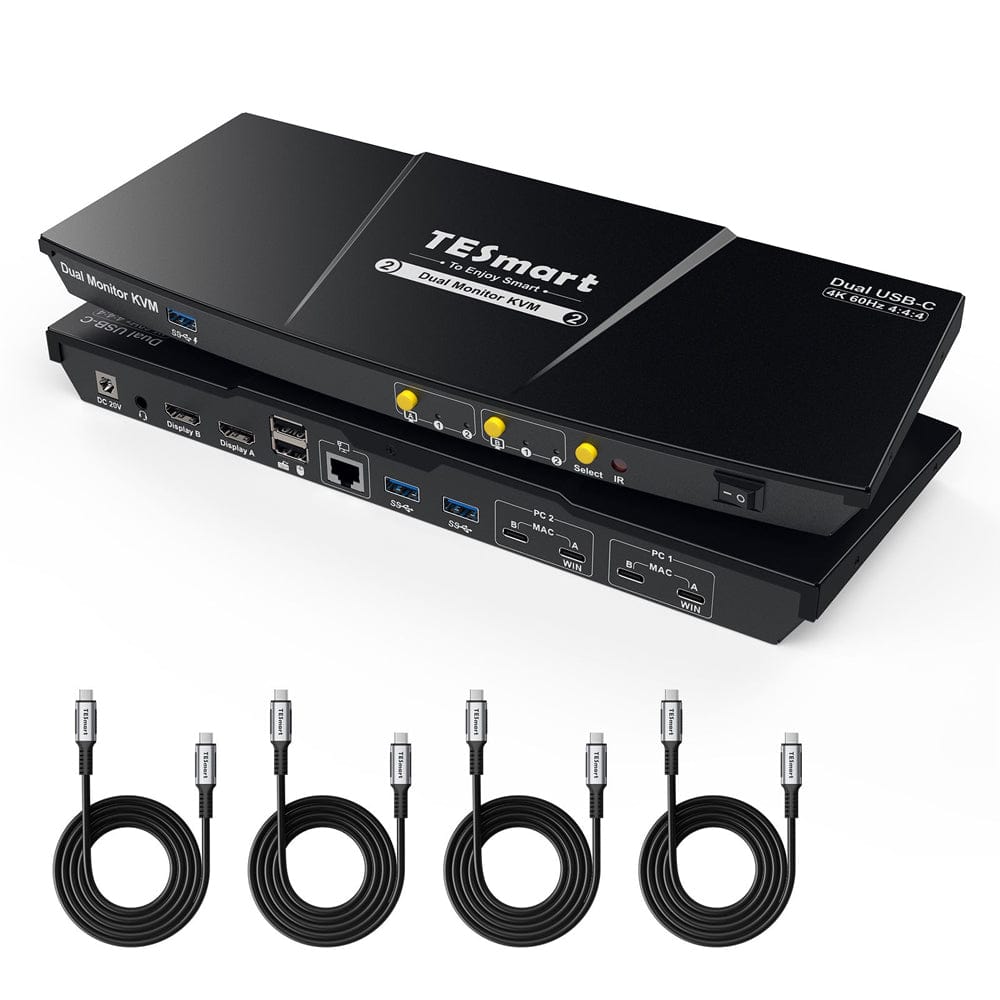

Refurbished Dual Monitor USB-C KVM Docking Station Kit - 4K60Hz, MST, EDID for 2 Laptops
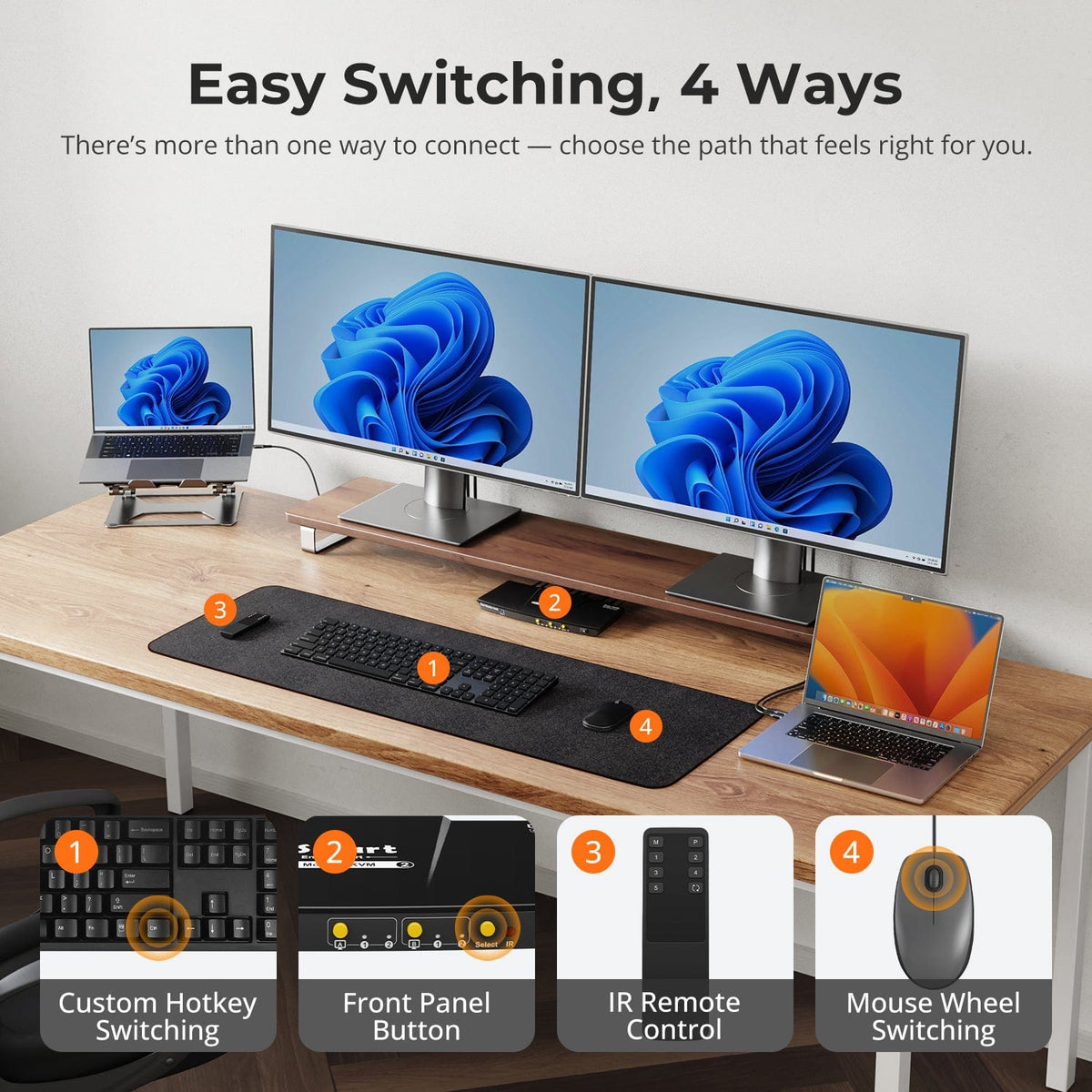
Share two Apple Studio Displays, one keyboard and mouse between two computers—or show one computer on each display when you need both systems at once.
Refurbished Dual Monitor USB-C KVM Docking Station Kit - 4K60Hz, MST, EDID for 2 Laptops
Why Choose CKS202-P23
Overview
01
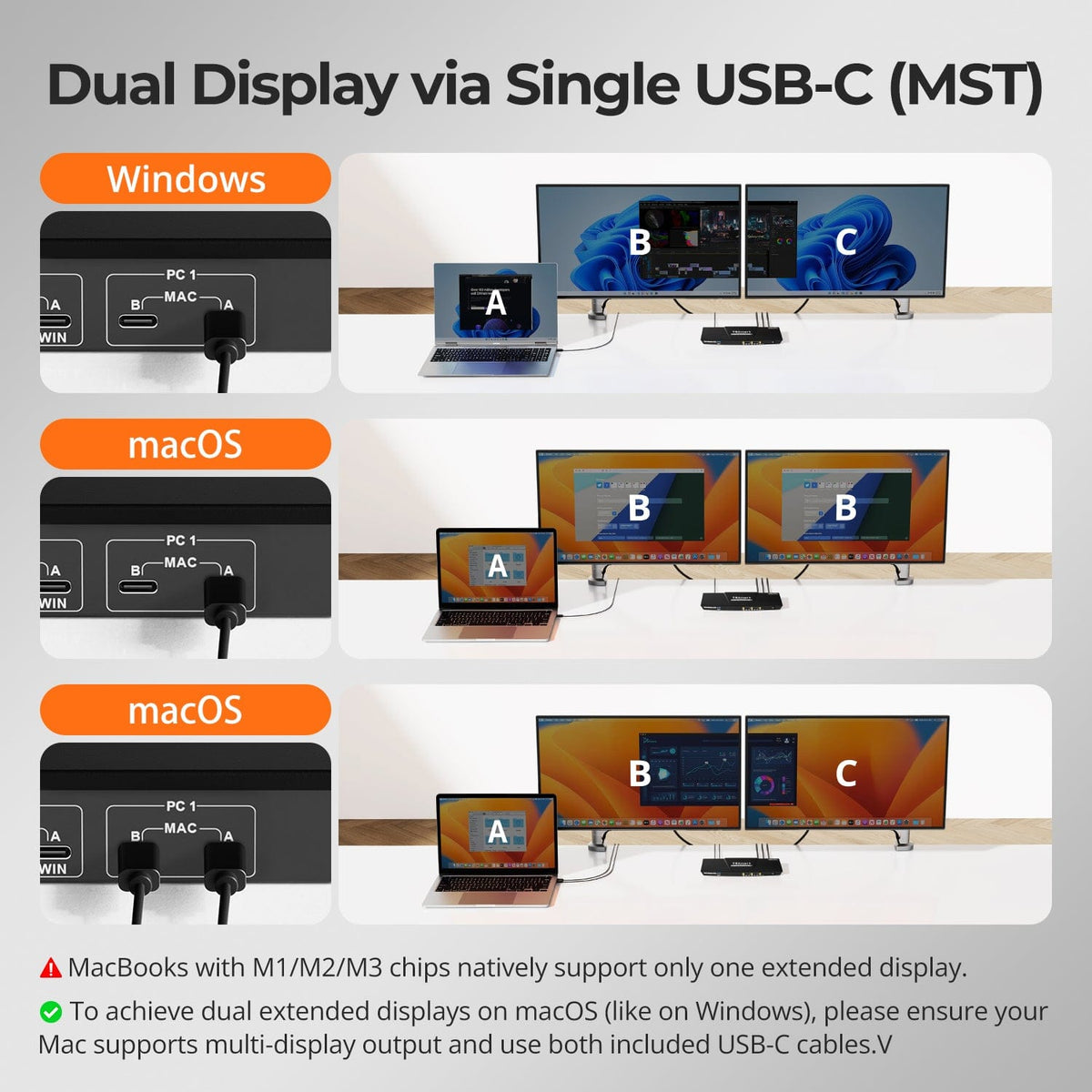
Dual Displays from a Single USB-C Host Link
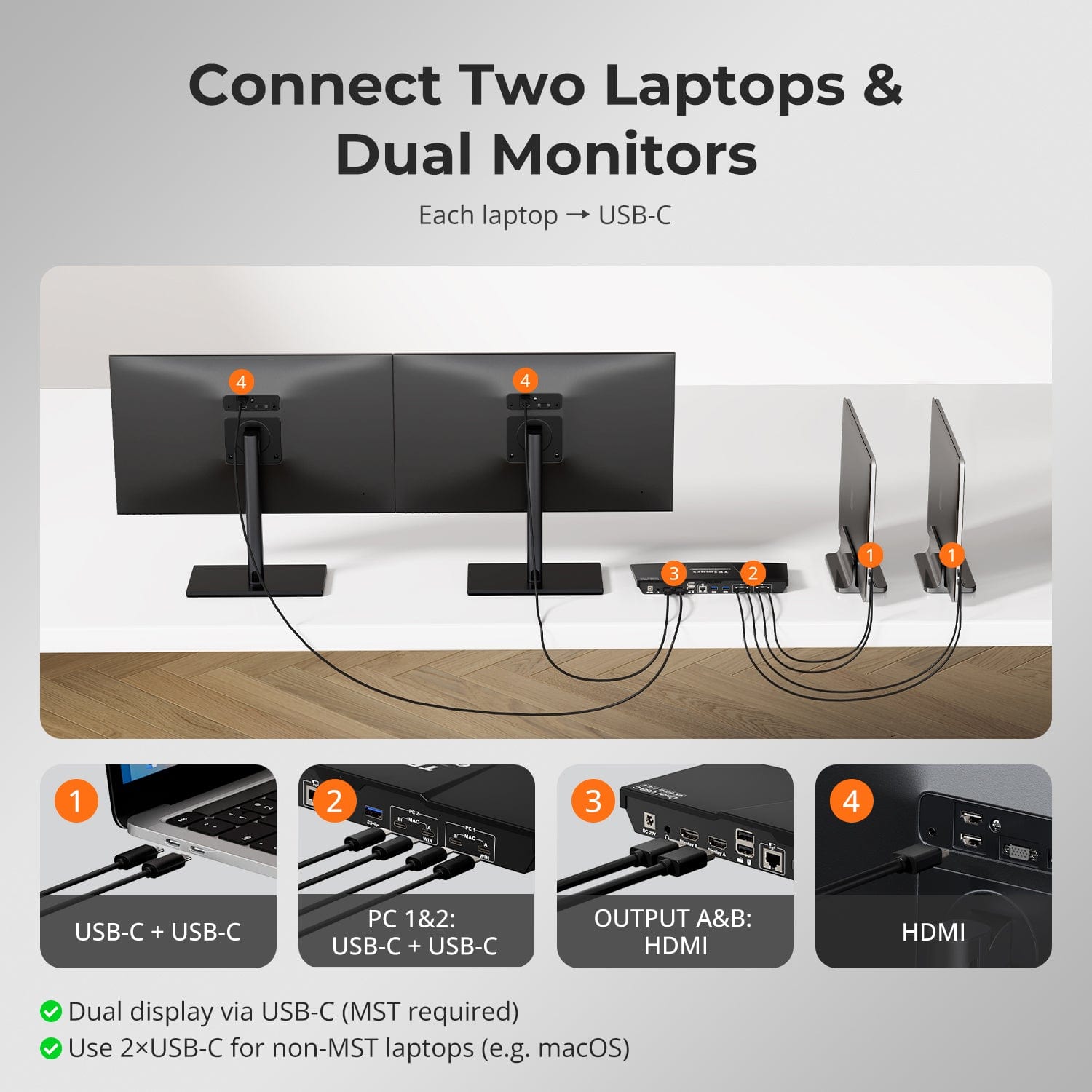
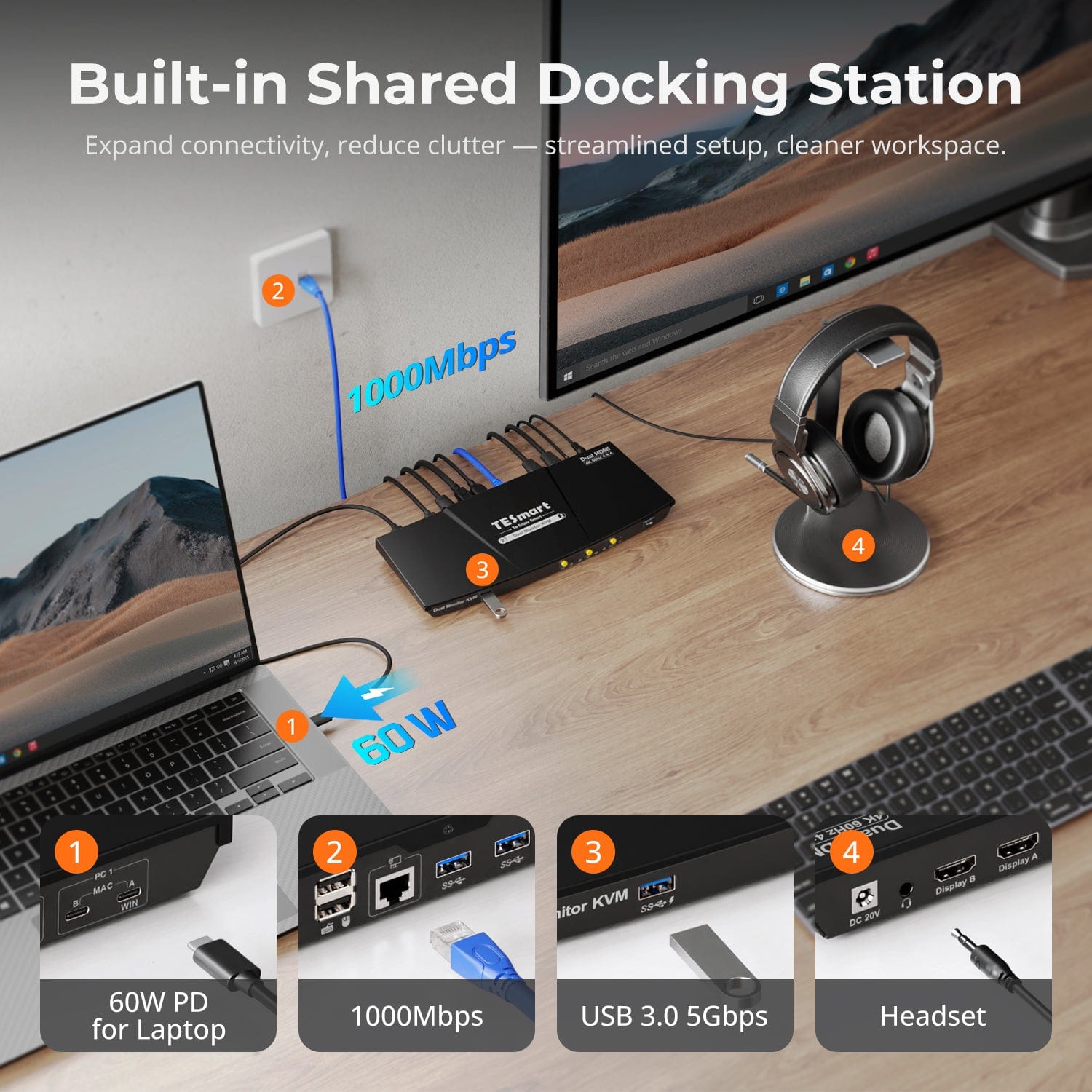
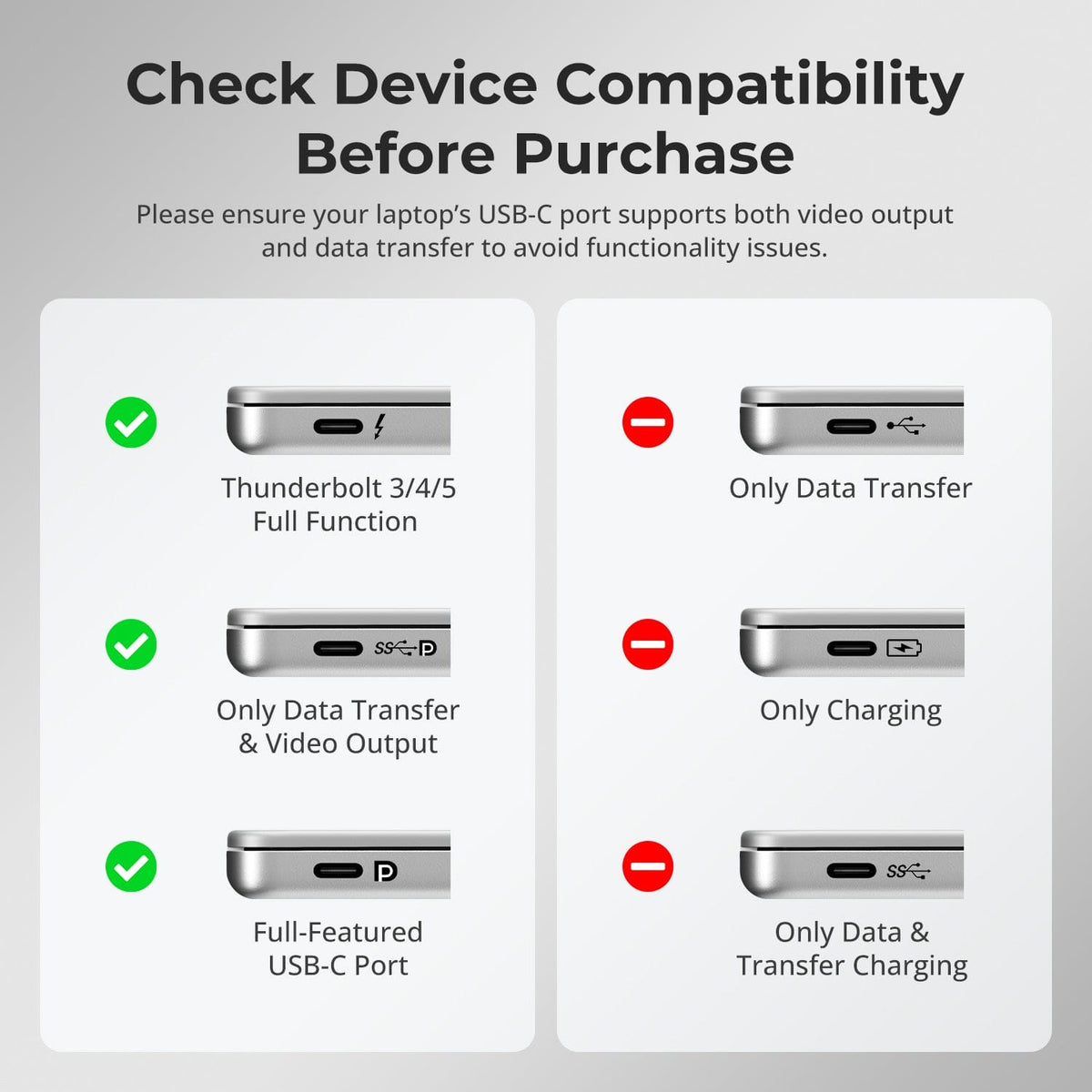
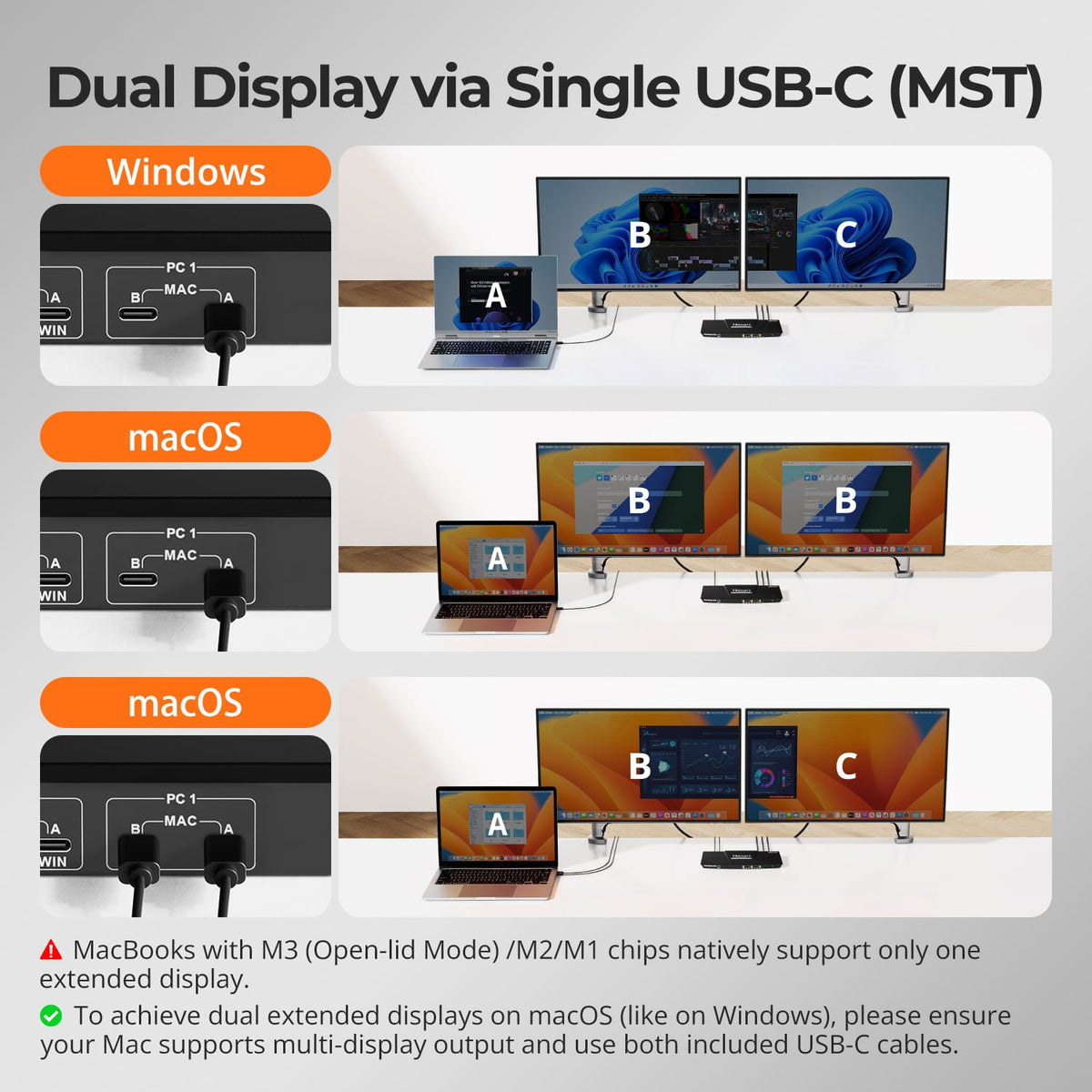
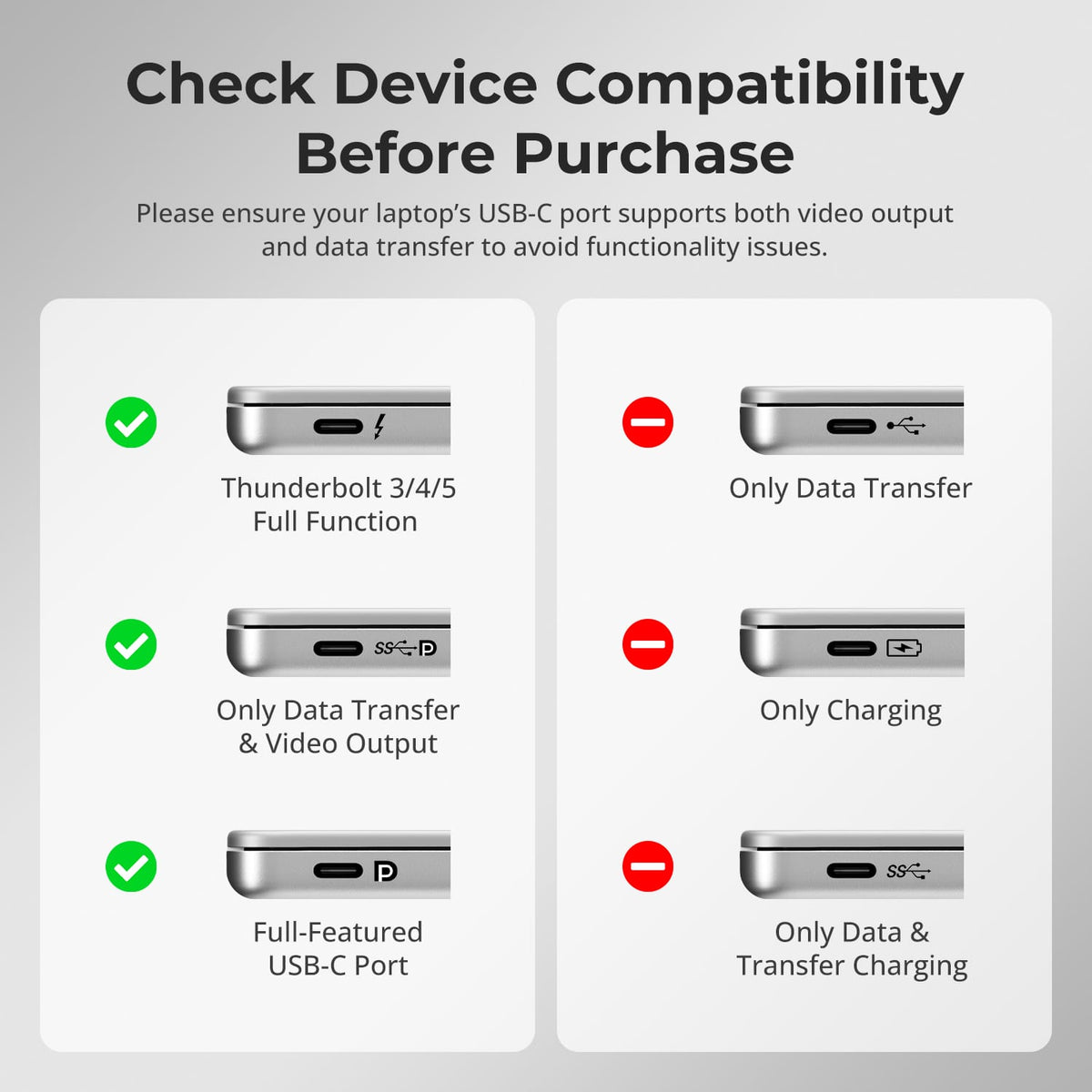
A compatible Windows laptop can use one full-function USB-C connection with MST to carry video, USB data and charging for the dual-monitor workspace.
02
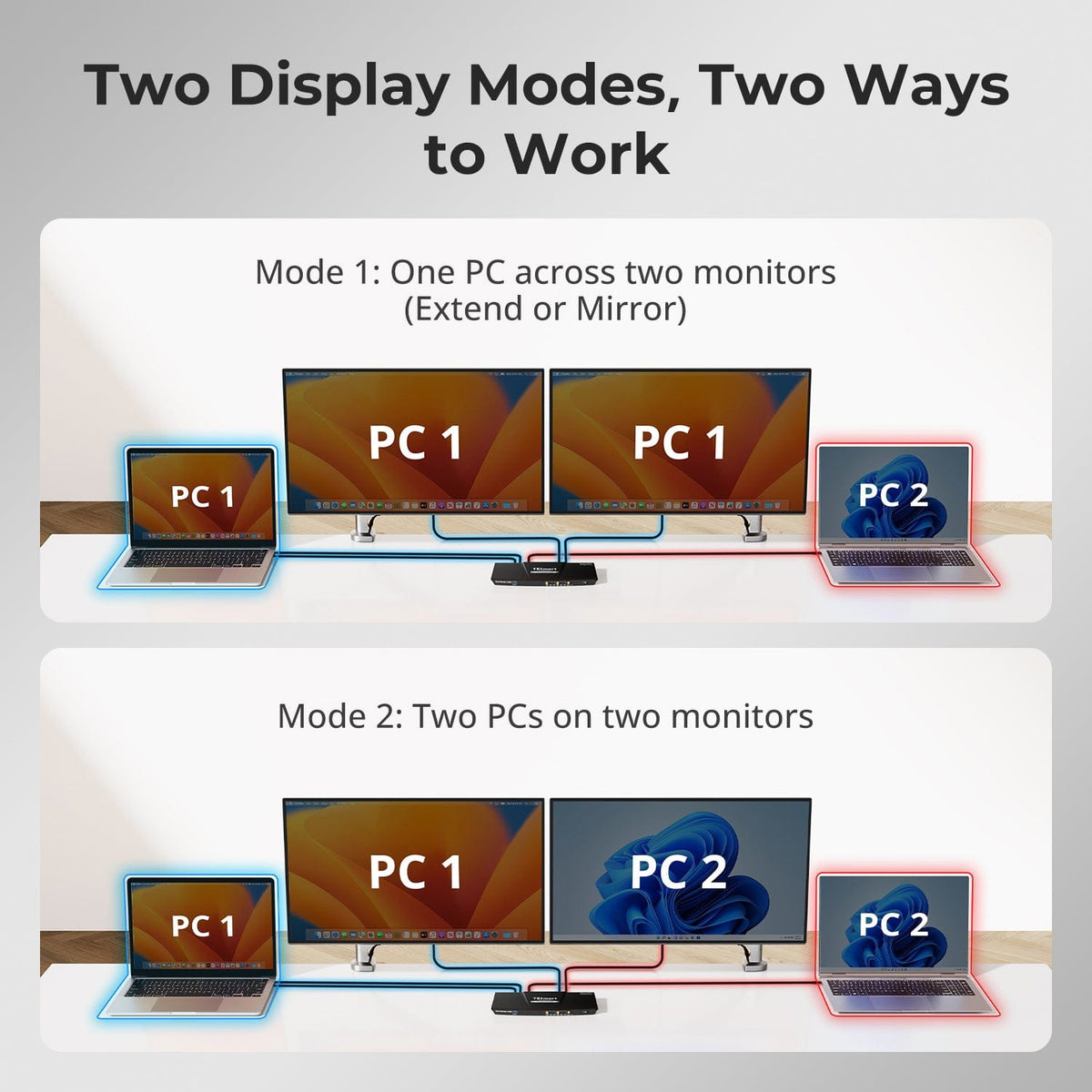
Two Display Modes for Two-Laptop Workflows
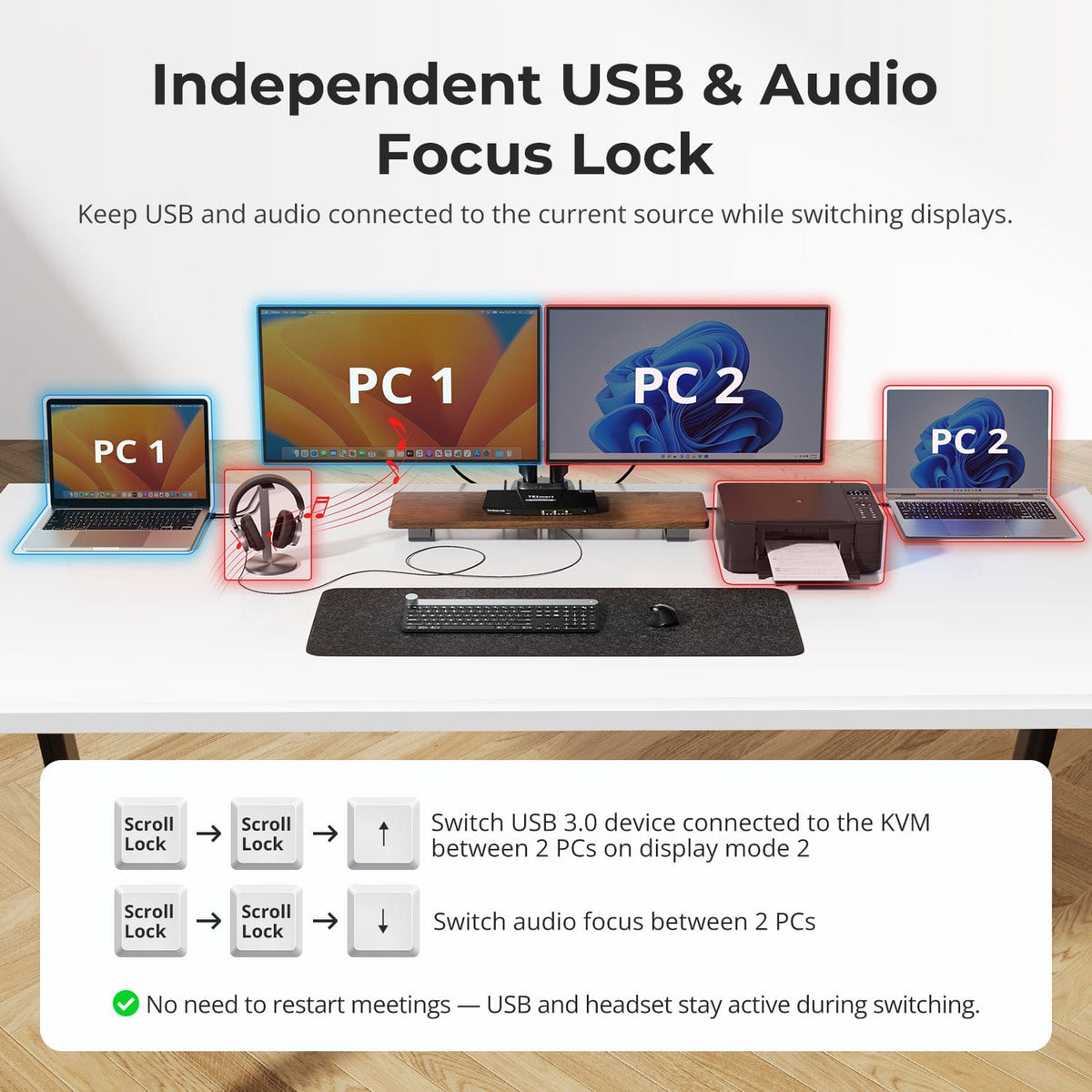
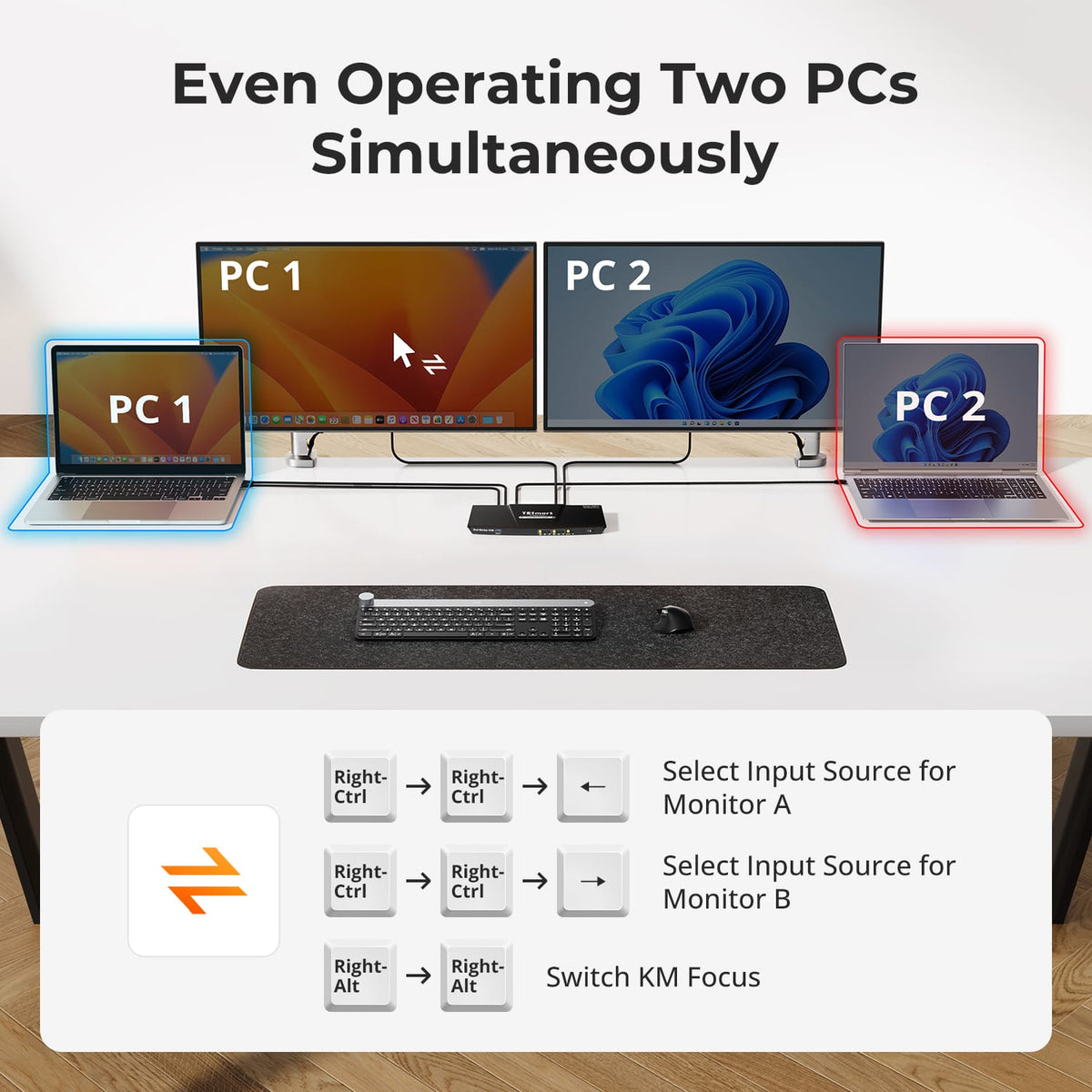
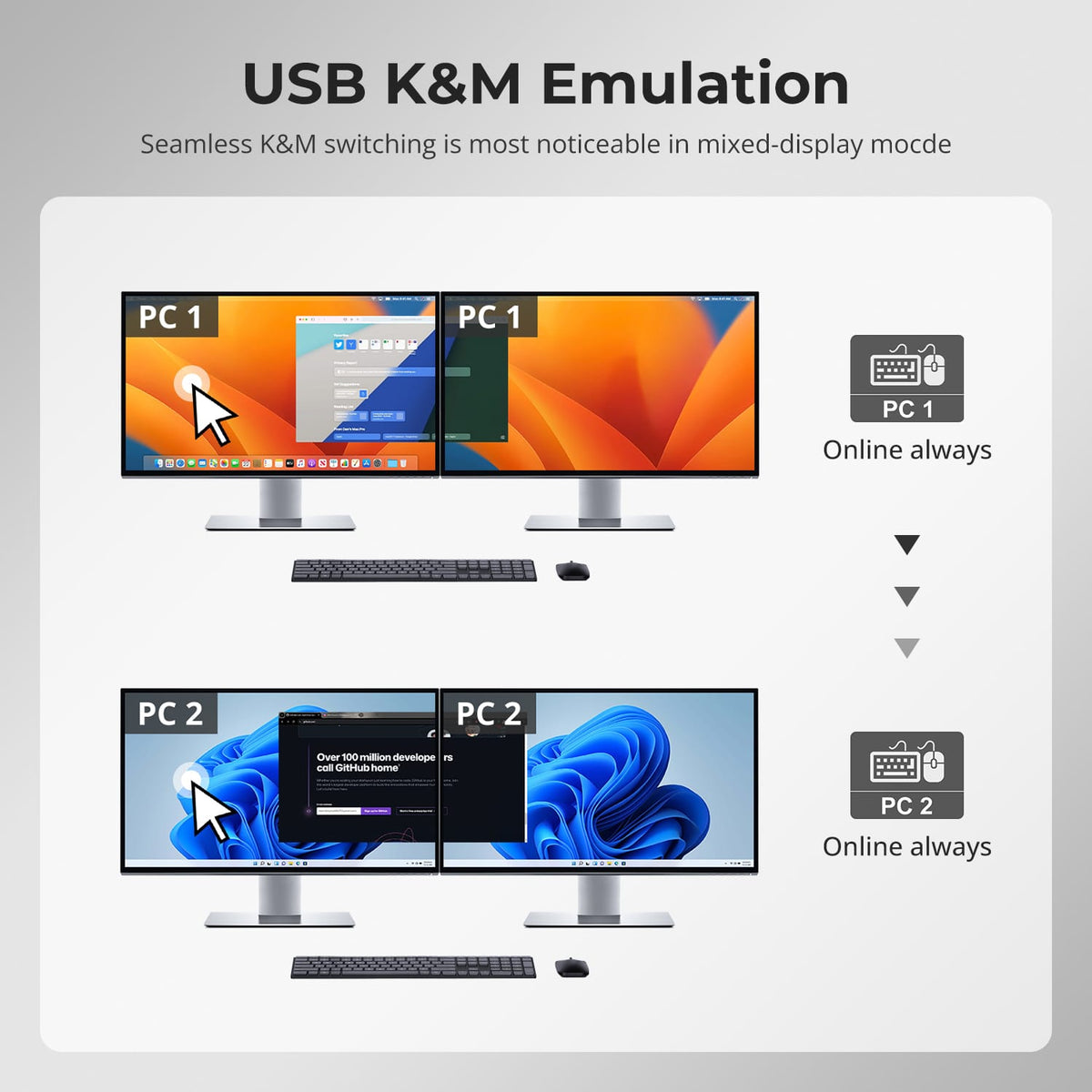
Use both monitors with one laptop, or keep one computer visible on each display and move keyboard and mouse control to the system you need.
03
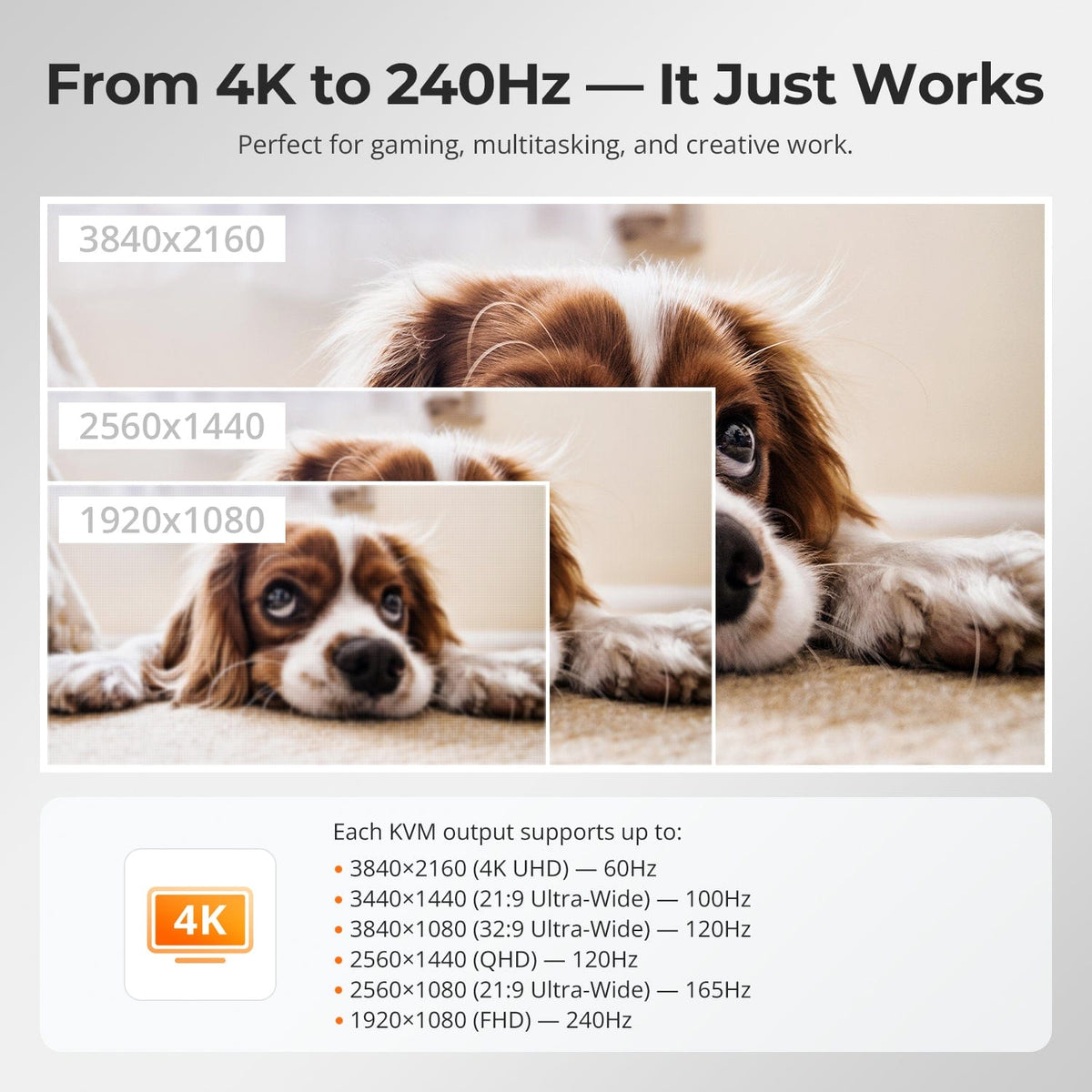
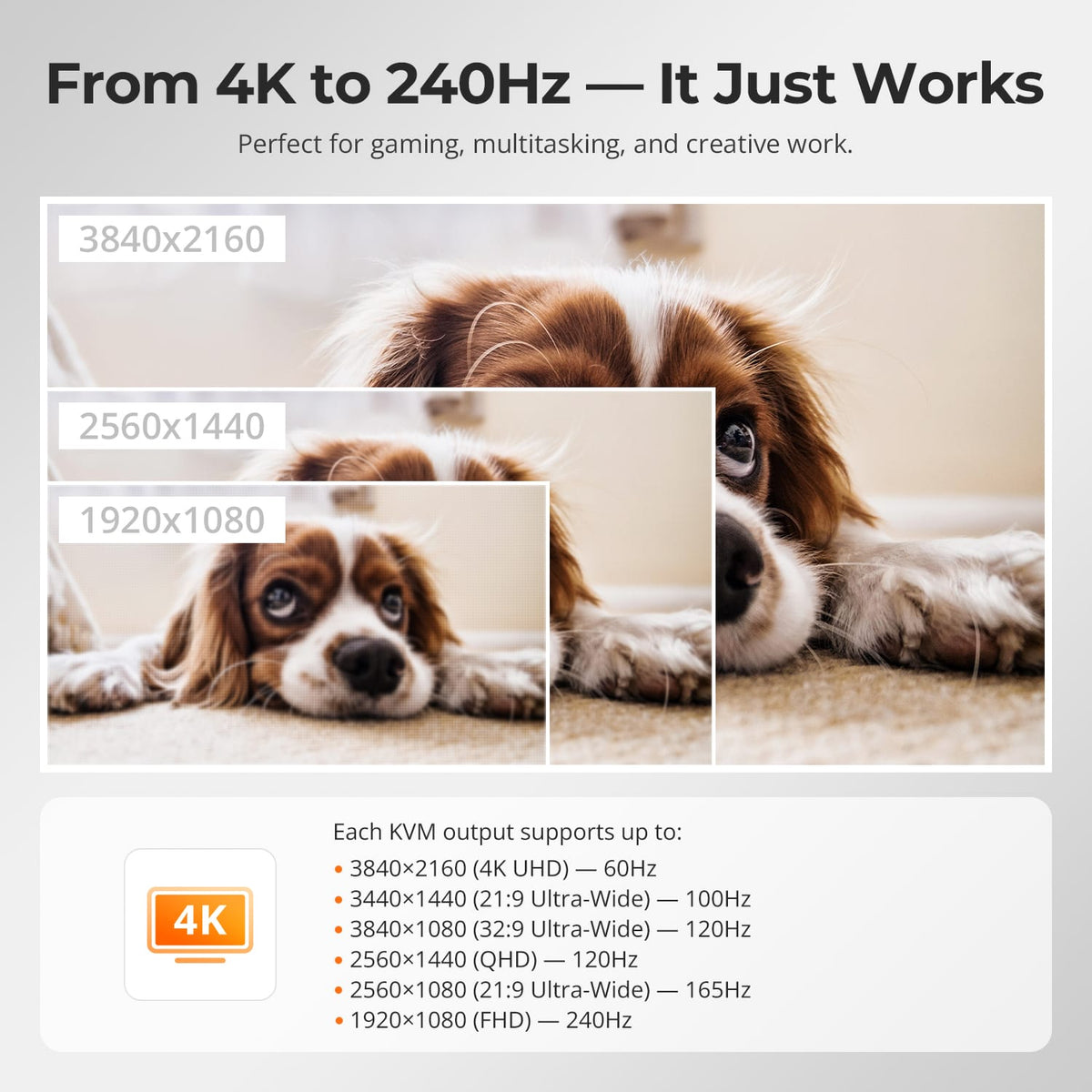
Dual 4K60 for Everyday Productivity
Support up to 3840×2160@60Hz 4:4:4 on compatible computers and displays for detailed office, development and creative workflows.
04
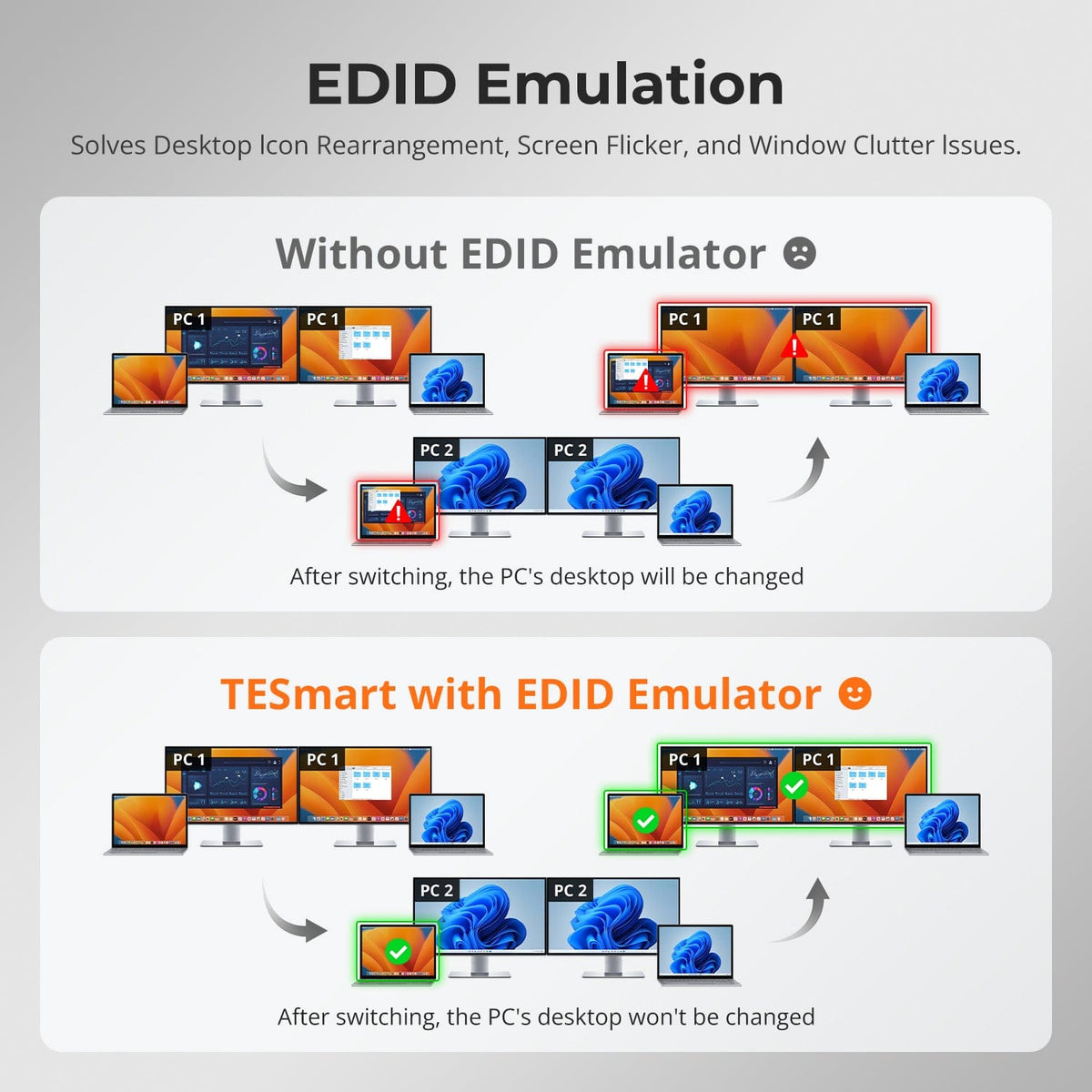
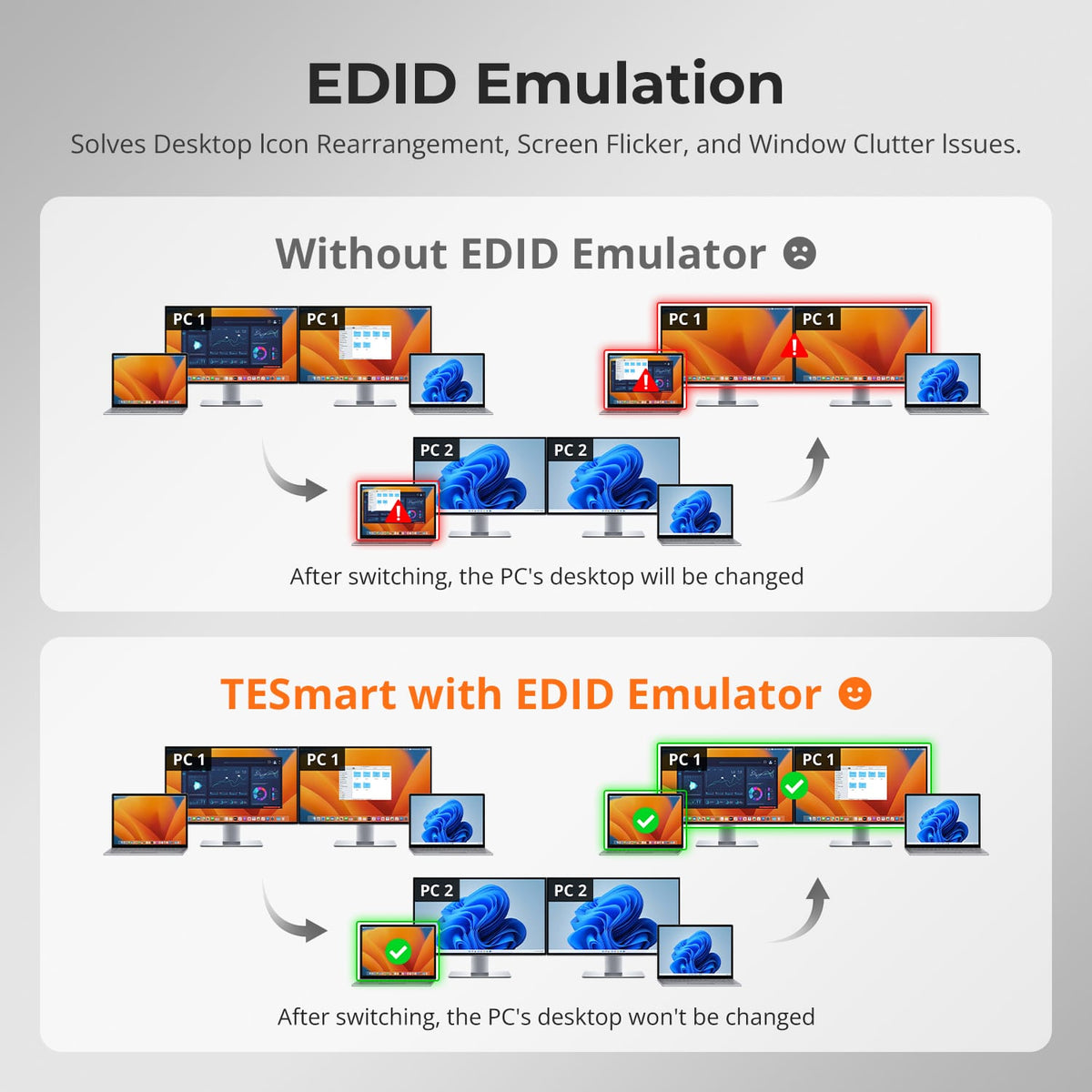
EDID Helps Keep Both Desktops Stable
EDID emulation keeps monitor information available to both hosts, reducing display re-detection and desktop rearrangement when switching.
05
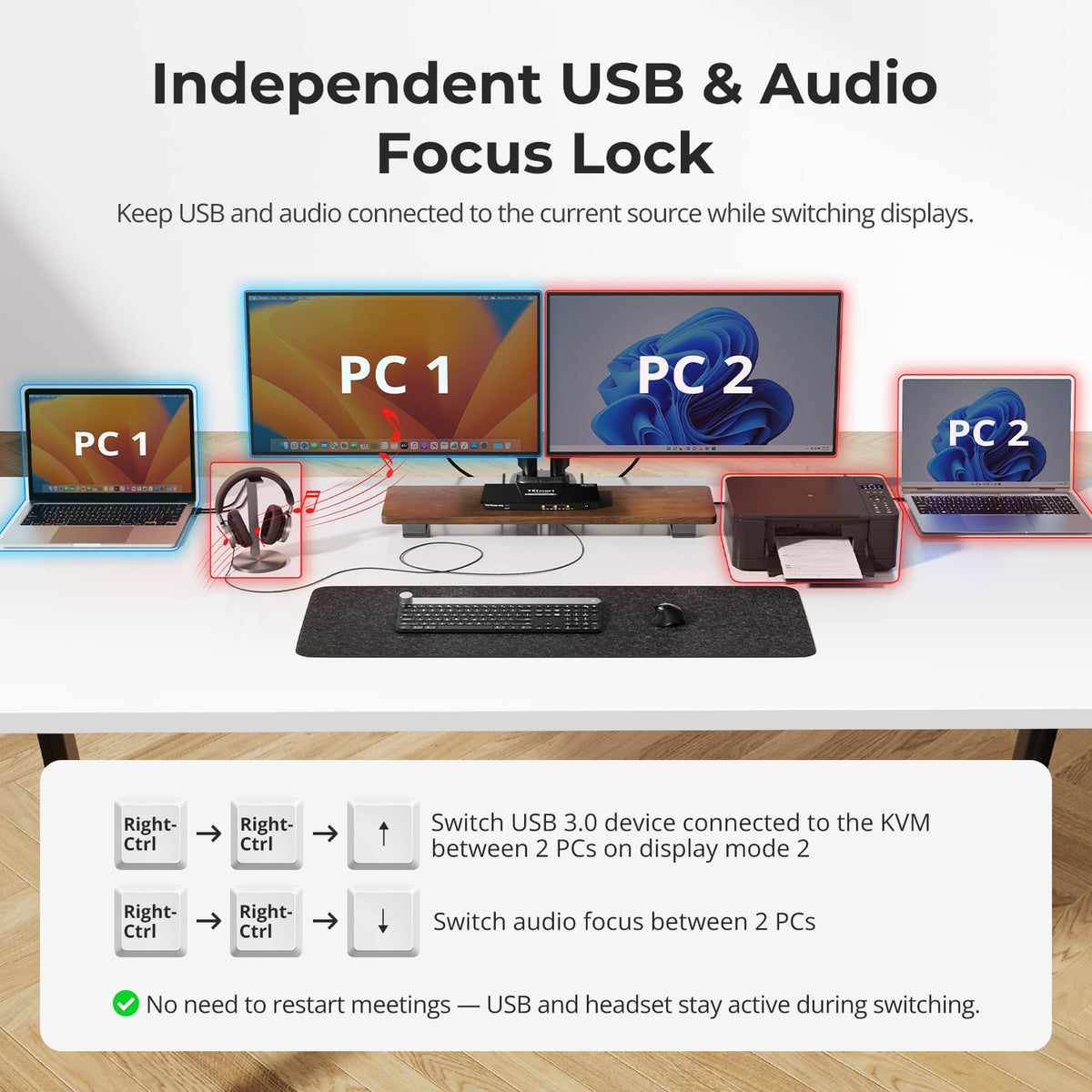
Keep USB and Audio on the Computer You Choose
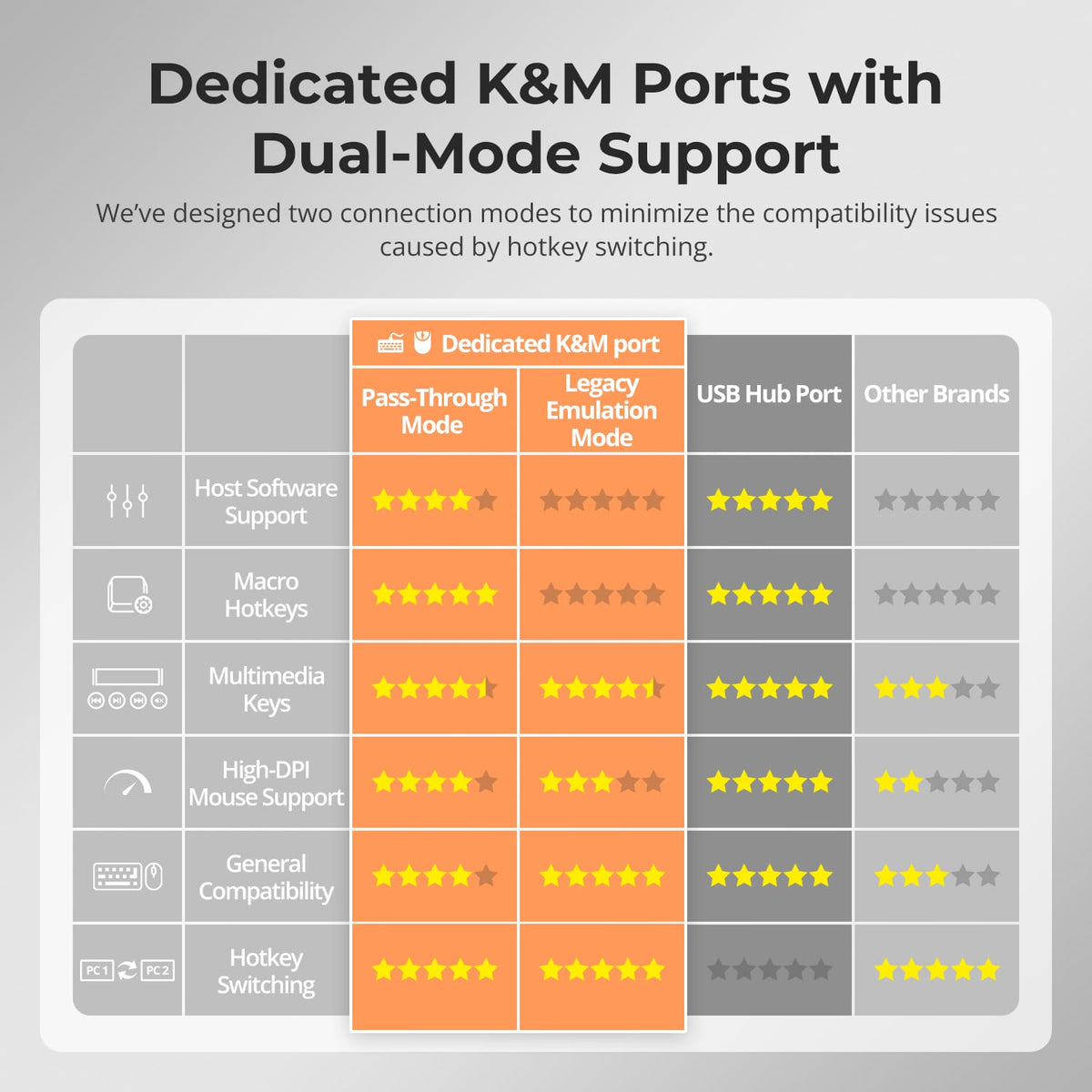
USB and audio focus can be locked to one system instead of always following the display selection, useful for calls, storage or peripherals that need to stay active.
06
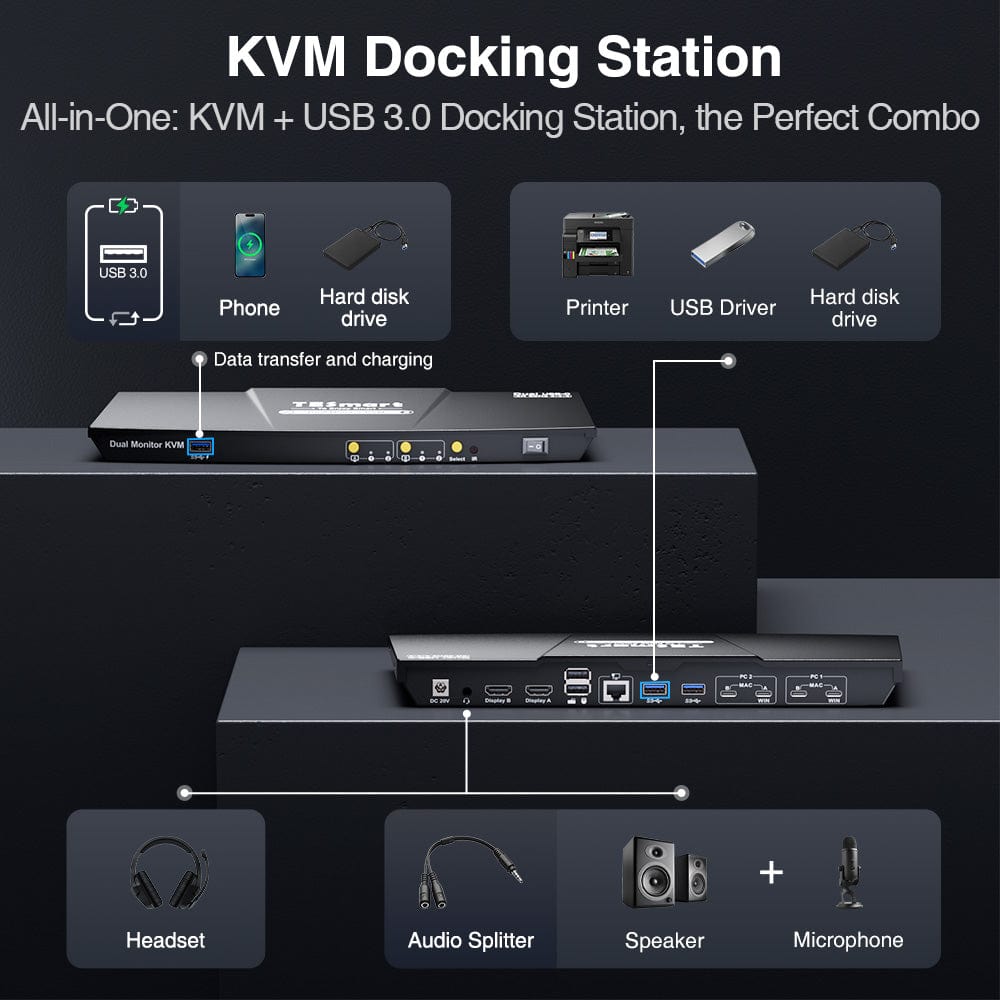
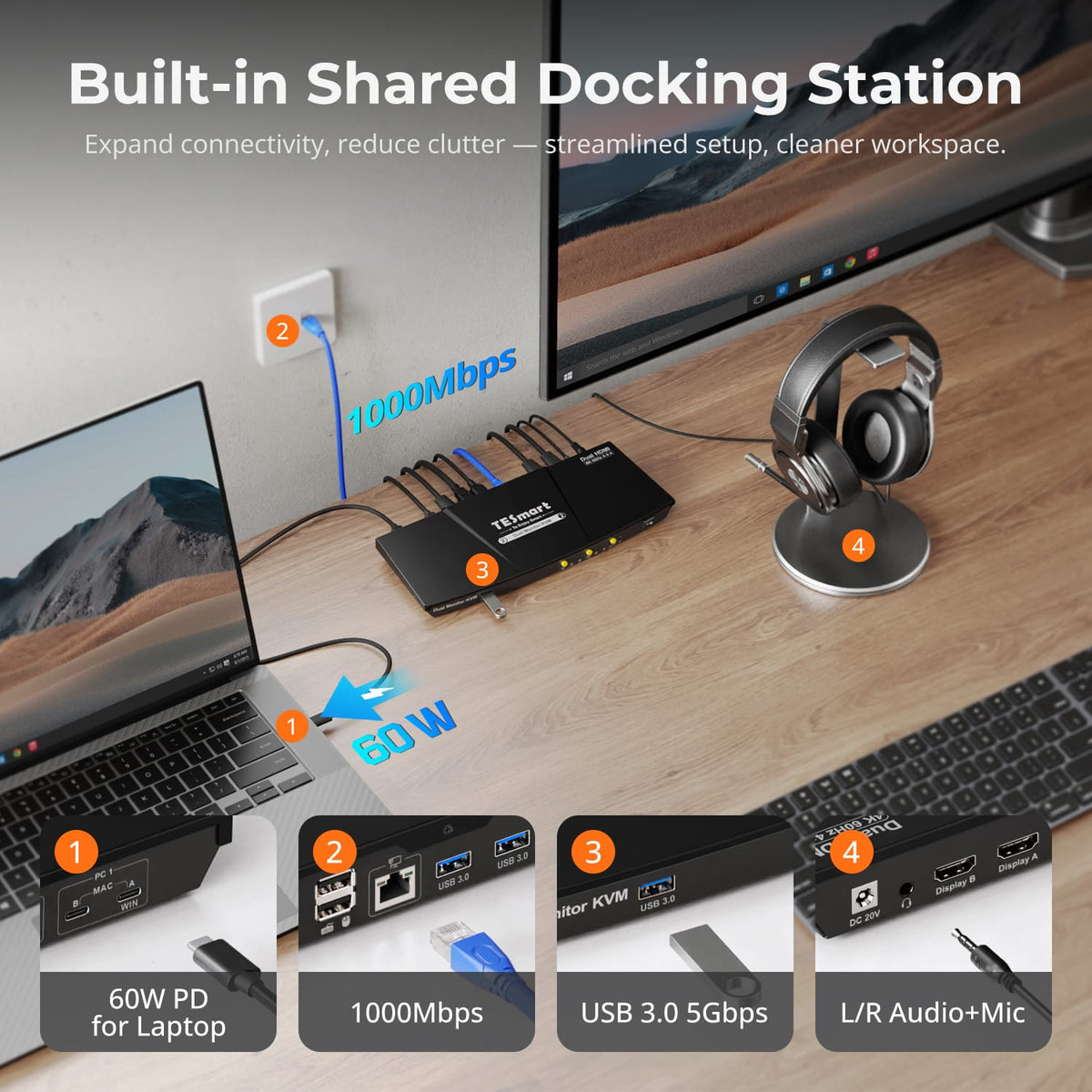
Built-In USB Sharing
Shared USB ports let compatible storage and accessories follow the selected computer at up to USB 3.0 speeds.
07
08
09
FAQs
Visit our Help Center for more answers.
[Compatibility] Can a Windows laptop use two independent displays through one USB-C cable?
Yes when the laptop supports DisplayPort MST through its full-function USB-C connection.
[Compatibility] Can a Mac use two independent extended displays through MST?
macOS does not support DisplayPort MST for independent extended displays in the same way as Windows. The exact external-display behavior depends on the Mac model and its native display support.
[Compatibility] What is the maximum supported resolution?
The manual supports up to 3840×2160@60Hz 4:4:4 on compatible computers, monitors and cables.
[Features & Connections] Can both laptops share Gigabit Ethernet?
Yes. The KVM provides a shared Gigabit Ethernet connection up to 1000Mbps.
[Features & Connections] Does the KVM support EDID emulation?
Yes. EDID emulation helps both computers retain monitor information to reduce display re-detection and window rearrangement after switching.
[Setup & Switching] How should I connect a Windows laptop for one-cable dual-display MST?
Use a full-function USB-C cable between the laptop and the KVM's MST-capable host input, then connect both HDMI monitors to the KVM outputs.