

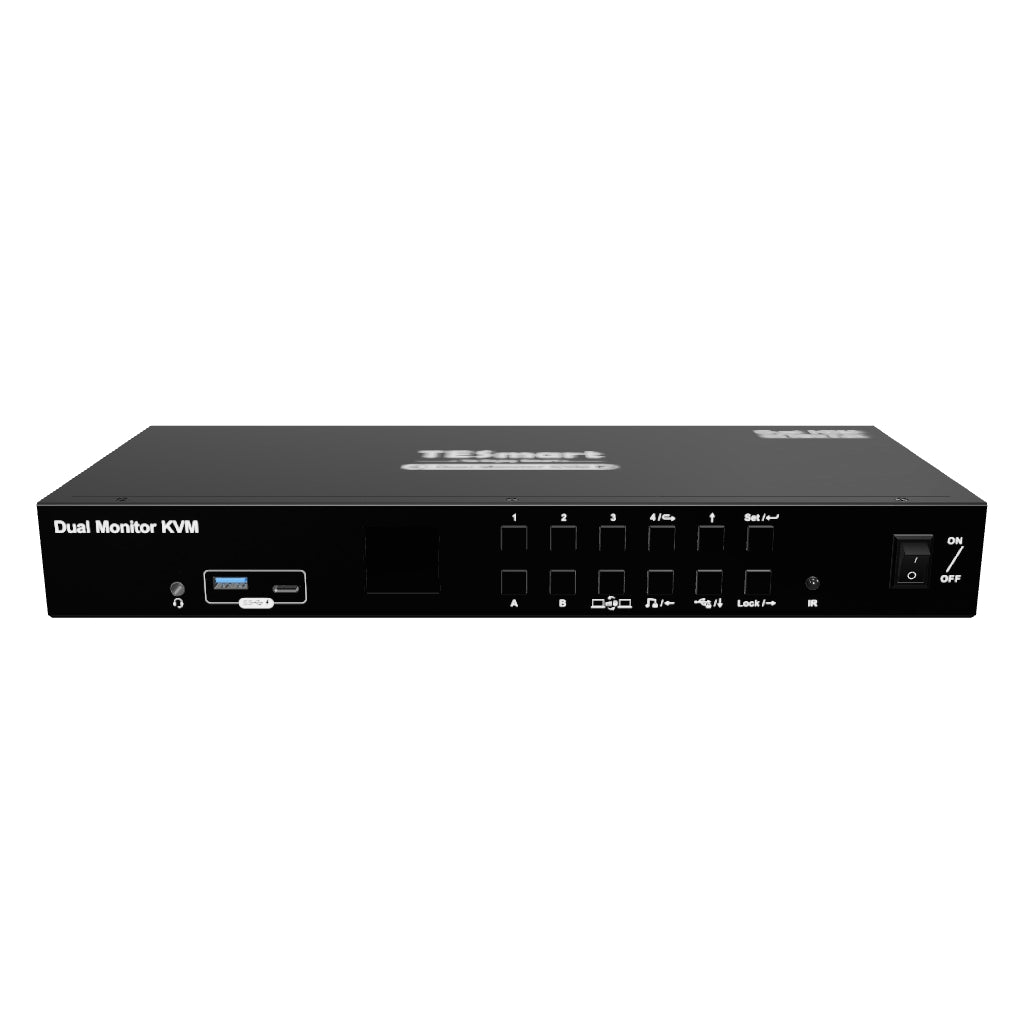
4 Port Dual Monitor KVM Switch Kit HDMI 4K60Hz with USB 3.0 Docking Station, EDID
Control four computers across two HDMI monitors, with dual 4K60 output, EDID emulation, USB 3.0 sharing and independent USB/audio focus.
5-Year Warranty with Product Registration
4 Port Dual Monitor KVM Switch Kit HDMI 4K60Hz with USB 3.0 Docking Station, EDID
Why Choose HKS402-P23
Overview
01
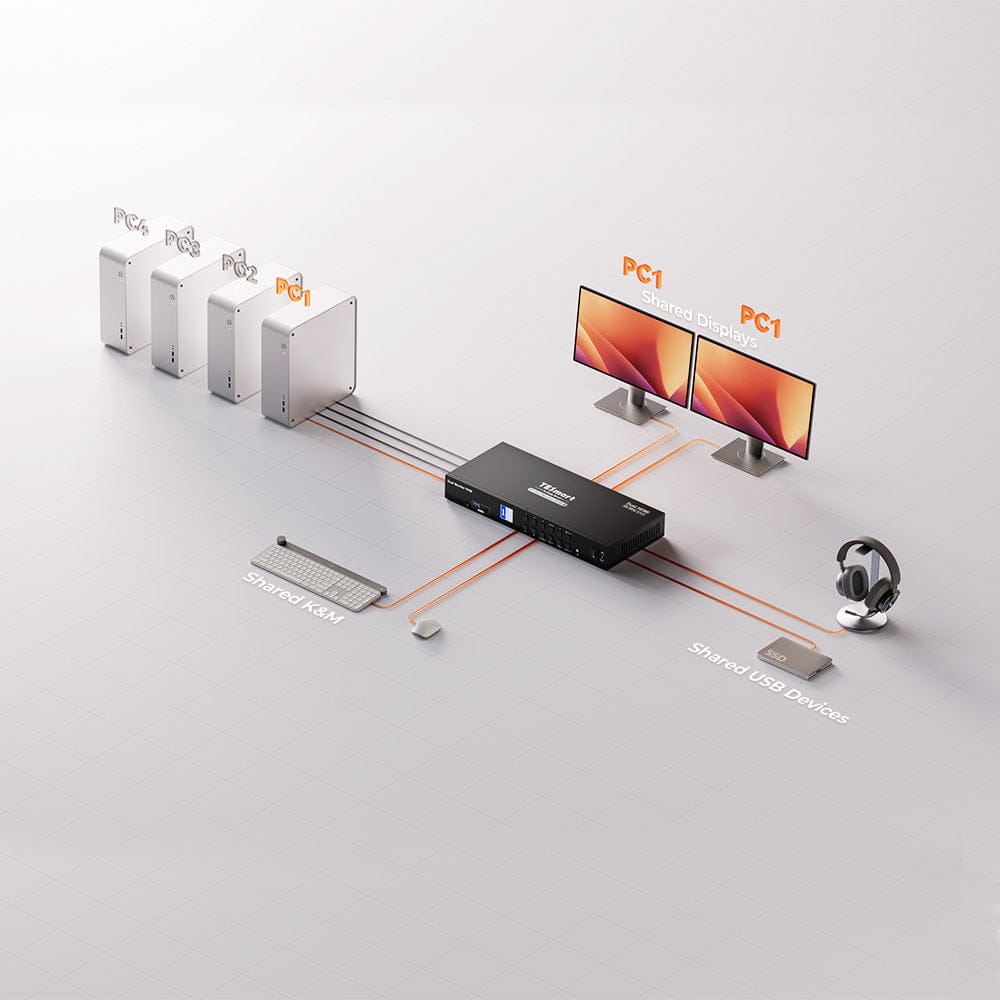
Four Computers. Two Shared Displays.
Connect four computers to one dual-monitor desk. Each computer uses two HDMI video connections and USB to share the displays, keyboard, mouse and peripherals.
02
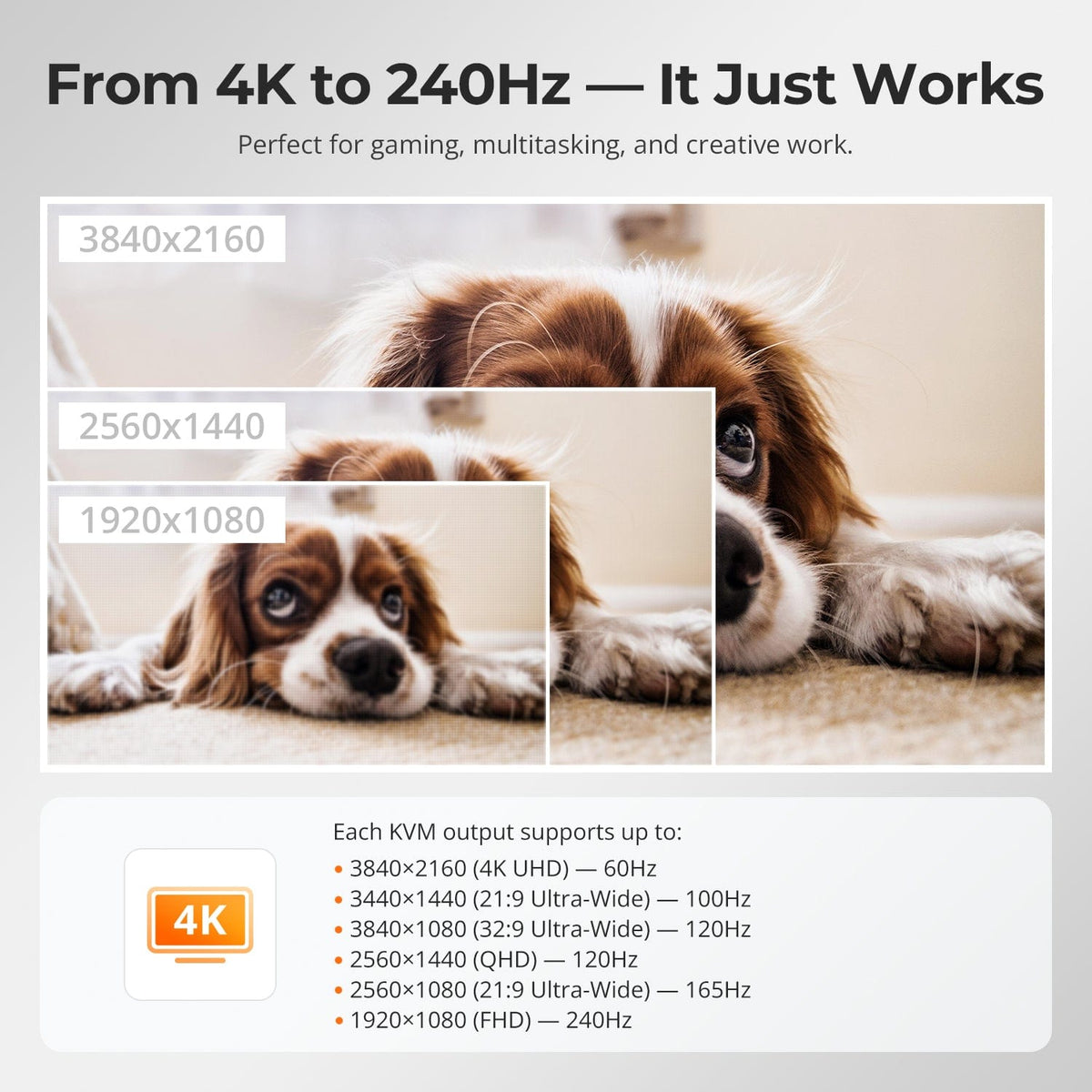
Dual 4K60 for Work and Play
Enjoy up to 3840 × 2160 at 60Hz on each compatible display, with supported lower-resolution high-refresh modes for flexible everyday use.
03
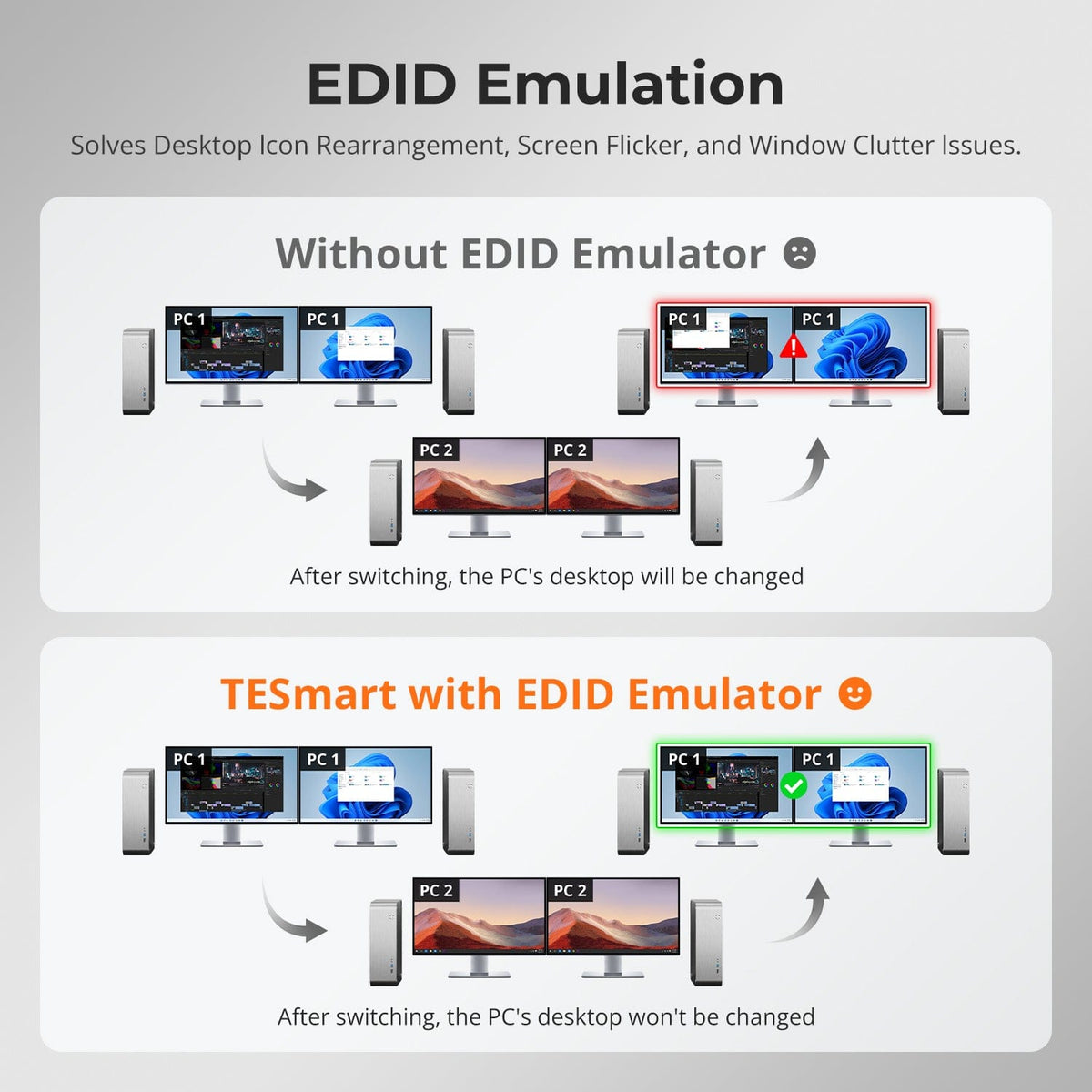
Keep Your Desktop Layout in Place
EDID emulation retains monitor information for each computer, helping reduce window rearrangement and display re-detection during switching.
04
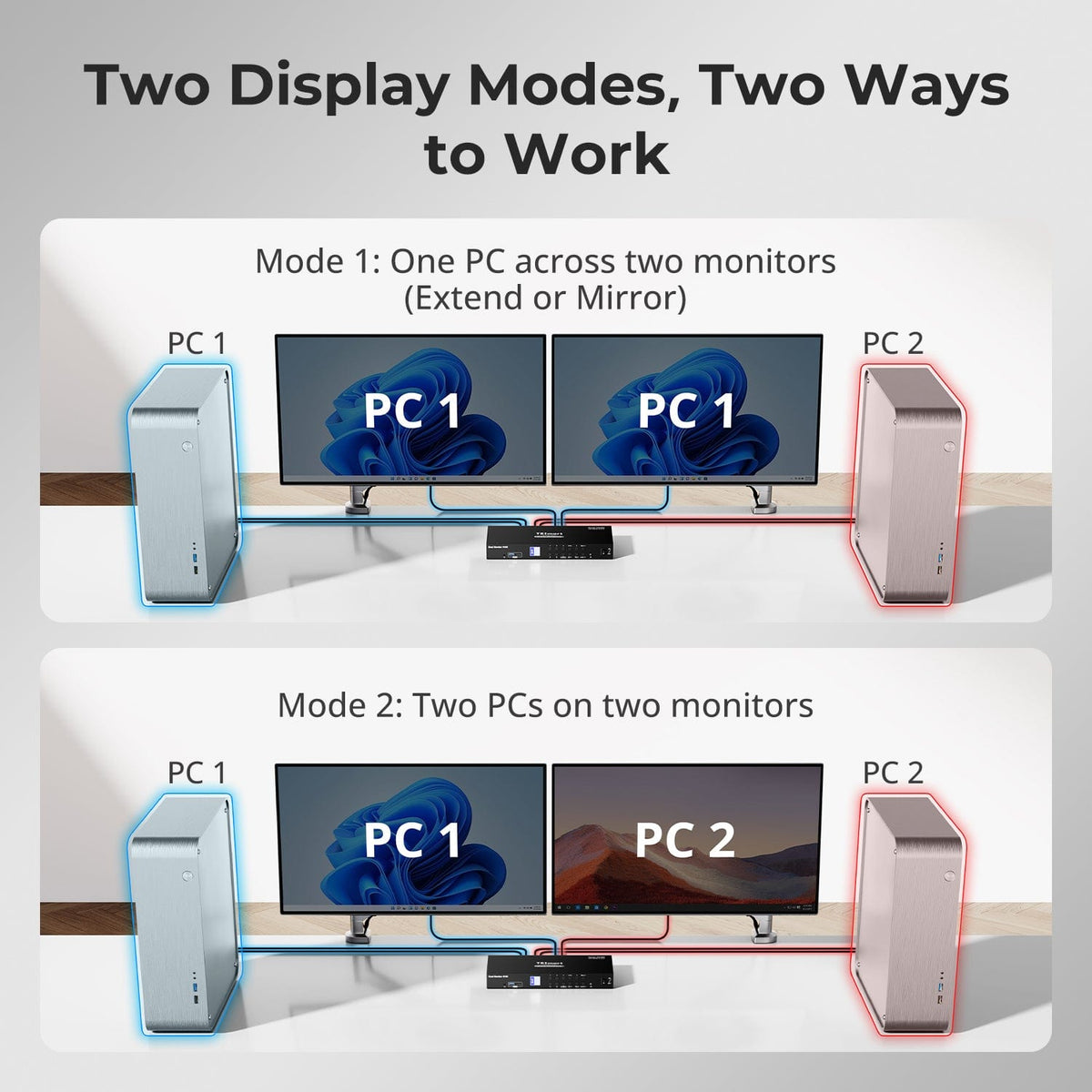
Two Display Modes
Put one computer across both monitors or show two computers side by side, depending on your workflow.
05
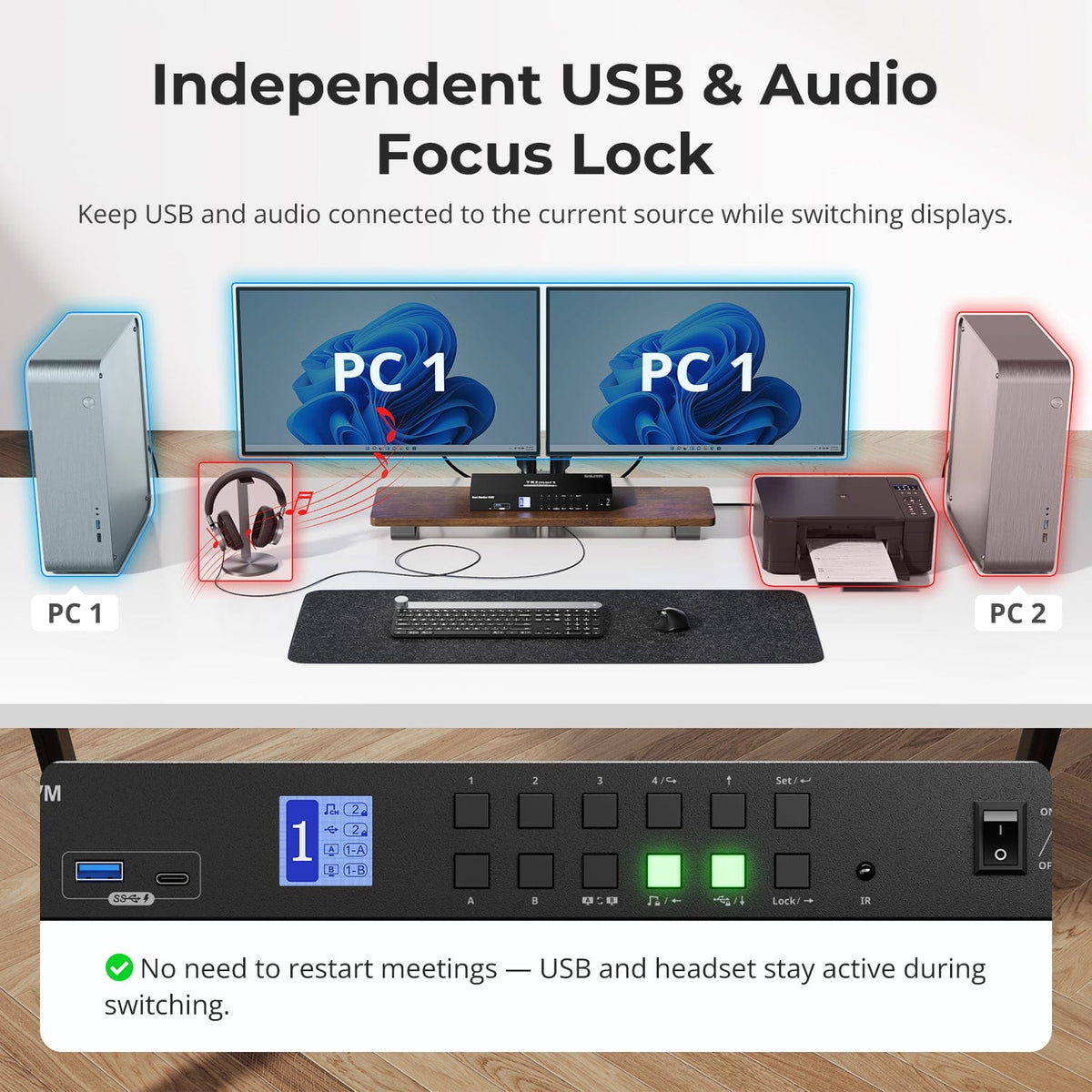
Independent USB and Audio Focus
Keep supported USB or audio devices on a chosen computer while changing the displayed system.
06
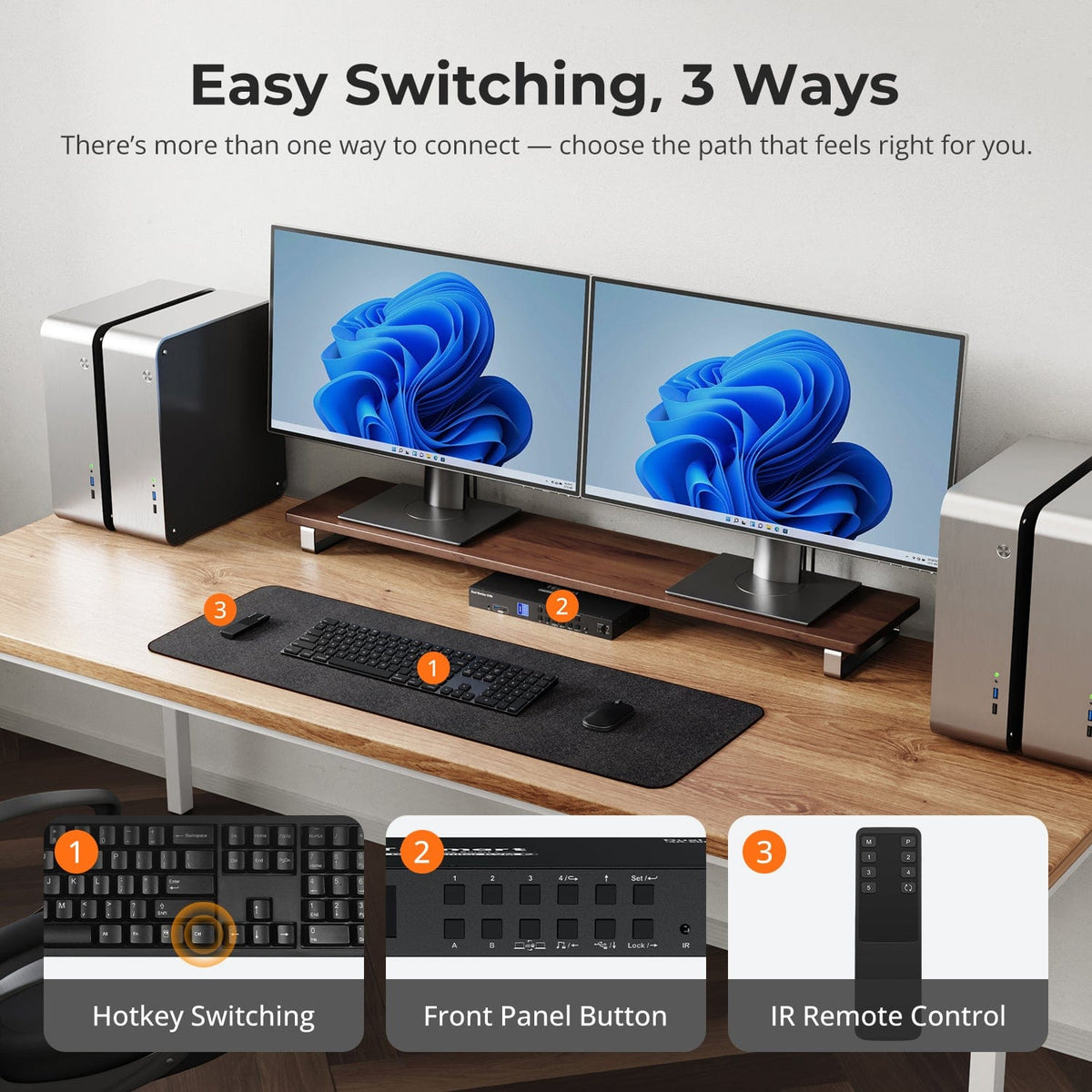
Easy Switching Controls
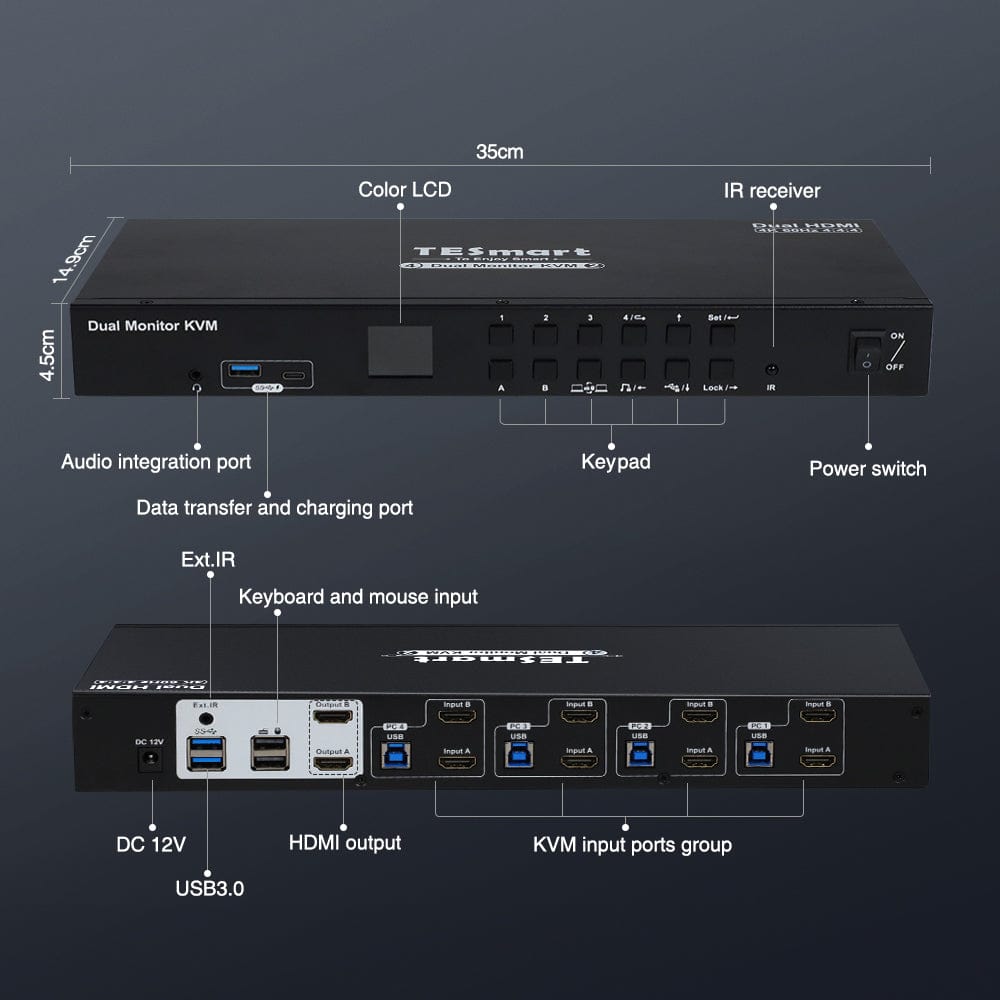
Choose front-panel buttons, keyboard hotkeys or the IR remote to move between systems.
07
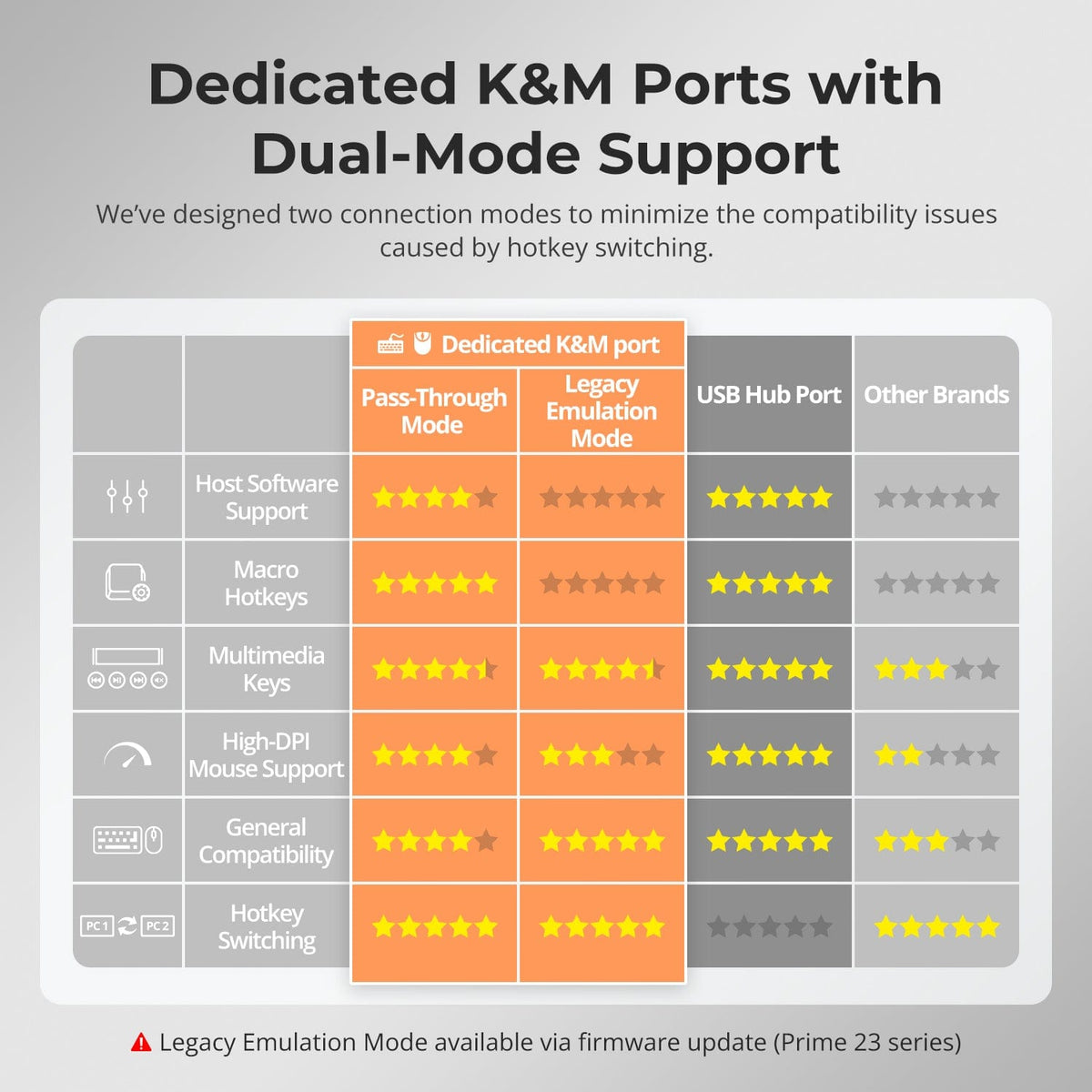
Dedicated Keyboard and Mouse Ports
Pass-through handling improves compatibility with common peripherals, including many mechanical and gaming keyboards.
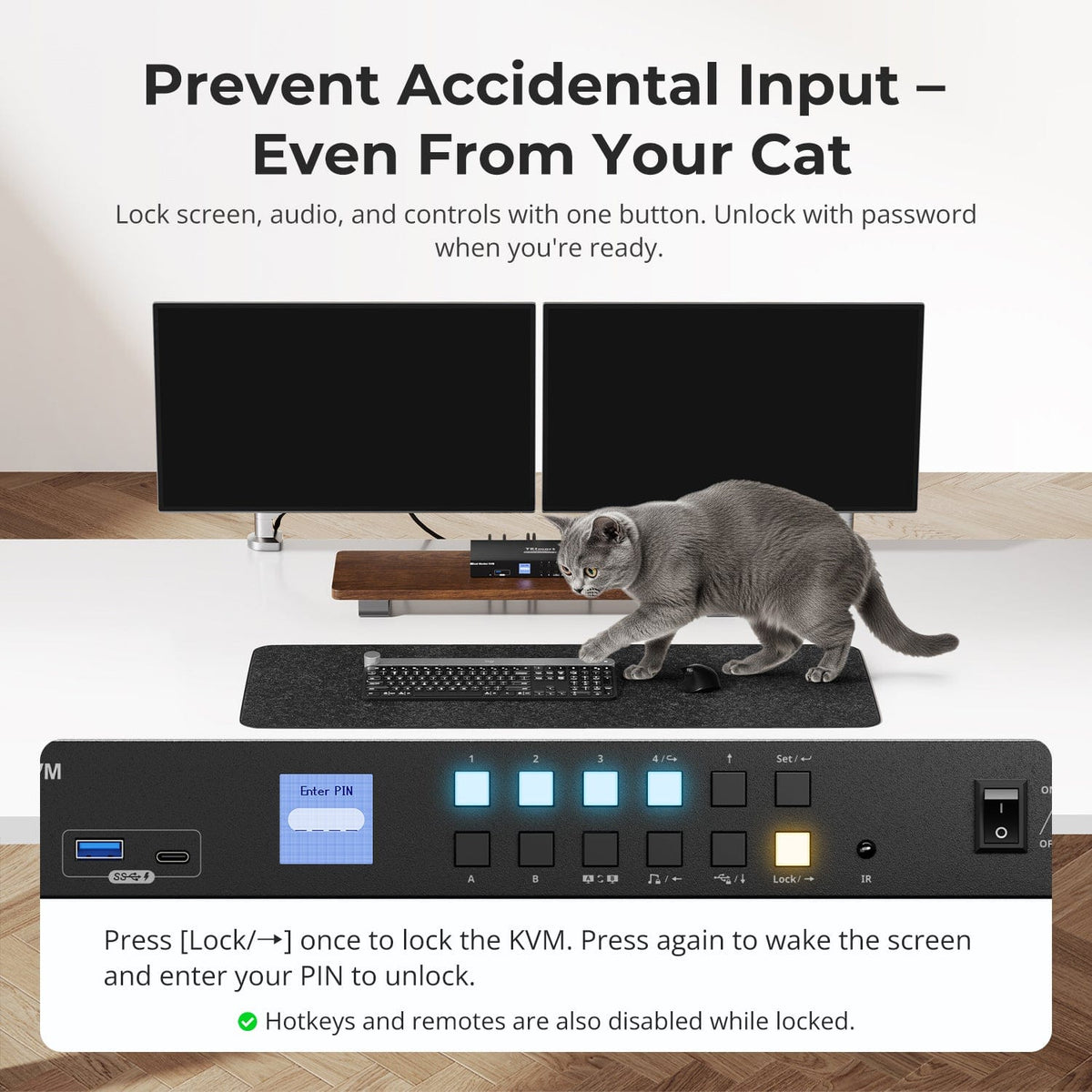
Lock Against Accidental Input
Use the documented lock controls to reduce accidental switching or keyboard input.
A Shared USB 3.0 Workspace
Keep compatible storage, USB accessories and audio connected at one central hub.
Specifications & Support
Compatibility & Input Guide
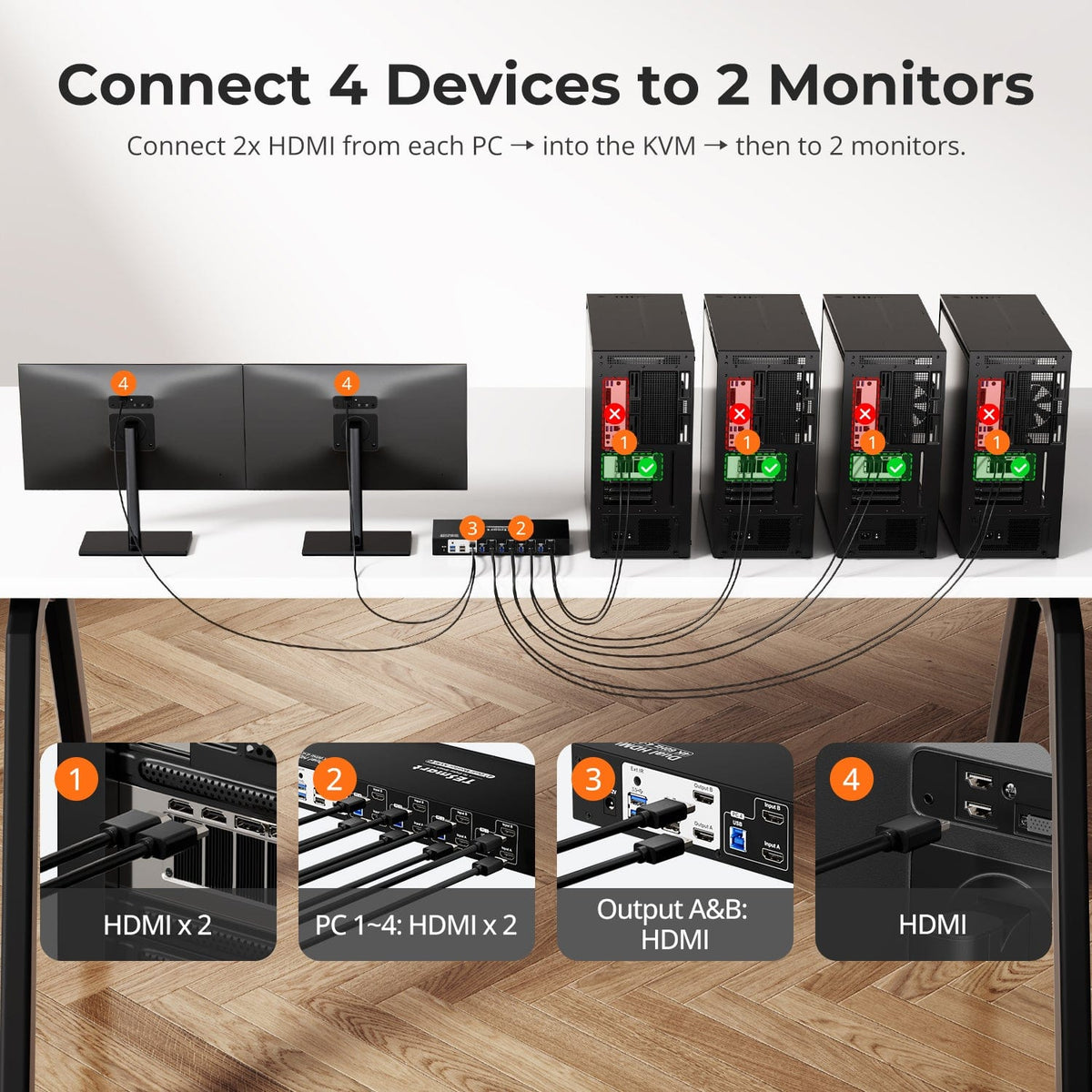
Two HDMI video connections and one USB connection per computer.
Each computer needs two HDMI video outputs plus USB to use both monitors.
Technical Specifications
- Model: HKS402-P23
- Setup: 4 computers / 2 HDMI monitors
- Display output: Up to 3840 × 2160 at 60Hz per monitor
- Computer connections: Two HDMI video connections and one USB connection per computer
- Monitor connections: 2 × HDMI
- USB sharing: USB 3.0 / 5Gbps sharing
- EDID emulation: Supported
- Switching: Front-panel buttons, keyboard hotkeys, IR remote and mouse-wheel switching
Manuals & Downloads
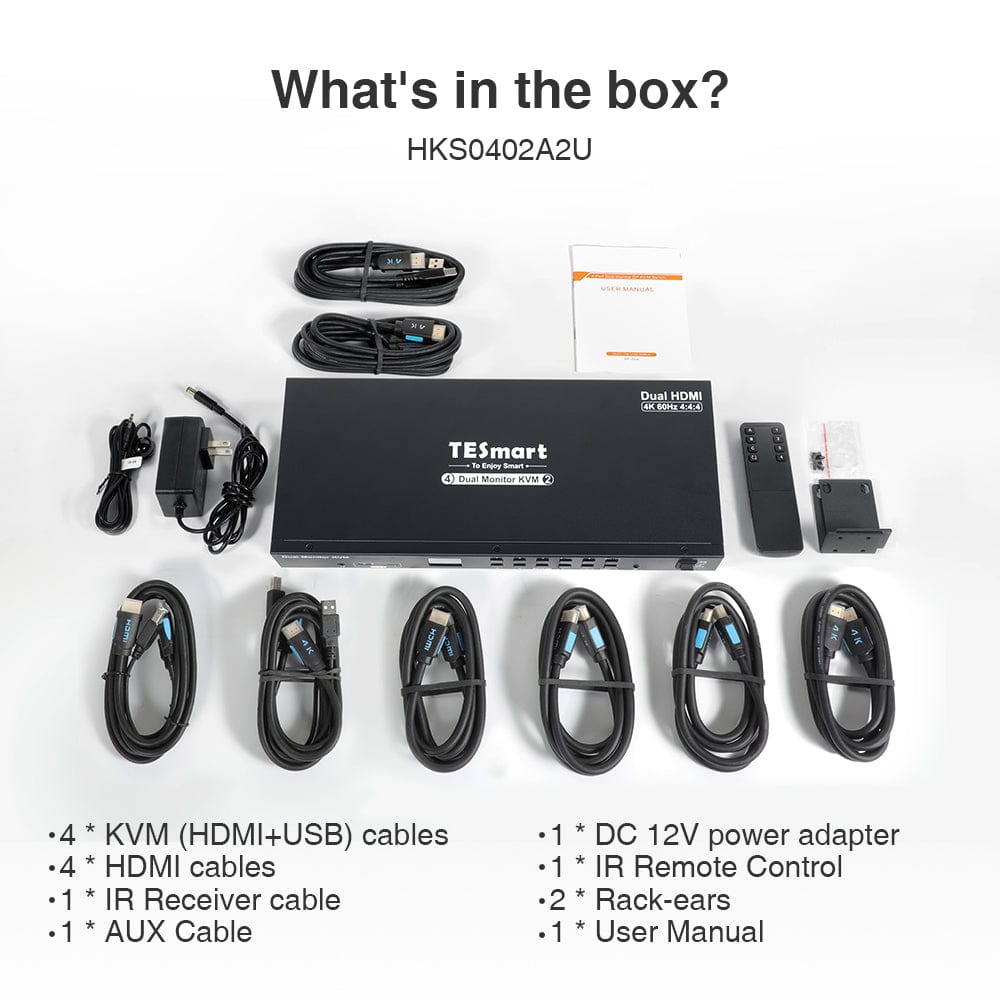
Included in the Box
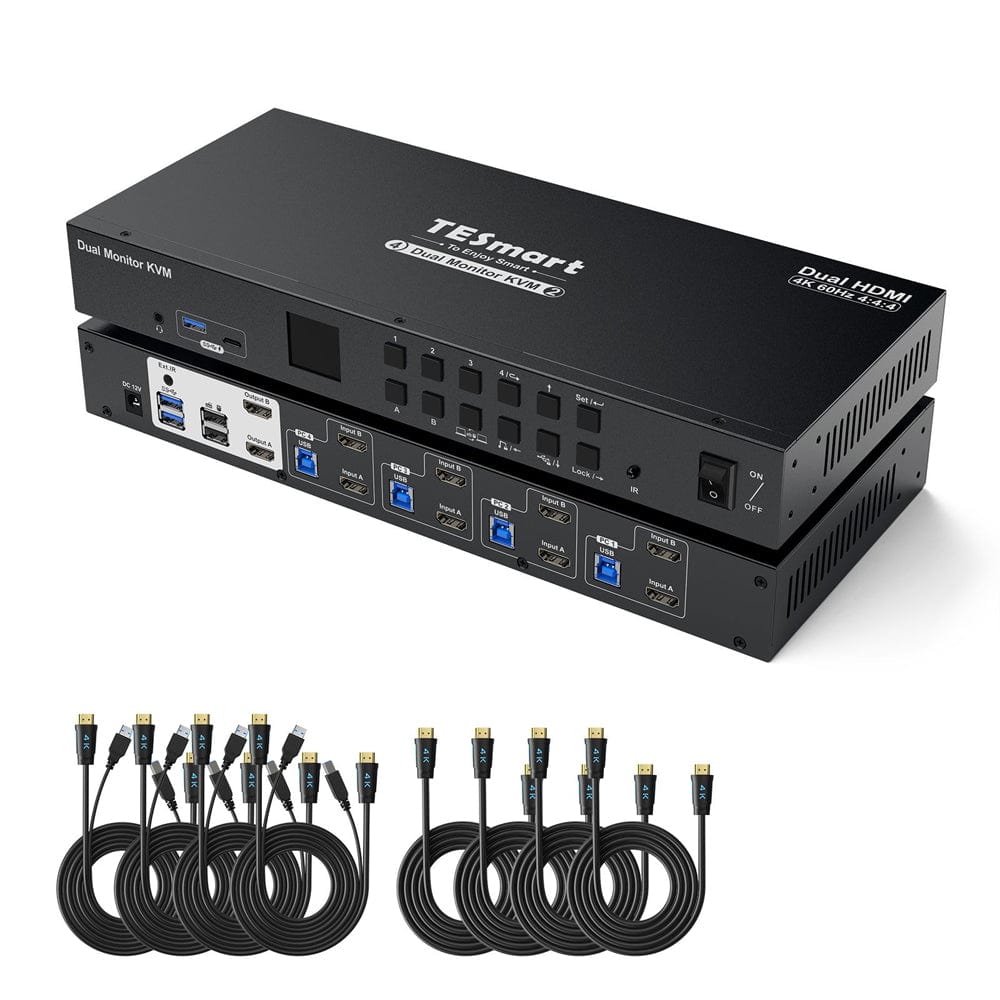
1 × HKS402-P23 KVM switch
4 × HDMI/USB KVM cables
4 × HDMI cables
1 × 12V DC power adapter
1 × IR remote control
1 × IR receiver cable
1 × AUX cable
2 × rack ears
1 × user manual
FAQ's
Visit our Help Center for more answers.
What setup is this model designed for?
HKS402-P23 is designed for 4 computers / 2 HDMI monitors.
What connections does each computer need?
Two HDMI video connections and one USB connection per computer.
What display resolution is supported?
Up to 3840 × 2160 at 60Hz per monitor. Actual output depends on the source, cables and monitor.
How can I switch between computers?
Front-panel buttons, keyboard hotkeys, IR remote and mouse-wheel switching.
What should I check before connecting my devices?
Each computer needs two HDMI video outputs plus USB to use both monitors.