

Table of Contents
- Introduction
- What Bars Are Actually Trying to Solve During the World Cup
- Why Match-Day Display Control Gets Complicated
- What a KVM Switch Does in a Bar Viewing Setup
- Practical World Cup Bar Setup Scenarios
- What Matters When Choosing a KVM Switch for a Bar
- Which TESmart KVM Solution Fits This Scenario
- Deployment Tips Before Match Day
- FAQ
Introduction

During the World Cup, a bar is not only showing football. It is managing attention.
Customers may want to watch the main match on the largest screen, follow another game on a side display, see pre-match coverage near the counter, or check highlights during halftime. Staff may also need to switch between broadcast boxes, streaming PCs, media players, laptops, digital signage, and audio sources without walking across the venue or reconnecting cables in front of customers.
This is where a KVM switch can become useful. For bars that operate multiple computers or media sources from one control position, a TESmart KVM switch can help staff manage display output, keyboard and mouse control, and USB peripherals from a cleaner, more predictable setup.
The goal is not simply to add more screens. The real goal is to reduce switching mistakes, shorten response time, and keep the viewing experience stable when the venue is full.
What Bars Are Actually Trying to Solve During the World Cup

A typical World Cup bar setup has several jobs happening at the same time:
One screen may show the main live match.
Another screen may show a second match, tactical analysis, or a sports news channel.
A control laptop may handle streaming services, browser-based dashboards, playlists, or venue announcements.
A media PC may play branded content before kickoff or during breaks.
Staff need to control these sources quickly without losing the live feed.
The challenge is not only video distribution. It is operational control.
If every source has its own keyboard, mouse, remote, HDMI cable, and USB device, staff have to remember which device controls which screen. During a busy match night, this creates avoidable problems: wrong input selected, delayed switching, black screens, audio from the wrong source, or staff blocking customers while troubleshooting cables.
A KVM switch helps by centralizing control. Instead of treating every computer or source as a separate island, the bar can manage multiple systems from one keyboard, mouse, and display workflow.
Why Match-Day Display Control Gets Complicated
Bars often underestimate how complex a multi-screen sports setup becomes once more than one source is involved.

Multiple Sources Do Not Behave the Same Way
A cable TV box, Windows mini PC, MacBook, streaming laptop, game console, and signage player may all output video differently. Some may use HDMI directly. Others may rely on USB-C adapters, docks, or capture hardware. Some services may also enforce HDCP protection, which can affect whether a signal appears correctly through a switching chain.
This is why a setup that works during a quiet test may fail when several sources are connected at once.
Resolution and Refresh Rate Need to Be Planned
For most bar viewing environments, 4K@60Hz is usually the practical target. It is sharp enough for large TVs and stable enough for long viewing sessions. Higher refresh rates are useful in gaming setups, but for broadcast football, signal stability and compatibility are usually more important than pushing the highest possible refresh rate.
When screens are spread across a venue, cable quality and distance also matter. A long HDMI cable, passive adapter chain, or low-quality splitter can cause flicker, intermittent signal loss, or handshake delays.
Staff Control Is Often the Weakest Link
The best screen layout still fails if staff cannot control it quickly.
During the World Cup, staff may need to switch from pre-match coverage to the live feed, move audio to the main match, change a laptop source during halftime, or recover a feed after a streaming app freezes. If every source requires a different remote or a different keyboard, the system becomes harder to operate under pressure.
A KVM-based control station reduces that friction by giving staff one place to manage multiple systems.
What a KVM Switch Does in a Bar Viewing Setup

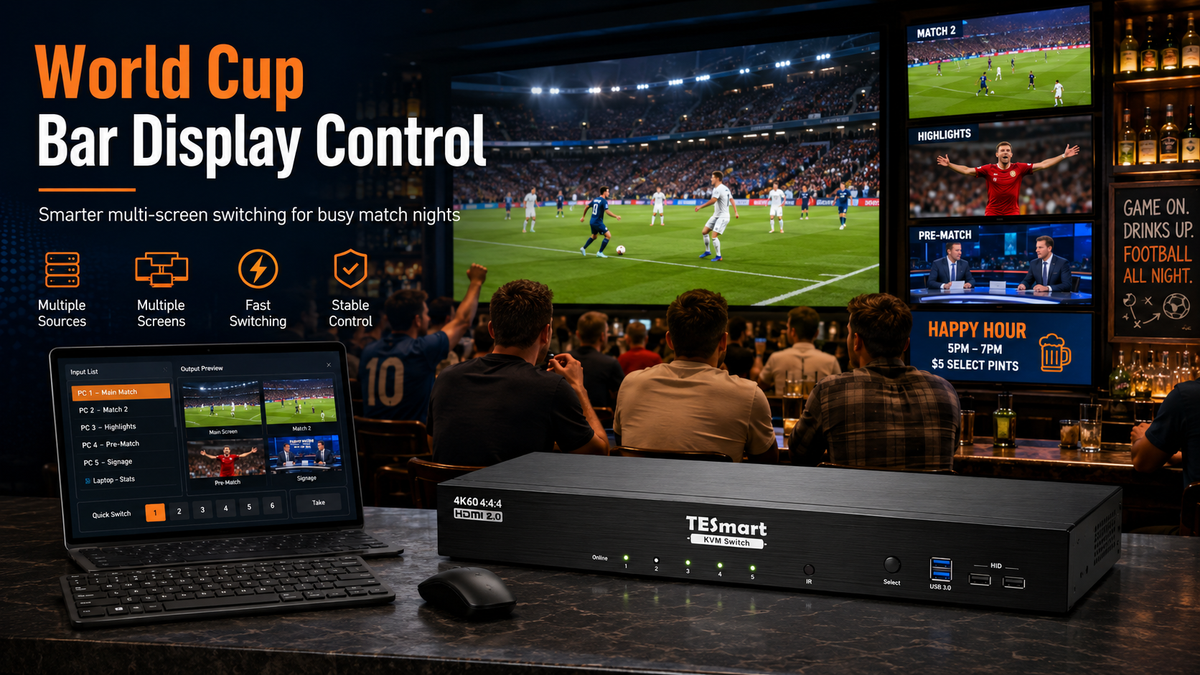
A KVM switch allows multiple computers or source devices to share a keyboard, video display, mouse, and often USB peripherals. In a bar environment, this means staff can control several media PCs or laptops from a single control area.
For example, a bar may have:
PC 1 for the main live match
PC 2 for a secondary match or highlights
PC 3 for digital signage or promotional content
PC 4 for backup streaming or venue operations
With a suitable multi-monitor KVM switch, staff can move between these systems without swapping cables or using separate input devices for each machine.
The KVM should not be confused with a simple HDMI splitter. A splitter duplicates one signal to multiple screens. A KVM switch is more useful when staff need to control multiple source devices and decide which system should be active in the control workflow.
It should also not be confused with a full matrix switcher. A matrix is better when the goal is to route any input to any output independently across many screens. A KVM is better when the priority is managing computers, display outputs, keyboard and mouse control, and USB devices from one workstation.
Practical World Cup Bar Setup Scenarios
Scenario 1: Small Bar with Two Main Screens
A small bar may have two large TVs: one above the counter and one in the main seating area. The staff may need to switch between a streaming PC, a broadcast box, and a backup laptop.
In this case, a 4-computer, dual-monitor KVM can be a good fit. It gives the bar enough source flexibility without overbuilding the system. Staff can control multiple PCs from one position while maintaining two display outputs for the main viewing areas.
Scenario 2: Sports Bar with Three Viewing Zones
A larger sports bar may divide screens into zones: main match, secondary match, and highlights or schedule information. This is useful when multiple World Cup matches, pre-match shows, or replay content overlap.
A 4-computer, triple-monitor KVM is more appropriate here. It allows the control station to manage several systems while supporting three display outputs, which can map naturally to three viewing areas.
Scenario 3: Large Venue with Four Display Groups
Some bars and event spaces use several screens across different seating areas. They may want one main match on the central screen, another feed in a side room, food and drink promotions near the bar, and backup content ready if a stream fails.
For this type of environment, a 4-computer, four-monitor KVM gives the control station more room to manage multiple outputs. It is especially useful when the venue wants one operator to manage a more complex display environment from a single desk.
Scenario 4: Backup Feed for High-Traffic Match Nights
During major matches, a backup source is not optional for many venues. Streaming apps can freeze, internet connections can slow down, and a laptop may need a restart at the worst possible time.
A KVM setup makes backup switching easier because the backup source is already connected and controllable. Staff do not need to search for another remote, reconnect a laptop, or unplug the current feed while customers are watching.
What Matters When Choosing a KVM Switch for a Bar

1. Number of Source Devices
Start by counting the devices you actually need to control, not just the screens in the room.
A bar may have four screens but only two source devices. Another venue may have two main displays but five different computers or media players. The right KVM depends on the number of source systems and the number of display outputs required.
2. Number of Display Outputs
For a simple two-screen bar, a dual-monitor KVM may be enough. For a sports bar with different viewing zones, a triple-monitor or four-monitor KVM may be more practical.
The key question is: how many screens need to be part of the controlled workstation environment?
3. Resolution Target
Most bars should design around a stable 4K@60Hz target if their TVs and sources support it. This gives a good balance between image quality and reliability for live sports.
If the venue uses older displays, 1080p may still be enough. If it uses premium large-format displays, the cable path and source output must be checked carefully before match day.
4. Cable Distance and Signal Path
A control desk may be far from the TVs. Long cables, wall runs, adapters, and splitters can all affect signal stability.
Before choosing a KVM, map the actual cable route. Measure the distance from each source to the KVM and from the KVM to each display. If the screens are far away, the venue may need active HDMI cables, fiber HDMI cables, or an extender-based design rather than relying on standard short cables.
5. Audio Routing
Bars need to decide whether audio follows the main screen, a separate audio mixer, the TV, or an AV receiver. A KVM can simplify video and control switching, but audio should still be planned intentionally.
For the best customer experience, staff should know exactly which device is responsible for the room audio before the first match starts.
6. Operator Workflow
The person switching sources may not be an AV technician. A good setup should be understandable to bar staff during a busy night.
Clear labels, predictable source order, and a simple switching process are more important than a complicated setup with too many unused options.
Which TESmart KVM Solution Fits This Scenario
TESmart offers several multi-monitor KVM options that can fit different World Cup bar setups. The right choice depends on how many computers and screens the venue needs to manage.
| Bar Scenario | Suggested TESmart KVM Type | Why It Fits |
|---|---|---|
| Small bar with two main screens | 4 PCs → 2 Monitors KVM | Suitable when staff need to control several media PCs or laptops while outputting to two display zones. |
| Sports bar with three display zones | 4 PCs → 3 Monitors KVM | Better for venues that want separate areas for the main match, another feed, and supporting content. |
| Large venue with four controlled display outputs | 4 PCs → 4 Monitors KVM | Useful when the control station needs to manage several screens and source devices from one position. |
For Smaller Bars: TESmart HKS402-P23
The TESmart HKS402-P23 is a practical match for smaller bars that need to manage up to four computers across two monitor outputs. This type of setup is useful when the venue has a main TV area and a secondary screen but still wants several connected sources available at the control desk.
It is a better fit than a basic switch when the staff need keyboard and mouse control over multiple computers, not just video input selection.
For Three-Zone Viewing: TESmart HKS403-P23
The TESmart HKS403-P23 fits bars that want three display outputs from a controlled multi-computer setup. This is useful for a sports bar that wants to separate the main match, secondary content, and promotional or schedule information.
Compared with a two-monitor setup, this gives the venue more flexibility without requiring staff to manage separate control systems for every screen group.
For Larger Venues: TESmart HDK404-P23
The TESmart HDK404-P23 is more appropriate when a venue needs a 4-computer, 4-monitor KVM structure. This is a stronger match for larger bars, private event rooms, or World Cup viewing parties where several screen groups need to be managed from one workstation.
For venues that expect high customer traffic during knockout matches or finals, this type of setup helps keep backup systems connected and ready. Staff can prepare alternate sources before they are needed instead of reacting only after a feed fails.
When a KVM Is Not the Only Device You Need
If the venue needs to route any source to any screen independently, a matrix switcher may also be part of the design. For example, if Screen 1 needs Source A, Screen 2 needs Source B, Screen 3 needs Source C, and those assignments change constantly, a matrix-style routing layer may be useful.
However, when the main issue is controlling multiple computers and media systems from one staff position, a TESmart KVM switch is the more relevant starting point.
Deployment Tips Before Match Day

Test the Real Sources, Not Just a Laptop
Do not test the system only with one laptop and assume every source will behave the same way. Test the actual streaming PC, broadcast box, media player, signage computer, and backup source that will be used during the World Cup.
Set a Stable Resolution
Choose a resolution and refresh rate that all displays and sources can support reliably. For most sports bar setups, 4K@60Hz or 1080p@60Hz will be more predictable than mixing several output formats.
Label Every Input and Output
Label each source clearly: Main Match PC, Backup Stream, Signage PC, Bar Screen, Main Room Screen, Side Room Screen. This reduces mistakes when staff change shifts or when a manager needs to troubleshoot quickly.
Keep a Backup Source Connected
For high-profile matches, prepare a backup source before doors open. The backup system should already be connected to the KVM and tested with the display path.
Run an Audio Check With the Room System
Video switching is only part of the customer experience. Confirm that the correct source feeds the venue audio system and that staff know how to recover audio if the wrong device becomes active.
Train Staff on the Switching Process
A good technical setup still needs a simple operating routine. Before match day, staff should know which button or hotkey selects each source, which screen shows the main feed, and what to do if a source stops responding.
FAQ
Q1: Why would a bar use a KVM switch instead of just changing TV inputs?
Changing TV inputs works for very simple setups. A KVM switch becomes useful when the bar needs to control multiple computers or media sources from one keyboard, mouse, and control station. It reduces the need to walk between devices or reconnect cables during busy match periods.
Q2: Is a KVM switch the same as an HDMI splitter?
No. An HDMI splitter duplicates one source to multiple displays. A KVM switch is designed to help users control and switch between multiple computers or source systems while sharing displays and input devices.
Q3: Do bars need 4K for World Cup viewing?
Not always. 4K can improve image clarity on large screens, but stability matters more than maximum resolution. A stable 1080p@60Hz setup is better than an unreliable 4K setup with flicker, signal drops, or long switching delays.
Q4: Which TESmart KVM is suitable for a large sports bar?
For larger venues that need to manage multiple source computers and up to four display outputs, a 4 PCs → 4 Monitors model such as TESmart HDK404-P23 is a more suitable direction. Smaller bars may only need a 4 PCs → 2 Monitors or 4 PCs → 3 Monitors setup.
Q5: Should a bar use a KVM switch or a matrix switcher?
Use a KVM switch when the priority is controlling multiple computers from one workstation. Use a matrix switcher when the priority is routing many sources to many screens independently. Some larger venues may use both, depending on how their AV system is designed.
Q6: What should be tested before the first World Cup match?
Test every real source device, every display output, the switching method, the audio path, backup content, cable stability, and staff operation. The system should be tested under the same conditions expected during match day, not only during a quick office-style setup test.
Conclusion
For bars, the World Cup viewing experience depends on more than screen size. A crowded venue needs stable feeds, fast source control, clear audio routing, and a setup that staff can operate without confusion.
A TESmart KVM switch can help when the bar needs to manage multiple computers or media sources from one control position. Smaller venues may only need a dual-monitor KVM structure, while larger sports bars may benefit from triple-monitor or four-monitor models such as the HKS403-P23 or HDK404-P23.
The best setup starts with a simple question: how many source devices need to be controlled, and how many display zones need to be managed? Once that is clear, choosing the right KVM becomes much easier.
Share:
Why KVM Switches for Apple Studio Display Are Still Rare — and What THK401-X4 Solves
How to Use a Study-Room PC with a Living-Room TV During the World Cup: TESmart Product Recommendations