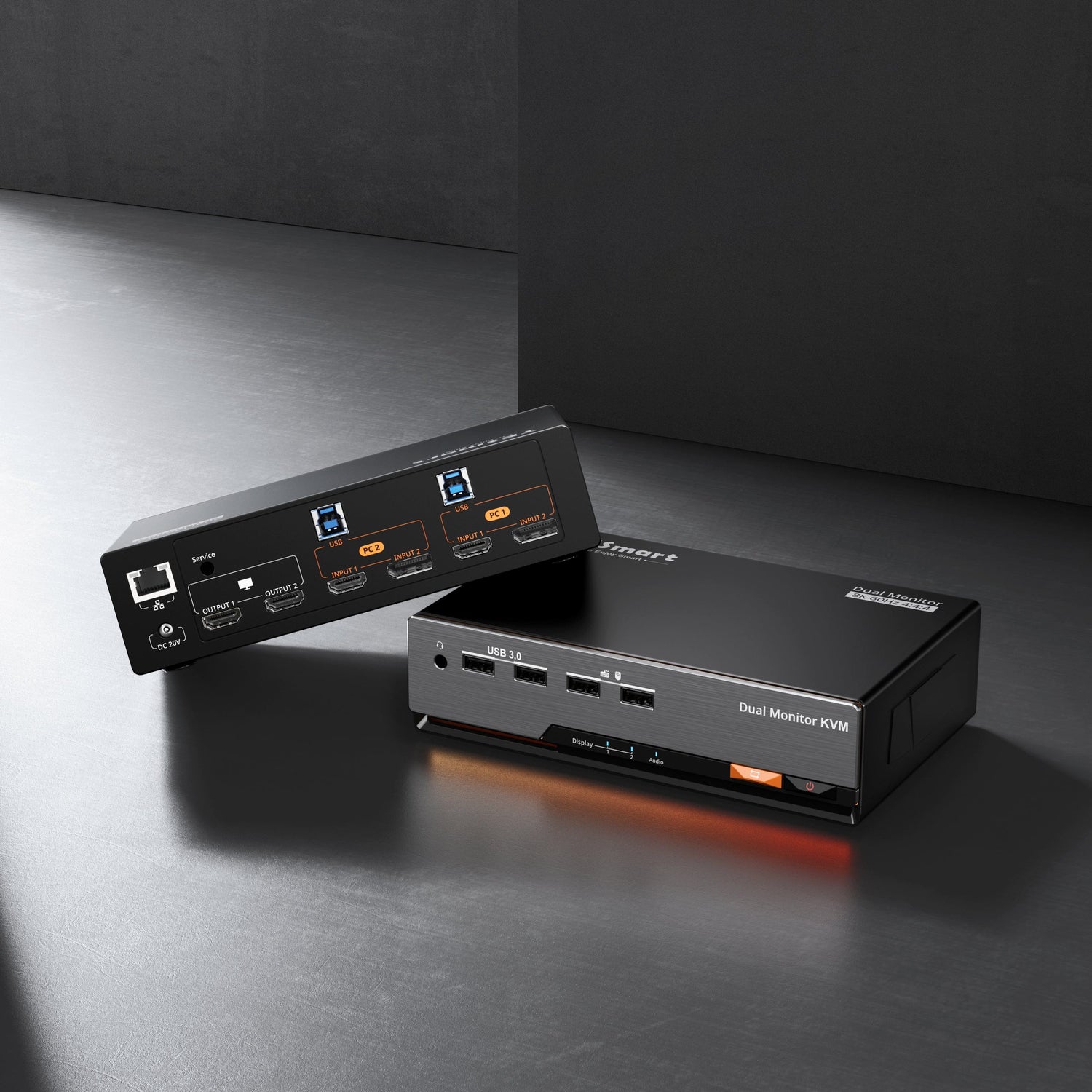
Designed for Desktops Workflows
|
Input |
Device Type |
Description |
|
PC1 |
Mac |
40 Gbps full-duplex, supports 60W PD, native passthrough at 5K@60Hz |
|
PC2 |
Windows Desktop |
HDMI 2.0 + USB 3.2 Gen 1 for connecting to a desktop, 4K at 60Hz |
|
PC3 & PC4 |
Gaming Consoles & Media
|
PS5, Xbox, Switch, streaming boxes, DVD players,4K 60Hz
|
|
Output 1 |
Apple Studio Display |
Connect to Apple Studio Display, integrating video, audio, and data over a single cable |

5-Fold Core Upgrade: 40Gbps, HDMI Audio & Native Functionality Preserved
1. Native HDMI Input for Desktop-to-Studio Display Routing

2. PC1 Thunderbolt Channel Deep Pass-Through, Fully Preserving the Studio Display's Native Experience
While aggregating signals from multiple devices, the THK401-X4's PC1 Thunderbolt port features an integrated Intel JHL8440 chip that fully preserves all core functions of the display. The front-facing ultra-wide-angle camera, array microphones, and six-speaker audio system can all be accessed directly without any additional setup. You don't have to compromise between "multi-device switching" and "the full experience"—every interaction detail meticulously crafted by Apple operates as naturally as a native direct connection.
3. HDMI Audio Pass-Through: Native Sound from the Display
The THK401-X4 supports HDMI audio pass-through, allowing audio from your desktop to be output to the Studio Display in sync with the video. There's no need to set up additional speakers or headphones for your gaming console, completely eliminating the awkward "picture without sound" issue common with traditional adapter solutions, and ensuring that immersive audio perfectly complements top-tier picture quality.

4. Real-world desktop environment testing has verified Thunderbolt display compatibility
Utilizing the Intel JHL8440 chip for Thunderbolt™ protocol processing, the product has passed real-world testing and supports mainstream Thunderbolt™ displays such as the Apple Studio Display, LG UltraFine 5K, and Dell U2725QE. Through native protocol pass-through technology, it ensures full interaction between video, audio, and data channels, seamlessly integrating with the Thunderbolt™ ecosystem workflow.

5. One-Click Aggregation of Multiple HDMI Devices, Seamless Switching Between Entertainment and Creativity
The THK401-X4 is designed to expand the boundaries of modern digital life. Its two additional HDMI channels are fully compatible with PS5, Xbox Series X|S, Nintendo Switch, and various HDMI devices such as streaming players and DVD players. Game commands and screen refresh rates are fully synchronized, with zero input lag. 4K video is smooth and crisp, delivering a new level of visual experience. No drivers, no background processes—integrate signals from Macs, PCs, game consoles, and DVD players with a single cable, allowing your premium display to effortlessly handle both work and entertainment.

Core features—nothing missing
1. Integrated Gigabit Ethernet Sharing: Manage Your Wired Local Network with a Single Cable
Simply connect a single Ethernet cable to the KVM to enable multiple hosts to share a stable Gigabit wired network. The built-in independent network switch supports isolating or sharing network channels as needed, completely eliminating Wi-Fi fluctuations and cable clutter.

2. PC1 Thunderbolt port supports 60W PD charging
The PC1 Thunderbolt port integrates the 60W PD fast-charging protocol. When connected to a MacBook, it simultaneously handles video output, high-speed data transfer, and device charging. Say goodbye to extra power adapters—leave just a single cable on your desk and focus on efficient creation and mobile productivity.

3. HDMI Device EDID Preservation: No Desktop Layout Reset During Switching
Traditional KVM switches often trigger monitor handshakes, leading to resolution resets, window misalignment, and disrupted application layouts. The THK401-X4 features a built-in EDID emulation chip that continuously simulates the monitor's online status to HDMI devices. When switching sources, HDMI devices do not need to re-identify the device, ensuring precise locking of desktop layouts, multi-screen coordinates, and color profiles—delivering truly "seamless switching."
4. USB 3.2 High-Speed Peripheral Matrix: Control Everything with a Single Keyboard and Mouse
With a built-in USB data sharing channel, the keyboard, mouse, webcam, and external hard drive automatically follow the video source. There is no need for repeated plugging and unplugging or manual reconnection; a single switch synchronously migrates the entire set of peripherals, significantly reducing desktop friction and driver conflicts associated with multi-device coordination.
5. Four-Dimensional Interactive Switching, Adapting to All Scenarios
Offers four control methods: physical front-panel buttons, customizable keyboard hotkeys, mouse wheel quick cycling, and an infrared remote control. Whether coding at your desk, collaborating on multiple tasks, or controlling from a distance, you can intuitively and instantly switch between signal sources, seamlessly transitioning between work and entertainment.
Conclusion
FAQ
1. My Windows desktop only has an HDMI port. Can I connect it directly to the Studio Display?
A: Yes. Using the THK401-X4's HDMI input channel, your desktop can output 4K 60Hz video to the Studio Display or Pro Display XDR.
2. Do I need to install drivers?
A: No. The THK401-X4 features a pure hardware design, is plug-and-play, and is compatible with Windows 10/11, macOS, and major gaming consoles.
3. Will the Studio Display's camera, microphone, and speakers still work?
A: All functions are preserved. All native features can be used normally, with no functionality removed.
4. Does switching HDMI ports reset the window layout?
A: No. The built-in EDID retention feature ensures that window positions and resolutions remain unchanged after the switch is complete.
5. Is this product officially certified by Intel?
A: It is not currently officially certified, but it has passed real-world testing and functions fully and reliably; the certification process is currently underway.
6. Which displays are compatible?
A: Mainstream Thunderbolt™ displays such as the Apple Studio Display, Pro Display XDR, LG UltraFine 5K, and Dell U2725QE.
7. How much does it cost? Where can I buy it?
Related Guides
If you're building a multi-computer setup around the Apple Studio Display or XDR, these guides may be helpful.
Thunderbolt™ Technology: A Universe of Possibilities
Studio Display - Technical Specifications - Apple
Connect PS5/Xbox to Studio Display via Thunderbolt™-compatible KVM – TESmart
To Enjoy Smart