

HKS201-P23-V2-CABK
2 Port KVM Switch Kit HDMI 4K60Hz with USB 3.0 Docking Station, 2 PCs 1 Monitor
- Regular price
-
$129.99 - Regular price
-
$129.99 - Sale price
-
$129.99
Couldn't load pickup availability
Overview & Key Features
TESmart With You. Evolving For You!
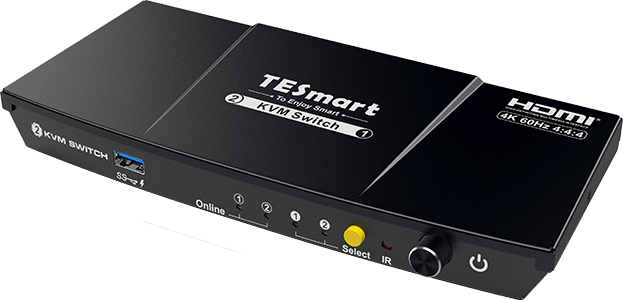
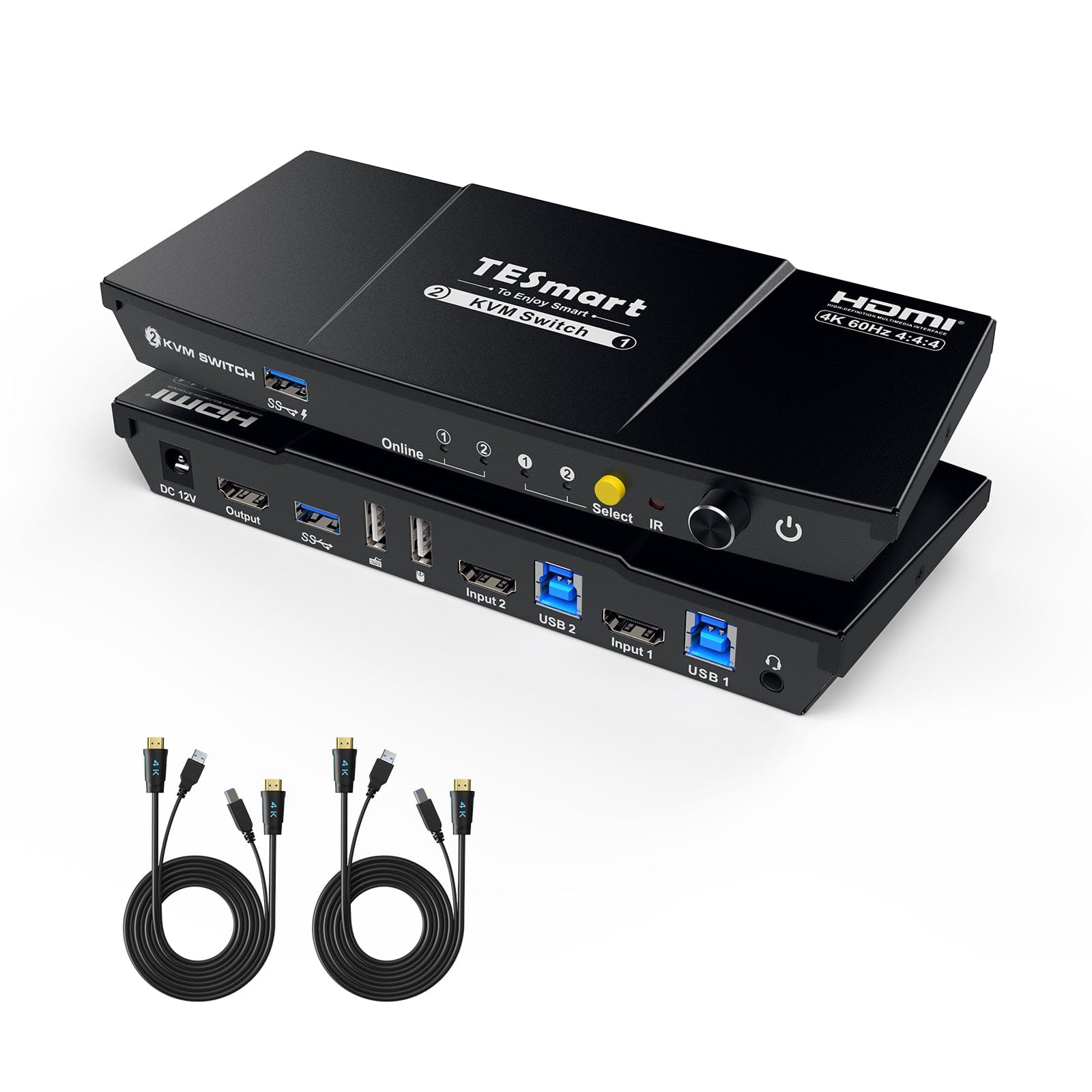
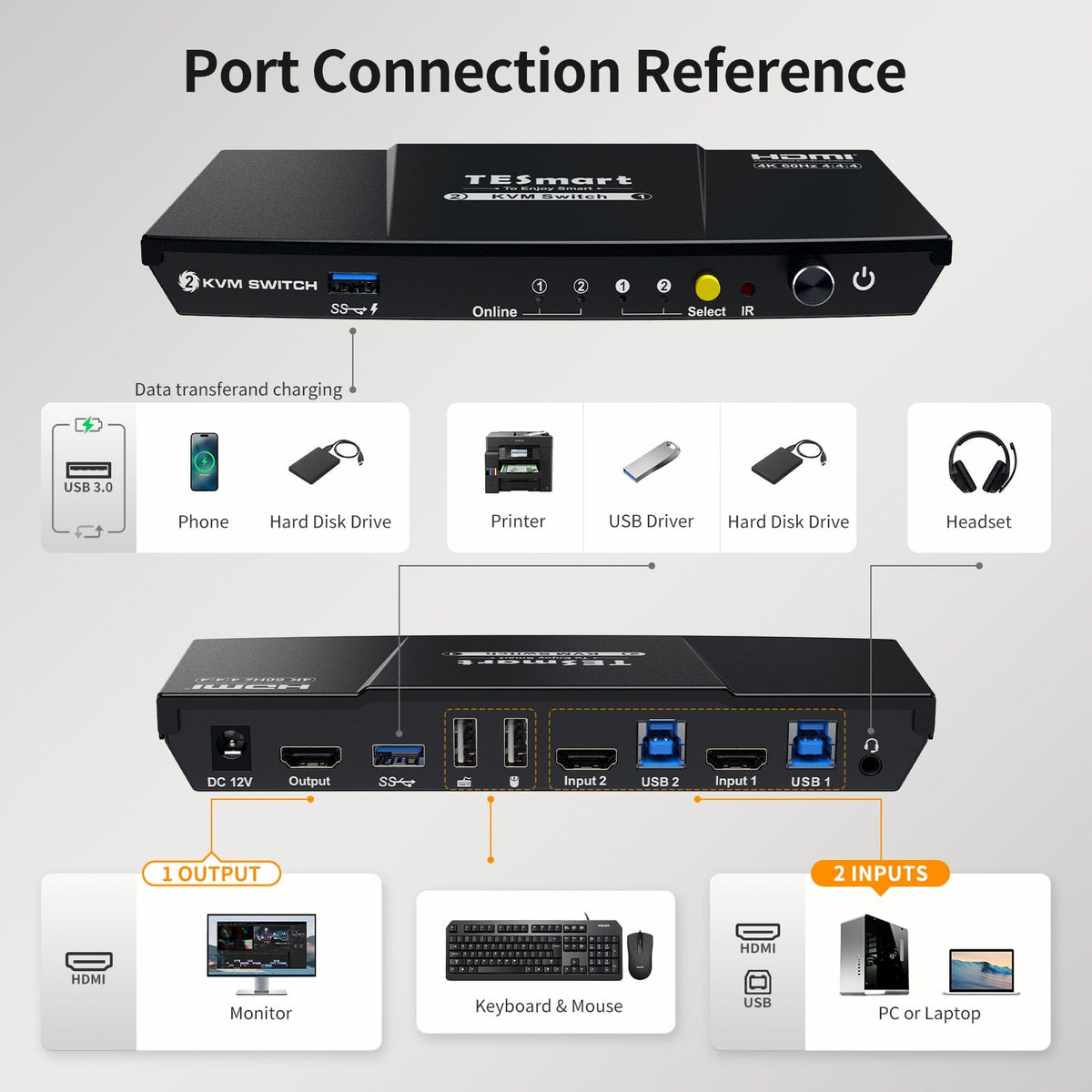
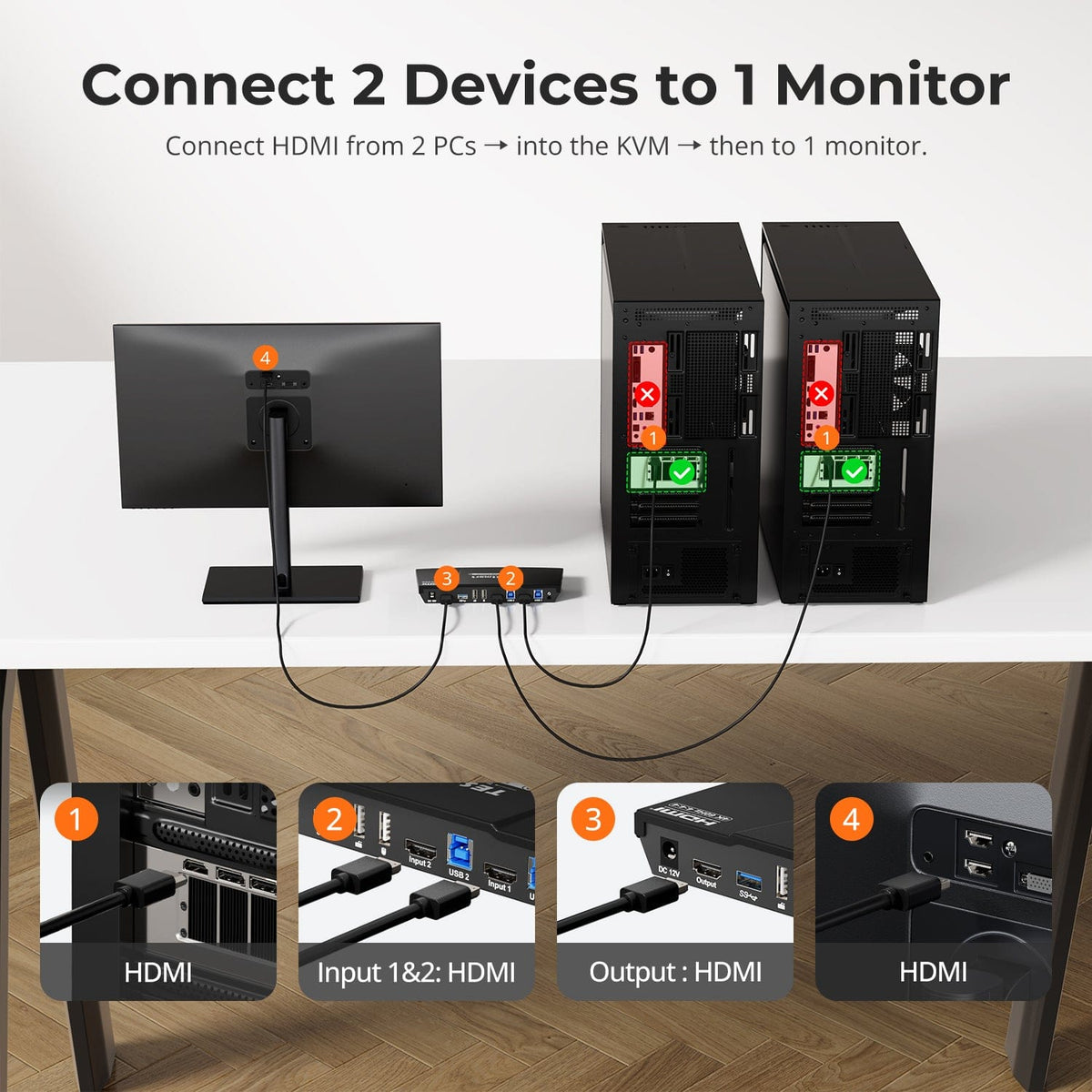
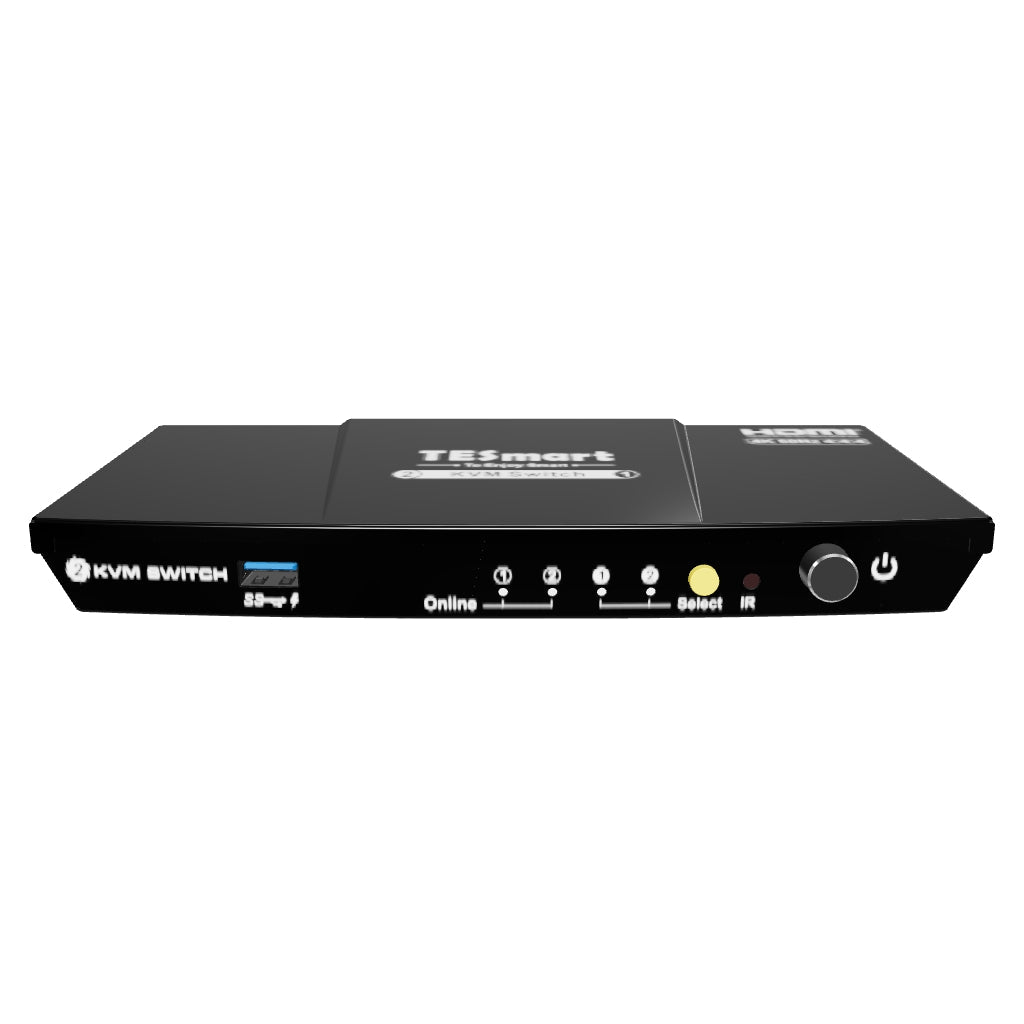
The HKS201-P23 supports controlling 2 computers and 1 monitor with a single keyboard and mouse. It supports HDMI 2.0 4K@60Hz, USB 3.0, and features industry-leading EDID emulation technology and automatic scanning. It's ideal for professionals seeking stability and lightweight high-definition visuals.
Why You’ll Love It:
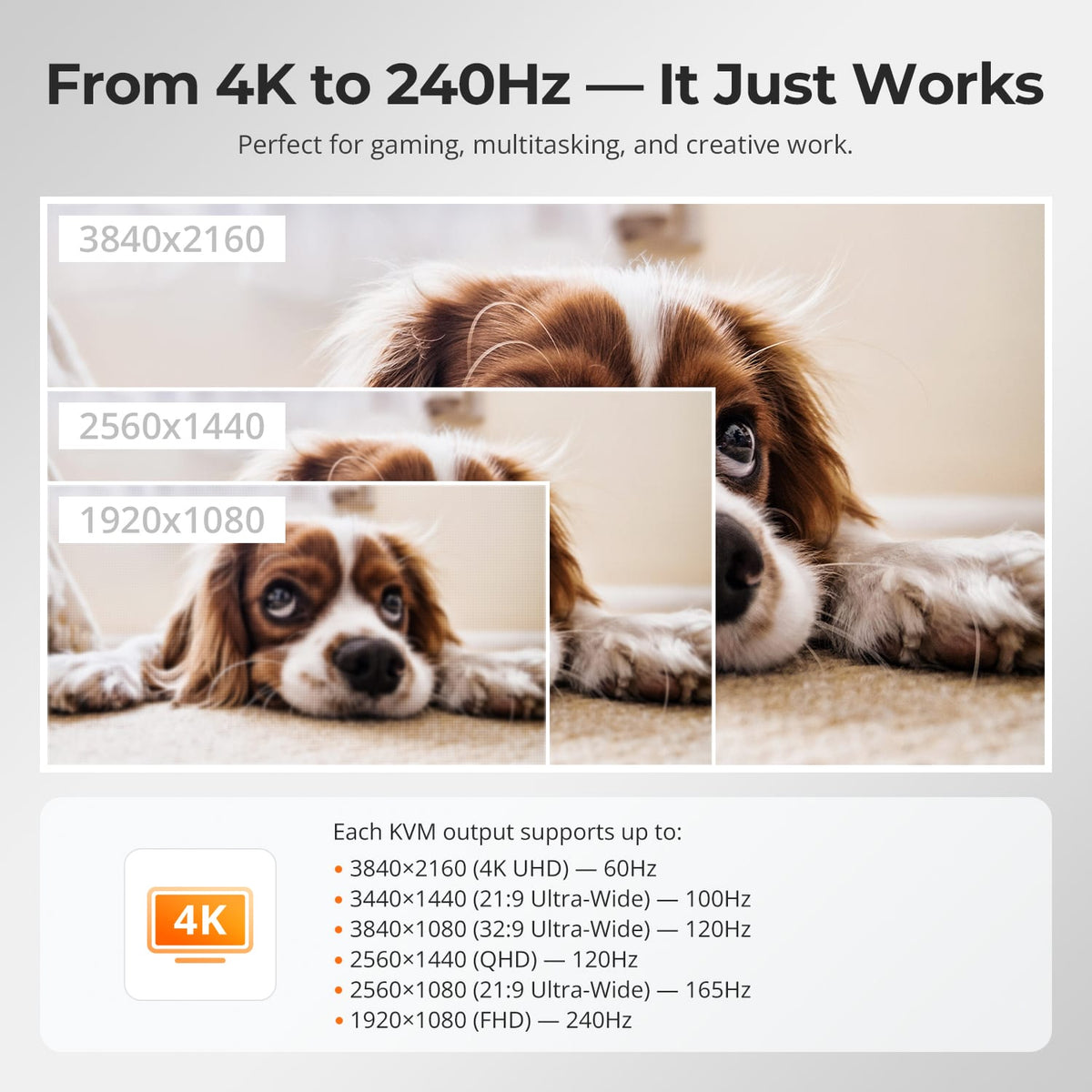
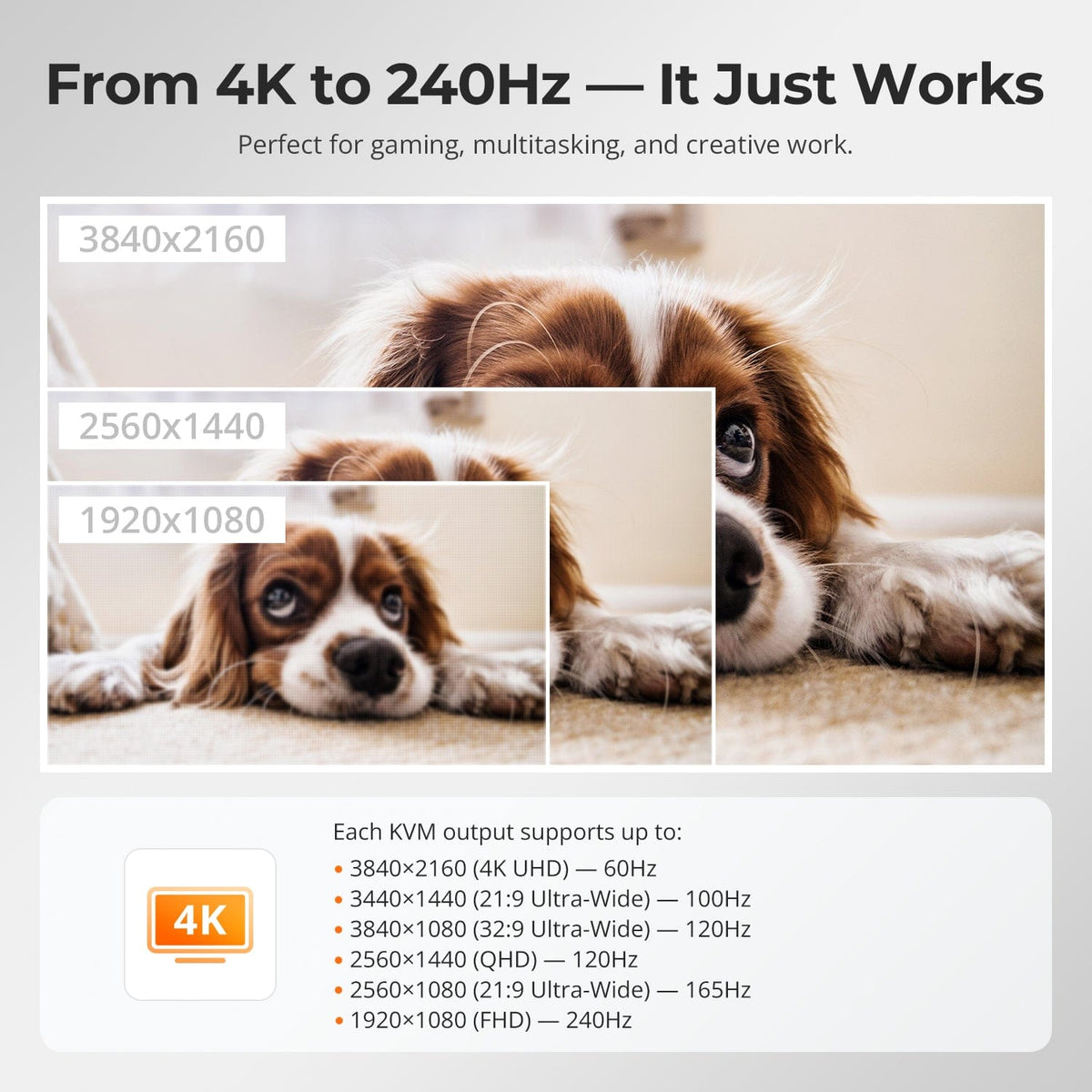
•Supports up to 3840×2160@60Hz, compatible with 3440×1440@100Hz, 2560×1440@120Hz, 1920×1080@240Hz.
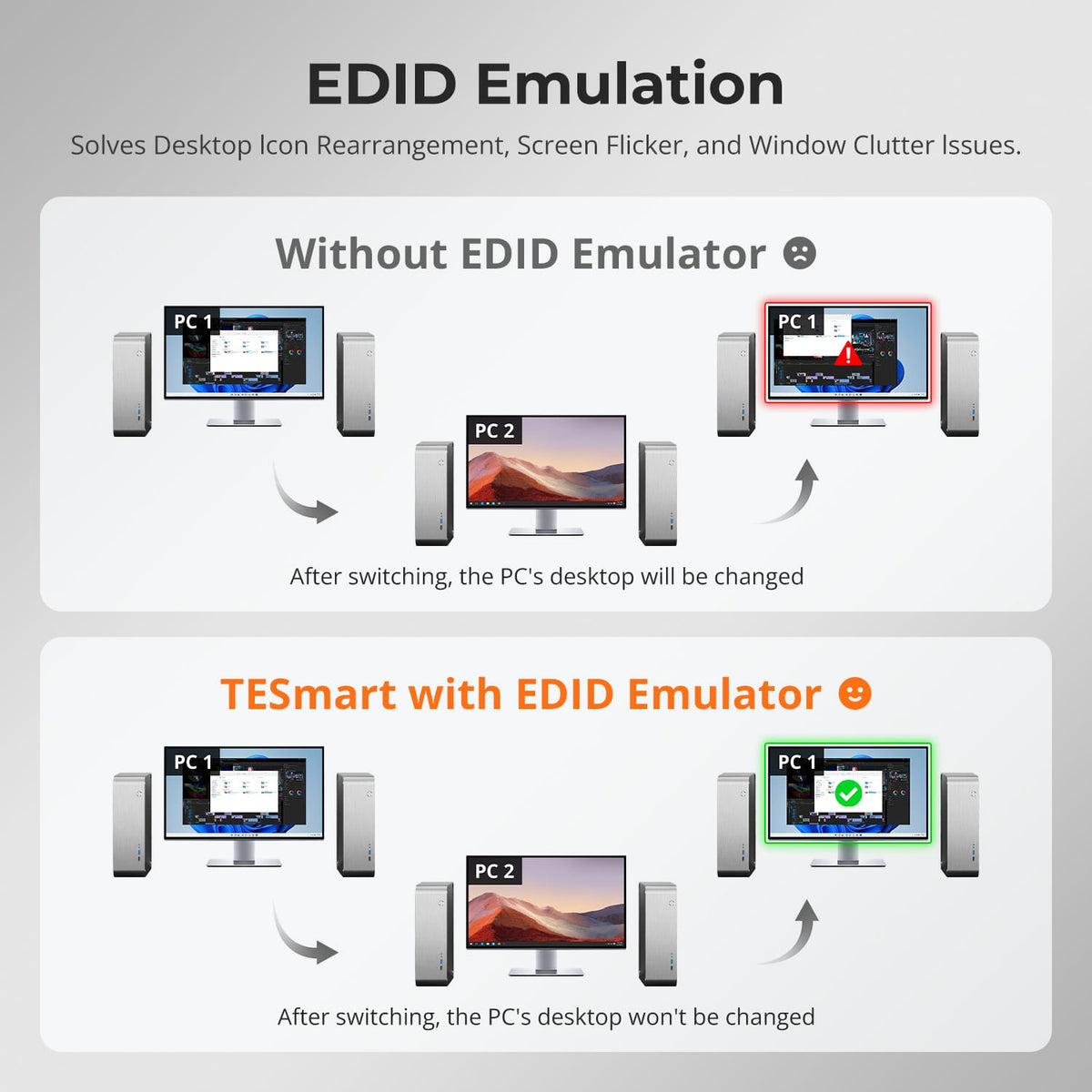
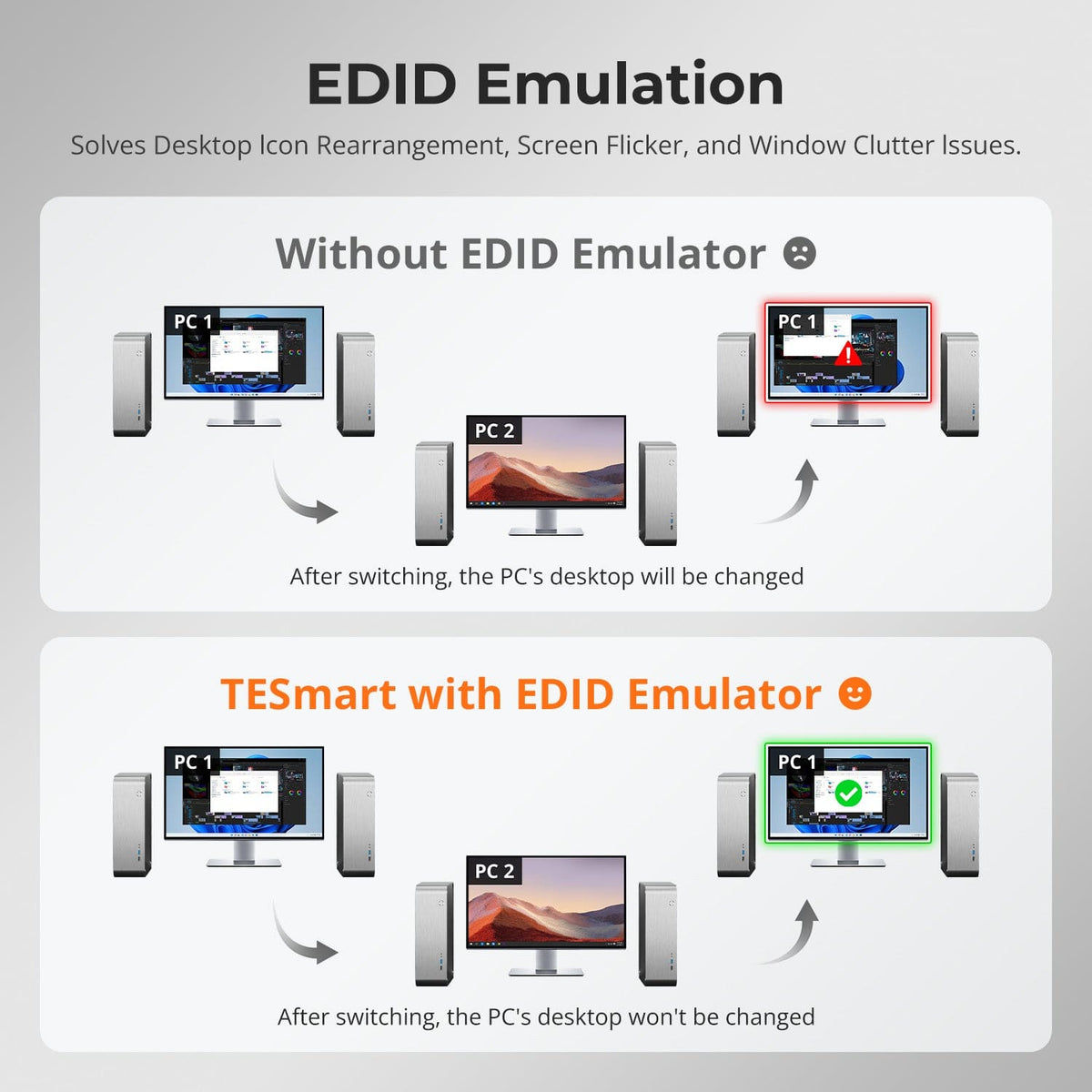
•EDID Emulation: Prevents window changes during switching.
•USB 3.0 and audio integration: High-speed data transfer to connect peripherals, headphones, and storage devices.
•Four input switching methods: Keyboard hotkeys, mouse wheel, front panel buttons, or infrared signal.
•Pass-through mode is compatible with many mechanical and gaming keyboards.
•Automatic scanning: Automatically switches displays between connected input devices when the KVM is powered on.
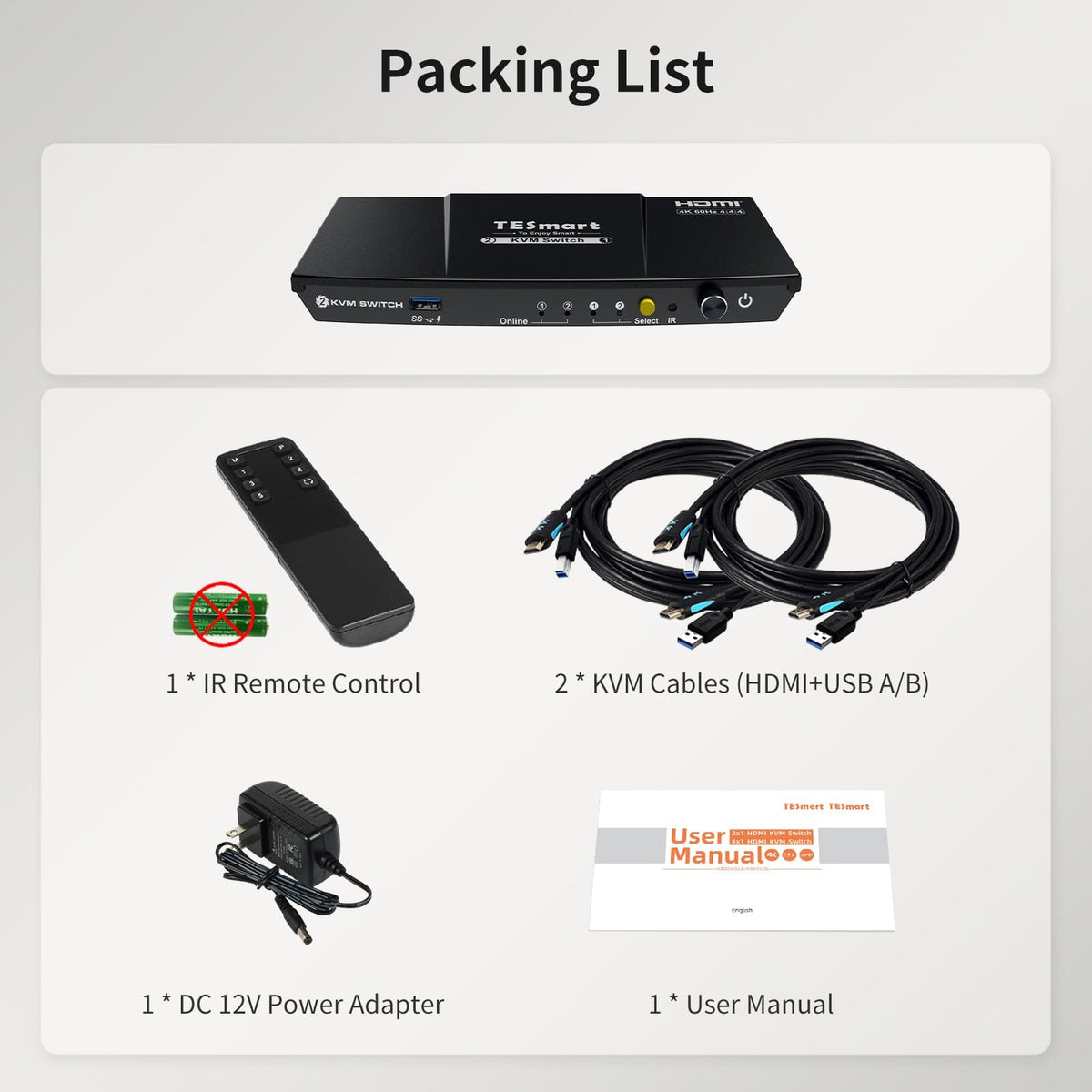
What's in the box
1 * 2x1 HDMI KVM Switch
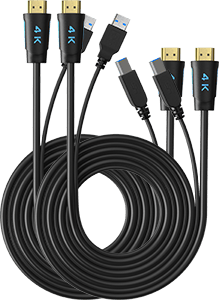
2 * KVM Cables
1 * IR Remote Control
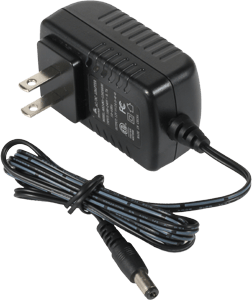
1 * DC 12V Power Adapter
1 * User Manual
Downloads & Manual


| Country or Region | Estimated delivery time | Freight | postman |
| United States (Contiguous 48 States) | 3-5 working days | Free Shipping | UPS/USPS/FedEx/uniuni |
| U.K. | 3 working days | UPS/DPD | |
| Canada | 3-5 working days | Starting at $20 | Purolator/UPS |
| China (Macao SAR, Hong Kong SAR, Taiwan) | 1-3working days | Starting at $30 | SF Express |
| Australia, New Zealand, Saudi Arabia, United Arab Emirates, Israel, United States (Alaska, Hawaii, U.S. Territories & Military Addresses) | 5-12 working days | Starting at $60 | DHL/FedEx/UPS |
| Singapore, Malaysia, Philippines, Thailand | 5-12 working days | Starting at $30 | DHL/FedEx/UPS |
-
Orders cannot be canceled or modified once placed due to automated processing.
-
If a return is needed, contact service@tesmart.com within 30 days of delivery. Items must be in original condition with all packaging and accessories.
-
Return shipping for non-quality issues is the customer’s responsibility.
-
Products from third-party retailers
-
Items damaged by misuse
-
Order number, proof of purchase
-
Photos/videos (if defective), full shipping address, and phone number
-
Within 30 days: Refunds/returns accepted for both quality and non-quality issues
-
30 days–1 year: No returns/refunds; repair or replacement may be offered
-
1–3 years: No returns/refunds; replacement or Upgrade /trade-in up to 50% discount after 3 months (members only)
The return and refund policy process overview is shown below. For the full policy, please refer to the Full Policy page below.

1.Order Cancellation & Modification
-
To ensure timely delivery for every customer, TESmart’s order and shipping system is fully automated. Most orders are processed and dispatched within a few hours, and always within 24 hours depending on warehouse workload. Customers may cancel an order at any time before it ships, including within our 30-day cancellation window. Once an order has shipped, it can no longer be canceled or modified.
-
Please kindly contact us within 30 days of delivery at service@tesmart.com, If you wish to return a product after receiving it, ensure the product and packaging are undamaged and in original condition.
-
⚠️ Return shipping costs for non-quality issues are the responsibility of the customer. For more details, please kindly see below.
2.Return Process
2.1 Return Conditions:
-
Products must be returned in original packaging, including all accessories, manuals, and documentation.
2.2 Items Not Eligible for Return:
-
Products purchased from third-party retailers.
-
Products damaged due to misuse or improper handling by the customer.
2.3 Return Request:
-
Order number
-
Proof of purchase
-
Photos or videos of the defective product (to speed up processing)
-
Full shipping address
-
Contact phone number
2.4 Processing Time:
-
Our support team will respond to your return request within 48 hours and provide the return warehouse address in your country/region.
-
For certain countries/regions (e.g., the U.S., Germany, and the EU), we may provide a prepaid return label after confirming your address to expedite the return/refund process.
2.5 Return Address:
- Please contact our customer service at service@tesmart.com before returning the product. Once confirmed, you may send the item to the designated TESmart return warehouse.
- Unit 108, 8333 Rochester Ave
STX-X166
Rancho Cucamonga, CA 91730
United States
2.6 Warehouse Inspection:
-
Upon receipt, TESmart will inspect the returned item(s).
3. Refund Process
3.1 Refund Trigger:
-
Once the returned product is received and inspected by our warehouse, the refund process will begin.
3.2 Refund Timeframe:
-
Refunds will be processed within 5 business days after the return is received.
3.3 After-Sales Categories:
3.3.1 Within 30 days of delivery:
-
The product is in its original packaging with all accessories.
-
Return photos are provided before shipping.
-
Non-quality issues: Return and refund supported within 30 days. Return shipping is the customer’s responsibility.
-
Quality issues: Return and refund supported within 30 days. Return shipping is covered by TESmart.
3.3.2 From 30 days to 1 year after delivery (warranty period):
-
Return/refund not supported. Please email service@tesmart.com to contact our after-sales support team.
-
After evaluation by our technical team, we may offer product repair or replacement with the same model.
-
To ensure timely service, we prioritize replacements.
3.3.3 From 1 to 3 years after purchase (for VIP Members) :
-
Return/refund not supported.
-
You may contact our after-sales support team for replacement of the same model.
-
If you wish to upgrade the product after 3 months from purchase, members may Upgrade & Trade-in up to 50% discount off the original order’s paid amount toward your new purchase.
For detailed terms and conditions, please visit: https://www.tesmart.com/pages/tesmart-id-trade-in
4. After-Sales Support & Issue Resolution
4.1 Contact Information:
-
For any questions or support requests, please contact TESmart Customer Service: 📧 service@tesmart.com
4.2 Delayed Refunds (if you haven’t received a refund after 5 business days):
-
Check your bank account (ensure it is the one used for the purchase).
-
Contact your card issuer (credit/debit card providers may experience processing delays).
-
Contact your bank to confirm the transaction status.
Tech Specs
| Product Attribut | |
|---|---|
Model (SKU) |
HKS201-P23-V2-CABK
|
Compatible Setup |
|
Max Resolution |
|
Supported Resolutions |
|
VRR (Variable Refresh Rate) |
—
|
MST (Multi-Stream Transport) |
|
Laptop Charging |
|
Network Port |
|
Independent Audio Focus Switching |
—
|
Independent Audio Focus Locking |
—
|
Thunderbolt 4 Ports |
—
|
EDID Emulation |
|
Switching Methods |
|
Assignable Hotkeys |
|
Legacy Emulation Mode |
|
Input Ports |
|
Output Ports |
|
Docking Ports |
|
Display Modes |
|
Manual (PDF) |
|
From 4K to 240Hz — It Just Works
EDID Emulation — Stable Screens, No Surprises
One switch, endless options. Whether for gaming, content creation, or multi-window workflows, our KVM handles a wide range of resolutions and refresh rates with ease.
Each KVM output supports up to:
• 3840×2160 (4K UHD) — 60Hz
• 3440×1440 (21:9 Ultra-Wide) — 100Hz
• 3840×1080 (32:9 Ultra-Wide) — 120Hz
• 2560×1440 (QHD) — 120Hz
• 2560×1080 (21:9 Ultra-Wide) — 165Hz
• 1920×1080 (FHD) — 240Hz
Switching displays shouldn’t scramble your desktop. Our built-in EDID emulator keeps your layout exactly how you left it.
• No More Icon Mess
Preserves icon positions and window sizes when switching inputs.
• Flicker-Free Switching
Eliminates screen blackouts and flicker caused by display reinitialization.
• Smoother Multitasking
Maintain visual consistency across workstations and monitor setups.
✅ With TESmart EDID emulation: your display stays stable and unchanged — even after switching.
⚠️ Without EDID emulation: icons shift, windows resize, and screen flicker occurs after every switch.
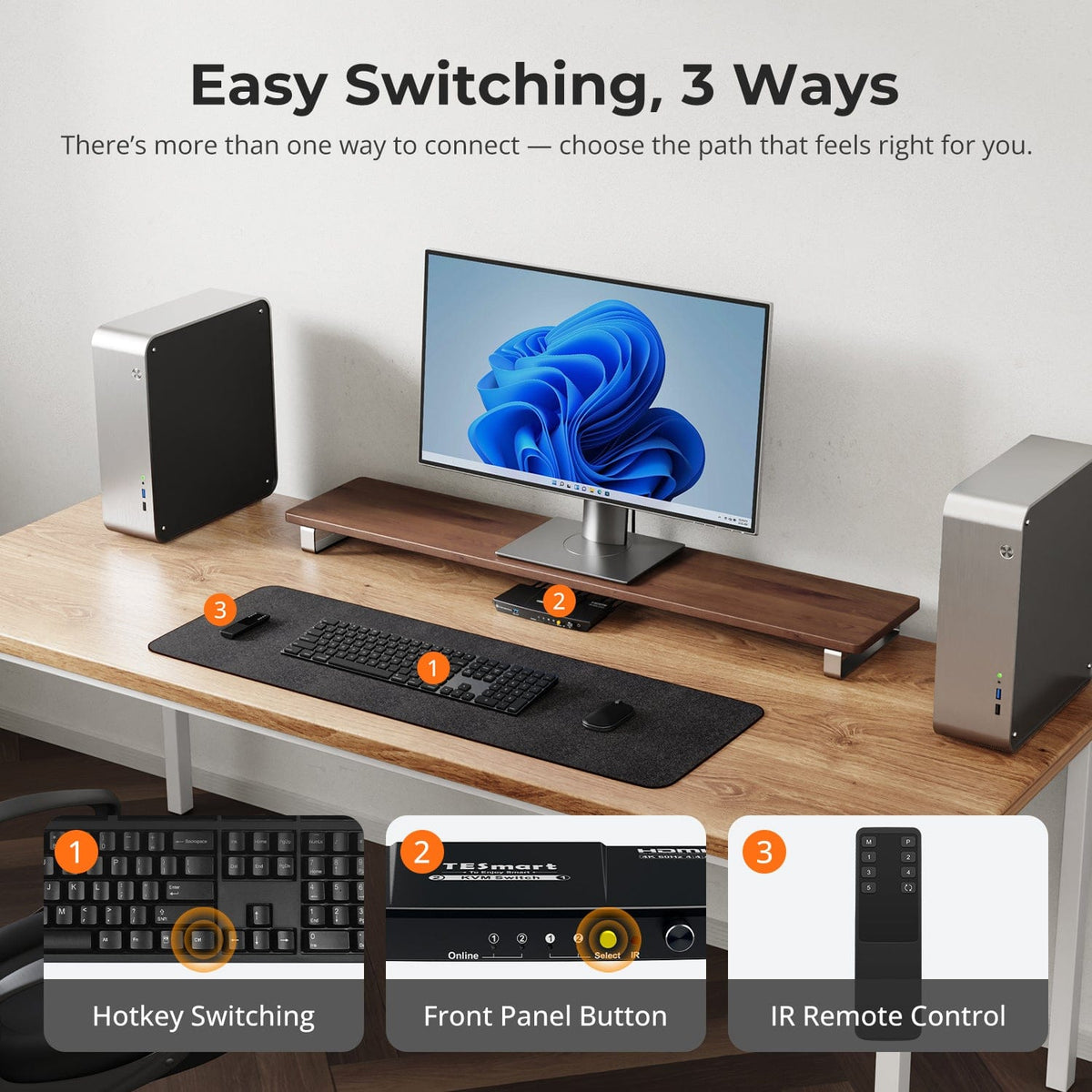
Easy Switching, 3 Ways
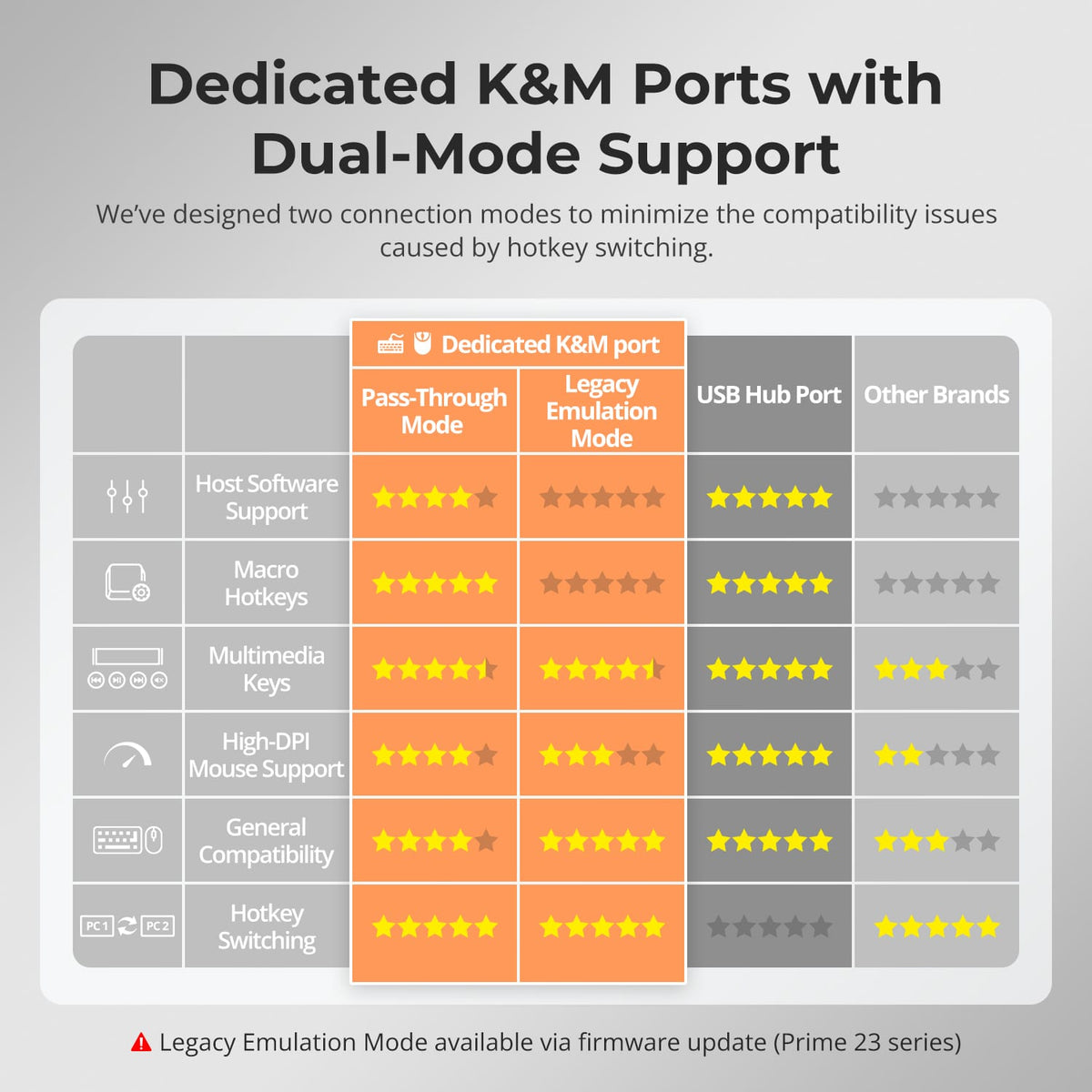
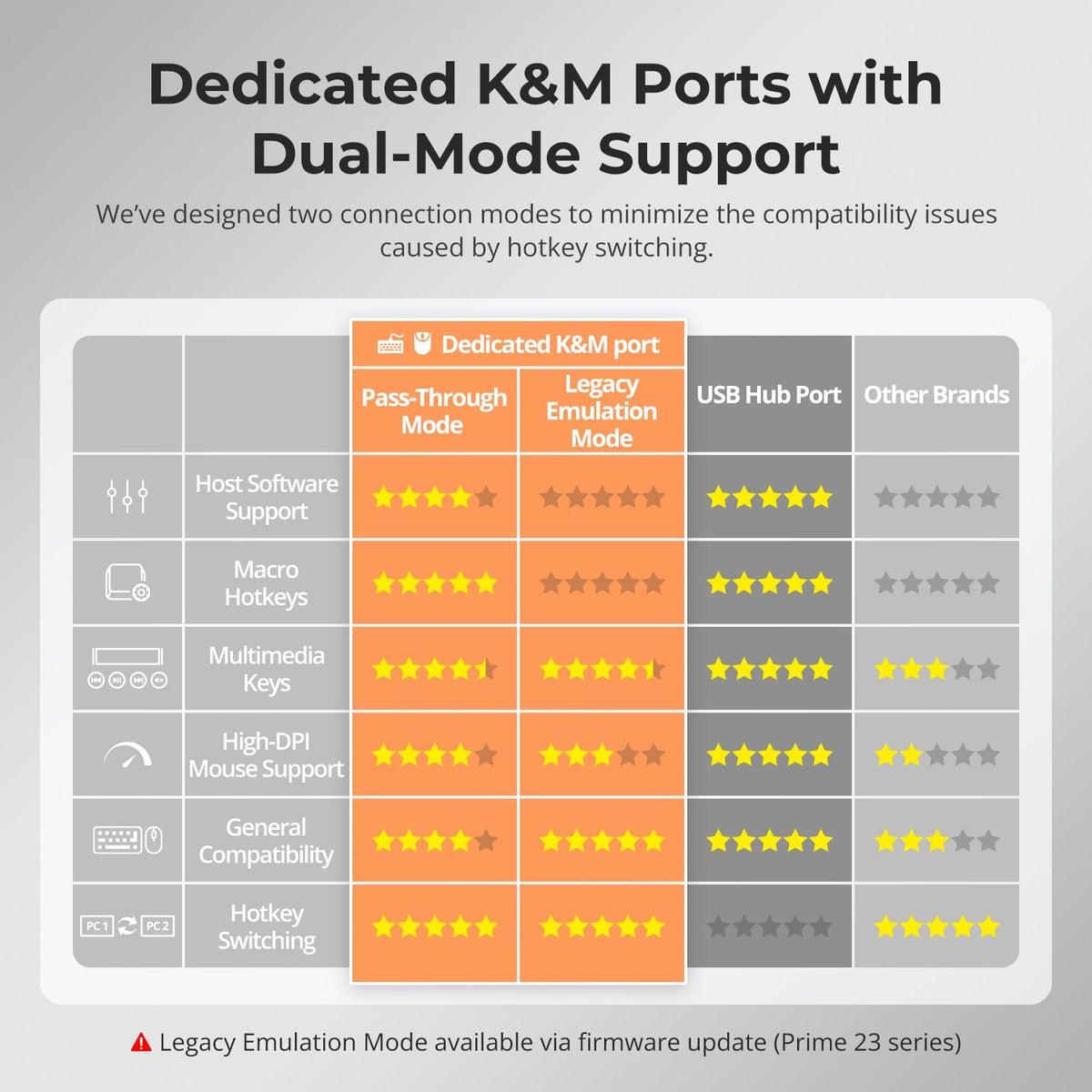
Dedicated K&M Ports with Dual-Mode Support
Switching shouldn’t slow you down — we offer three seamless methods to suit any setup or habit:
• Hotkey Switching — Use fixed key combos for quick source changes
• Front Panel Button — Simple, direct access anytime
• IR Remote — Stay in control from across the desk
Whether you're working, gaming, or presenting — choose the way that works best for you.
To improve keyboard and mouse compatibility — especially during hotkey switching — we designed two specialized connection modes:
- Pass-Through Mode (Recommended)
Direct passthrough to the PC. Supports advanced drivers, macros, high-DPI mice, and multifunction input devices. Ideal for gaming, design, and pro workflows. - Legacy Emulation Mode
Ensures universal compatibility and stable hotkey functionality across most systems. Best for office or when driver issues occur.
✅ Hotkey commands only work when your keyboard is connected to the dedicated K&M port.
⚠️ Emulation Mode disables driver-based software and advanced features.
⚠️ Bluetooth keyboards/mice are not supported.
⚠️ Legacy Emulation Mode available via firmware update (Prime 23 series)
-
Recycling & Trade-in
Up to 50% Credit on Recycling
-
Free Shipping
US / UK · 3–5 Business Days
-
30-Day Free Returns
Hassle-Free Return & Purchase Guarantee
-
Extended Warranty: 1+4 Years
Register to unlock 4 extra years of coverage