Table of Contents
- Introduction
- Why Apple Studio Display Cannot Accept Standard HDMI Input Directly
- Can PS5 Work with Apple Studio Display?
- The Traditional Mac Bridge Workaround
- Why Capture-Based Workflows Fail for Gaming
- A Hybrid KVM Architecture for Apple Studio Display Workflows
- Using the TESmart THK401-X4
- Example Multi-Device Desk Setup
- Advantages of Hardware Switching
- When This Type of Setup Makes Sense
- Compatibility Note
- Conclusion
- FAQ
Introduction
High-end Apple displays such as Apple Studio Display and LG UltraFine 5K are widely used in professional workspaces thanks to their excellent image quality, color accuracy, and clean single-cable desk experience.
However, many users eventually encounter a frustrating limitation:
Can gaming consoles like PS5 or Nintendo Switch connect to Apple Studio Display?
Unlike traditional monitors, Apple Studio Display does not accept standard HDMI input directly. As a result, connecting consoles, PCs, and Macs to a single Apple display has historically required complicated workaround setups.
For years, the most common solution involved using a Mac as a bridge with a capture card. While technically possible, these workflows introduced latency, audio synchronization issues, and unstable resolution behavior.
Hybrid switching solutions such as the TESmart THK401-X4 provide a hardware-level alternative for users building a shared desk around Apple Studio Display and mixed device types, allowing consoles, PCs, and Macs to share one display without relying on capture devices or software processing.
This guide explains why Apple Studio Display traditionally cannot work with consoles directly, why workaround solutions are problematic, and how a hybrid switching architecture offers a more practical answer.
Why Apple Studio Display Cannot Accept Standard HDMI Input Directly
Displays such as Apple Studio Display and LG UltraFine 5K are built around a different connection logic from traditional HDMI monitors.
Unlike most monitors, they are designed as part of a more integrated display workflow rather than as simple video-only screens.
Through a single cable connection, the display may provide:
- High-resolution video output
- USB hub connectivity
- Integrated camera, speakers, and microphone
- Audio input and output
- Power delivery to laptops
Because of this design, the display expects a different type of connection path from a standard HDMI monitor.
Gaming consoles, however, only output HDMI.
Examples include:
- PlayStation 5
- Xbox Series X
- Nintendo Switch
Since Apple Studio Display does not include HDMI inputs, these devices cannot connect directly in the same way they would with a normal monitor.
Can PS5 Work with Apple Studio Display?
Not directly.
The PlayStation 5 outputs video through HDMI, while Apple Studio Display is not designed to function like a standard HDMI monitor.
Without an intermediate hardware structure designed for this kind of mixed-device setup, the console cannot use the display properly.
This limitation is why many users searching for solutions eventually discover that simple HDMI-to-USB-C adapters do not solve the problem.
Adapters may change the physical connector, but they do not automatically turn a console into a source that Apple Studio Display can work with correctly.
The Traditional Mac Bridge Workaround
Before dedicated hardware solutions existed, users often relied on a workaround that used a Mac as an intermediary.
Traditional Setup
Console
→ HDMI capture card
→ Mac (USB input)
→ Apple Studio Display
In this workflow:
- The console’s HDMI signal is captured by a USB capture device
- The Mac receives the signal as a video stream
- Software renders the video on macOS
- The Mac outputs the image to the display
While this approach technically works, it introduces several major drawbacks.
Why Capture-Based Workflows Fail for Gaming
Added Latency
Capture devices convert HDMI signals into USB video streams.
The Mac must then decode and render the video through software before displaying it. This process introduces noticeable delay, making the setup unsuitable for gaming or real-time interaction.
Audio Routing Complexity
Audio must pass through macOS, which often requires:
- virtual audio devices
- manual output configuration
- troubleshooting synchronization issues
Even with careful setup, audio delay or lip-sync problems can occur.
Resolution and HDR Instability
Capture workflows frequently cause issues such as:
- resolution fallback to 1080p
- HDR disabling after switching
- HDCP-protected content failing to display
In short, these systems simulate a display path through software rather than providing a direct hardware switching solution.
A Hybrid KVM Architecture for Apple Studio Display Workflows
A more reliable approach is to use a hybrid KVM solution designed for Apple Studio Display and mixed-device workflows.
Instead of capturing and re-rendering video through software, this type of setup performs direct hardware switching between different device types.
Typical signal flow:
Consoles / PC / Mac
→ KVM switch
→ Apple Studio Display
In this design:
- HDMI devices connect through HDMI inputs
- laptop-centered workflows connect through the appropriate host path
- the display remains connected through the output path designed for the Apple display workflow
This allows the display to remain part of its intended desk environment while still supporting a cleaner shared setup for HDMI-based devices.
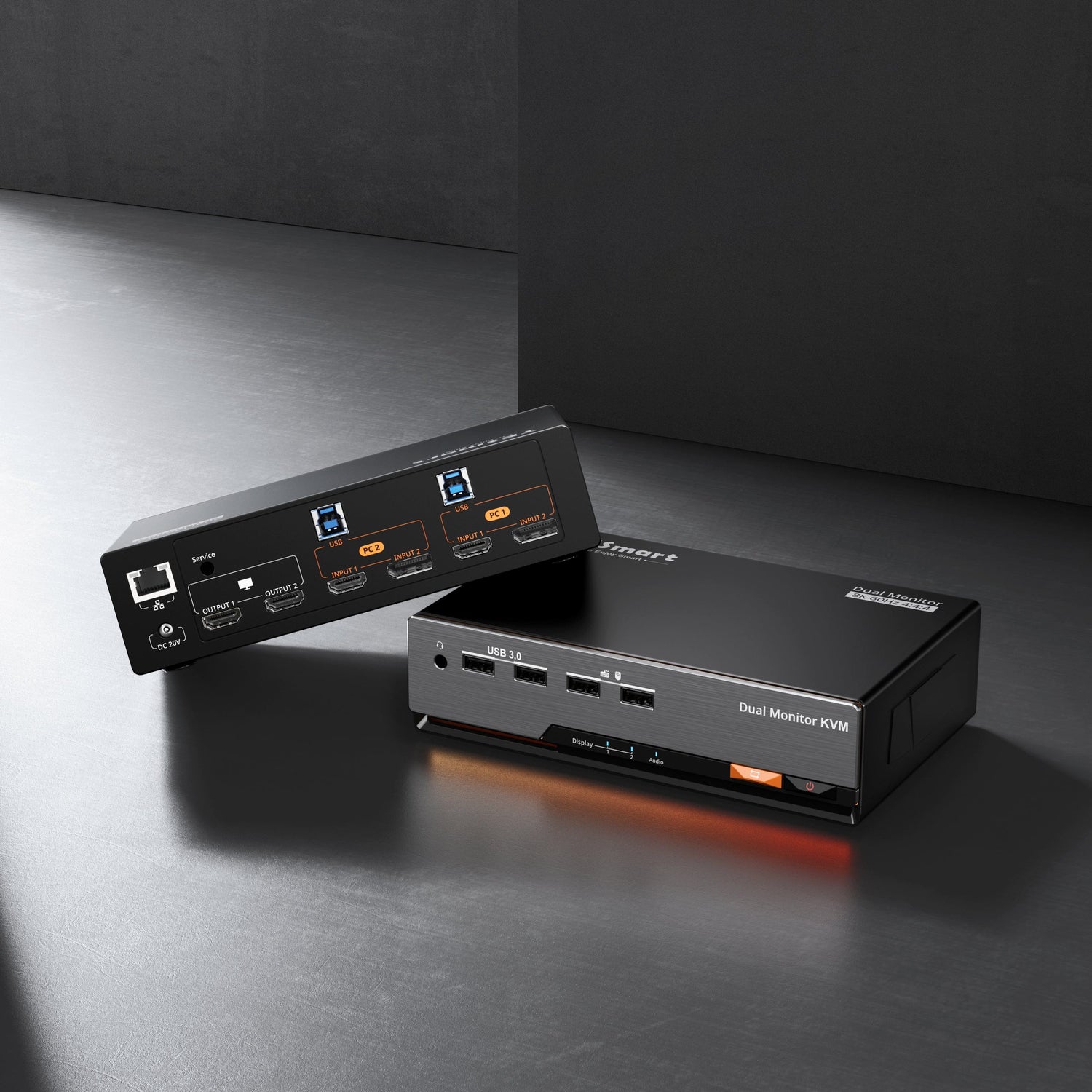
Using the TESmart THK401-X4
The THK401-X4 is designed for mixed environments where consoles, PCs, and Macs share a single Apple display.
Its hybrid architecture combines HDMI-based device switching with a display path designed for Apple-display-oriented workflows.
Typical input configuration:
| Input | Device Type | Description |
|---|---|---|
| Input 1 | Gaming Console | HDMI input for PS5, Xbox, or Switch |
| Input 2 | Gaming Console | Additional HDMI device |
| Input 3 | PC | HDMI + USB for keyboard and mouse control |
| Input 4 | Mac | Native laptop-centered high-speed connection path |
This structure allows each device type to use the connection method that fits its role in the workspace.
Consoles remain simple HDMI devices, while Macs retain the kind of direct connection path users expect in a premium desk setup.
The display remains connected through the output path intended for Apple Studio Display workflows.
Example Multi-Device Desk Setup
A typical modern workstation may include multiple systems:
- PlayStation 5
- Nintendo Switch
- Windows PC
- MacBook Pro
With a hybrid KVM setup, all devices can share:
- one Apple display
- one keyboard and mouse
- one centralized workspace
Switching between systems can be done using front-panel buttons, hotkeys, or remote control.
The overall desk remains cleaner and more practical than a capture-based workaround.
Advantages of Hardware Switching
Minimal Added Latency
Because the signal is not converted into USB video streams or rendered through software, switching occurs at the hardware level with far less delay than capture-based workflows.
This makes the setup much more suitable for gaming and real-time interaction.
Cleaner Audio Handling
Audio passes more directly through the hardware path instead of relying on operating-system-level routing and virtual devices.
This avoids much of the audio complexity common in capture-based setups.
More Stable Display Behavior
Hardware switching helps maintain a more consistent display path for connected devices.
This reduces the likelihood of issues such as:
- resolution fallback
- HDR disabling after switching
- HDCP playback failures
When This Type of Setup Makes Sense
A hybrid KVM setup is particularly useful when a workspace includes multiple device types.
Examples include:
Mixed productivity environments
MacBook + Windows PC + console testing
Creator workstations
Mac Studio + capture devices + console
Home office setups
Laptop + gaming console sharing one display
In these situations, a hybrid switching architecture simplifies the desk while preserving the value of a premium Apple display.
Compatibility Note
This solution is designed for compatibility with Apple Studio Display workflows and mixed-device desk setups.
It is intended to help users integrate HDMI-based source devices such as consoles into a shared Apple-display environment more practically.
It is not yet Intel® certified for Thunderbol, and certification is currently in progress.
Thunderbolt and the Thunderbolt logo are trademarks of Intel Corporation or its subsidiaries.
Conclusion
Apple Studio Display offers excellent image quality and powerful integrated features, but its design does not allow direct connections from HDMI devices like gaming consoles.
Traditional workarounds using capture cards and software can function, but they introduce latency, audio complexity, and unstable display behavior.
Hybrid switching solutions provide a cleaner alternative.
By combining HDMI device inputs with a display path designed for Apple Studio Display workflows, devices such as the TESmart THK401-X4 make it possible to share one display between consoles, PCs, and Macs without relying on software bridges.
For users who want both a premium Apple-display workstation and a flexible multi-device setup, this type of hybrid switching architecture provides a more practical and stable solution.
FAQ
Q1: Does the THK401-X4 introduce noticeable input latency for gaming consoles?
No. The device performs switching at the hardware level rather than using capture or software rendering. As a result, added latency is far lower than in capture-based workflows.
Q2: Do I need a Mac, drivers, or software to connect consoles?
No. The system is designed as a hardware-based switching solution and does not depend on capture software, drivers, or background applications for the console path.
Q3: Can Apple Studio Display connect directly to PS5?
No. Apple Studio Display is not designed to function like a standard HDMI monitor, so consoles cannot connect directly without an intermediate hardware solution built for this type of setup.
Q4: Can consoles share keyboard and mouse through the KVM?
Keyboard and mouse sharing typically applies to connected computers.
Gaming consoles usually rely on their own controllers, so their connection through the KVM is typically video-oriented via HDMI.