In 2025, achieving a truly high-end gaming experience is no longer just about owning a powerful GPU or a high-refresh-rate monitor. The real bottleneck often lies in the signal chain itself—from the graphics card to the display, and especially in the intermediate devices that connect everything together.
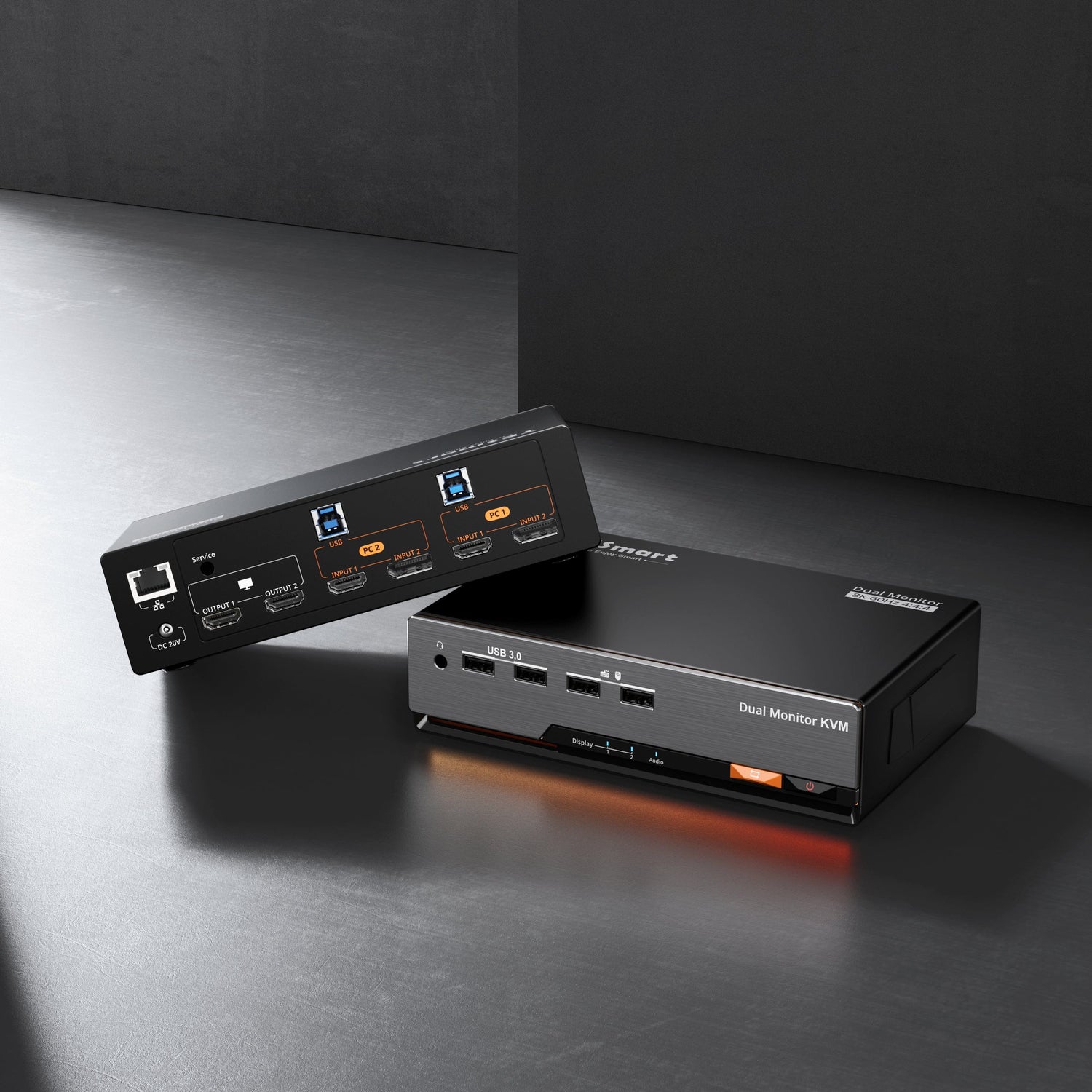
For gamers and creators running multi-PC setups, the KVM switch has become a critical component. A poorly designed KVM can silently undermine refresh rate, disable adaptive sync, or cause constant resolution resets. This is where the TESmart DKS202-M24 distinguishes itself as one of the most capable gaming-grade KVM switches available in 2025.


1. What Defines an Ultimate Gaming Experience?
High-Refresh-Rate Displays Are Now Essential
Modern gaming monitors focus on far more than resolution alone. Key features include:
-
High refresh rates (144Hz, 240Hz, and beyond)
-
Variable Refresh Rate (VRR) technologies such as G-SYNC and FreeSync
-
HDR support for higher contrast and realism
-
Low response times to minimize ghosting and motion blur
Among these, high refresh rate is the most immediately noticeable upgrade—especially in FPS, racing, and competitive esports titles where motion clarity and responsiveness directly affect performance.
GPUs Must Deliver More Than Raw Power
Even the most powerful graphics card can fail to deliver its full potential if the output chain is unstable. High-end GPUs rely on:
-
DisplayPort 1.4 / 2.1 or HDMI 2.1 support
-
Stable bandwidth for high resolution and high refresh rates
-
Accurate negotiation of display capabilities
If the display connection is interrupted or misidentified, systems may automatically fall back to lower refresh rates or default resolutions.
Keyboard and Mouse Responsiveness Matters
At 240Hz and above, input latency becomes more noticeable. Competitive players demand:
-
High polling rates (1000Hz or higher)
-
Consistent USB device recognition
-
No delays or reconnects when switching systems
The Overlooked Factor: The KVM Switch
In multi-PC gaming and workstation setups, the KVM switch must do more than “pass through” signals. A high-performance KVM must:
-
Preserve full video bandwidth
-
Maintain VRR, HDR, and refresh rate integrity
-
Prevent black screens and resolution resets
-
Ensure seamless keyboard and mouse switching
Many common issues in multi-monitor gaming setups originate not from GPUs or displays—but from improper EDID handling inside the KVM.
2. What Is EDID and Why Does It Matter?
EDID: The Display’s Digital Identity
EDID (Extended Display Identification Data) is a VESA-defined standard that allows a display to communicate its capabilities to a source device. EDID contains information such as:
-
Supported resolutions and refresh rates
-
HDR and color depth capabilities
-
Timing and synchronization parameters
The graphics card relies entirely on EDID to determine how it should output video.
What Goes Wrong Without EDID Emulation?
In conventional KVM switches without EDID emulation:
-
The active video connection is physically disconnected during switching
-
The source device detects the display as “removed”
-
The operating system re-reads EDID upon reconnection
-
Display settings are reset (often to 60Hz)
For high-refresh-rate gaming, this can mean lost VRR, disabled HDR, window rearrangement, or even black screens.
3. What EDID Emulation Really Does (and What It Doesn’t)
EDID Emulation Is Not Just Caching
A true EDID emulator actively maintains a continuous, stable display identity toward the source device—even when the physical display is temporarily disconnected.
In practical terms, EDID emulation:
-
Stores and reproduces the display’s EDID data
-
Continuously presents that EDID to the connected system
-
Prevents the system from detecting a display disconnect
-
Eliminates renegotiation delays and display resets
As a result:
-
Refresh rates remain unchanged
-
HDR and VRR stay enabled
-
No black screens during switching
-
Display layouts remain intact
For gaming and professional graphics workloads, EDID emulation is a core stability feature, not a convenience add-on.
4. High Refresh Rate Gaming: DisplayPort vs. HDMI
Why DisplayPort Remains the Preferred Choice
While HDMI 2.1 offers impressive bandwidth, DisplayPort remains the dominant interface for high-refresh-rate PC gaming:
DisplayPort advantages
-
Mature ecosystem for high refresh rates
-
Strong VRR and adaptive sync compatibility
-
Widely supported by 240Hz and esports monitors
-
Better suited for PC-centric gaming setups
HDMI 2.1
-
Excellent for TVs and consoles
-
Increasingly capable, but less common in high-end PC esports displays
For competitive PC gaming, DisplayPort continues to be the most reliable option.
5. TESmart DKS202-M24: Built for High-Refresh-Rate Gaming
The TESmart DKS202-M24 is designed specifically to eliminate signal-chain bottlenecks in demanding gaming environments.
Key Specifications
-
DisplayPort 1.4 video switching
-
Supports:
-
8K @ 60Hz
-
4K @ 240Hz
-
-
Full support for:
-
Variable Refresh Rate (VRR)
-
Adaptive Sync
-
HDR
-
-
Integrated EDID emulation
-
High-performance USB switching for keyboard and mouse
Why EDID Emulation Matters in the DKS202-M24
In the DKS202-M24, EDID emulation is a foundational design element:
-
Display capabilities remain visible to the GPU at all times
-
No refresh rate fallback after switching
-
No reconfiguration required in games or OS settings
-
Seamless switching without black screens or flicker
For users running dual-PC gaming or gaming + workstation setups, this translates to consistent, uninterrupted performance.
Who Is the DKS202-M24 For?
-
Competitive gamers using 240Hz or high-refresh-rate monitors
-
Users running dual PCs (gaming + work)
-
Streamers and creators switching between systems
-
Professionals who demand stable, high-bandwidth display output
FAQ: TESmart DKS202-M24
Q1: Will switching PCs reduce my refresh rate?
No. Thanks to integrated EDID emulation, the system maintains the original display configuration without falling back to 60Hz.
Q2: Is it suitable for 240Hz gaming monitors?
Yes. The DKS202-M24 supports 4K@240Hz and preserves VRR and adaptive sync functionality.
Q3: Does using a KVM add noticeable input lag?
No. The DKS202-M24 uses direct video paths and high-performance USB switching, introducing no perceptible latency.
Conclusion: Stability Is the Real Performance Upgrade
In modern gaming setups, performance losses often occur not at the GPU or display—but in the unseen connections between them. A KVM switch without proper bandwidth handling or EDID management can quietly negate the advantages of premium hardware.
By combining DisplayPort 1.4 bandwidth, full high-refresh-rate support, and true EDID emulation, the TESmart DKS202-M24 ensures that your gaming setup performs exactly as intended—every time you switch systems.
For gamers and professionals building a high-end multi-PC desk in 2025, the DKS202-M24 is not just a convenience tool—it is a critical performance safeguard.