

2×2 KVM Dock for Laptop & Desktop | Dual 4K60Hz, Thunderbolt™ 4 Compatible
- Regular price
-
$699.00 - Regular price
-
$699.00 - Sale price
-
$699.00
Share dual 4K60 displays, keyboard, mouse, USB devices and Gigabit Ethernet between a Thunderbolt™-compatible laptop and desktop, with up to 60W charging and EDID emulation for a stable hybrid workstation.
-
Hurry, only 10 items left in stock!
Couldn't load pickup availability
Free Shipping · US / UK 3~5 Business Days
5-Year Warranty with Product Registration
30-Day Hassle-Free Returns
Description
Integrate a Mac and a desktop into one streamlined dual-monitor workspace.
The PC1 USB-C port integrates PCI Express data transfer and DisplayPort technology—plug and play, no adapters needed, with up to 60W laptop charging.
Connect a PSSD, dock or extra display to the additional USB-C port at full 40Gbps, keeping your laptop's connection fully utilized.
Drive two HDMI displays at up to 4K@60Hz 4:4:4, or enjoy 2560×1440@120Hz and 1080P@240Hz—ideal for designers and gamers.
Use one keyboard and mouse across both computers while sharing displays, USB peripherals and supported audio devices.
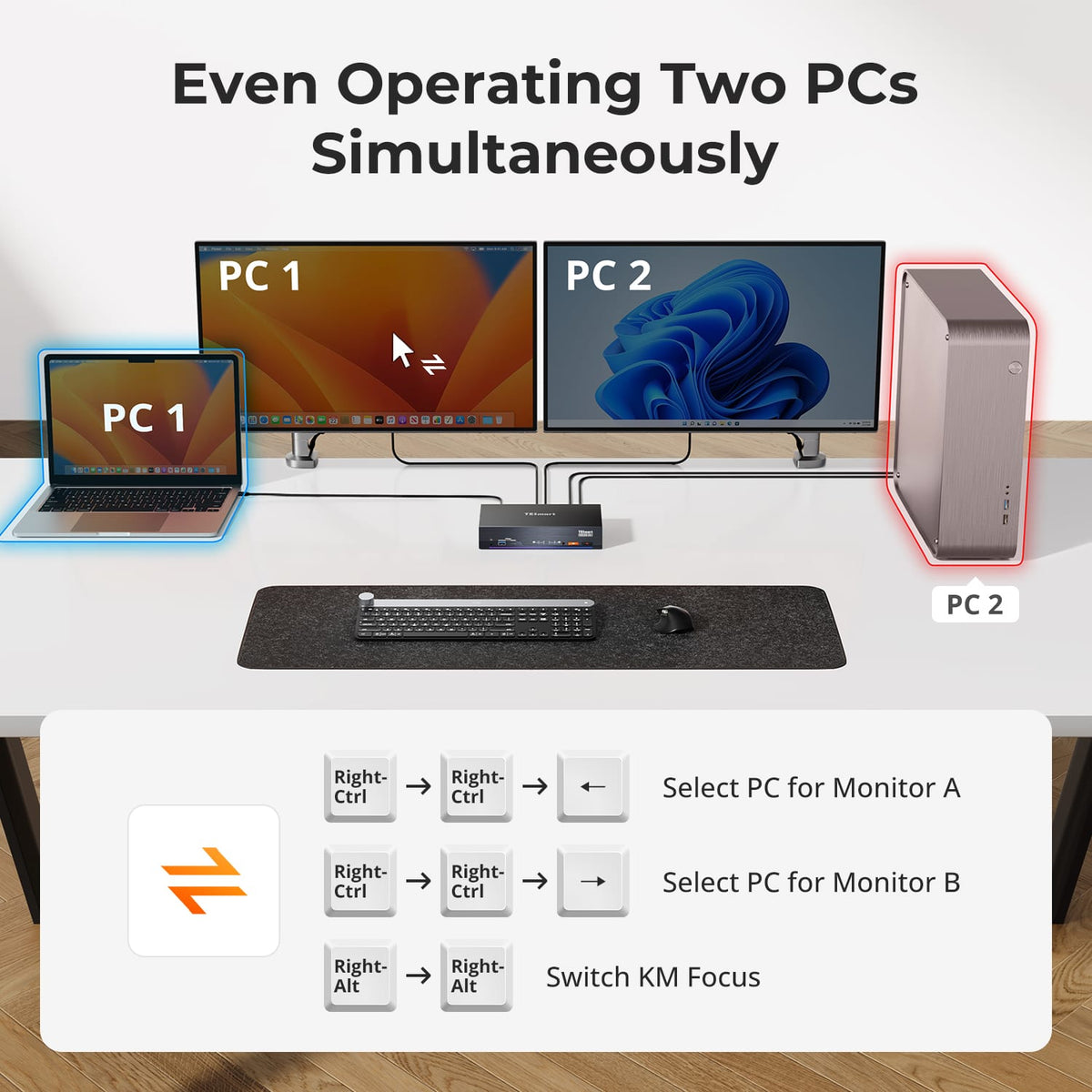
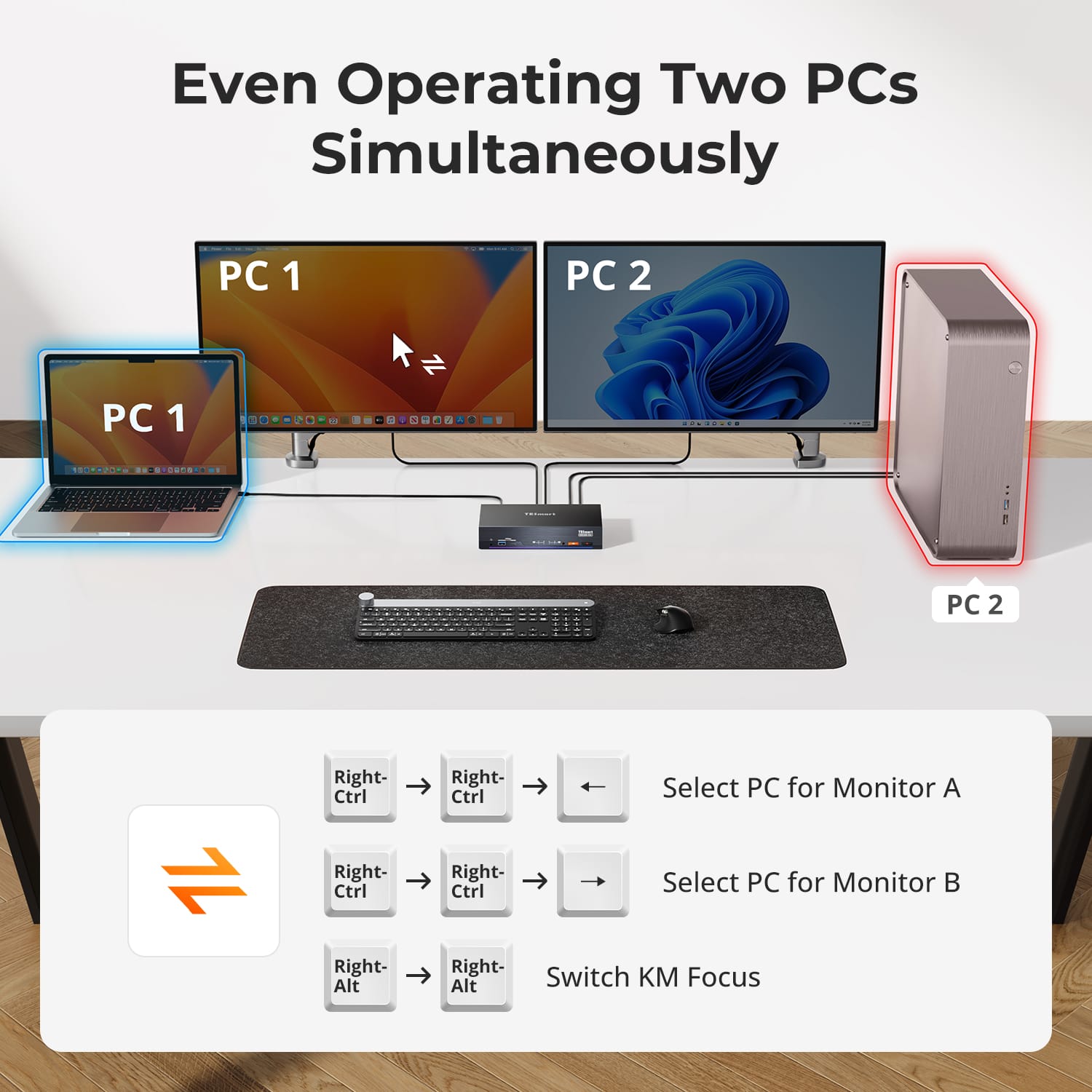
Extend or duplicate one PC across both monitors, or show a different PC on each display and move keyboard/mouse focus with a double-tap of Right-Alt.
Switch using keyboard hotkeys, the front-panel button, IR remote or mouse wheel—with hot-plug support for effortless changes.
Share 2× USB 3.2 Gen 2 (10Gbps, 7.5W), Gigabit Ethernet and 3.5mm audio/mic, while EDID emulation keeps resolutions and desktops stable.
Compatibility & Input Guide
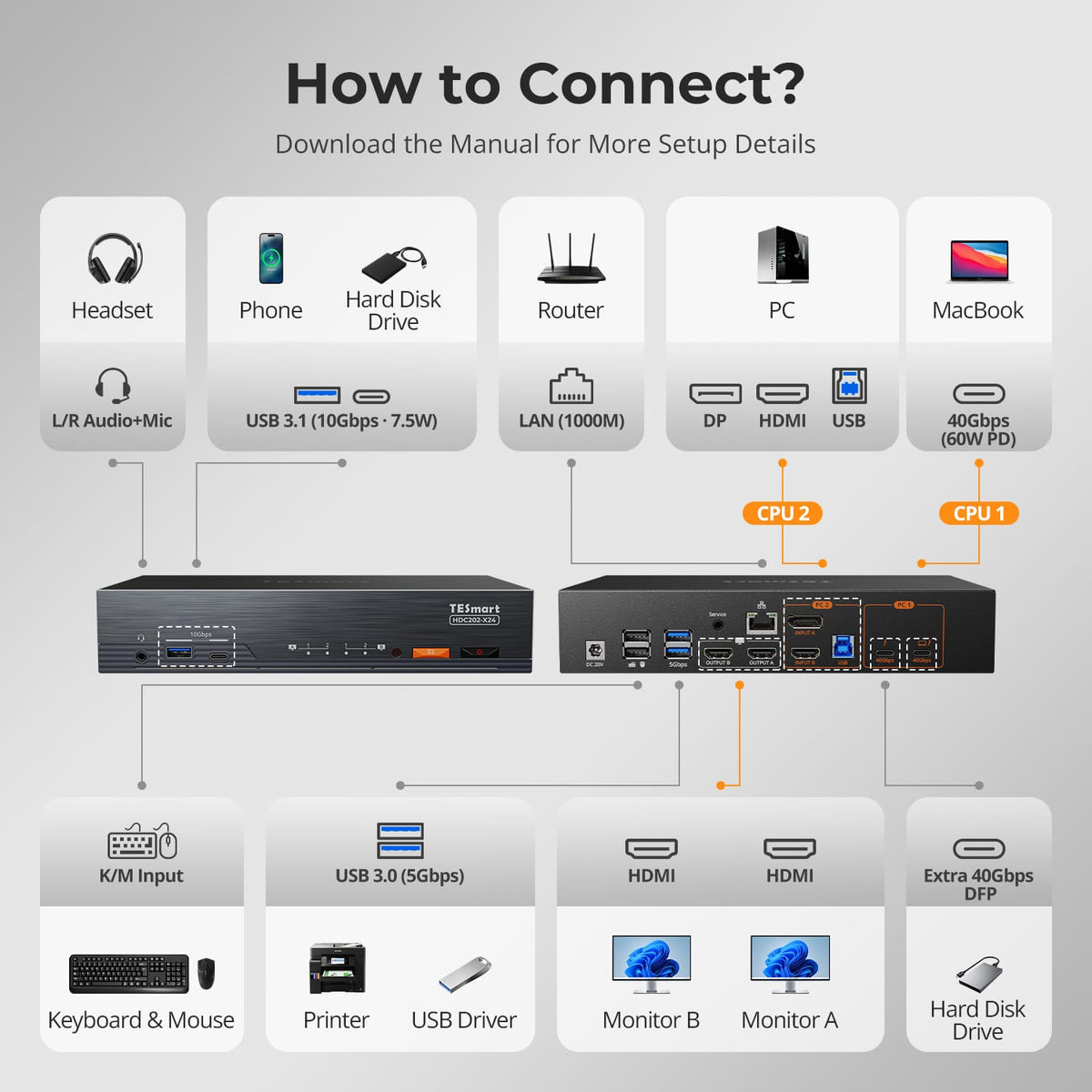
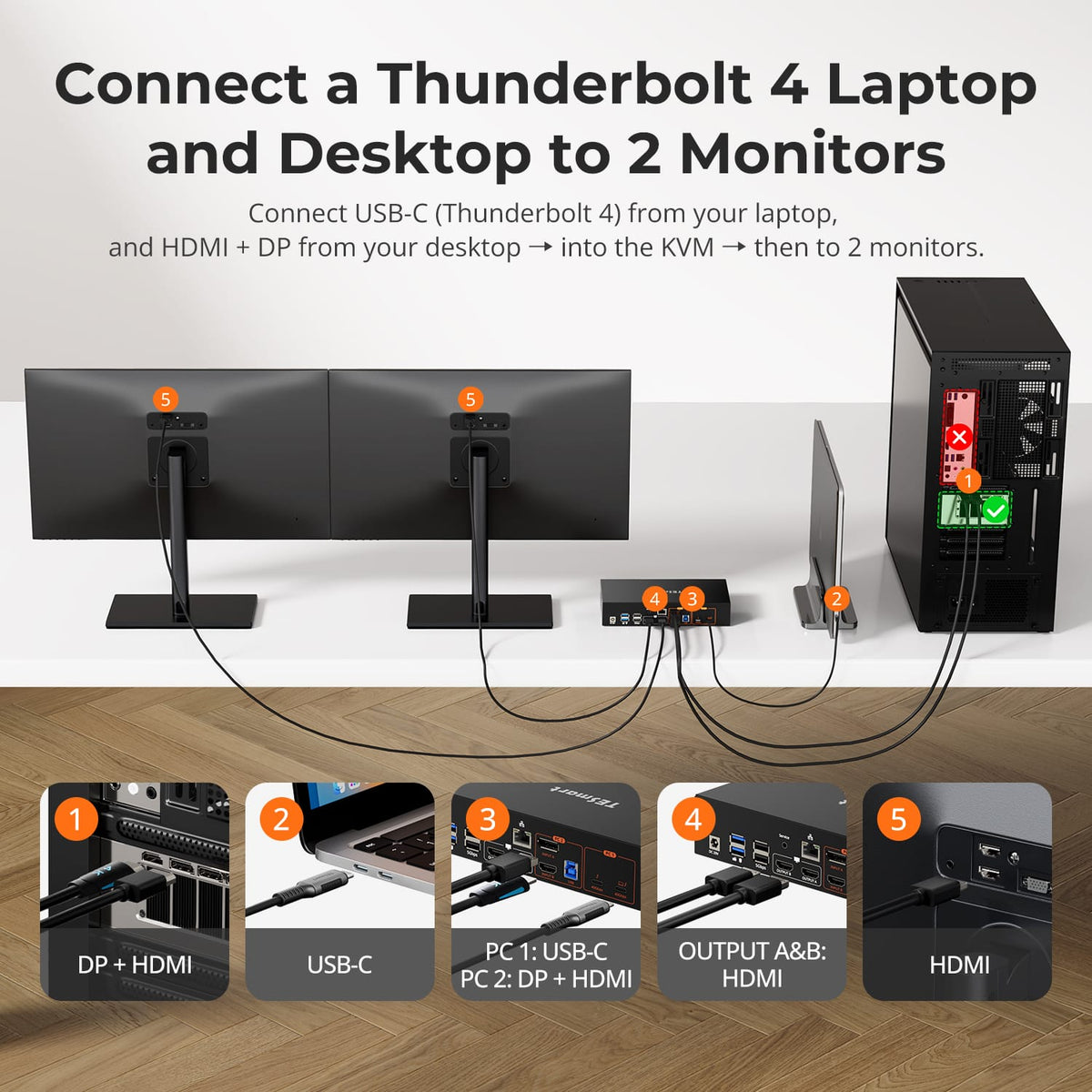
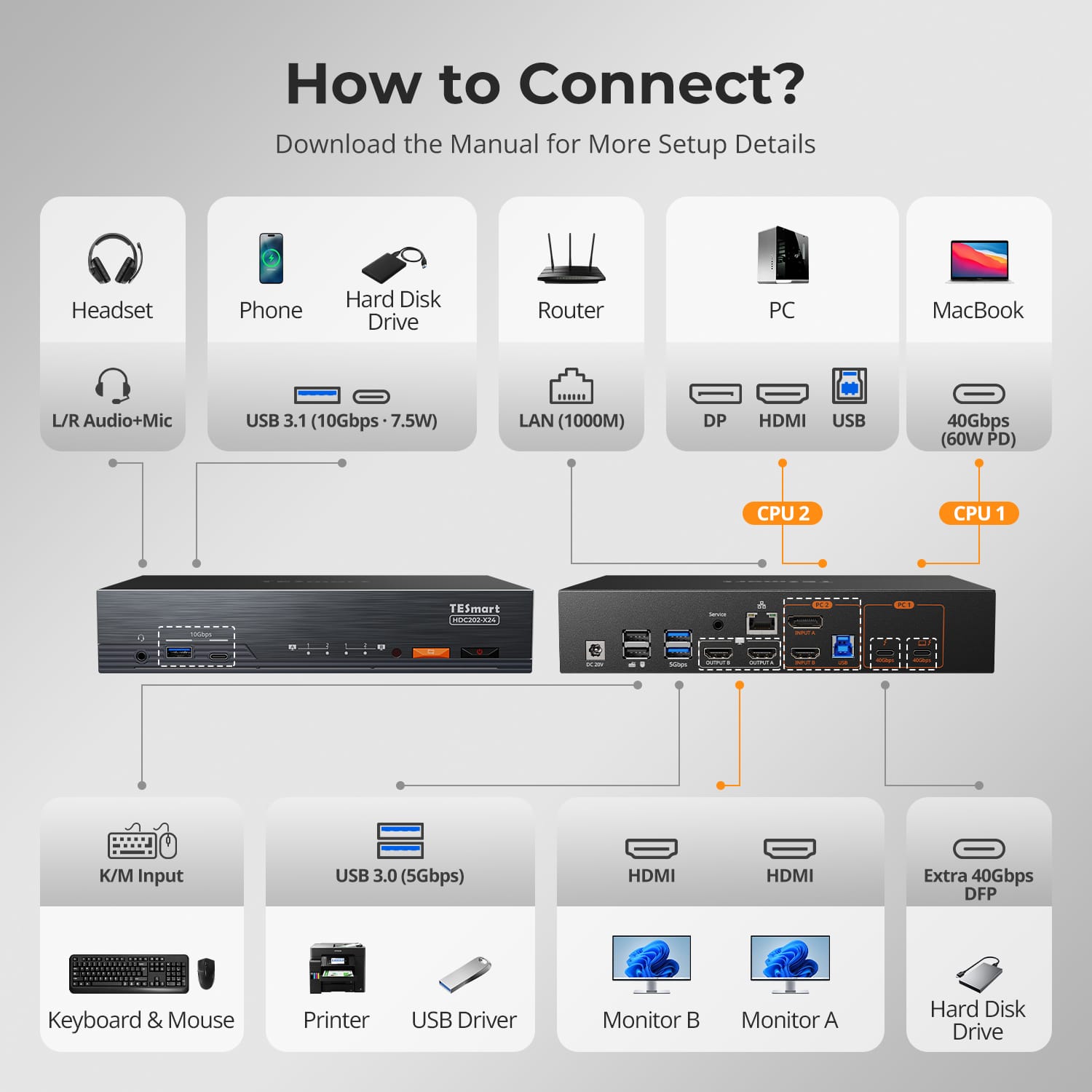
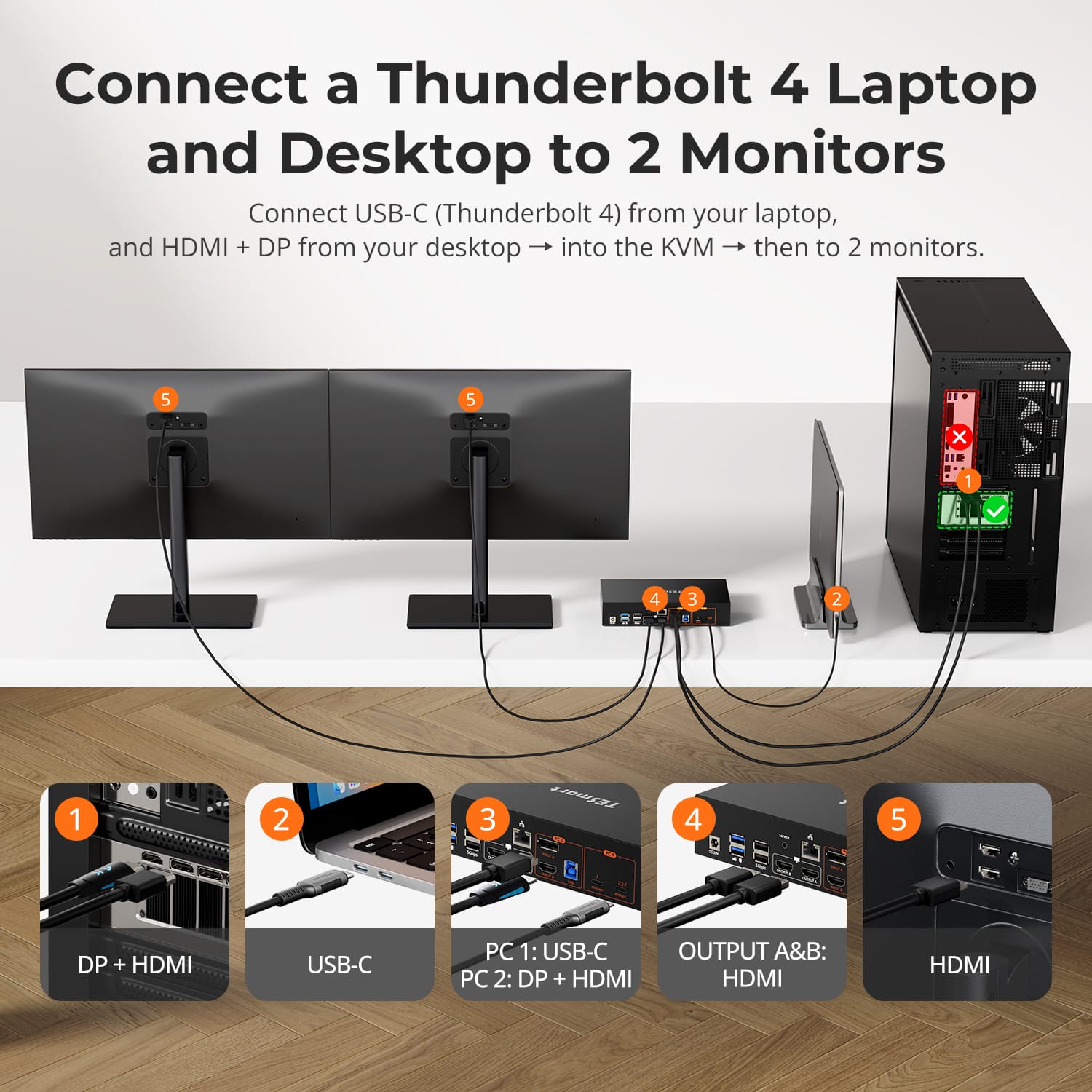
Connect a Thunderbolt 4/3 or USB-C computer with one cable for display output, keyboard and mouse control, USB sharing, network access and up to 60W charging. A 40Gbps expansion port is available for PSSDs or displays.
Connect a second computer using DisplayPort or HDMI and USB-B upstream for display output, keyboard and mouse control, and USB sharing.
Connect two HDMI displays for dual output up to 4K@60Hz (3840×2160) per screen..
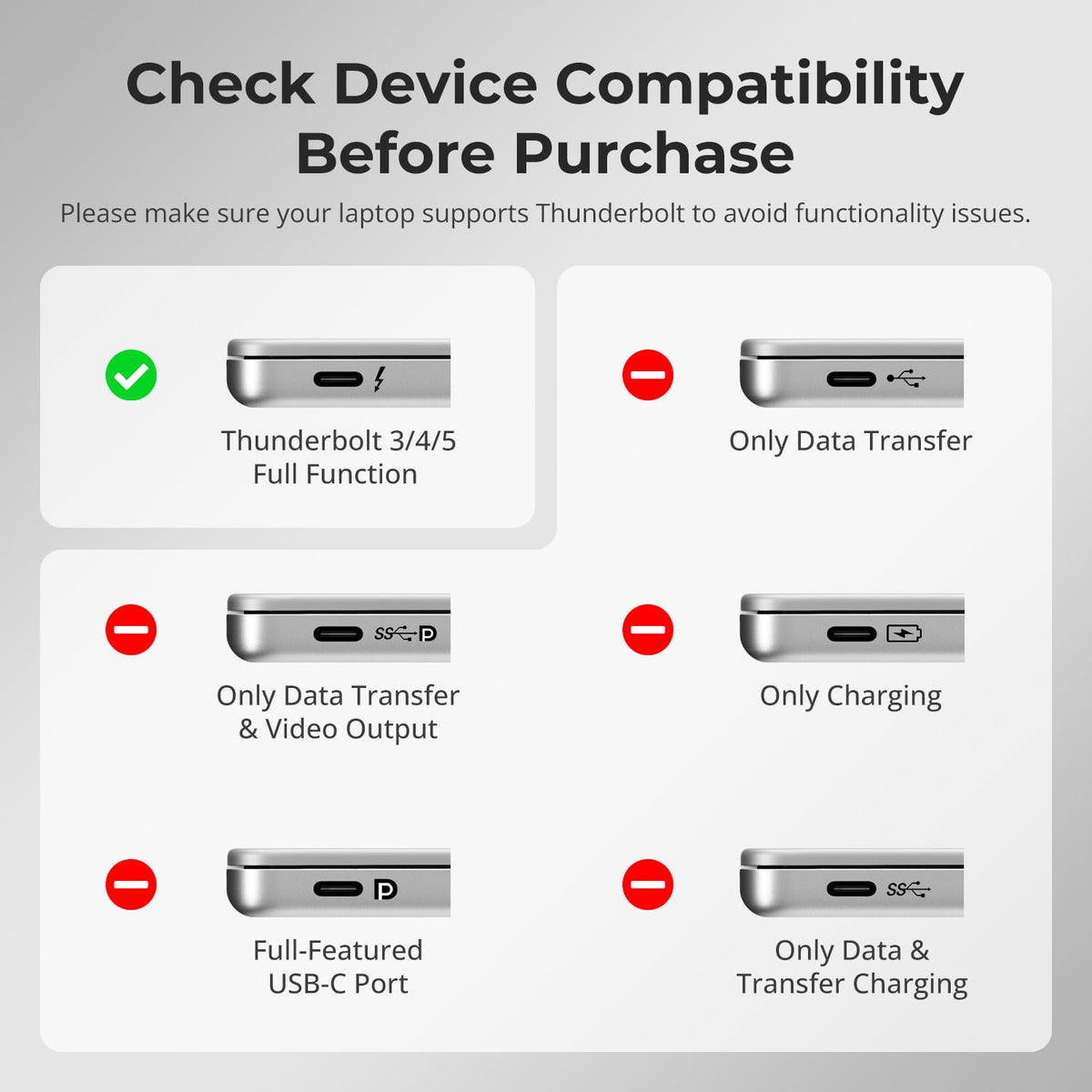
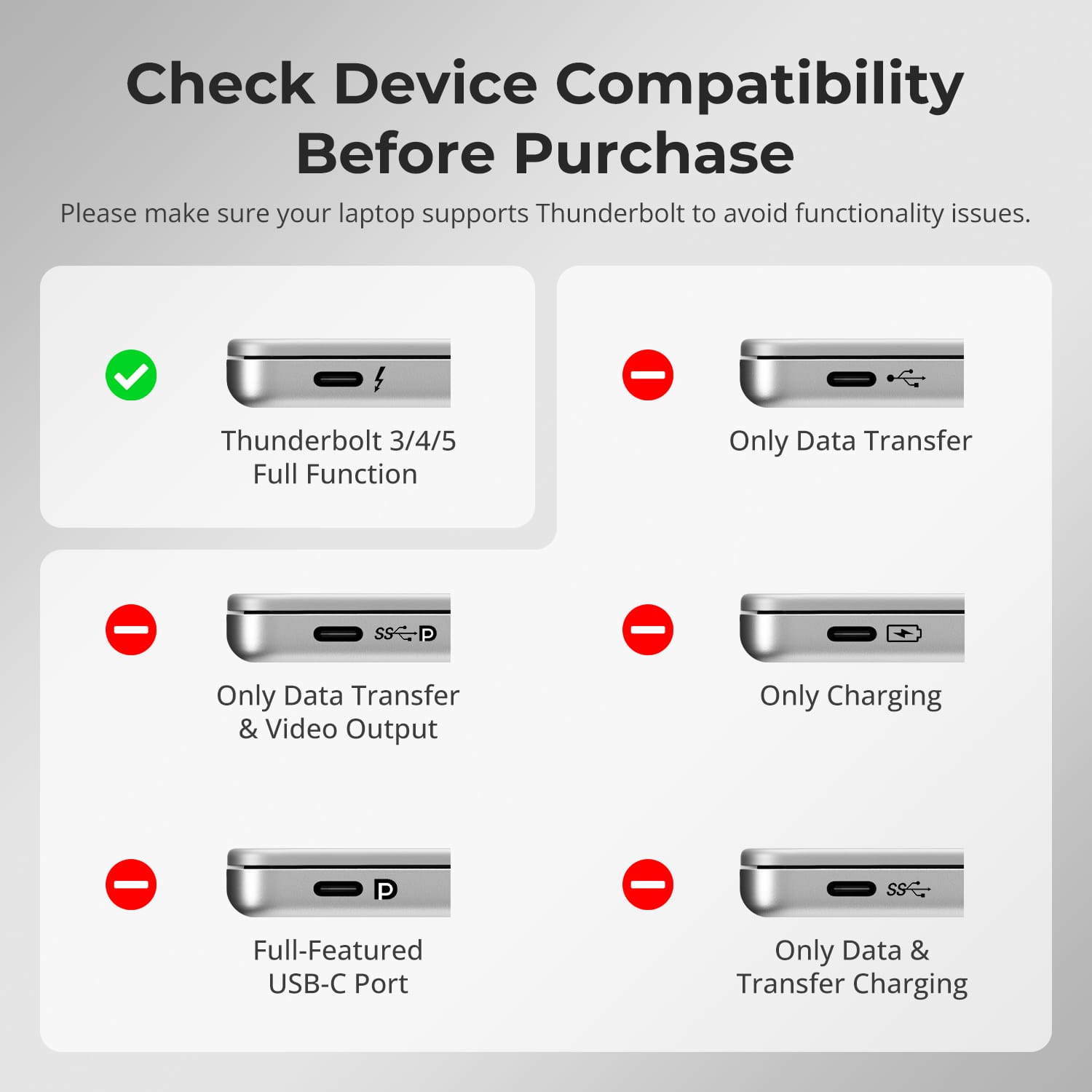
Designed for use with computers compatible with Thunderbolt™ 4. HDC202-X24 is not yet Intel® certified for Thunderbolt™, and certification is currently in progress.
Technical Specifications
Manual & Support
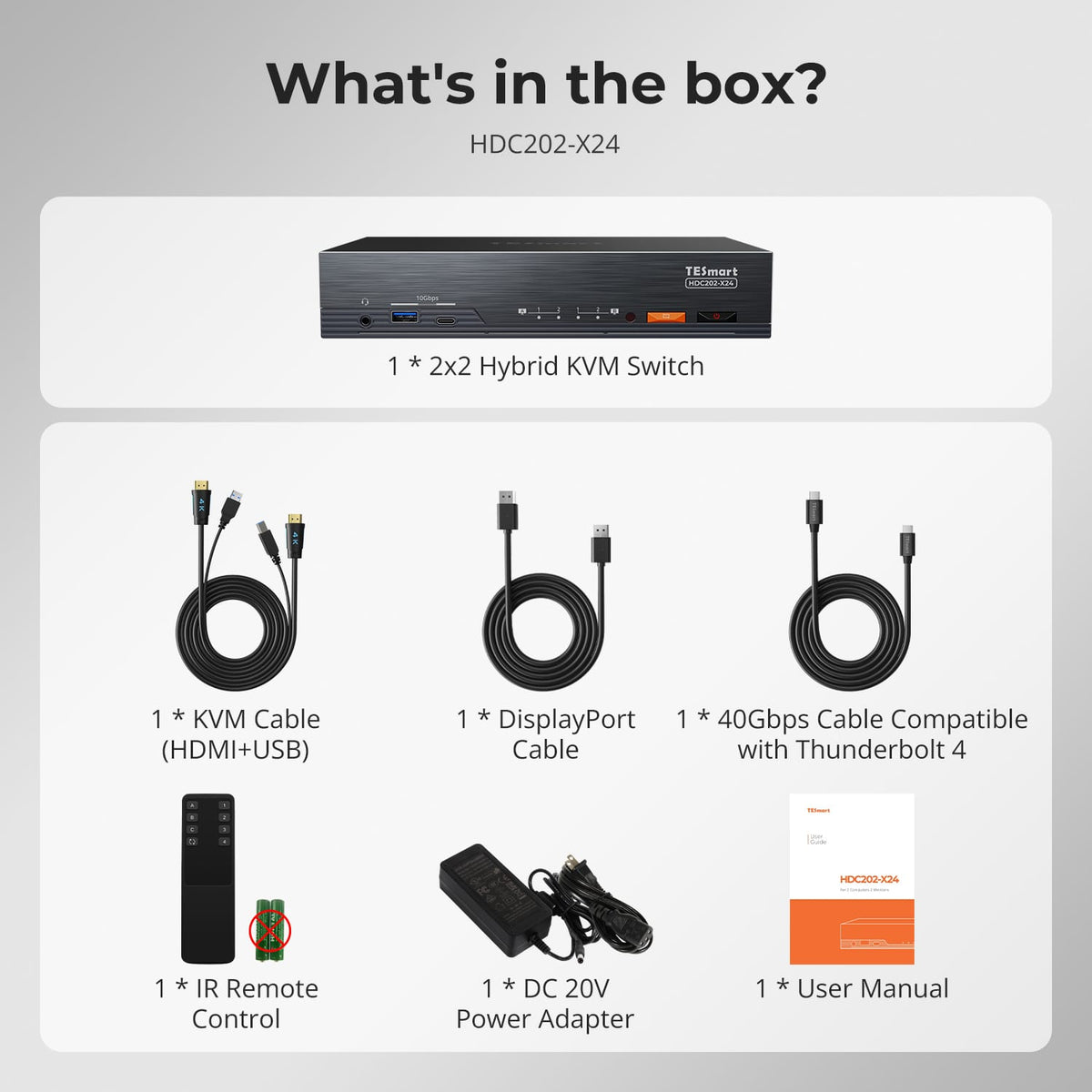
Download the product documentation, contact TESmart Support, or check the included accessories.
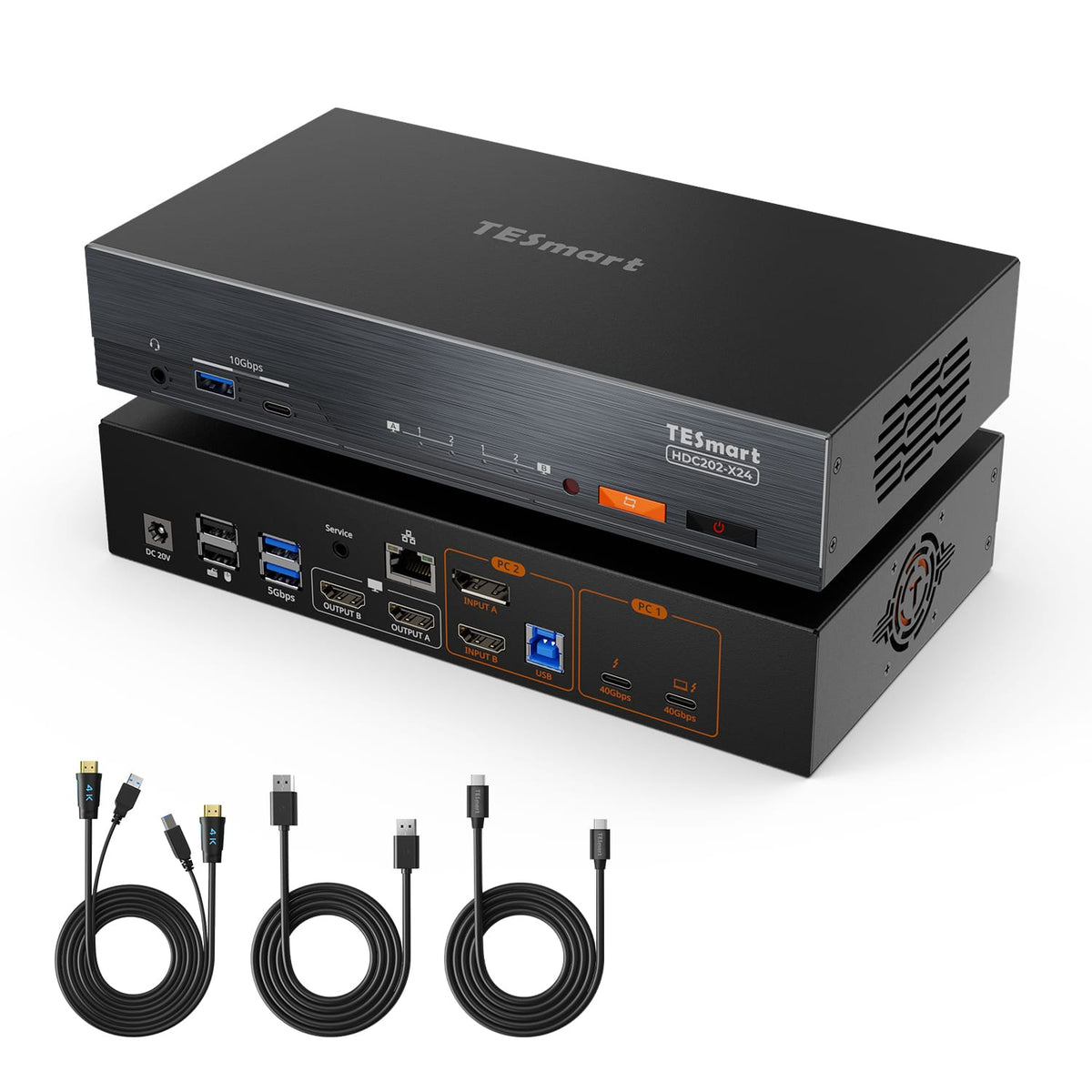
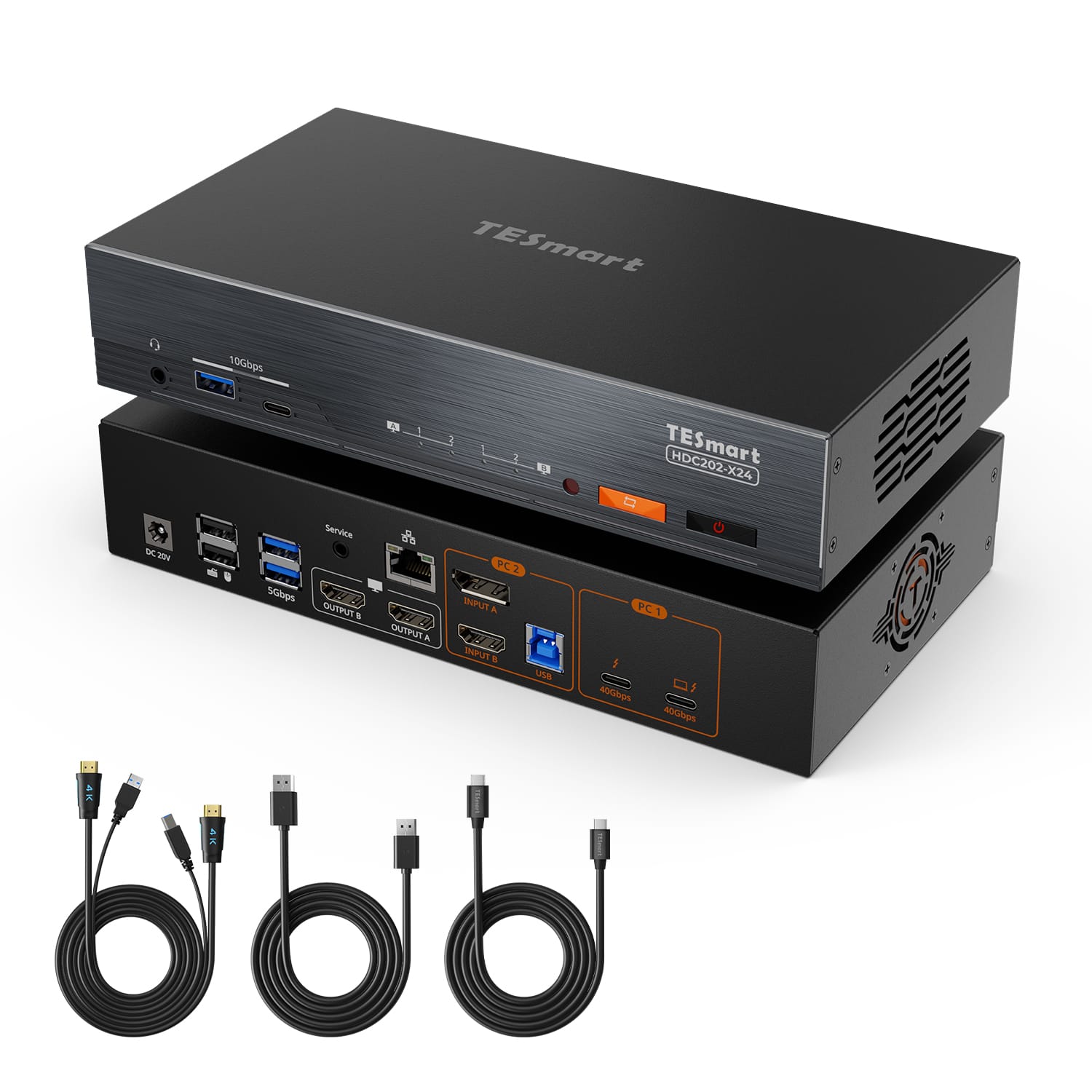
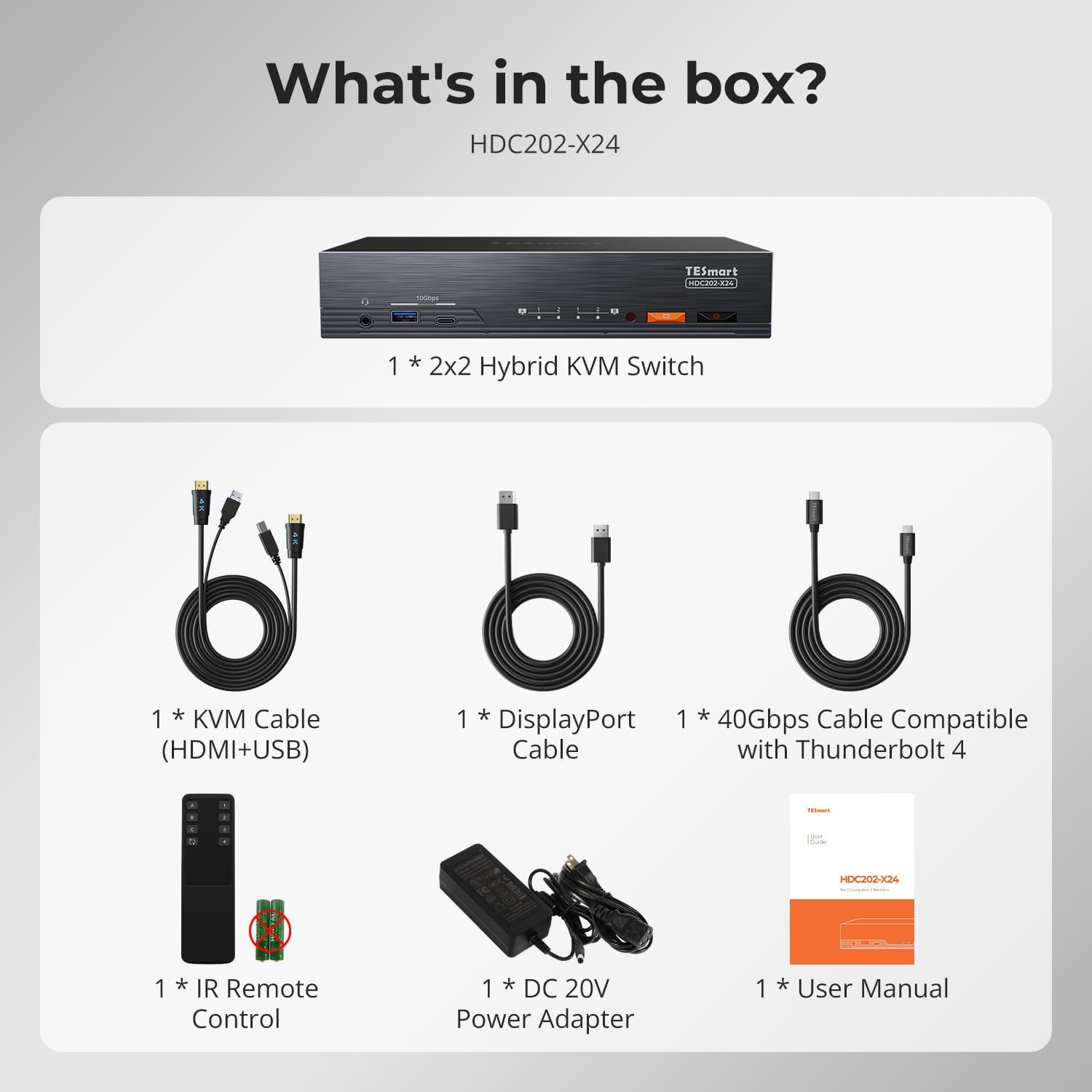
- 1 × HDC202-X24 KVM Switch
- 1 × 40Gbps USB-C Cable, compatible with Thunderbolt™ 4
- 1 × KVM Cable (HDMI + USB)
- 1 × DisplayPort Cable
- 1 × IR Remote Control
- 1 × DC 20V Power Adapter
- 1 × User Manual
Package contents may vary slightly by production batch or regional version.

Overview

-

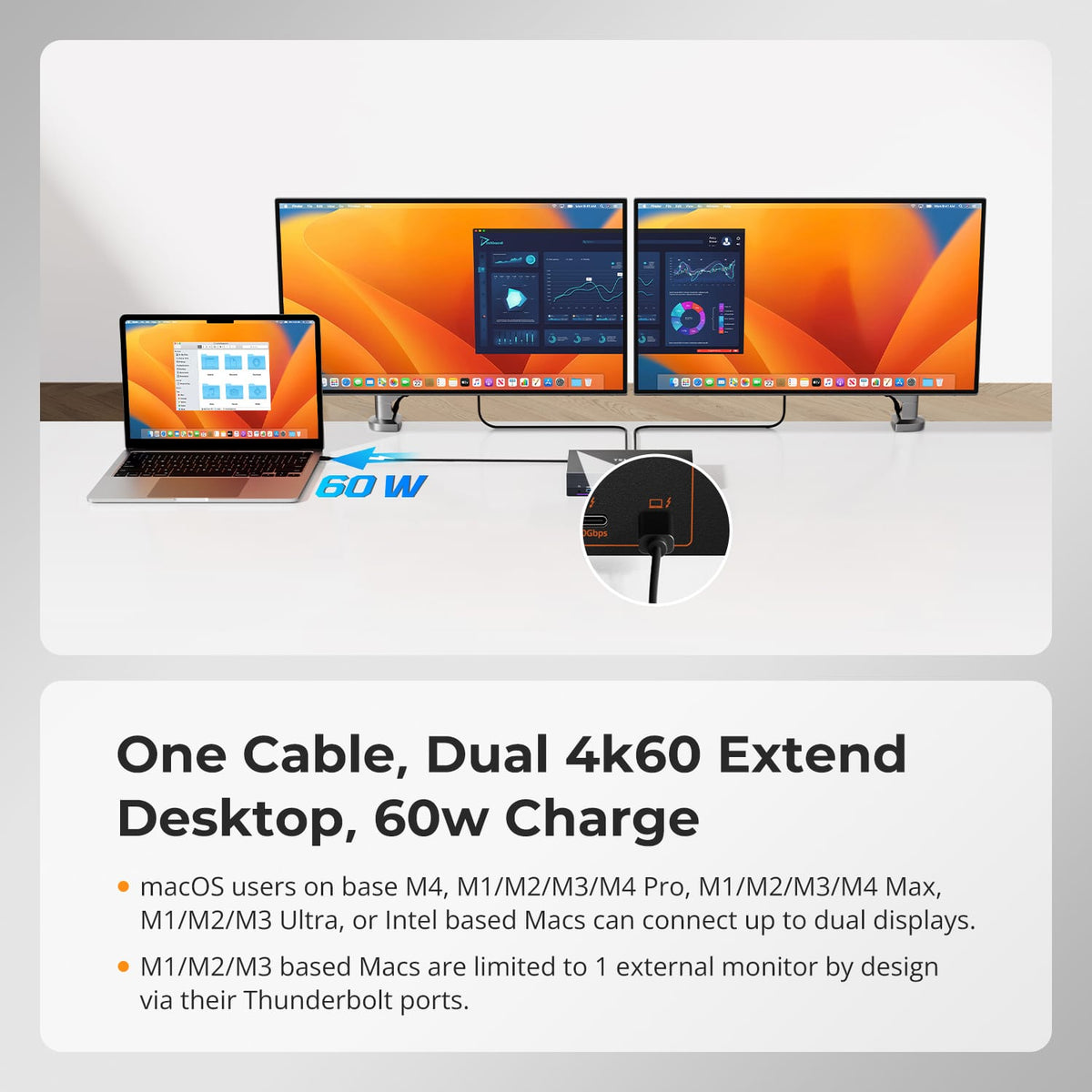
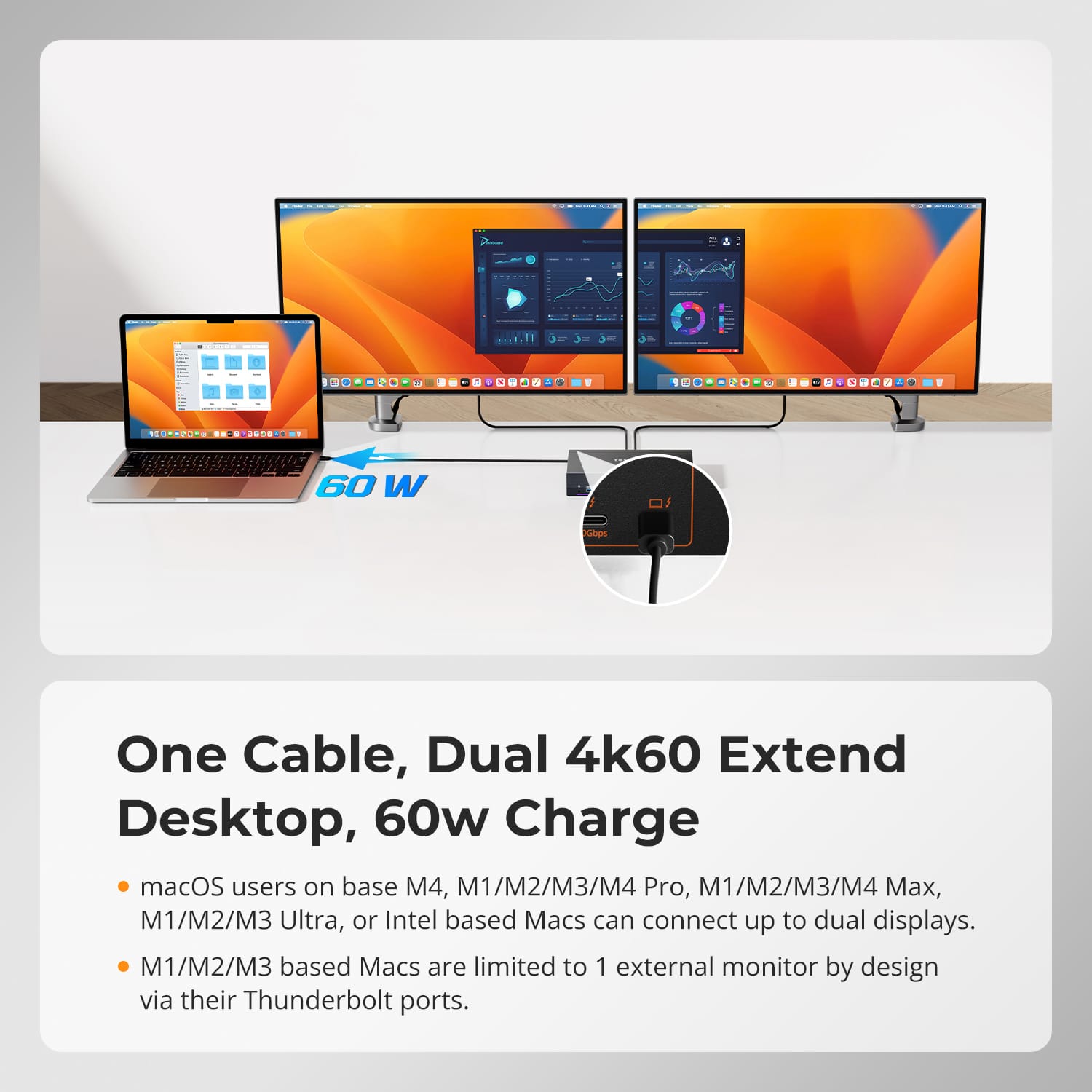
One Cable, Dual 4K60Hz + 60W Charge Connect your Thunderbolt 4 laptop with a single cable for dual extended 4K@60Hz displays, 40Gbps data and up to 60W charging. Ideal for Mac and Windows hybrid desks.
-

40Gbps Expansion, Fully Used A second downstream Thunderbolt 4 port keeps your PSSD, docking station or Studio Display running at full 40Gbps—your laptop's port is never wasted on the KVM.
-

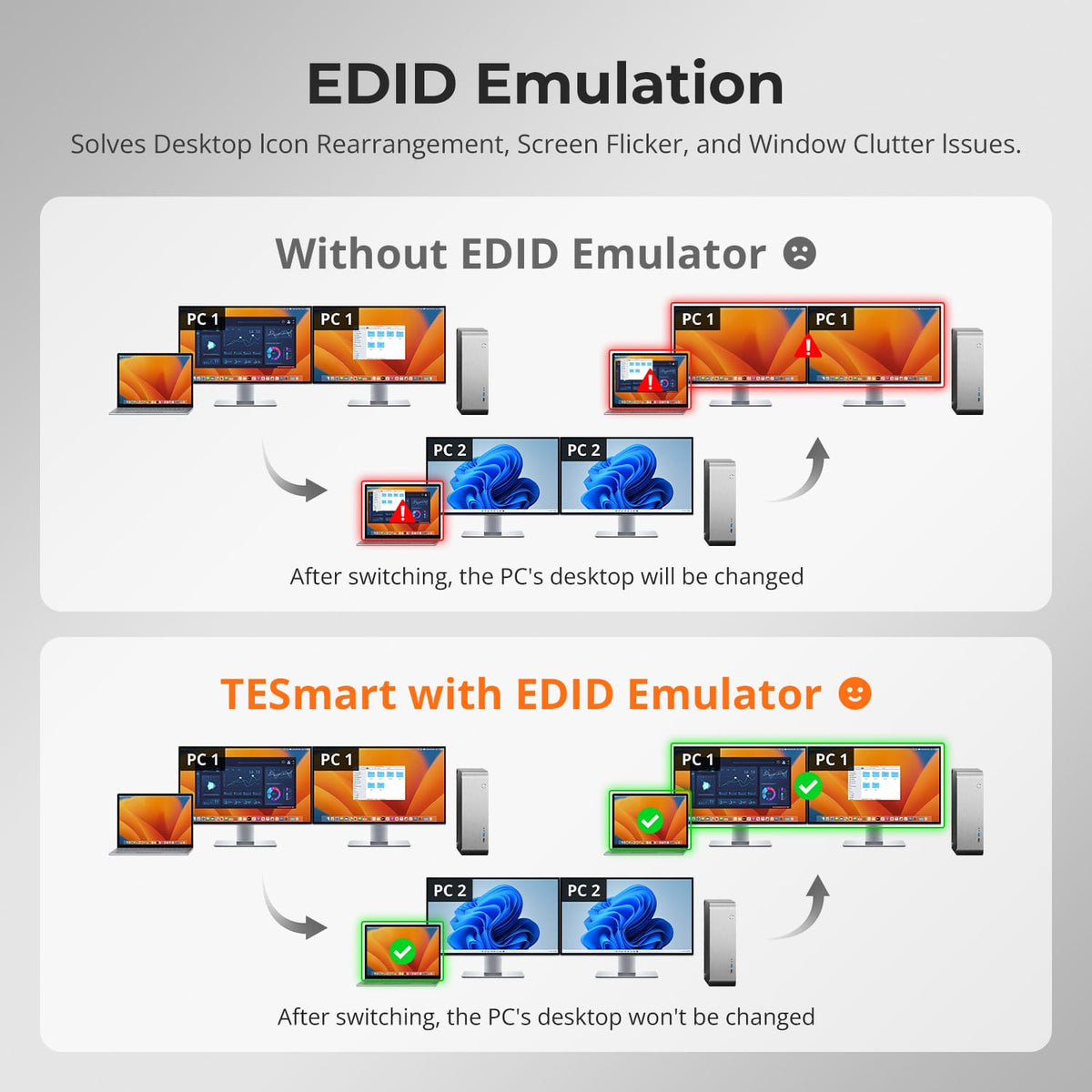
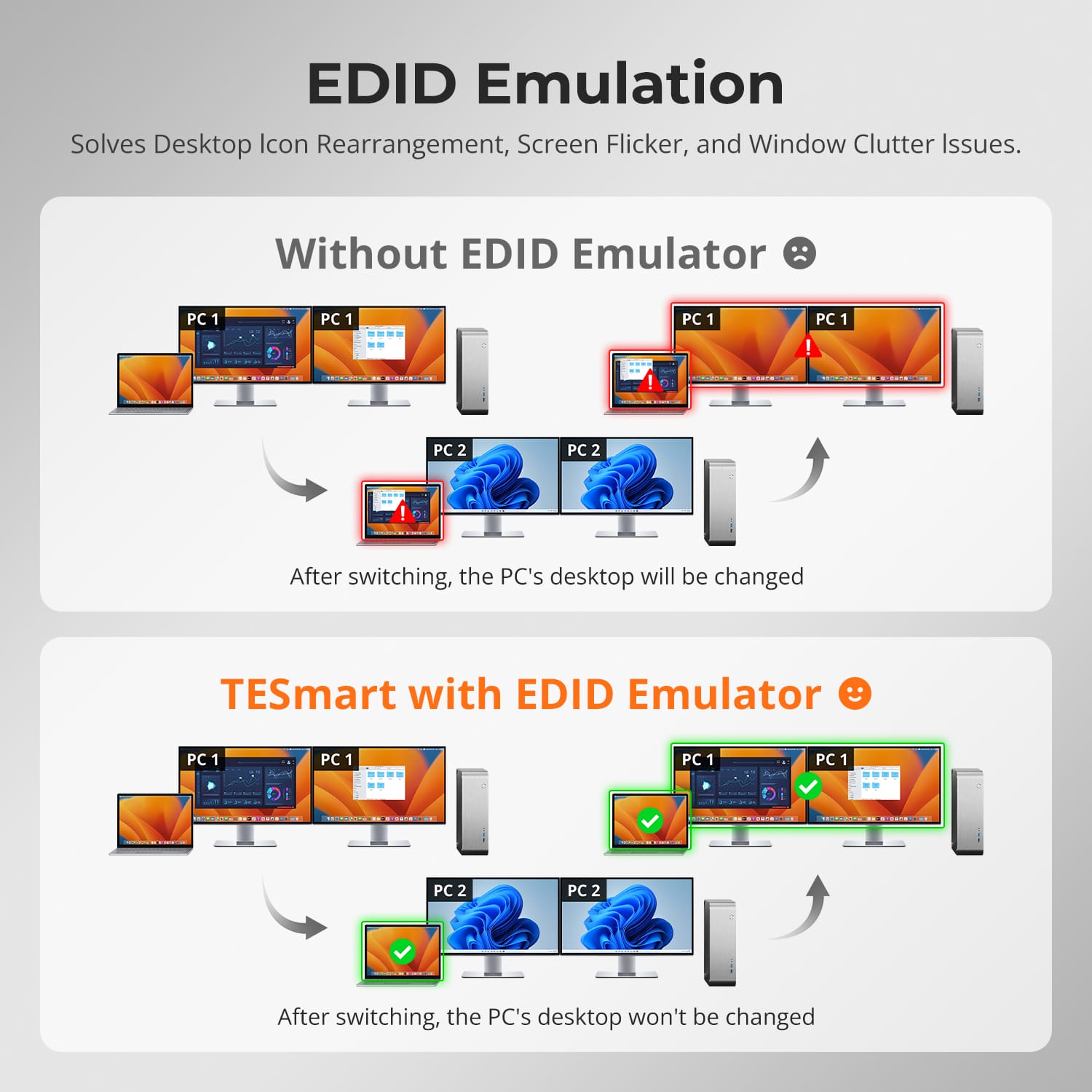
EDID Emulation, Stable Desktops Built-in EDID emulators lock each PC's display information, so resolutions, icons and windows stay exactly where you left them after switching—no flicker, no rearrangement.


Features
① Operate Two PCs at Once ② From 4K@60Hz to 1080P@240Hz ③ Fully Driven by JHL8440 ④Built-In Shared Docking
Display Mode 2 keeps PC 1 and PC 2 live on separate monitors at the same time. Assign each screen with Right-Ctrl hotkeys, and double-tap Right-Alt to move keyboard and mouse focus instantly—true parallel work across two systems.
Each HDMI output delivers up to 3840×2160@60Hz 4:4:4 for crisp creative work, 3440×1440@100Hz for ultrawide multitasking, and high-refresh modes up to 1920×1080@240Hz for competitive gaming. One KVM covers design, productivity and esports—no compromise, no extra hardware.
At its core, the Intel JHL8440 Thunderbolt 4 controller routes a 40Gbps upstream link from your laptop to three downstream 40Gbps USB-C ports plus USB 3.1—delivering certified TB4 bandwidth, stable video and full-speed peripherals with zero adapters.
One dock serves both computers: 60W PD charging for your laptop, 1000Mbps Gigabit Ethernet shared over a single network cable, 10Gbps USB for fast peripherals, and integrated L/R audio plus mic—expanding connectivity while cutting cable clutter for a cleaner desk.


Compare

2×2 KVM Dock for Laptop & Desktop | Dual 4K60Hz, Thunderbolt™ 4 Compatible
[ HDC202-X24 ]
Laptop + Desktop · 2 Monitors

2×1 KVM for Apple Studio Display | 5K120/6K60, Thunderbolt™ 4 Compatible
[ THK401-X4 ]
4 Sources · 1 Apple Display

2×2 KVM for Apple Studio Displays | Dual 5K120/6K60, Thunderbolt™ 4 Compatible
[ TKS202-X4 ]
2 Computers · 2 Apple Display

1× Laptop (Thunderbolt™ 4)
1× HDMI/DP desktop
1× Mac (Thunderbolt™ 4)
1x Windows PC
2× HDMI sources
2× PCs (Thunderbolt™ 4)

2× HDMI monitors
1× Apple Studio Display
2× Apple Studio Display

Dual 4K60
Input 1: 6K60 / 5K120
HDMI: 4K60
Up to 6K60 / 5K120

1× 60W
1× 60W
2× 60W

Mac and one desktop sharing two standard monitors
Mac, desktop and HDMI devices sharing one Apple display
Two Mac or Win Laptop(Thunderbolt) and two Apple display
FAQs
What devices can I connect to HDC202-X24?
HDC202-X24 supports a Thunderbolt 3/4/5 through PC1, and a desktop or second computer through PC2 using DisplayPort or HDMI plus a USB-B connection.
A typical setup combines a MacBook or Windows Thunderbolt laptop, a Windows desktop and two HDMI displays, all controlled with one keyboard and mouse.
Do both PC inputs provide the same functions?
No.
PC1 is designed for Thunderbolt computers and provides dual display output, USB data, network access, up to 60W charging and a 40Gbps expansion port.
PC2 uses DisplayPort or HDMI for video and a separate USB-B connection for shared keyboard, mouse and USB devices. PC2 does not provide laptop charging or an expansion port.
What is the maximum supported resolution?
Each HDMI output supports up to 3840×2160@60Hz 4:4:4, plus high-refresh modes including 2560×1440@120Hz and 1920×1080@240Hz.Actual resolution and refresh rate depend on the connected computer, display, operating system, cable and selected display mode.
How can I use the two display outputs?
HDC202-X24 supports two display modes.
Display Mode 1 — Show one PC on both monitors in extended or duplicate mode, depending on your operating system settings.
Display Mode 2 — Show PC1 on one monitor and PC2 on the other, then double-click Right-Alt to switch keyboard and mouse focus while keeping both systems visible.
Can my Mac run two extended displays?
Dual extended displays require a host that supports DP MST. Base M4, M1/M2/M3/M4 Pro, Max, Ultra and Intel Macs support two displays. Base M1/M2/M3 Macs are limited to one external monitor via Thunderbolt by Apple design.Actual behavior may also depend on the macOS version and display configuration.
What is the 40Gbps expansion port?
The expansion port adds a downstream USB-C interface to PC1 for a PSSD, dock or display at up to 40Gbps.It is only available on PC1, and devices connected to it are not switched between computers.
Can both PCs use the Gigabit Ethernet port?
Yes.
The built-in network switch shares one Gigabit Ethernet connection with both connected PCs at up to 1000Mbps. The feature can be enabled or disabled by keyboard hotkey.
Do USB and audio have to follow the display when I switch?
No.
You can choose how they behave.With Follow Mode enabled (default), supported USB and audio devices follow the active computer when switching.
With Follow Mode disabled, you can switch the audio and USB channels independently by hotkey.This is useful when a headset, meeting or USB device needs to stay active on one system.
How can I switch between connected devices?
HDC202-X24 provides four switching methods:
- Front-panel button
- IR remote control
- Keyboard hotkeys
- Mouse-wheel switching
Mouse-wheel switching must be enabled before use.
Do I need to install drivers or switching software?
The primary display and source-switching functions do not require dedicated switching software.
Some connected keyboards, mice, USB devices or other peripherals may still require their own drivers or applications.
Does HDC202-X24 support keyboard hotkeys?
Yes.
- Connect a compatible wired USB keyboard to the dedicated keyboard port to use hotkey controls.
- Hotkey functions may not work through Bluetooth keyboards, general USB hubs or some wireless receivers.
What are Pass-Through Mode and Legacy Emulation Mode?
Pass-Through Mode is recommended for most modern keyboards and mice and supports many advanced peripheral functions.
Legacy Emulation Mode can improve basic keyboard, mouse and hotkey compatibility when a device does not operate correctly in Pass-Through Mode.
Some advanced keyboard or mouse software functions may be unavailable in Legacy Emulation Mode.
Is HDC202-X24 Intel® certified for Thunderbolt™?
HDC202-X24 is not yet Intel® certified for Thunderbolt™.
It is designed for use with computers compatible with Thunderbolt™ 4 and has been tested across common real-world setups for display output, data connectivity and peripheral switching.
Intel® certification for Thunderbolt™ is currently in progress.
Should I choose HDC202-X24, THK401-X4 or TKS202-X4?
Choose HDC202-X24 when a Thunderbolt laptop and a DP/HDMI desktop need to share two HDMI displays with built-in docking—60W charging, Gigabit Ethernet and 10Gbps USB—plus high-refresh gaming support.
Choose THK401-X4 when one Apple Studio Display needs to be shared between two computers plus two additional HDMI source devices.
Choose TKS202-X4 when two computers compatible with Thunderbolt 4 need to share a dual Thunderbolt-display workstation.
