

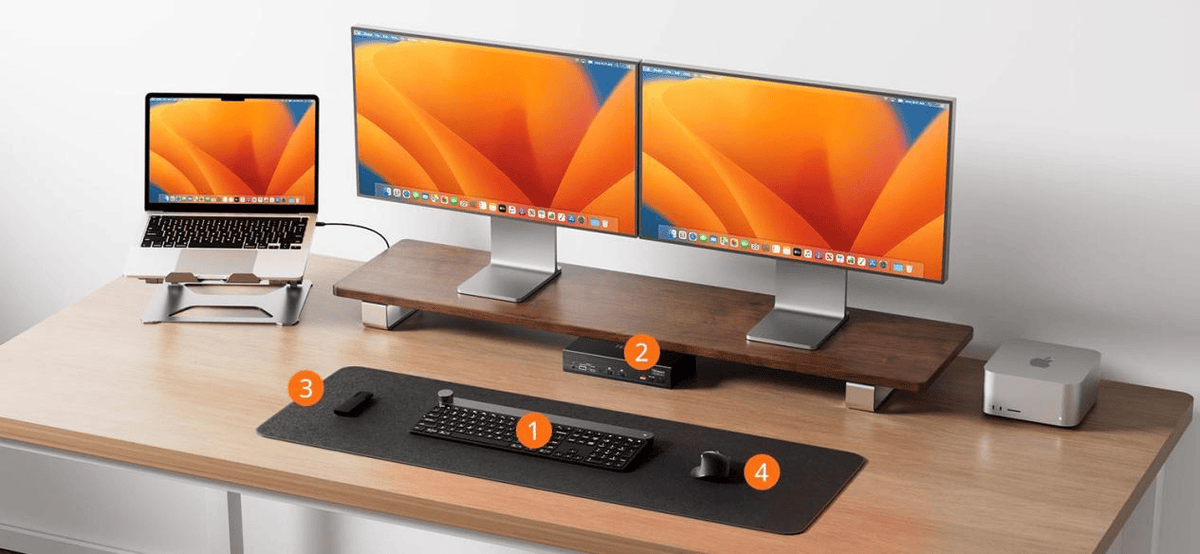
In recent years, Apple Studio Display has gradually become the centerpiece of professional workspaces for an increasing number of users. For video creators, photographers, software developers, music producers, designers, and engineers, it is no longer just a premium display. Instead, it has become an essential part of the entire desktop workflow.
In the past, the role of a monitor was straightforward: display images. A traditional monitor connected to a computer through HDMI or DisplayPort and handled only video output. When users switched between computers, they only needed to switch the video connection.
Apple Studio Display has completely changed this approach.
Beyond its 27-inch 5K Retina display, Apple Studio Display integrates many features typically found in a Thunderbolt docking station, including 5K Retina display output, Thunderbolt connectivity, USB expansion, a 12MP Ultra Wide camera, a studio-quality three-microphone array, a six-speaker Spatial Audio system, Power Delivery for laptop charging, and multiple PCIe-based internal devices.

All of these functions communicate with the computer through a single Thunderbolt cable.For users with only one computer, this creates an extremely clean and efficient desktop setup. One cable can handle display output, data transfer, peripheral connectivity, audio input and output, networking, and laptop charging, creating the type of Single Cable Workspace experience that Apple has promoted.
However, as more professionals begin using multiple computers—such as a MacBook Pro with a Mac mini, a MacBook Pro with a Mac Studio, a Mac paired with a Windows workstation, or a development machine alongside a testing machine—the complexity of the desktop environment increases significantly.
The challenge is no longer simply managing a display. Users now need to manage an entire Thunderbolt workspace.
How can two computers share two Apple Studio Displays without repeatedly unplugging Thunderbolt cables? How can users ensure that SSDs, cameras, USB hubs, audio devices, and network connections remain stable? How can two MacBooks continue charging at the same time?
These challenges are changing the role of Thunderbolt KVM switches. A professional Thunderbolt KVM is no longer just a device for switching computers. It is becoming the central connection and management platform for modern professional workspaces.
Chapter 1
Why Apple Studio Display Is Different from Traditional Monitors
Many users initially think of Apple Studio Display as simply a high-end monitor.However, from a system architecture perspective, Apple Studio Display is much closer to a combination of a display and a Thunderbolt dock.
A traditional monitor has a relatively simple function. It receives a video signal through HDMI or DisplayPort and displays the image.
Traditional monitor architecture:

Apple Studio Display works very differently.A single Thunderbolt connection carries multiple types of data simultaneously, including DisplayPort video, PCIe data, USB data, audio, camera communication, microphone signals, and Power Delivery. In other words, one Thunderbolt cable is not only transmitting a video signal but also connecting an entire ecosystem of devices built into the display.

As a result, when a Mac connects to an Apple Studio Display, the system is not simply detecting another monitor. Instead, it is discovering and initializing a complete Thunderbolt device environment.
This is why switching an Apple Studio Display is much more complex than switching a traditional HDMI display. Issues such as temporary black screens, USB devices disconnecting, external SSDs disappearing, cameras becoming unavailable, or audio outputs changing are usually not caused by the display itself. They are the result of the Thunderbolt system rebuilding its connection structure.
Understanding this difference is the foundation for understanding why professional Thunderbolt KVM solutions require a much more advanced architecture.
Chapter 2
Why More Professionals Are Using Dual Apple Studio Displays
With the growth of remote work and professional creative workflows, dual Apple Studio Display setups are becoming increasingly common.For many professionals, two displays provide much greater productivity because different tasks can remain visible at the same time.
For software developers, one display can remain dedicated to the IDE, code editor, and documentation, while the second display handles virtual machines, Docker environments, browsers, or testing systems. This allows development, debugging, and testing to happen simultaneously without constantly switching windows.
For video creators, one Apple Studio Display can display the editing timeline in applications such as Premiere Pro or Final Cut Pro, while the second display handles media management, full-screen previews, or DaVinci Resolve rendering monitoring. This creates a smoother and more efficient editing workflow.
For photographers and designers, one display can be dedicated to Photoshop, Lightroom, or Figma, while the second display provides space for asset management, reference images, client feedback, or color-related tools. Keeping creative resources visible reduces unnecessary window switching.
For financial analysts, one display may continuously show Bloomberg terminals, market data platforms, or trading systems, while the second display presents research reports, news platforms, and analytical tools. Important information remains available without interruption.
More professionals are realizing that productivity is not simply about having a larger display. The real advantage comes from assigning different tasks to different displays and keeping those tasks visible at all times.This trend has also created a new requirement for KVM systems.
Traditional KVM switches are designed around the idea that all displays and peripherals should switch together with the computer. Modern professional workflows often require the opposite approach: each display should be managed independently.This is the reason Thunderbolt Matrix Switching has become increasingly important.

Chapter 3
What Is Thunderbolt?
Many users think Thunderbolt is simply a high-speed cable technology.In reality, Thunderbolt is much more than that.Thunderbolt is not just a video interface. It is a high-speed interconnect technology that allows multiple protocols to operate simultaneously through a single cable.

A Thunderbolt connection can carry DisplayPort video, PCIe data, USB communication, and Power Delivery at the same time.
DisplayPort tunneling is responsible for transmitting video signals, including the 5K Retina output required by Apple Studio Display. PCIe tunneling provides high-speed communication for devices such as Thunderbolt SSDs, video capture cards, network adapters, docking stations, and other PCIe-based peripherals. USB tunneling manages USB devices such as keyboards, mice, cameras, storage devices, and printers. Power Delivery provides continuous power to connected laptops.
This means a single Thunderbolt cable is simultaneously responsible for video, data transfer, USB connectivity, and power management.
This capability is what makes a true single-cable workspace possible.However, it also explains why Thunderbolt switching is significantly more complex than traditional HDMI switching.
Chapter 4
What Is a Thunderbolt Domain?
One of the most important but often overlooked concepts in Thunderbolt architecture is the Thunderbolt Domain.Whenever a computer connects to Thunderbolt devices, it creates its own Thunderbolt Domain, which can be understood as the complete device topology of the Thunderbolt workspace.
Every time a Thunderbolt connection is established—or a KVM switches between host computers—the system must rebuild this entire device structure.
This process includes device discovery, Thunderbolt authentication, PCIe enumeration, USB enumeration, DisplayPort link training, and driver initialization.From the operating system’s perspective, switching Thunderbolt is not simply changing from one display to another.
It is reconnecting an entire workstation.This is one of the fundamental reasons why designing a professional Thunderbolt KVM is far more challenging than designing a traditional HDMI KVM.
Chapter 5
Why Traditional Thunderbolt KVMs Often Experience Disconnects
Many users encounter similar issues when using Apple Studio Display with Thunderbolt KVM solutions, including temporary black screens, external SSDs disappearing, USB devices reconnecting, cameras becoming unavailable, audio output changing unexpectedly, network adapters restarting, or application windows moving between displays after switching.
At first glance, these problems may appear to be caused by an unstable KVM. However, in most cases, they are closely related to the way Thunderbolt itself works.
Most traditional Thunderbolt KVM solutions use a Synchronized Switching architecture. When users switch from one host computer to another, the entire connected device environment moves together. Displays, USB peripherals, PCIe devices, and other Thunderbolt-connected devices must disconnect from one computer and reconnect to the other.
As modern workstations become more complex—with Apple Studio Displays, Thunderbolt SSDs, video capture devices, USB peripherals, and other professional equipment—the Thunderbolt device topology becomes increasingly complicated.

The real challenge is no longer simply switching a display signal.The challenge is rebuilding an entire Thunderbolt workspace quickly, reliably, and with minimal disruption.
Chapter 6
Professional Users Need More Than Additional Ports
In the past, users typically evaluated a KVM switch based on simple specifications:
How many computers can it support?
How many displays can it connect?
How many USB ports are available?
These factors are still important, but they are no longer enough to define the experience of a modern professional workstation.
Today's professionals need a system that can manage resources according to their workflow rather than simply provide more connections.
For example, a video editor may use two Apple Studio Displays with completely different purposes. One display remains dedicated to the Premiere Pro or Final Cut Pro timeline, while the second display is used for media management, full-screen preview, or DaVinci Resolve rendering monitoring. If both displays are forced to switch together every time the user changes computers, the workflow is interrupted and application layouts may need to be restored.
Software developers face similar challenges. One display may permanently show VS Code, Xcode, IntelliJ IDEA, or documentation, while the second display switches between macOS, Windows, Linux, or different testing environments. Instead of switching the entire desktop, developers need the ability to manage display resources independently.
Financial analysts, engineers, and IT professionals often work in the same way. Different computers handle different tasks, and different displays provide access to different information sources.
Modern workflows are organized around tasks—not computers.At the same time, professional workspaces now include many additional resources beyond displays, including Thunderbolt SSDs, USB hubs, cameras, audio interfaces, Ethernet connections, and continuous laptop charging.
A truly professional Thunderbolt KVM should not only connect these devices. It should intelligently manage them, reduce interruptions, and allow every resource to work together according to the user's needs.
This is why technologies such as Matrix Switching, independent HID management, continuous Power Delivery, and dual Thunderbolt controller architectures are becoming essential features in professional Thunderbolt KVM systems.
Chapter 7
Why Is Thunderbolt Matrix Switching So Complex?
Many users assume that Matrix Switching simply means allowing two displays to switch independently between multiple computers.However, the real challenge is not the switching itself.The difficult part is rebuilding the entire Thunderbolt environment after the switch.
A traditional HDMI Matrix switch only needs to redirect video signals from one source to another. Thunderbolt Matrix Switching is fundamentally different because each switch operation involves rebuilding the Thunderbolt topology and reconnecting multiple data paths.
When an Apple Studio Display changes from one host computer to another, the system may need to re-establish:Thunderbolt topology ,DisplayPort tunnel ,PCIe tunnel ,USB tunnel ,Thunderbolt authentication ,Power Delivery negotiation ,Device enumeration.
In other words, switching an Apple Studio Display is not simply changing the video source. The system is creating a new Thunderbolt workspace.
A professional Thunderbolt Matrix solution must ensure that all connected resources continue operating correctly after switching. USB devices must reconnect properly, cameras must be recognized, SSDs must mount successfully, audio devices must route correctly, network connections must recover, and Power Delivery must remain stable.
For professional users, the most important factor is not the fastest switching speed.It is reliable switching without interrupting the workflow.

Chapter 8
How TESmart TKS202-X4 Solves These Challenges
Understanding the complexity of Thunderbolt architecture explains why designing a professional Thunderbolt KVM is far more difficult than creating a traditional KVM switch.
The TESmart TKS202-X4 was not designed simply by adding more ports or increasing specifications. Instead, it was developed around the real requirements of modern professional workspaces.
The goal is not just to answer the question:"How do you switch between computers?"The real question is:"How do you keep an entire Thunderbolt workspace running smoothly while switching between multiple computers?"
To achieve this, the TKS202-X4 introduces several architectural improvements designed specifically for professional users.
Matrix Switching: Let Displays Follow Your Workflow, Not Your Computer
Traditional Thunderbolt KVM solutions typically use synchronized switching. When users change the active computer, all connected displays switch together.The TKS202-X4 introduces a different approach with true Thunderbolt Matrix Switching.Each Thunderbolt output can independently connect to different host computers, allowing displays to be assigned based on workflow requirements.
For example, a software developer can keep one display permanently connected to a development environment while switching the second display between different testing systems.A video creator can continue monitoring an editing timeline on one display while using the second display for a rendering workstation or another computer.
This "one display stays fixed, one display switches" approach better matches the way professionals actually work.Instead of organizing the workspace around computers, Matrix Switching allows the workspace to be organized around tasks.

Independent HID Management: Keep Control on the Keyboard
An efficient workflow should not require users to physically access the KVM every time they need to switch devices.The TKS202-X4 uses dedicated HID management to separate keyboard and mouse control from general USB devices.Through keyboard hotkeys, users can control functions such as:Host switching ,Matrix display assignment ,USB peripheral switching ,Audio switching.
This is especially useful when the KVM is installed behind a display, underneath a desk, or inside a rack system.By keeping control directly at the keyboard, the switching process becomes faster, cleaner, and less disruptive.
Chapter 9
Why Dual Intel JHL8440 Controllers Matter
One of the most important technical features of the TESmart TKS202-X4 is its Dual Intel JHL8440 Thunderbolt 4 controller architecture.
To understand why this design matters, it is important to first understand the role of the Thunderbolt controller.
The Intel JHL8440 is an Intel-certified Thunderbolt 4 controller responsible for managing key functions within a Thunderbolt connection, including 40Gbps Thunderbolt data transfer, PCIe Gen3 tunneling, DisplayPort tunneling, USB4 compatibility, Thunderbolt authentication, and Power Delivery management.
In many Thunderbolt docks and KVM solutions, a single controller manages all Thunderbolt traffic.
As more devices are connected, the controller must coordinate increasingly complex data flows.The TKS202-X4 adopts a dual-controller architecture, where each Thunderbolt data path is managed by an independent Intel JHL8440 controller.This design is not intended to increase theoretical bandwidth. Instead, it improves system organization and reduces competition between different Thunderbolt resources.The dual-controller architecture provides three major advantages.
Resource Isolation reduces contention between different data streams by allowing each controller to manage its own workload.
Domain Isolation allows each host to maintain a more independent Thunderbolt Domain, reducing the impact of switching between systems.
Topology Isolation creates cleaner and more independent device paths, improving stability in complex professional workspaces.
The real advantage of dual Intel JHL8440 controllers is not higher benchmark performance.It is a more stable, predictable, and reliable Thunderbolt environment for professional workflows.

Chapter 10
Dual 60W Power Delivery: Keep Two Computers Ready at All Times
For many professional users, working with two laptops has become a common setup. A MacBook Pro may serve as the primary workstation, while another MacBook, Mac mini, or secondary computer handles testing, communication, remote access, or other supporting tasks.However, many Thunderbolt KVM solutions only provide Power Delivery to the currently active computer. Once users switch to another host, the previously connected computer may stop charging.
Over time, this can lead to unexpected battery issues and interrupt long-running tasks that depend on continuous power.
The TESmart TKS202-X4 solves this challenge with dual independent 60W Power Delivery.Both connected host devices can receive up to 60W of continuous charging, regardless of which computer is currently selected for display output.Such as MacBook Air,MacBook Pro and MacBook Neo.60W Power Delivery is sufficient for most productivity, development, and creative workflows.
With continuous Power Delivery, users no longer need multiple chargers on their desk or need to repeatedly reconnect power cables when switching between computers.Both systems remain powered, connected, and ready whenever they are needed.

Chapter 11
USB, Audio, and Network: Managing the Complete Desktop Environment
A professional workstation is no longer just a display and a computer.Modern workflows often include a wide range of connected devices, including Thunderbolt SSDs, USB peripherals, cameras, microphones, audio interfaces, network connections, and external storage.Managing these resources efficiently is just as important as managing display connections.
The TESmart TKS202-X4 integrates USB, audio, and network management into a unified Thunderbolt workspace.The front-facing USB-A and USB-C ports with 10Gbps transfer speeds are designed for frequently used devices such as portable SSDs, flash drives, and temporary storage equipment.The rear USB ports are optimized for permanent connections, including printers, wireless receivers, cameras, and other everyday peripherals.This separation helps users maintain a cleaner and more organized desktop while ensuring that high-speed devices and frequently used accessories are used in the most appropriate way.
The built-in Gigabit Ethernet interface allows multiple host computers to share a single wired network connection, reducing cable clutter and simplifying workstation setup.
The TKS202-X4 also supports independent audio management, allowing audio and video resources to be controlled separately.For example, a user can switch the display output to another computer while continuing to play audio, complete a video export, or remain connected to an online meeting through the original host.By managing display, USB, audio, and networking resources together, the TKS202-X4 transforms a collection of individual devices into a coordinated professional workspace.

Chapter 12
Real-World Thunderbolt Workflow Examples
Different professionals use their workstations in different ways, but they share a common goal: reducing interruptions and keeping important information available at all times.
Software Development
A developer may use a Mac mini as the primary development system and a MacBook Pro as a testing machine.One Apple Studio Display remains dedicated to coding environments such as Xcode, VS Code, or IntelliJ IDEA, while the second display switches between different operating systems, virtual machines, or testing environments.This allows developers to write, test, and debug applications without constantly moving windows or changing the entire workspace.
Video Production
For video editors, two displays often serve completely different purposes.One Apple Studio Display can remain dedicated to the editing timeline in applications such as Final Cut Pro or Premiere Pro.The second display can be used for media management, full-screen previews, color monitoring, or another workstation handling rendering tasks.This allows editing and rendering workflows to continue simultaneously without unnecessary interruptions.
Photography and Design
Creative professionals often need multiple applications visible at the same time.One display may run Adobe Lightroom, Photoshop, or Figma, while the second display provides space for reference images, asset management, client feedback, or project resources.Keeping creative tools and reference materials visible helps improve efficiency and reduces repeated application switching.
Financial Analysis
Financial professionals often need continuous access to multiple information sources.One display can monitor Bloomberg terminals, trading platforms, or market data systems, while the second display handles research tools, news platforms, reports, and analytics applications.Different systems can operate independently, allowing users to monitor critical information without disrupting their workflow.

Chapter 13
The Future of Professional Thunderbolt Workspaces
As Apple Studio Display, Mac Studio, Mac mini, Thunderbolt SSDs, and multi-computer workflows become increasingly common, the role of desktop connectivity is changing.In the past, users mainly managed a display.
Today, they manage an entire Thunderbolt workspace.The modern professional desktop includes multiple layers of resources:Display systems,Thunderbolt peripherals,USB devices,Network connections,Audio equipment,Power management,Multiple host computers
As these environments become more complex, the value of a Thunderbolt KVM is no longer measured only by switching speed or the number of supported ports.Instead, the next generation of professional KVM solutions will focus on intelligent resource management—allowing users to organize their workspace around tasks rather than computers.
The KVM is evolving from a traditional switching device into the central management platform of the professional desktop.

Chapter 14
Conclusion: Managing Workflows, Not Just Switching Devices
Apple Studio Display has changed the definition of what a monitor can be.A single Thunderbolt cable now carries display output, data transfer, peripheral connectivity, audio, and power delivery—all through one connection.
As professional users adopt multiple computers, dual Apple Studio Displays, high-speed Thunderbolt storage, and increasingly complex desktop environments, the challenge is no longer simply connecting devices.The real challenge is managing an entire Thunderbolt workflow.
The TESmart TKS202-X4 was designed around this idea.
Through Thunderbolt Matrix Switching, dual Intel JHL8440 Thunderbolt 4 controllers, dual 60W Power Delivery, independent HID management, and unified USB, audio, and network control, it provides a more flexible, stable, and efficient solution for modern professional workspaces.For developers, creators, engineers, financial professionals, and enterprise users who rely on multiple computers every day, a professional Thunderbolt KVM is no longer just a switch.
It is the foundation of a smarter, more efficient, and better-organized workspace.
FAQ
1.Can Apple Studio Display work with a Thunderbolt KVM?
Yes.However, Apple Studio Display requires more than a simple video switch because it combines display output, USB expansion, camera, microphone, audio, and Power Delivery through Thunderbolt.
A compatible solution must support the complete Thunderbolt architecture rather than only switching video signals.
2.Why does Apple Studio Display reconnect after switching?
Because Thunderbolt switching requires the system to rebuild the device topology.
During this process, the computer performs operations such as PCIe enumeration, USB enumeration, DisplayPort Link Training, and Thunderbolt authentication.
These steps are part of the normal Thunderbolt connection process.
3.Can Thunderbolt carry video and USB data at the same time?
Yes.Thunderbolt is designed to transport multiple protocols simultaneously, including DisplayPort, PCIe, USB, and Power Delivery.
This is why one Thunderbolt cable can replace multiple traditional connections.
4.What are the advantages of dual Thunderbolt controllers?
A dual-controller architecture provides better system organization through
Resource Isolation
Domain Isolation
Topology Isolation
This helps maintain stability when managing complex professional workstations with multiple displays and Thunderbolt devices.
5.Can two MacBooks charge at the same time?
Yes.The TESmart TKS202-X4 supports dual independent 60W Power Delivery, allowing two connected computers to remain continuously powered.
Related Guides
If you're building a setup around Apple Studio Display, these resources may help:
Thunderbolt™ Technology: A Universe of Possibilities
Studio Display - Technical Specifications - Apple
Connect PS5/Xbox to Mac Studio Display via Thunderbolt™-compatible KVM – TESmart
Share:
CKS201-M23 vs HKS202-P23 vs DKS202-M24: Which KVM Switch Fits Your Setup?
Can You Use a Docking Station With a KVM Switch?