Table of Contents
- Introduction
- What Is HDMI ARC?
- What Is HDMI eARC?
- HDMI ARC vs eARC: Key Differences
- Does HDMI ARC Support Dolby Atmos?
- Do You Need eARC for a Soundbar?
- HDMI ARC vs eARC vs Optical Audio
- Can HDMI Switches and HDMI Matrix Devices Support ARC or eARC?
- HDMI ARC/eARC Troubleshooting
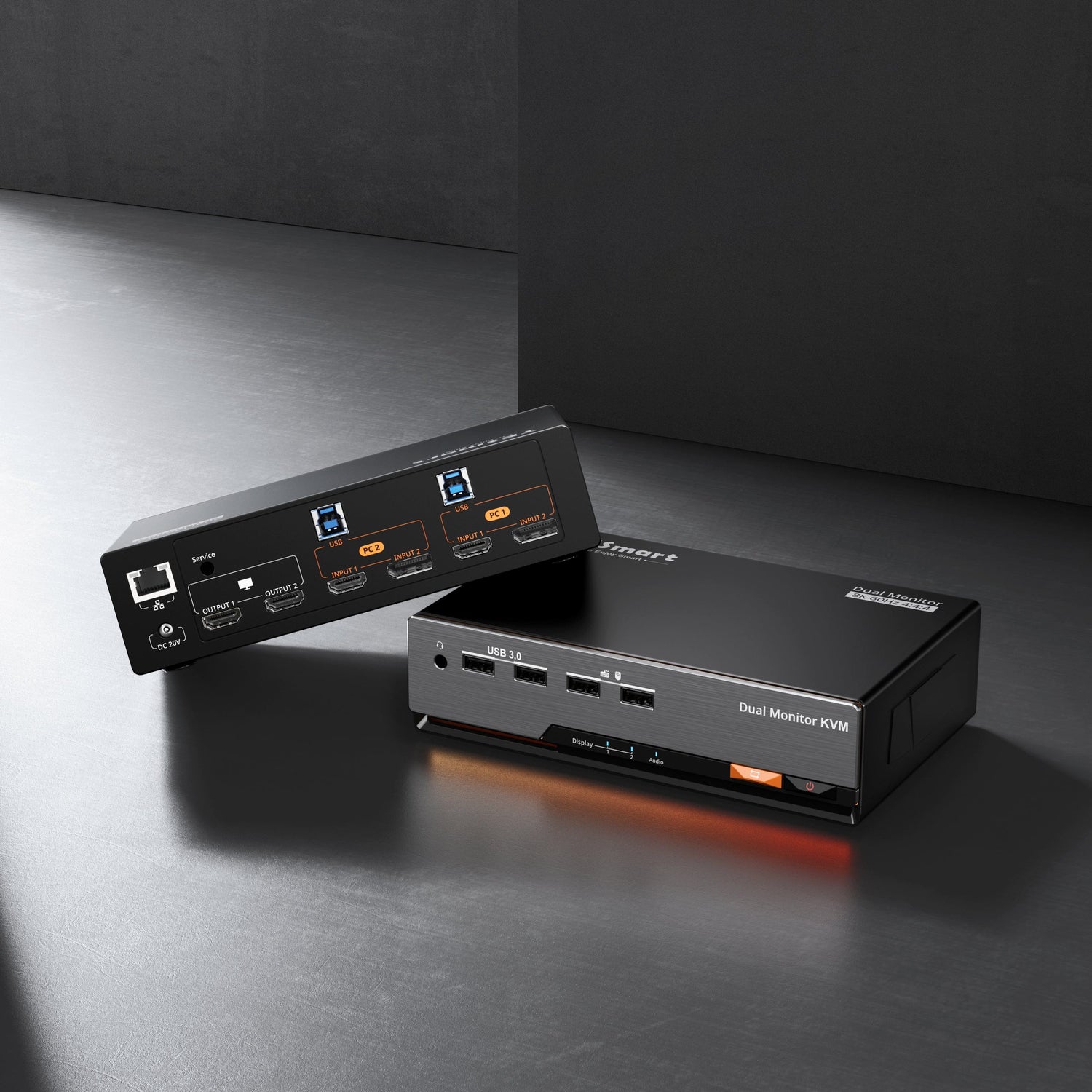
- Where TESmart HDMI Switch and Matrix Products Fit
- FAQ
- Conclusion
Introduction
HDMI ARC vs eARC is not only a spec comparison. For most users, the real question is simpler: why does a TV, soundbar, AV receiver, game console, or HDMI switch produce sound in one setup but not in another?
ARC and eARC both send audio from a TV back to an audio device through HDMI. The difference is how much audio data they can carry, how reliably devices negotiate the connection, and whether the setup can support formats such as lossless surround sound or Dolby Atmos from the right source.
This matters when your system includes a soundbar, AV receiver, HDMI switch, HDMI matrix, projector, gaming console, or multiple displays. A device may pass normal HDMI video correctly but still fail to handle ARC or eARC audio return, because audio return is not the same as normal HDMI audio going from a source to a TV.
What Is HDMI ARC?
HDMI ARC stands for Audio Return Channel. It allows audio to travel from the TV back to a soundbar or AV receiver using the same HDMI cable that also carries video in the opposite direction.
Before ARC, many users connected a TV to a soundbar with optical audio. ARC reduced cable clutter by letting the TV send audio from built-in apps, TV tuners, or HDMI-connected devices back to an external audio system.
In real use, HDMI ARC is usually enough for basic TV audio, stereo sound, and many compressed surround formats. It can support 5.1 surround sound in many setups, but the actual result depends on the TV, soundbar, source device, app, and audio format settings.
The common failure point is that ARC depends heavily on device negotiation and HDMI CEC. If CEC is disabled, the wrong HDMI port is used, or the TV audio output is set incorrectly, ARC may produce no sound even when the cable and devices are working.

What Is HDMI eARC?
HDMI eARC stands for Enhanced Audio Return Channel. It was developed to improve ARC by supporting higher-bandwidth audio formats, more reliable device discovery, and better handling of modern home theater audio.
According to HDMI.org, eARC supports high-bitrate audio formats, including uncompressed 5.1 and 7.1 audio, 32-channel uncompressed audio, DTS-HD Master Audio, DTS:X, Dolby TrueHD, and Dolby Atmos. :contentReference[oaicite:0]{index=0}
In practice, eARC matters most when you want the TV to pass high-quality audio from devices such as Blu-ray players, media boxes, PS5, Xbox Series X, or a PC to a soundbar or AV receiver. It is also useful when you want more stable lip-sync behavior and fewer compatibility issues than older ARC setups.
Dolby also describes eARC as an extension of ARC that uses higher bandwidth and adds features such as lip-sync correction.

HDMI ARC vs eARC: Key Differences
| Feature | HDMI ARC | HDMI eARC |
|---|---|---|
| Main purpose | Send TV audio back to a soundbar or AV receiver | Send higher-quality TV audio back to a soundbar or AV receiver |
| Typical audio support | Stereo, compressed 5.1, Dolby Digital, Dolby Digital Plus in many setups | Uncompressed 5.1/7.1, Dolby TrueHD, DTS-HD Master Audio, higher-bitrate immersive formats |
| Dolby Atmos | Possible in compressed Dolby Digital Plus form, depending on the TV and app | Better suited for Dolby Atmos, including lossless Dolby TrueHD-based Atmos when supported |
| Device negotiation | Often relies on HDMI CEC behavior | Designed for more reliable device discovery and audio capability matching |
| Best use case | Basic soundbar, TV apps, standard surround sound | Home theater, high-end soundbar, game console, Blu-ray, media server, lossless audio |
| Cable requirement | Usually works with standard HDMI cables that support ARC | Requires a cable and devices that support the eARC workflow; cable quality matters more in complex setups |
The short version is this: ARC is about convenience. eARC is about higher audio bandwidth and better compatibility for modern audio formats.
Does HDMI ARC Support Dolby Atmos?
Yes, HDMI ARC can support Dolby Atmos in some setups, but usually only in compressed form through Dolby Digital Plus. This is common with streaming apps because many streaming services use compressed audio rather than lossless disc-quality audio.
However, ARC is not the right path for lossless Dolby TrueHD-based Atmos from sources such as Blu-ray players, high-bitrate local media, or certain home theater PCs. For that, eARC is the safer requirement because it has the bandwidth needed for lossless audio formats.
This is why two users can both say “Dolby Atmos works over HDMI ARC” and still mean different things. One may be getting compressed Atmos from a streaming app. The other may be trying to pass lossless Atmos from a Blu-ray player. The first may work through ARC. The second usually needs eARC.
Dolby Atmos Checklist
To get Dolby Atmos through ARC or eARC, every part of the chain must support the right format:
Source content must include Dolby Atmos audio.
The TV must support passthrough for that audio format.
The soundbar or AV receiver must decode the format.
The HDMI port must be the ARC or eARC port.
The TV audio output setting must be configured for passthrough, bitstream, or auto mode rather than forced PCM stereo.
Do You Need eARC for a Soundbar?
You do not always need eARC for a soundbar. If your soundbar is a basic 2.1 or 3.1 model, HDMI ARC is usually enough. It can carry TV audio and often allows volume control through the TV remote when HDMI CEC works correctly.
eARC becomes more important when your soundbar supports Dolby Atmos, DTS:X, rear speakers, upward-firing drivers, or lossless audio passthrough. In these setups, the soundbar can do more than ARC can consistently deliver.
For a simple TV + soundbar setup, HDMI ARC is often practical. For a TV + high-end soundbar + game console + streaming box + Blu-ray player setup, eARC makes more sense.
Common Soundbar Setup Paths
TV apps to soundbar: ARC may be enough for standard streaming audio. eARC is better if the TV and app support higher-quality output.
Game console to TV to soundbar: eARC is preferred when you want the TV to pass high-quality audio from PS5, Xbox Series X, or PC back to the soundbar.
Source device to soundbar to TV: If the soundbar has HDMI inputs, connecting the source directly to the soundbar can avoid some ARC limitations, but this depends on whether the soundbar can pass the video resolution, refresh rate, HDR, VRR, and HDCP requirements of the source.
HDMI ARC vs eARC vs Optical Audio
Optical audio is still useful, but it is more limited than HDMI ARC and eARC. It can carry stereo and some compressed surround formats, but it does not support the same control features or high-bitrate audio formats that eARC can handle.
| Connection | Best For | Main Limitation |
|---|---|---|
| Optical audio | Simple TV-to-soundbar audio, older equipment | Limited format support; no HDMI CEC control |
| HDMI ARC | Soundbars, TV apps, compressed surround sound | Limited bandwidth and more CEC-related issues |
| HDMI eARC | Dolby Atmos, DTS:X, lossless audio, modern home theater | Requires compatible TV, audio device, port, and cable path |
If your setup only needs TV audio through a compact soundbar, optical can still work. If you want one-cable control and better integration, ARC is usually better. If you want high-quality surround or lossless audio, eARC is the stronger path.
Can HDMI Switches and HDMI Matrix Devices Support ARC or eARC?
Some HDMI switches and HDMI matrix devices can support ARC or eARC, but support must be stated clearly in the product specifications. You should not assume that every HDMI switch can pass ARC or eARC just because it has HDMI ports.
The reason is directional. A normal HDMI switch usually sends video and audio from multiple source devices to one display. ARC and eARC send audio in the reverse direction, from the TV back to a soundbar or AV receiver. That return path requires specific hardware support.
This distinction is especially important when shopping for an HDMI switch with audio extractor or an HDMI matrix with optical audio out. Audio extraction often means the switch can extract audio from the incoming HDMI source signal. It does not always mean the device can receive audio returned from the TV’s ARC or eARC port.

HDMI Switch with ARC
An HDMI switch with ARC can be useful when several source devices connect to one TV, and the TV needs to send audio back to a soundbar or receiver. The key is to check which HDMI port supports ARC and whether the switch supports the audio format you need.
HDMI Matrix with ARC
An HDMI matrix is more complex because it routes multiple sources to multiple displays. In a home theater, sports bar, showroom, or meeting room, different TVs may need different audio behavior. Some displays may use local speakers, while others may send audio to a central amplifier.
For this reason, ARC/eARC support in a matrix should be evaluated port by port. A matrix may support audio extraction or optical output without supporting full eARC return from every display.
Why eARC Is Harder Than ARC in Switching Devices
eARC carries more data and depends on more precise device capability negotiation. If any device in the chain cannot handle eARC, the system may fall back to ARC, output stereo, lose Dolby Atmos, or produce no sound.
When your priority is eARC, avoid assuming compatibility from the HDMI version alone. Look for explicit eARC support in the product description, manual, and port labeling.
HDMI ARC/eARC Troubleshooting
Many HDMI ARC not working and HDMI eARC not working problems are caused by setup details rather than broken hardware. Start with the simplest checks before replacing devices.
Why Is There No Sound from HDMI ARC?
Use the HDMI port labeled ARC or eARC on the TV. A regular HDMI input will not send return audio to the soundbar.
Enable HDMI CEC on both the TV and the soundbar or receiver. Brands use different names for CEC, so check the TV settings menu.
Set the TV audio output to HDMI ARC, HDMI eARC, external speakers, receiver, passthrough, bitstream, or auto mode, depending on the available options.
Power cycle the TV, soundbar, and source devices after changing settings. ARC/eARC negotiation may not refresh until devices reconnect.
Why Is HDMI ARC Only Outputting Stereo?
The TV may be set to PCM output. PCM stereo is often the safest default, but it can prevent surround formats from passing through.
Change the digital audio output setting to passthrough, bitstream, Dolby Digital, or auto. The exact wording depends on the TV brand.
Also check the source device. A game console, streaming box, or Blu-ray player may have its own audio format settings.
Why Is Dolby Atmos Not Working Over HDMI ARC?
First, confirm what type of Dolby Atmos you are trying to play. Streaming Atmos may work through ARC when sent as Dolby Digital Plus. Lossless Atmos usually requires eARC.
Next, check whether the TV supports Atmos passthrough from the specific HDMI input or app you are using. Some TVs support Atmos from built-in apps but not from external HDMI devices.
Why Is There HDMI ARC Audio Delay?
Audio delay can happen when the TV processes video and audio at different speeds. Try enabling eARC if available, using passthrough mode, disabling unnecessary audio processing, or adjusting the lip-sync setting on the TV or receiver.
Where TESmart HDMI Switch and Matrix Products Fit
TESmart HDMI switch and HDMI matrix products are most relevant when the problem is not just “how do I connect a soundbar,” but “how do I route several HDMI sources or displays without constantly reconnecting cables?”
For a gaming console, streaming box, PC, and Blu-ray player sharing one TV, an HDMI switch can simplify source selection. For a TV, projector, and secondary display using several sources, an HDMI matrix can route different signals to different screens.
When audio is part of the setup, the selection criteria should be more specific:
If you need source audio extraction: look for an HDMI switch or matrix with audio output such as optical, analog, or dedicated audio extraction. This is useful when the goal is to send audio from HDMI sources to speakers or an amplifier.
If you need TV app audio back to a soundbar: check for ARC support. Source audio extraction alone may not solve this because TV app audio travels in the return direction.
If you need lossless Dolby Atmos or high-bitrate surround: check for explicit eARC support across the exact port path. Do not rely only on “HDMI 2.1” wording.
If you need multiple TVs or a projector system: an HDMI matrix is often more suitable than a basic HDMI switch because it can route sources to different displays. However, ARC/eARC behavior must still be checked carefully for each output.
For TESmart users, the practical buying question is not only whether a device supports HDMI video. It is whether the whole chain supports the audio path you need: source-to-display audio, TV-to-soundbar ARC, or TV-to-audio-system eARC.
FAQ
Is eARC better than ARC?
Yes, eARC is technically better because it supports higher-bandwidth audio formats and more reliable capability negotiation. ARC is still enough for many basic soundbar and TV app setups.
Can I use eARC with an ARC TV?
An eARC soundbar can usually connect to an ARC TV, but the connection will normally work at ARC capability, not full eARC capability. That means lossless audio formats may not pass through.
Do I need HDMI 2.1 for eARC?
eARC is associated with the HDMI 2.1 feature set, but you should check the actual TV, soundbar, and device specifications rather than relying only on the HDMI version label. Some devices include eARC support even when other HDMI 2.1 gaming features are not present.
Does ARC support Dolby Atmos?
ARC can support Dolby Atmos in compressed Dolby Digital Plus form when the TV, app, and soundbar support it. For lossless Dolby TrueHD-based Atmos, eARC is usually required.
Why is my HDMI ARC not working?
The most common reasons are using the wrong HDMI port, HDMI CEC being disabled, the TV audio output being set incorrectly, a cable issue, or the soundbar not being selected as the active audio output.
Can an HDMI switch pass ARC or eARC?
Only if the HDMI switch explicitly supports ARC or eARC. Many HDMI switches pass normal HDMI audio from source devices but do not support audio return from the TV.
Is HDMI ARC different from regular HDMI?
ARC uses an HDMI port, but the port must specifically support Audio Return Channel. A regular HDMI input may receive video and audio from a source device but cannot necessarily send TV audio back to a soundbar.
Do I need a special HDMI cable for eARC?
You need a cable that can reliably support the required eARC path. In short cable runs, many quality HDMI cables may work, but for complex home theater or matrix setups, cable quality and certification become more important.
Conclusion
The difference between HDMI ARC and eARC comes down to audio return capability. ARC is useful for basic TV-to-soundbar audio and compressed surround sound. eARC is better for modern home theater systems that need higher-bandwidth audio, Dolby TrueHD, DTS-HD Master Audio, DTS:X, or lossless Dolby Atmos.
For simple soundbar use, HDMI ARC may be enough. For gaming consoles, Blu-ray players, media servers, high-end soundbars, AV receivers, or multi-display HDMI routing, eARC is usually the more reliable target.
When an HDMI switch or HDMI matrix is part of the system, check the audio path carefully. Normal HDMI switching, audio extraction, ARC, and eARC are different functions. The right product is the one that matches the direction and quality of the audio signal you actually need.