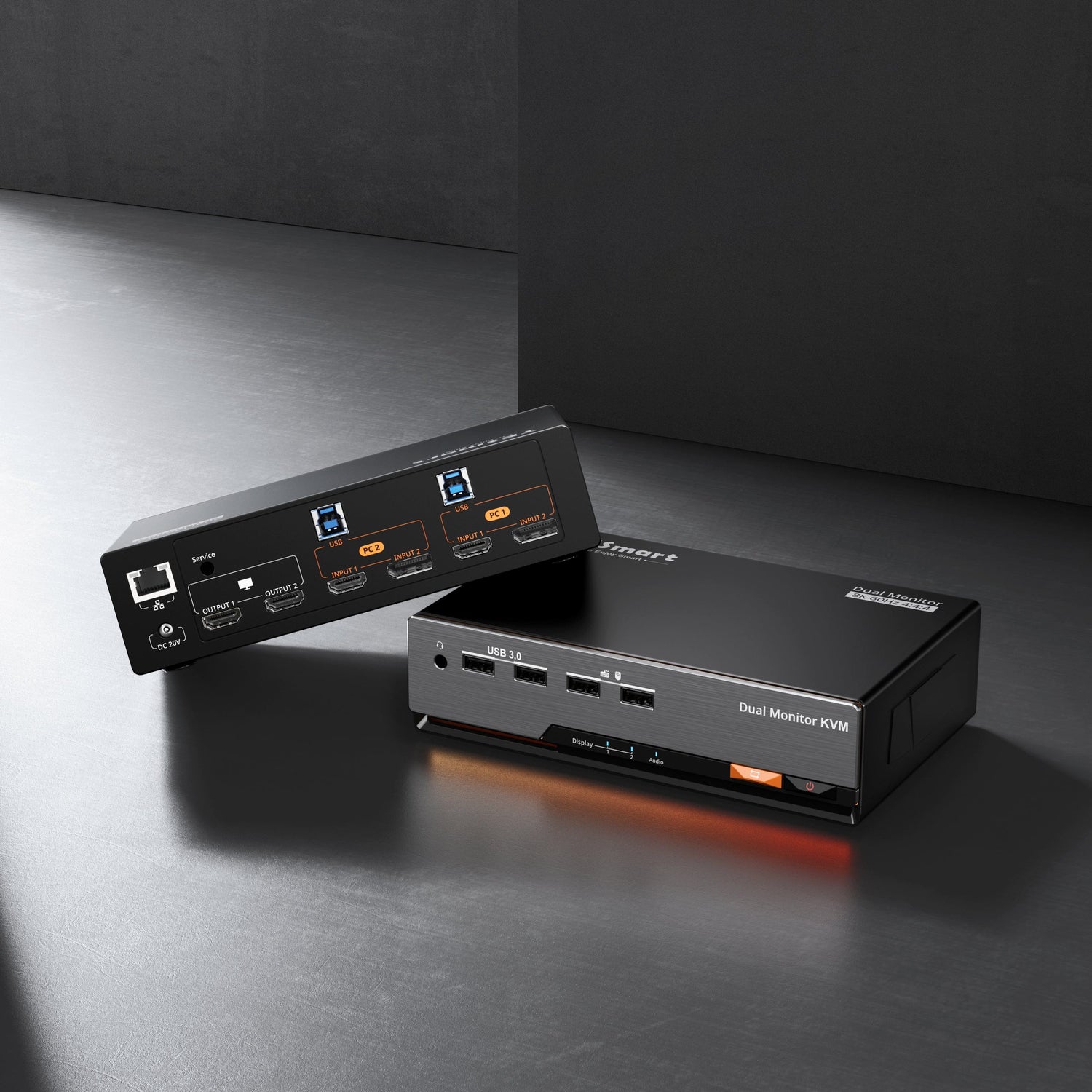
As multi-monitor setups and mixed-device workflows become increasingly common, many professional users face the same challenge:
How can two computers reliably share four independent monitors and a complete set of peripherals—without disrupting workflow?
In quad-monitor environments, frequent cable plugging and manual input switching quickly become impractical. Beyond inefficiency, these actions interrupt desktop continuity and reduce overall productivity.
The HDK204-P24 is designed specifically for this class of high-demand, multi-monitor usage scenarios.

Real Pain Points in Dual-Computer, Quad-Monitor Setups
In practice, users working with two computers and four monitors often encounter the following issues:
-
Four monitors connected across two computers result in complex cable management
-
Manual monitor input switching is required every time computers are changed
-
Resolution and window layouts are frequently rearranged after switching
-
Keyboards, mice, and storage devices must be reconnected repeatedly
-
macOS does not support MST, rendering many common expansion solutions ineffective
These are not edge cases. They are structural problems that emerge once monitor counts exceed standard dual-display configurations.
Why Conventional Solutions Fall Short
Most traditional switching approaches are not designed for true four-monitor independence:
Manual Input Switching
-
Relies heavily on user intervention
-
Inefficient in high-frequency switching scenarios
-
Offers no persistence of desktop state
MST-Based Expansion
-
Incompatible with macOS by design
-
Stability depends on OS and driver behavior
-
Not suitable for long-term, multi-monitor workflows
Standard Dual-Monitor KVMs
-
Architecturally limited to two independent display channels
-
Cannot scale to four native displays per computer
-
Often force compromises rather than providing true quad-monitor support
As monitor count and switching frequency increase, users need more than a signal switch—they need a complete, stable desktop switching architecture.
HDK204-P24 Design Philosophy: Stability-First, Engineer-Oriented Architecture
Four Independent Display Outputs for macOS and Windows
The HDK204-P24 allows two computers to connect to four independent monitors simultaneously, with each display driven through a native video channel:
-
Supports a combination of HDMI and DisplayPort inputs
-
Each display supports up to 4K@60Hz
-
Does not rely on MST; macOS can fully recognize four discrete displays
This ensures consistent behavior across operating systems without relying on software-based display expansion.
EDID Emulation: Preserving Desktop Layout During Switching
In multi-monitor environments, the primary productivity cost is not switching itself, but what happens afterward.
Without proper EDID handling, systems may:
-
Re-negotiate resolution
-
Reorder displays
-
Rearrange application windows
The HDK204-P24 integrates EDID emulation to maintain continuous display awareness on both computers:
-
Resolutions remain consistent before and after switching
-
Window positions are preserved
-
Application layouts remain stable
For quad-monitor users, this directly translates into reduced disruption and faster context switching.
USB 3.2 Peripheral and Network Sharing: One-Step Desktop Switching
Beyond video, the HDK204-P24 provides USB 3.2 Gen 1 (5Gbps) ports for sharing:
-
Keyboard and mouse
-
USB storage devices
-
Cameras and input peripherals
With integrated network sharing support, peripherals switch together with displays, eliminating repeated reconnection and minimizing device conflicts.
The result is a single action that switches the entire desktop environment—not just the screens.
Who Is the HDK204-P24 Designed For?
The HDK204-P24 targets professional users who require stability and efficiency in complex multi-monitor setups, including:
-
Software developers, system administrators, and test engineers
-
Financial trading, data analysis, and monitoring environments
-
Content creation and multi-timeline editing workstations
-
Mixed Windows and macOS workflows
If your workspace has evolved into a dual-computer, quad-monitor configuration, the HDK204-P24 helps reduce switching overhead while maintaining desktop continuity.
Engineer-Level KVM: Value Beyond Interface Count
The value of the HDK204-P24 is not defined by the number of ports alone. In high-frequency switching scenarios, it enables:
-
Persistent desktop state
-
Reduced manual intervention
-
Stable multi-device collaboration
This is the practical distinction between an engineer-level KVM and a conventional switching device.
Conclusion
The HDK204-P24 is not designed to simply display more screens.
It is designed to maintain a stable, four-monitor desktop architecture across two computers.
For users seeking a mature and reliable solution to manage dual-computer, quad-monitor workflows, the HDK204-P24 represents a professional-grade option built on sound engineering principles.